Status Released · 2026

Sheet 01 of 11/General arrangement

Browser extensionDrawing 30 of 30

Square
Downloader

YouTube stopped serving a file. In HD the video and the audio arrive as separate encrypted streams that the player decrypts in memory, so there is no URL to request and nothing for a downloader to fetch. This one takes the bytes back a layer later, where the player hands them to the browser to decode, and reassembles them with ffmpeg compiled to WebAssembly. It runs entirely in the browser: no server, no yt-dlp, no account, no paid tier.

Specification / as recorded

Status
Released, version 1.4.3, 2026
Role
Interface and quality pipeline
Based on
Triangle Downloader, GPL-3.0
Built with
Vanilla JS, Manifest V3, ffmpeg.wasm
Install
Loaded unpacked, not on the Chrome Web Store
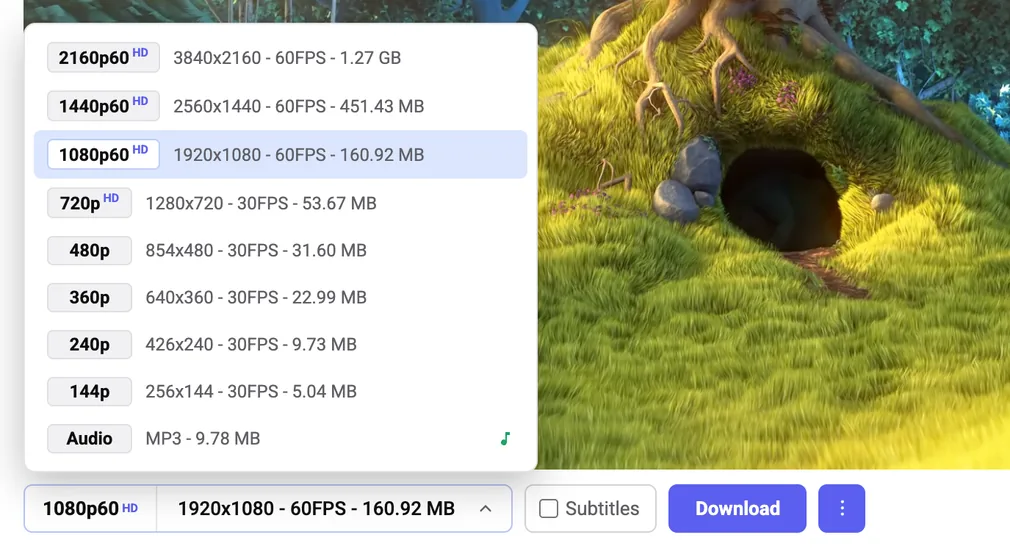
The quality list opened upward over the video, listing 2160p60 down to 144p with resolution, frame rate and megabytes for each, plus an audio MP3 row at the bottom
PlatePL-01
TitleEvery quality the video has
ViewGeneral
With real resolution, frame rate and file size read off the player's own format table.

Sheet 02 of 11/Specification

By the numbers

MeasureValueBasis
First-party code1,709 lines across 7 fileswc -l, vendored ffmpeg excluded
JavaScript1,417 lines622 hook, 534 interface, 223 offscreen, 38 worker
Permissions3: downloads, offscreen, storagemanifest.json
Host accesswww.youtube.com, and nothing elsemanifest.json
First-party network calls0grep for fetch, XMLHttpRequest, WebSocket, sendBeacon
URL literals in first-party code1, the SVG namespace stringgrep
Vendored dependencyffmpeg.wasm, @ffmpeg/core 0.12.6, single-threadedvendor/ffmpeg
Committed WebAssembly32.1 MBffmpeg-core.wasm
Qualities offered144p to 2160p60, VP9 onlyreadFormats()
Exact-cut threshold60 seconds, above which the start aligns to a keyframecontent_ui.js
Build stepNoneNo package.json, loaded unpacked
LicenceGPL-3.0, inherited from upstreamLICENSE

Sheet 03 of 11/System

How it fits together

Four contexts and two channels. The hook copies bytes out of the player inside the page's own realm, the bar orchestrates from an isolated one, and the merge runs in an offscreen document because a service worker cannot host ffmpeg.

THE YOUTUBE PAGE MAIN WORLD PLAYER DECRYPTED BYTES APPENDBUFFER HOOK COPIES EVERY BYTE, THEN CALLS THE ORIGINAL POSTMESSAGE ISOLATED WORLD THE BAR CHROME.RUNTIME, 4 MB CHUNKS OFFSCREEN DOCUMENT FFMPEG.WASM BLOB SERVICE WORKER CHROME.DOWNLOADS MP4 ON DISK
PlatePL-02
TitleThe path a download takes
ViewSchematic
Four contexts and two channels. The hook copies bytes out of the player inside the page's own realm, the bar orchestrates from an isolated one, and the merge runs in an offscreen document because a service worker cannot host ffmpeg.

Sheet 04 of 11/Why

Free, and it means the word

The extension this one is modelled on is not open source, and 720p and 1080p sit behind its paywall.

That is a legitimate way to run a product and I do not begrudge it. It is a poor fit for this particular thing. A downloader is something you point at your own browsing, running with permission to read a page you are signed into, and the reasonable question to ask of it is what it does with that access. If the answer has to be taken on trust, the answer is not good enough.

So the claim this one makes is small and checkable. Three permissions: downloads, offscreen, storage. Host access to www.youtube.com and nothing else. No first-party network call anywhere in the source, which is one grep to confirm, and the only URL literal in 1,417 lines of JavaScript is the SVG namespace string. Nothing routes through a server, because there is no server.

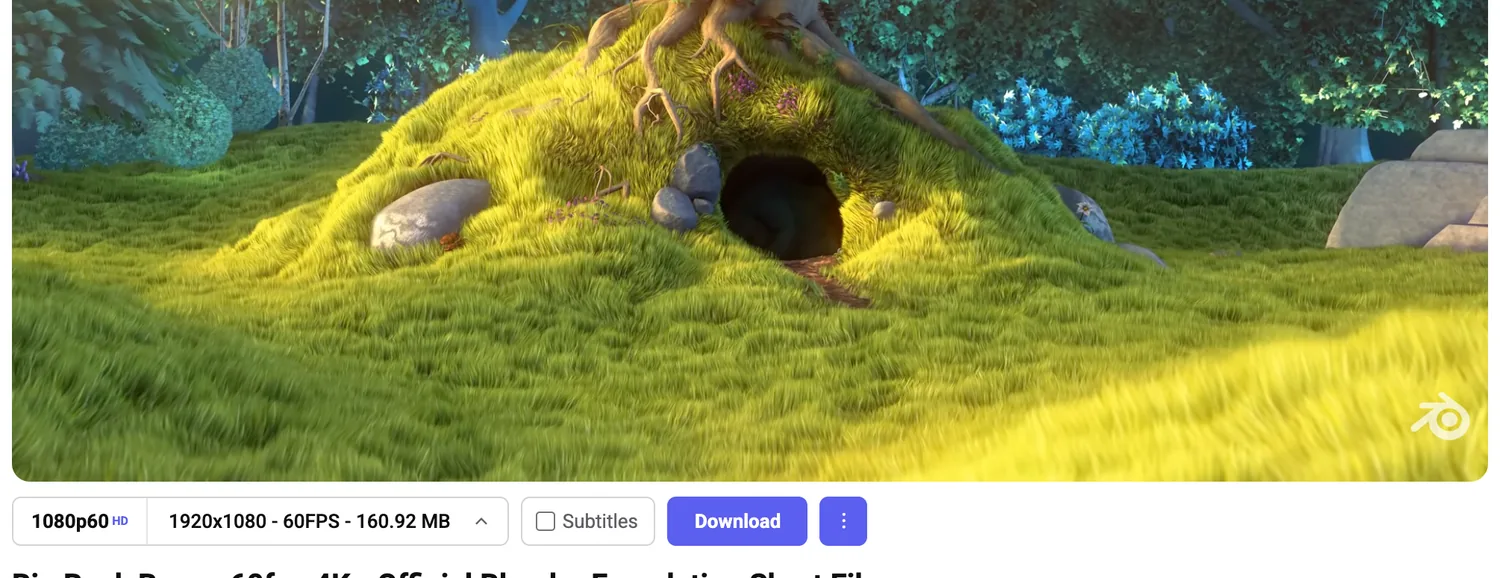
A tight crop of the download bar on its own, showing only the quality picker, the subtitles checkbox, the Download button and an overflow dot menu
PlatePL-03
TitleWhole interface
ViewGeneral
One strip: a quality picker, a checkbox and a button.

The licence is GPL-3.0, inherited from the project this is built on and kept rather than swapped for something more permissive. Anything anyone makes out of this has to stay open too. Given what the thing is, that is the point.

Sheet 05 of 11/Capture

There is no file to download any more

For most of YouTube's life a downloader worked by finding the media URL and fetching it. That stopped working for anything in HD, where the video and audio arrive as separate encrypted streams which the player decrypts in memory and feeds to Media Source Extensions, the browser API for pushing bytes into a video element yourself. There is no file. There is no URL. There is a decoder being handed a few hundred kilobytes at a time.

So the capture happens a layer later. A content script runs in the page's own JavaScript realm at document_start, before the player has loaded, and replaces SourceBuffer.prototype.appendBuffer with a version that copies every byte on its way past and then calls the original. The player is not interfered with. It plays the video exactly as it would have, and a copy accumulates.

What makes this workable is what the capture deliberately does not do. The player appends arbitrary fragments, 16 to 128 kilobytes at a time, not whole segments on container boundaries, so parsing them is a losing game. The code does not parse. It concatenates in arrival order, which reconstructs the original track file byte for byte, and that is valid for exactly one reason: capture never seeks backwards.

Which turns getting the whole video into a scheduling problem. The extension locks the chosen quality, then walks the scrubber forward to the buffered edge over and over, staying paused the entire time. Paused matters. Playing it back at speed to force the fetch would freeze the interface and look nothing like a person watching a video. Hopping a paused player to the edge of its own buffer looks like ordinary buffering, and it is the whole capture loop.

Sheet 06 of 11/Codec

Telling the player I cannot do something I can

YouTube picks a codec by asking the browser what it can decode. Newer uploads offer AV1 at the top tiers, and the bundled ffmpeg build cannot process AV1, so a 4K AV1 capture would produce bytes that nothing here can assemble.

The fix is to answer the question wrongly. Before the player loads, three separate capability APIs are patched so anything matching av01 comes back unsupported: MediaSource.isTypeSupported, HTMLMediaElement.canPlayType, and navigator.mediaCapabilities.decodingInfo. Three, because the player asks all three, and one honest answer is enough to get AV1 served.

YouTube then does exactly what it should for a browser that cannot decode AV1, and sends VP9. Steering a remote service by understating what you are is not something I have needed to do before, and I like it more than I expected to. It is also where the sharpest limitation on this page comes from: an upload that exists only as AV1 above 1080p caps at 1080p here, and that is the price of this decision rather than a fault in it.

Sheet 07 of 11/Interface

The part I actually built

The capture engine came with the project I forked. The interface did not, and rebuilding it is most of what I did.

A YouTube watch page with a horizontal download bar inserted below the video, showing a quality picker reading 1080p60, a subtitles checkbox and a blue Download button
PlatePL-04
TitleBar in the page
ViewDetail
Under the player and above the title, never covering the video controls.

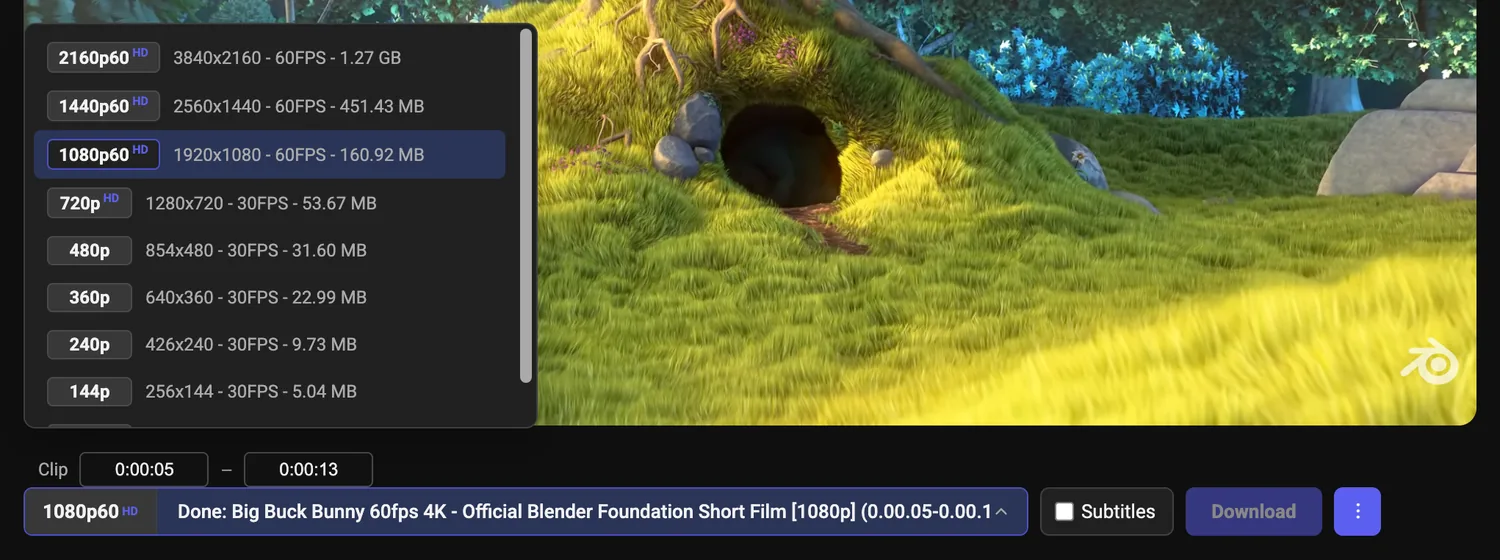
The quality list is read from the player's own format table, fetched fresh every time the list opens, because YouTube is a single-page app and the copy sitting on the document goes stale the moment you navigate. Every row carries the real resolution, the real frame rate and the real file size, taken from the stream's own contentLength, falling back to bitrate times duration where that is missing and marking the estimate with a tilde so it can never read as a measurement. Nothing in the list is greyed out and nothing in it costs money.

The same quality list rendered on a dark grey panel, with the clip range inputs visible below it
PlatePL-05
TitleSame list in dark
ViewDark
Which follows YouTube's own theme rather than the operating system.
A small overflow menu open beside the download button with three entries reading Save as, Clip range, and H.264 compatible slower
PlatePL-06
TitleThree options that needed a menu
ViewDetail
Save as, clip range, and H.264 for older players.
The bar showing clip range inputs set from 0:00:05 to 0:00:13 and a completed status line beginning Done, with a filled progress bar behind it
PlatePL-07
TitleEight-second clip
ViewDetail
Finished and reported in the bar itself rather than in a floating card.

The rest of the bar is one decision each. Subtitles are a checkbox rather than a mode, and the transcript is read out of YouTube's own transcript panel, which is already rendered into the page, so no token and no request interception are involved. Save as passes straight through to the browser's own dialog. Progress reports inside the bar instead of in a floating card, because the bar is already there.

The clip range is where the interesting decision sits. A stream copy can only cut on a keyframe, so asking for eight seconds starting at five gets you the nearest keyframe before it, which can be a second early. Cutting exactly means re-encoding, and re-encoding costs roughly the length of the clip. So the extension decides for you: sixty seconds or less and it quietly re-encodes for an exact cut, because the cost is seconds. Longer and it keeps the instant copy and says in the status line that the start was aligned to the nearest keyframe. The rule I held to is that it may quietly do the more expensive thing, but it may never quietly do the less accurate one.

Sheet 08 of 11/Failure

Written on the assumption that ffmpeg will refuse

Merging runs in an offscreen document, because ffmpeg.wasm needs a DOM and a Worker and a Manifest V3 service worker has neither. That split is forced on you. What is not forced is how much of the code assumes the merge is going to fail.

The final step is not one ffmpeg invocation, it is a list of them tried in order. A stream copy into mp4 first, which is a remux and takes seconds rather than minutes. If that yields nothing, the same copy without the trim, on the reasoning that keeping the whole captured range beats failing. If that yields nothing, the same copy into webm, because mp4 may simply refuse these codecs. Whichever attempt wins renames the output to match itself, so a webm fallback never hands you a file called mp4 that is not one.

Every attempt is checked twice, because an exit code of zero out of ffmpeg can still mean an empty file, so a run only counts if it produced more than a kilobyte. When all of them fail, the error carries the last three lines of ffmpeg's own log rather than the word failed.

The same instinct runs through the smaller plumbing. Captured tracks cross into the offscreen document in four-megabyte chunks carrying a sequence number, and a gap is rejected rather than tolerated, because a silently corrupted video is worse than an error. The finalize message is the one message never retried, since a second finalize would run ffmpeg across memory it has already freed. And the capture loop puts the player back the way it found it in a finally block: playback rate, position and mute state restored whether it finished or gave up.

None of that is clever. It is the whole difference between something I use and something I wrote once.

Sheet 09 of 11/Credit

What I wrote and what I did not

This is a fork of Triangle Downloader by Black Triangle, released under the GPL-3.0, and the split is worth stating plainly rather than leaving in a credits line at the bottom.

Theirs is the capture engine, which is the hard part of this problem: the appendBuffer hook, the quality-locking and buffer-walking loop, the offscreen ffmpeg pipeline, the transcript reader. It works, and I did not improve it.

Mine is everything above it. The in-page bar, replacing a menu that used to live inside the player controls. The quality list driven by the format table, showing real sizes, exposing every capture-capable tier from 144p to 2160p rather than 720p and 1080p only. Subtitles as a checkbox that saves alongside the video. Save as. Progress reported in the bar. The English translation, the rename, the icons.

There is still Russian in the source. The transcript reader matches YouTube's Russian panel labels next to their English equivalents, because the upstream author was reading them. I left them in: taking them out would break the extension for anyone using YouTube in Russian, for no benefit to anyone.

I am not being modest here. Building the half that was missing, on top of a piece of engineering that was already good, is a better use of a weekend than rewriting a working capture engine so that I could say I wrote it.

Sheet 10 of 11/Limits

What it cannot do, and why no version of it will

These are consequences of capturing from the player rather than fetching a file. No paid tier removes them, and nor would one.

  • Capture costs time proportional to the length of the video, because it works by walking through the buffer. Ten seconds out of an hour is quick. The hour is not.
  • 4K only where the video offers it in VP9. Uploads that are AV1 at the top tiers cap at 1080p, which is the direct cost of the codec steering above.
  • Long 4K merges can fail outright. ffmpeg.wasm holds both input tracks and the output in memory against roughly a two-gigabyte ceiling.
  • It needs an ad blocker, and that is a requirement rather than a recommendation. Without one, YouTube splices ad breaks into the media stream itself and the capture either swallows them or aborts partway. Brave does this by default, which is why the README names it.
  • Watch pages only. Not Shorts, not embeds.
  • One download at a time. No queue, no history panel, no playlists. Given that a single merge can walk up to ffmpeg.wasm's memory ceiling, running two at once is not a feature I am missing.

It is also not on the Chrome Web Store and will not be, because Google does not list YouTube downloaders. It installs unpacked in developer mode, which makes it a tool for people willing to do that, and that is a smaller group than the one that would use it.