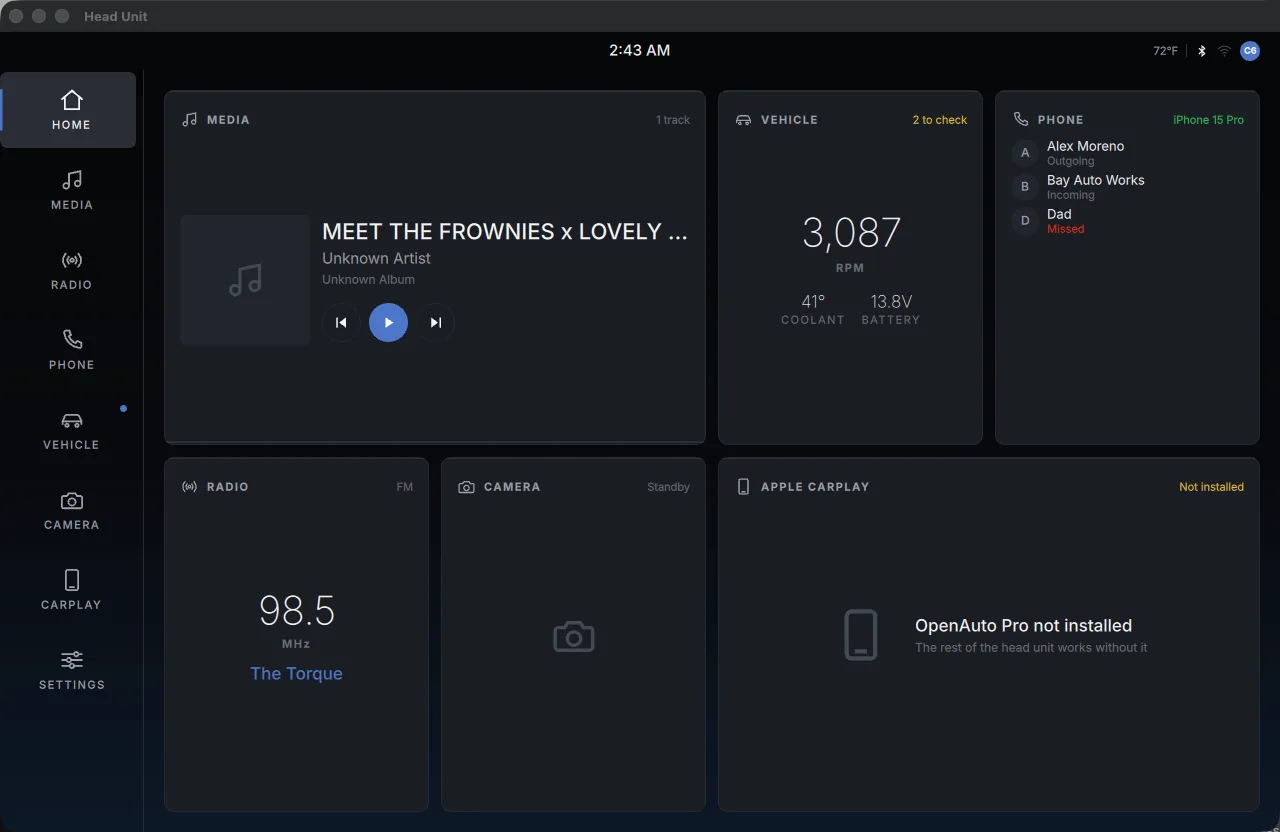
The home screen, a live widget grid for media, vehicle, phone and CarPlay

Automotive infotainmentSole authorDrawing 28 of 37

Corvette
DIN Unit

I built a double-DIN infotainment system for my C6 Corvette, styled after BMW's iDrive. CarPlay is just one tile on the home screen, so the unit still works with no phone plugged in.

Sheet 02 of 04/Simulated

What's still simulated

The vehicle gauges, camera, radio and phone are all simulated for now, since that hardware isn't wired in yet. Each one says DEMO right on the screen.
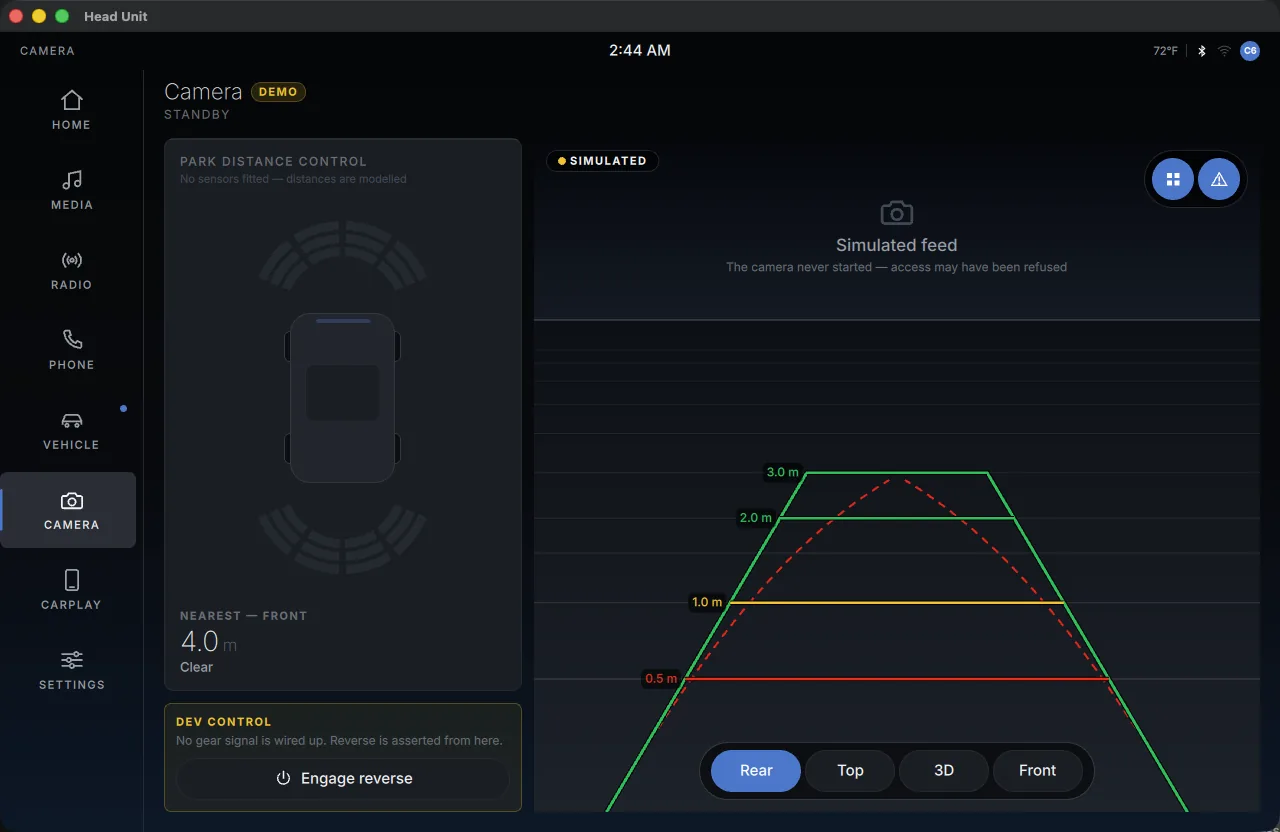
The reversing camera screen, steering linked guidelines over a simulated feed since no camera is fitted yet
PL 03The reversing camera screen, with steering-linked guidelines over a simulated feed since no camera is fitted yet.
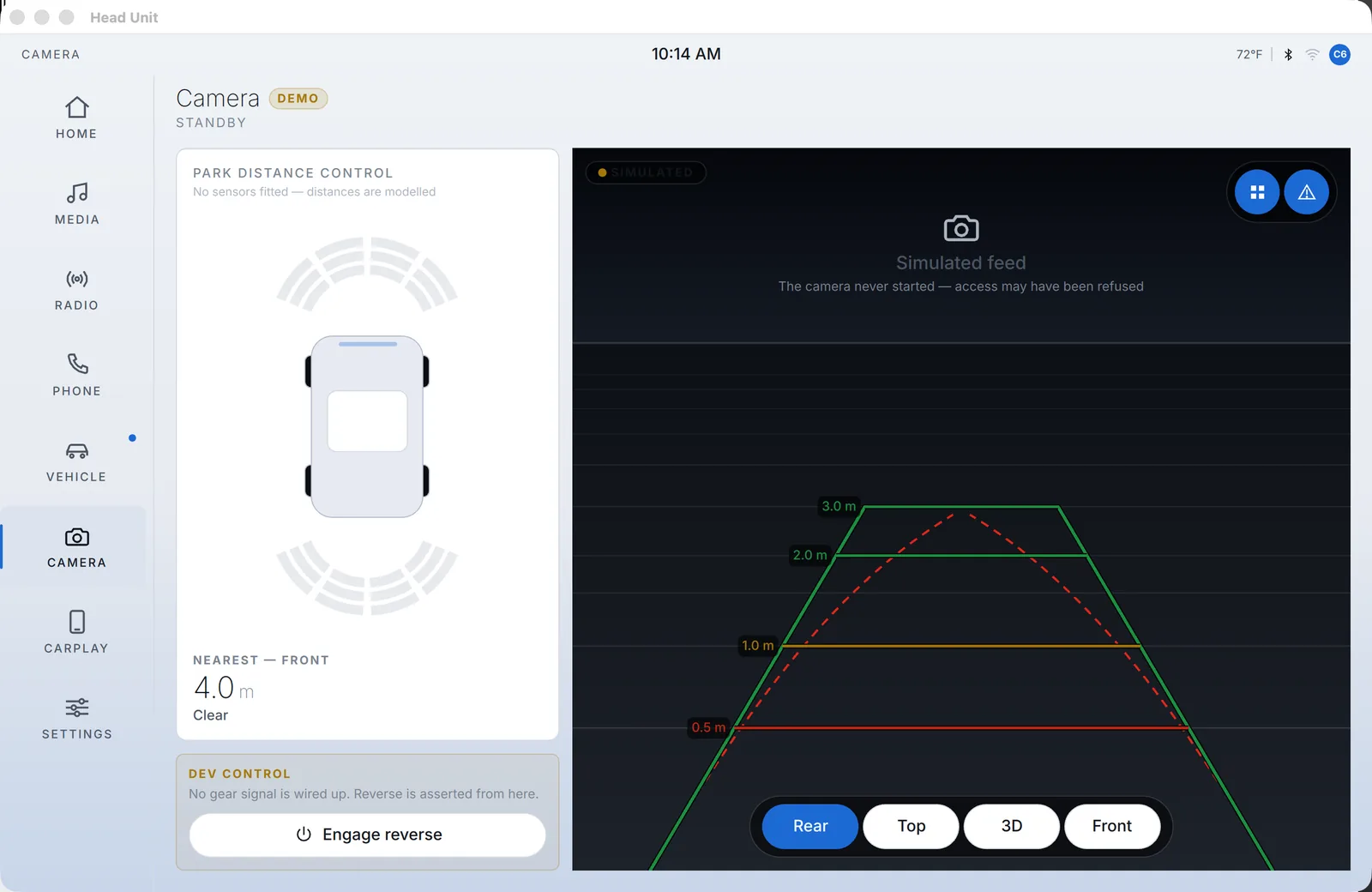
The reversing camera screen on light surfaces with steering linked guidelines over a simulated feed
PL 09The reversing camera in Daylight. The DEMO chip has to stay readable on a light interface as well as a dark one.

Sheet 03 of 04/Runtime

Where it runs

I build and run it as a normal window on my Mac, and on the mini-PC behind the dash it boots in kiosk mode.
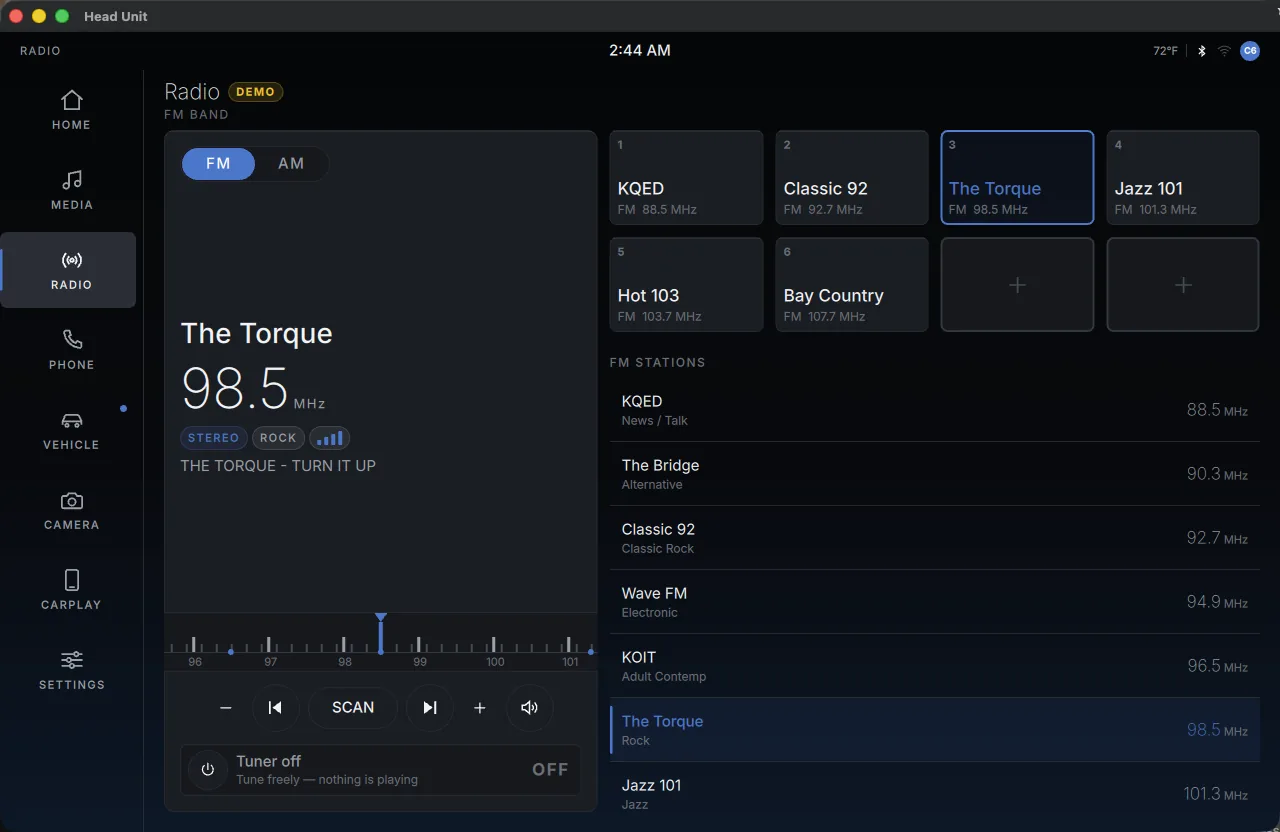
The radio screen, an FM tuner with a frequency ruler, eight presets and a station list
PL 04The radio screen, an FM tuner with a frequency ruler, eight presets and a station list.
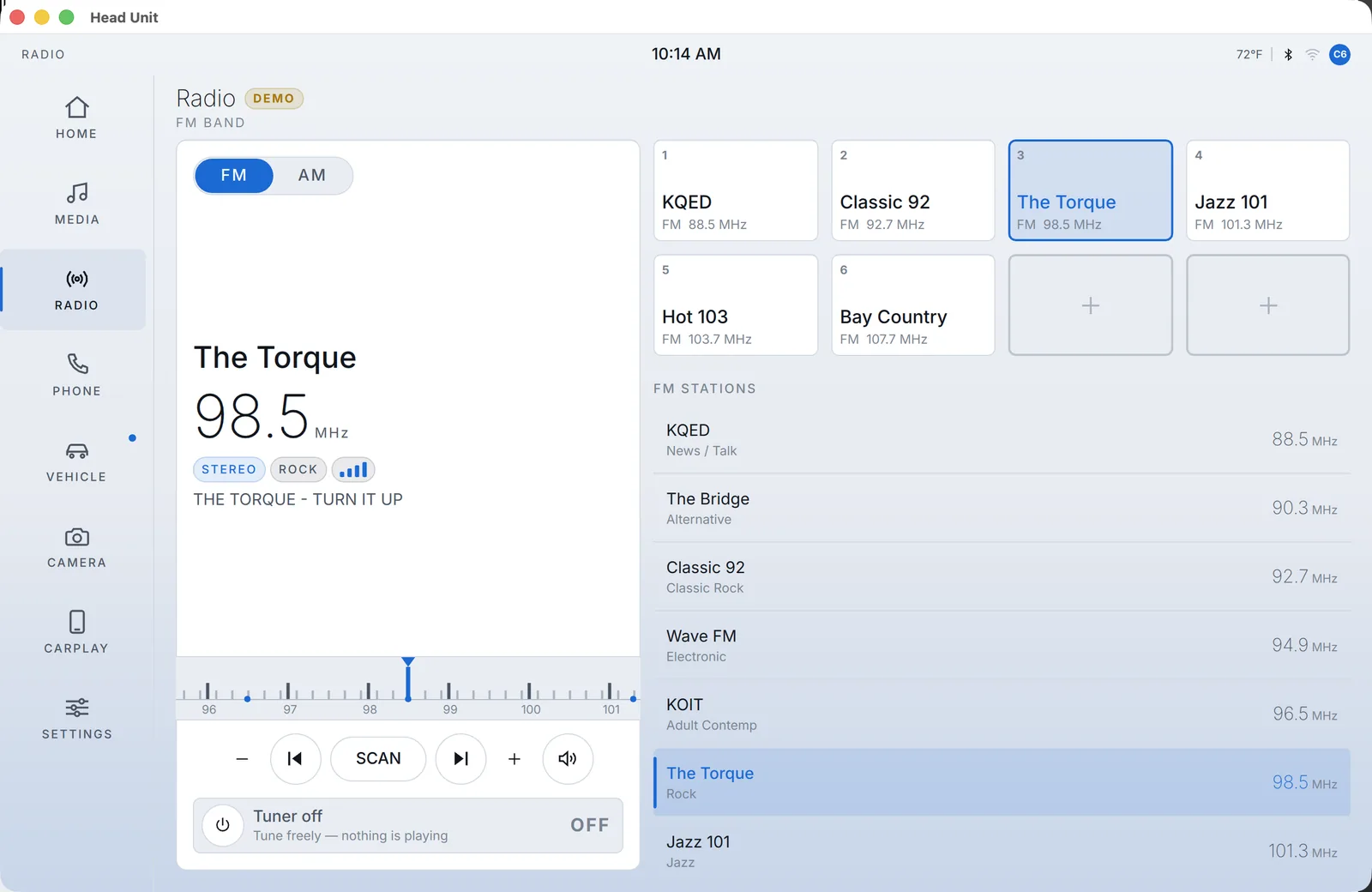
The FM radio screen on light surfaces with a frequency ruler, presets and a station list
PL 10The radio in Daylight. The frequency ruler, the eight presets and the station list carry over with no per-screen changes.
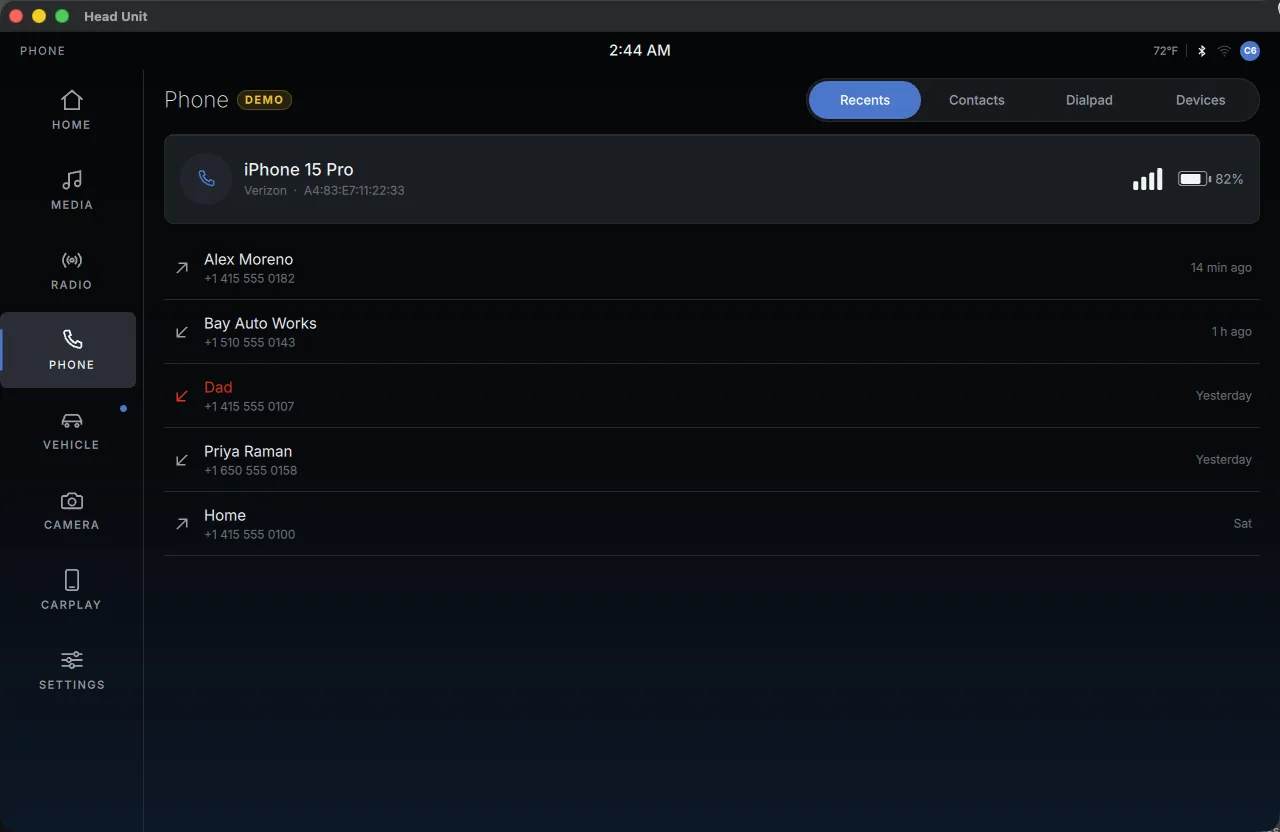
The phone screen, pairing, recents and a dialer, all clearly marked DEMO
PL 05The phone screen, with pairing, recents and a dialer, all clearly marked DEMO.
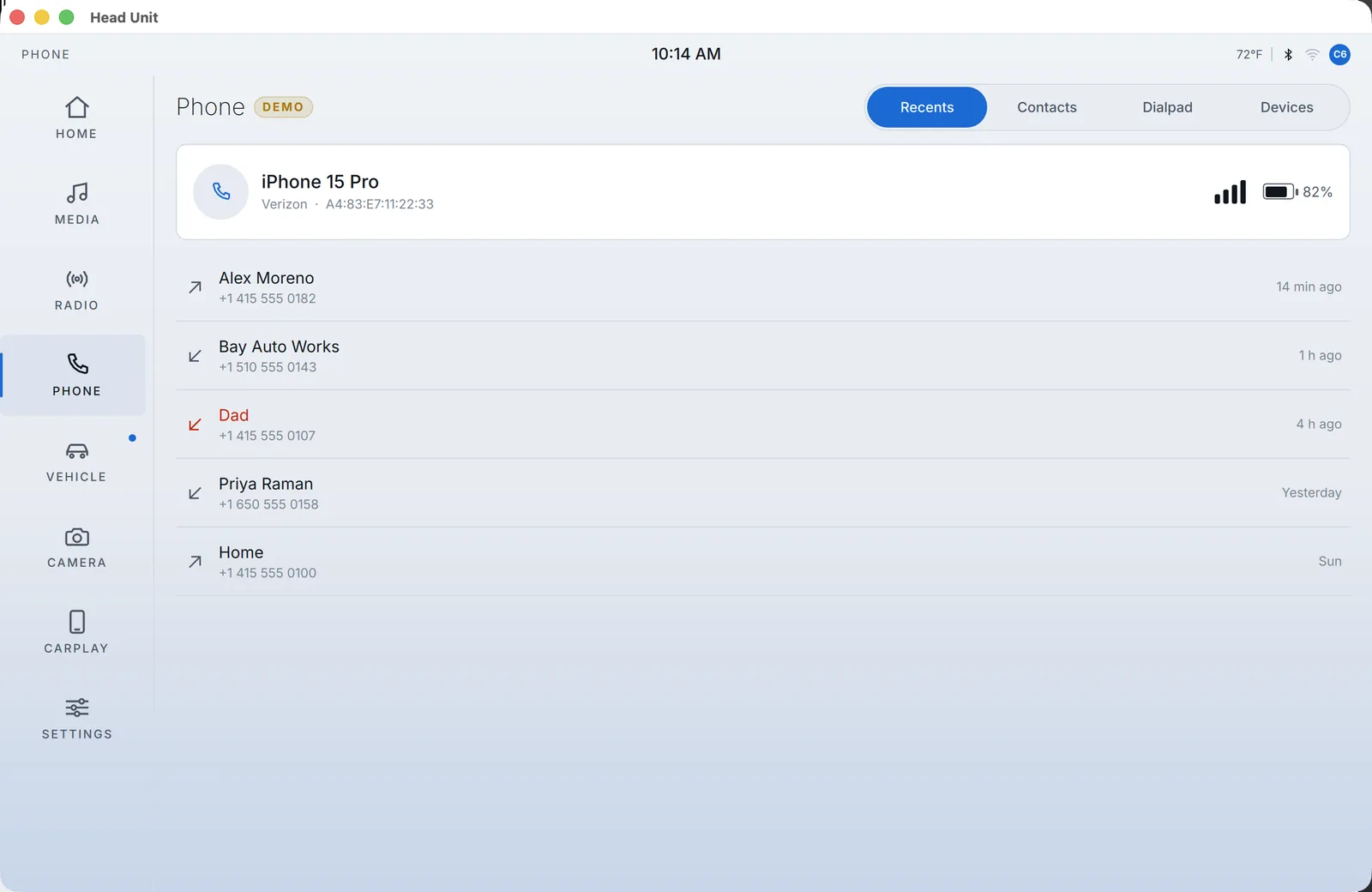
The phone screen on light surfaces showing pairing, recents and a dialer, marked DEMO
PL 11The phone screen in Daylight, still marked DEMO because no phone is paired to it.

Sheet 04 of 04/Design

Dark and light modes

Settings has a My Modes page like BMW's. Switching between a dark mode called Personal and a light one called Daylight reskins the entire interface at once.
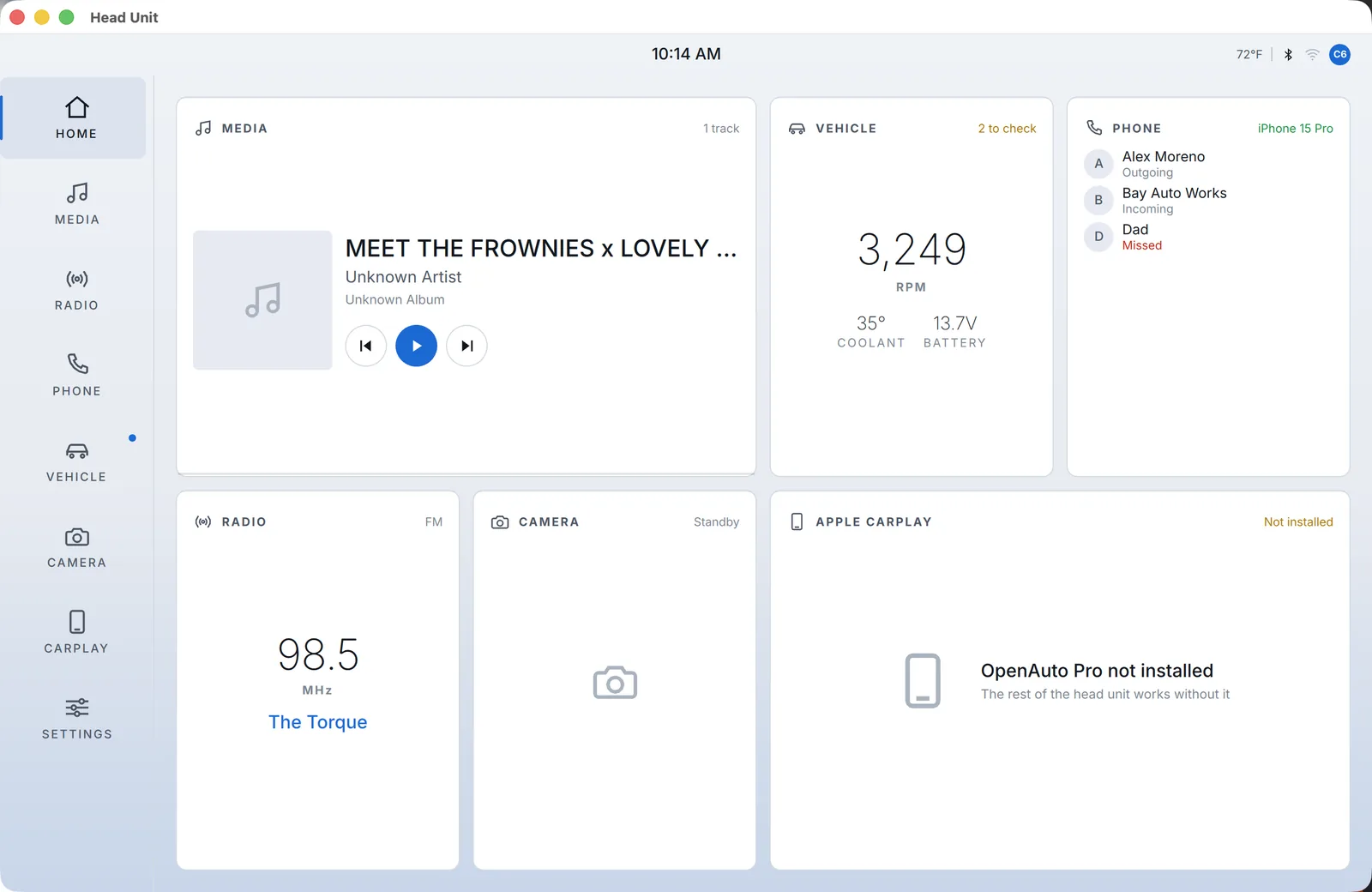
The head unit home screen on light surfaces, the widget grid for media, vehicle, phone and CarPlay in a blue accent
PL 07The same home screen in Daylight. Of the eight modes, it's the only one that turns the surfaces light, for when the screen is under a sunlit windscreen.
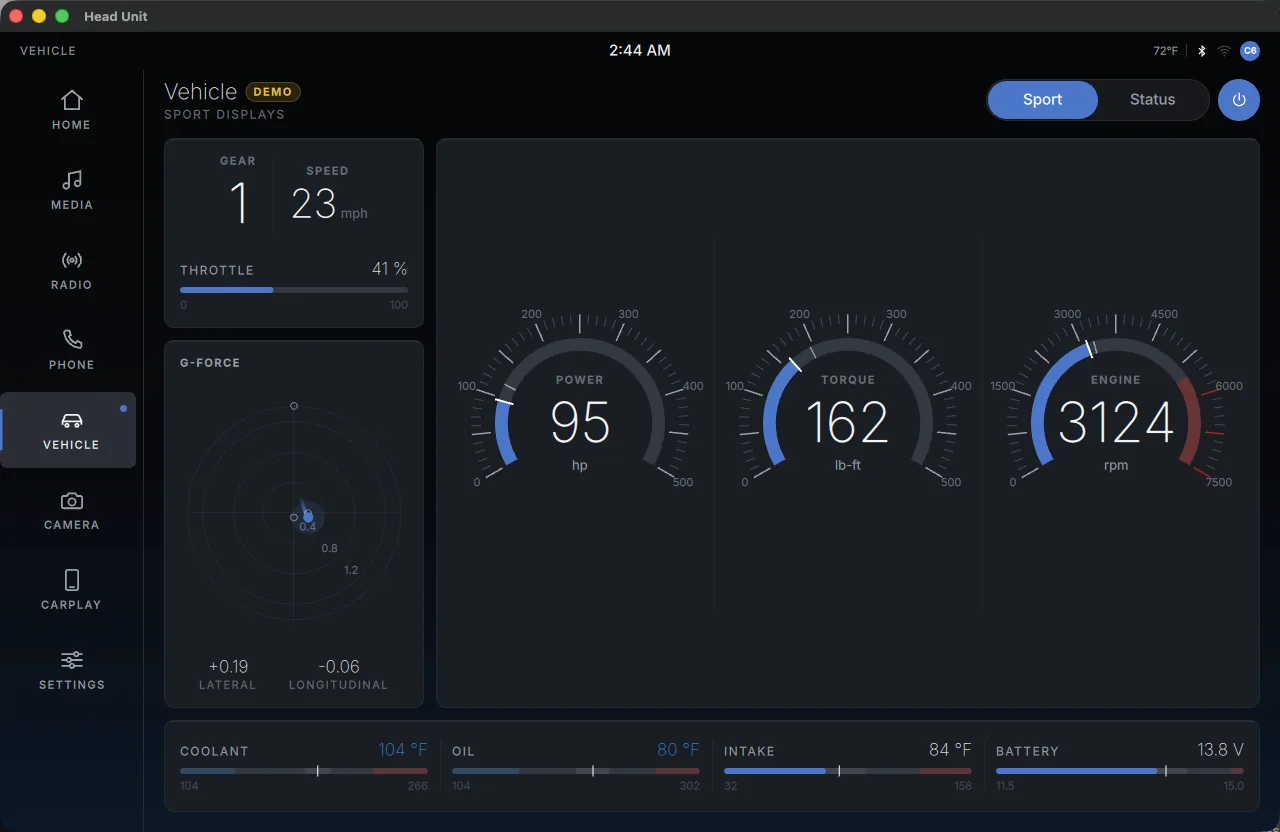
The vehicle screen in Sport mode, BMW Sport Displays style arc gauges over live G-force and fluid temperatures
PL 02The vehicle screen in Sport mode, with arc gauges in the style of BMW Sport Displays over live G-force and fluid temperatures.
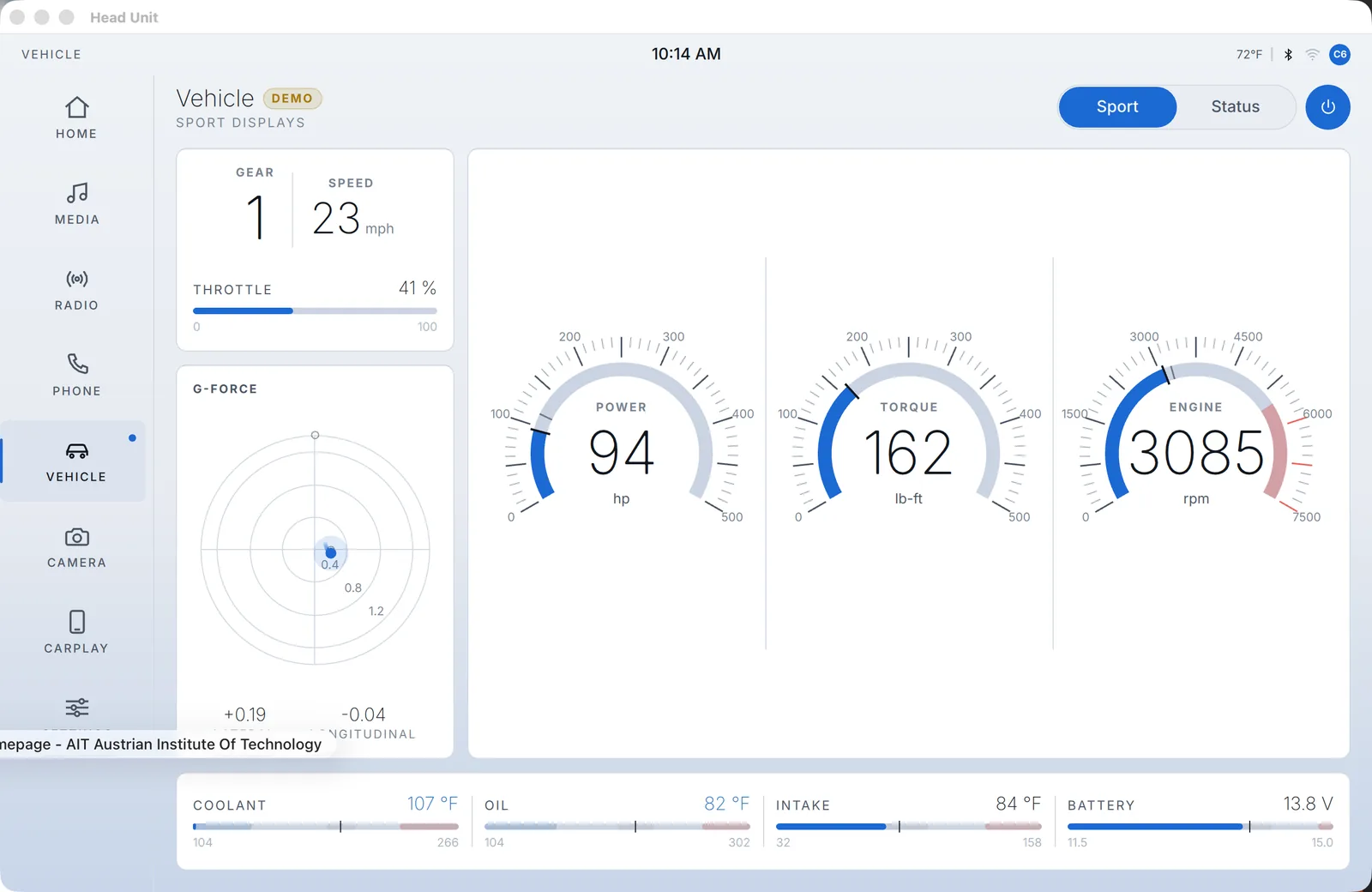
The vehicle screen on light surfaces with Sport Displays arc gauges over G-force and fluid temperatures
PL 08The vehicle screen in Daylight, with the same Sport Displays arc gauges over the same live data. One entry in the theme flips every surface and text token.
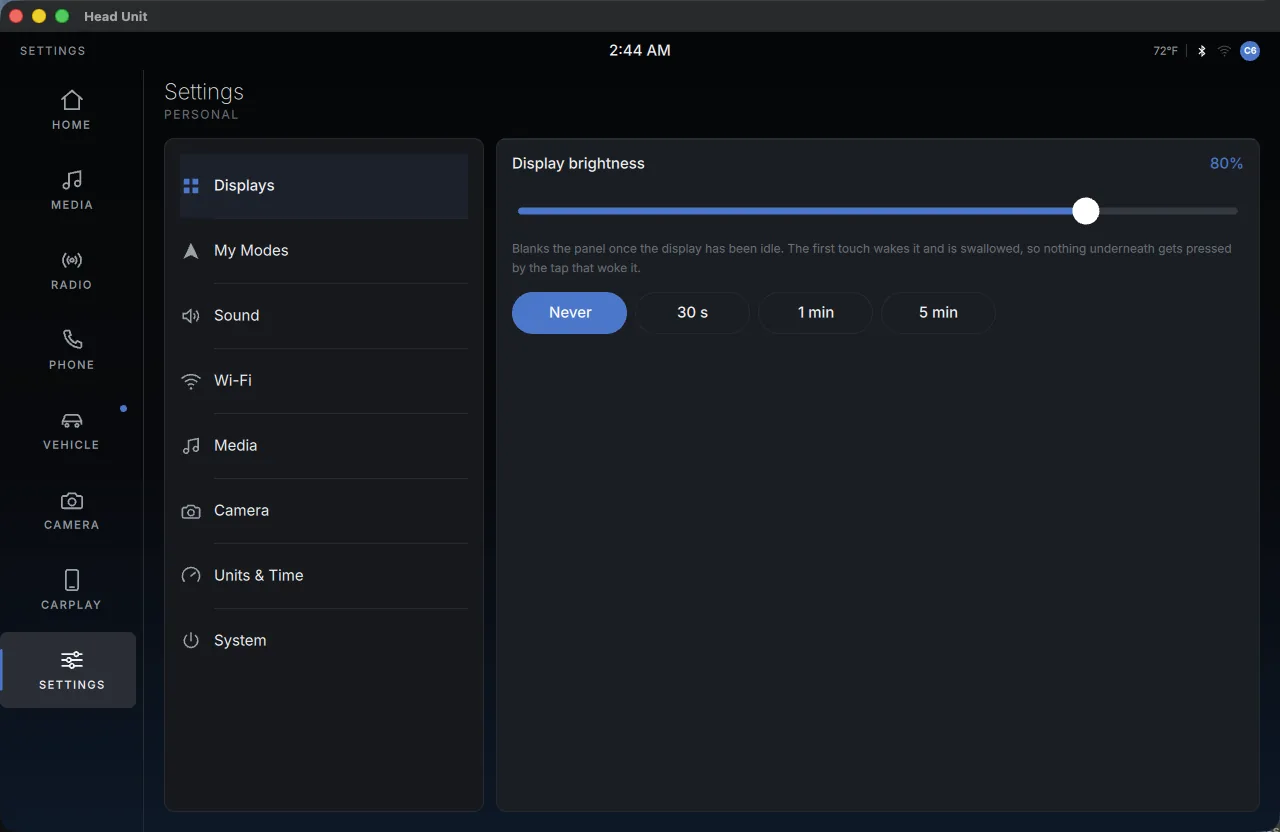
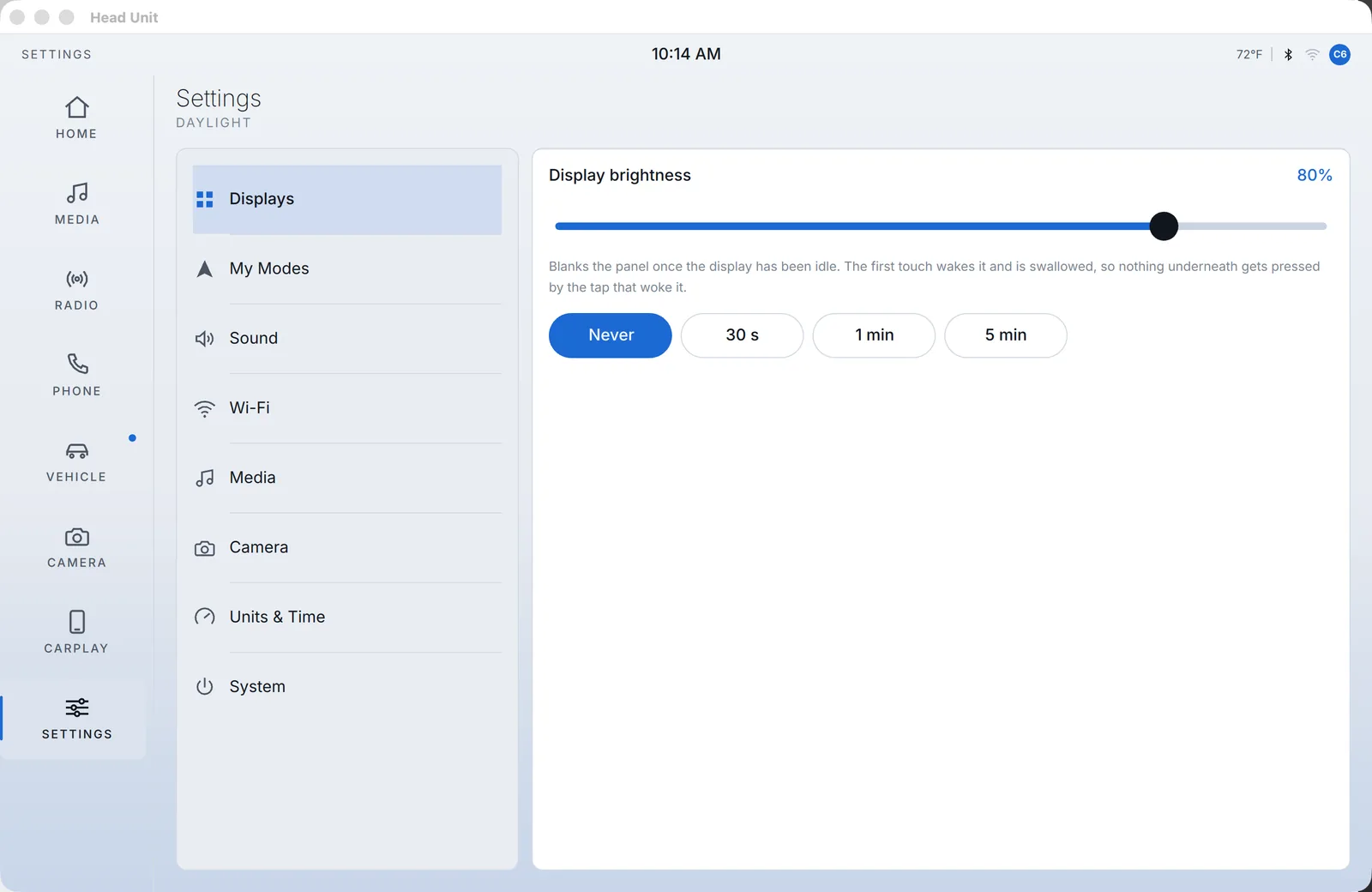
The settings screen, display, sound, Wi-Fi and system preferences
PL 06The settings screen, with display, sound, Wi-Fi and system preferences.
The settings screen on light surfaces showing display, sound, Wi-Fi and system preferences
PL 12Settings in Daylight, which is also where you choose the mode. Only one of the eight palettes is active at a time, and no screen gets re-skinned by hand.