Web + iOS appSolo designer and engineerDrawing 39 of 43
Habits and
Screen Blocker
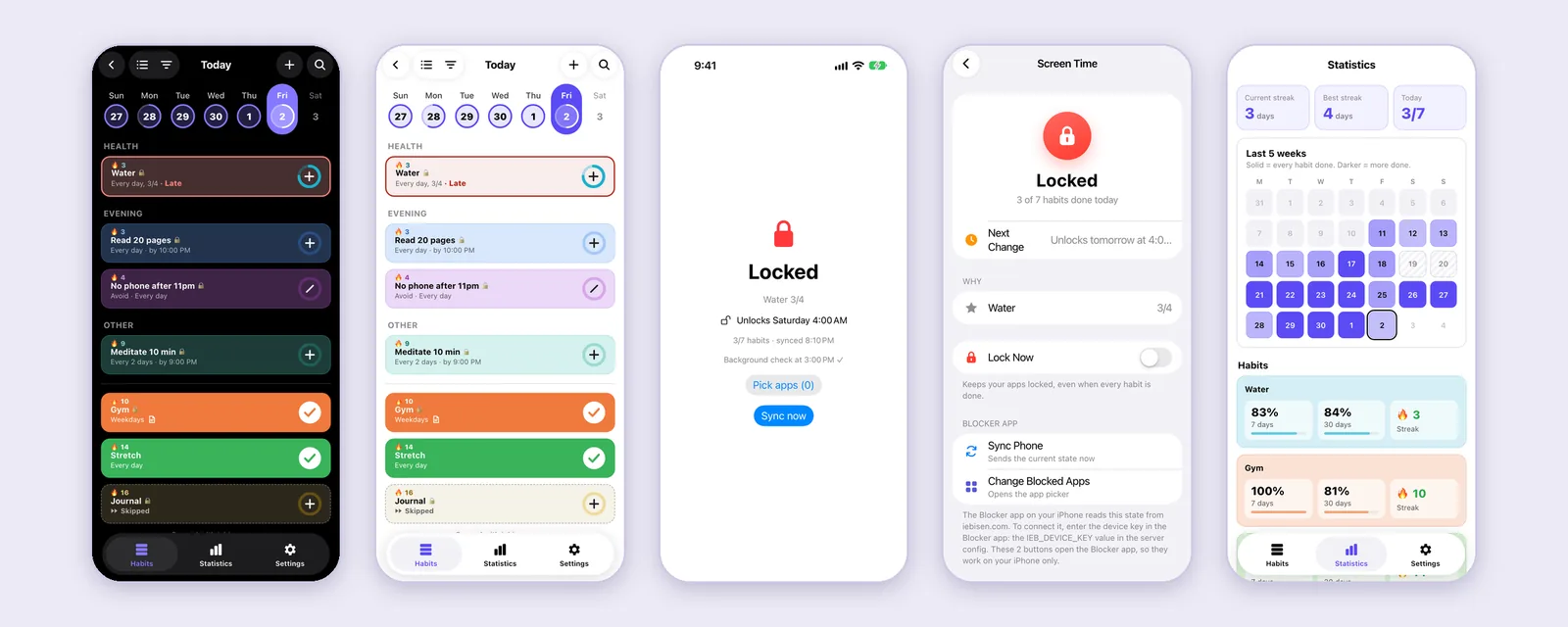
Habits is a habit tracker on my own site, and Blocker is a small iPhone app that reads it. When a habit with a lock is late, Blocker uses Screen Time to lock the apps I picked until I do it.
- StatusComplete, 2026
- Web appVanilla JS, 7 scripts and 4 stylesheets, no build step
- iPhone appSwift and SwiftUI, 566 lines, iOS 16 and up
- Screen TimeFamily Controls, Managed Settings, Device Activity
- Tests267 rule checks, all passing
Sheet 02 of 09/The idea
Habits that unlock my phone
Habits lives behind the login on this site and saves to my server. Blocker is the iPhone side. It asks the server one question, locked or not, and applies the answer with Screen Time. I put all the logic on the server side, so the phone app stays a switch.
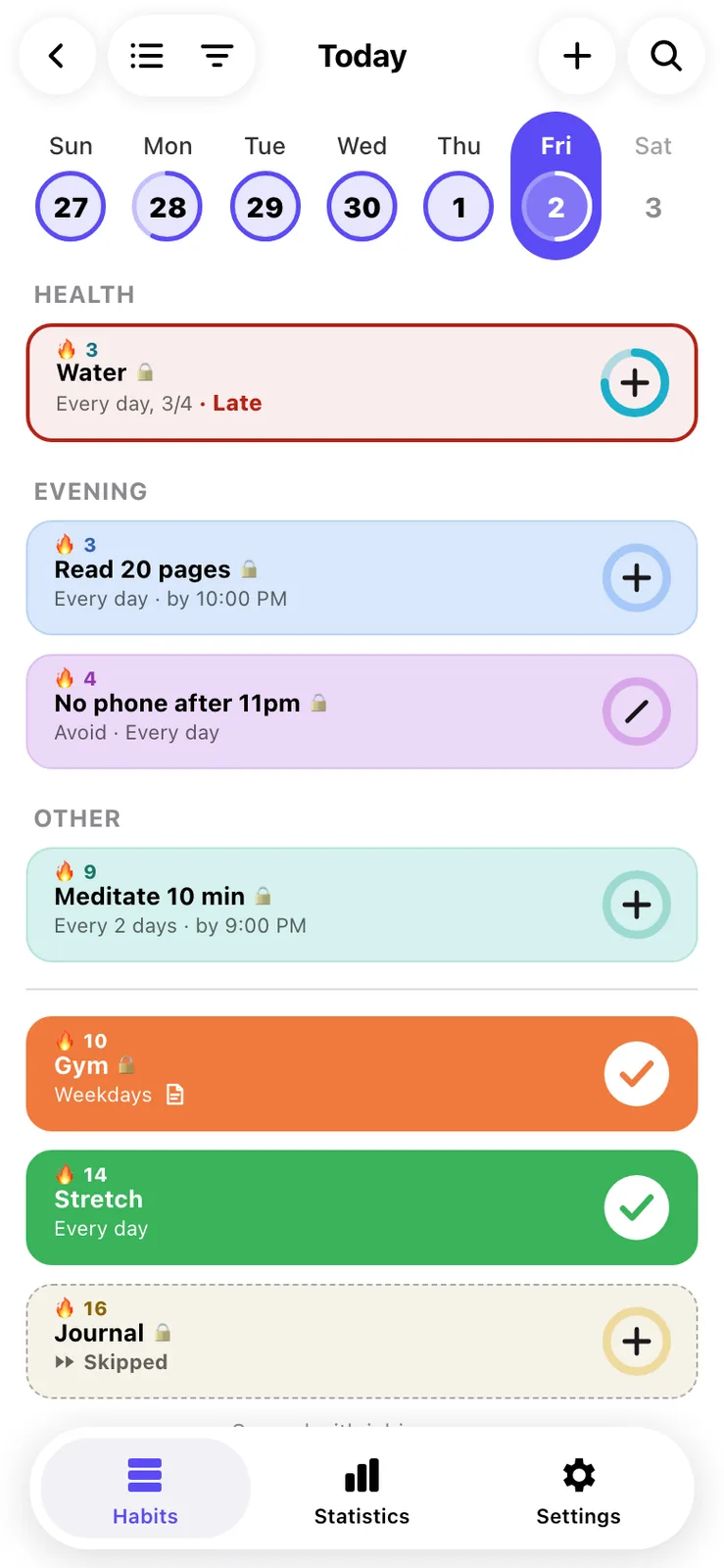
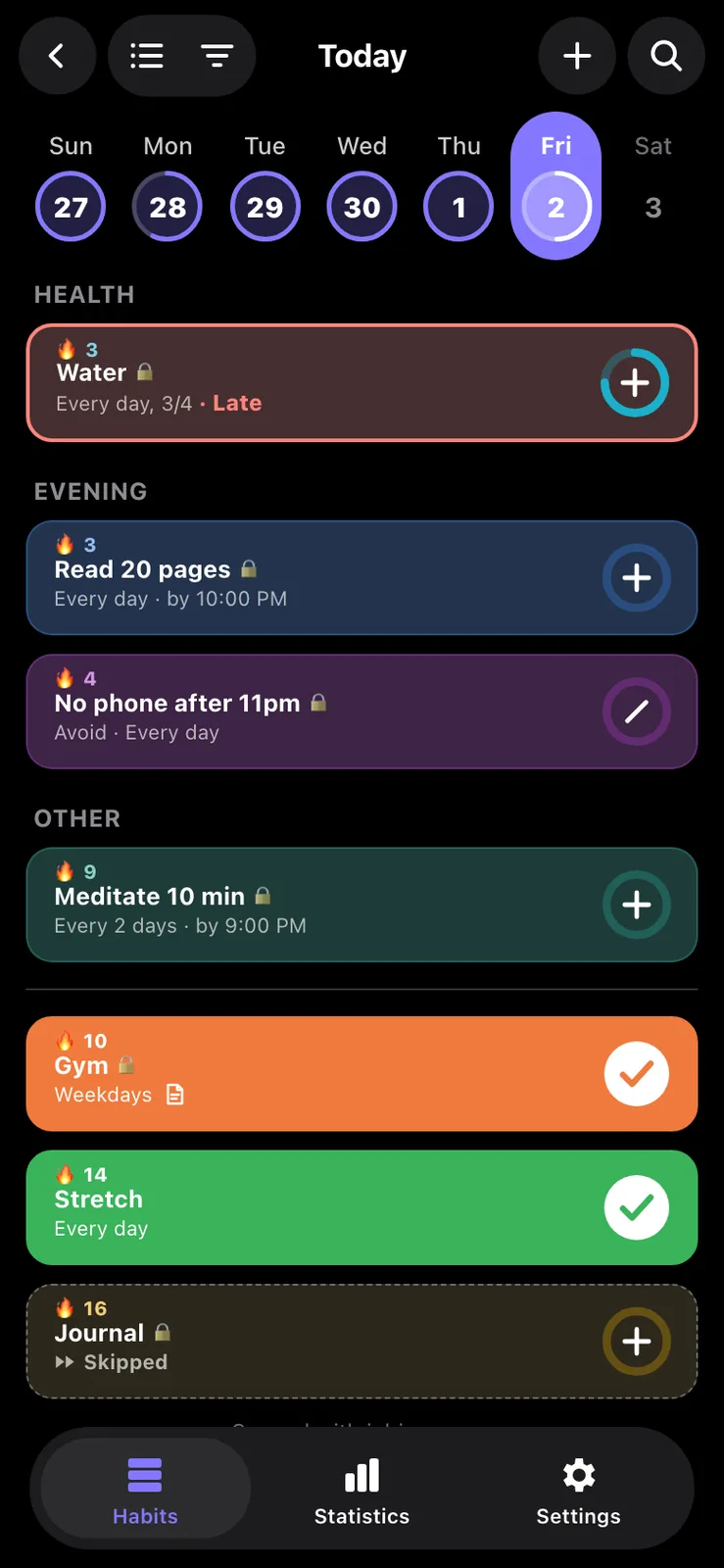
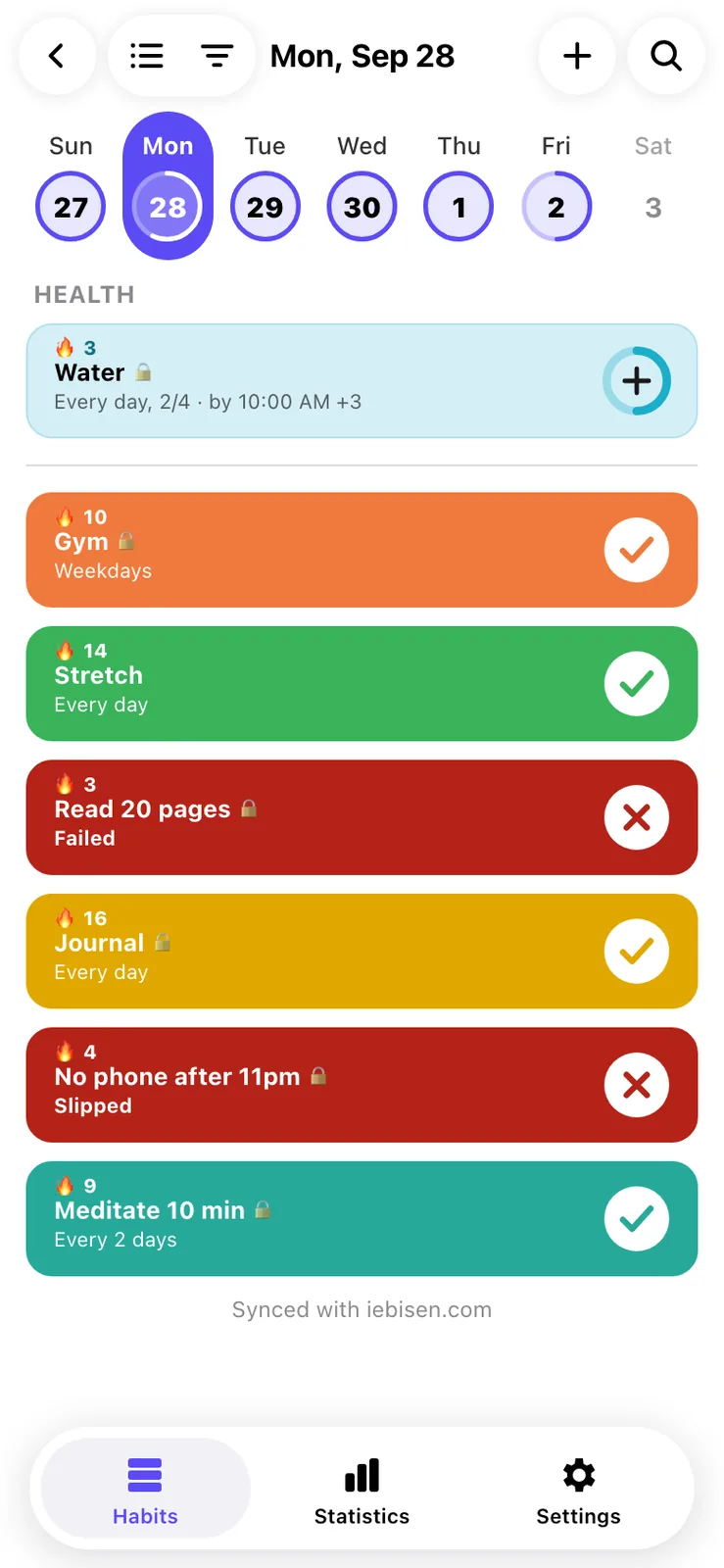
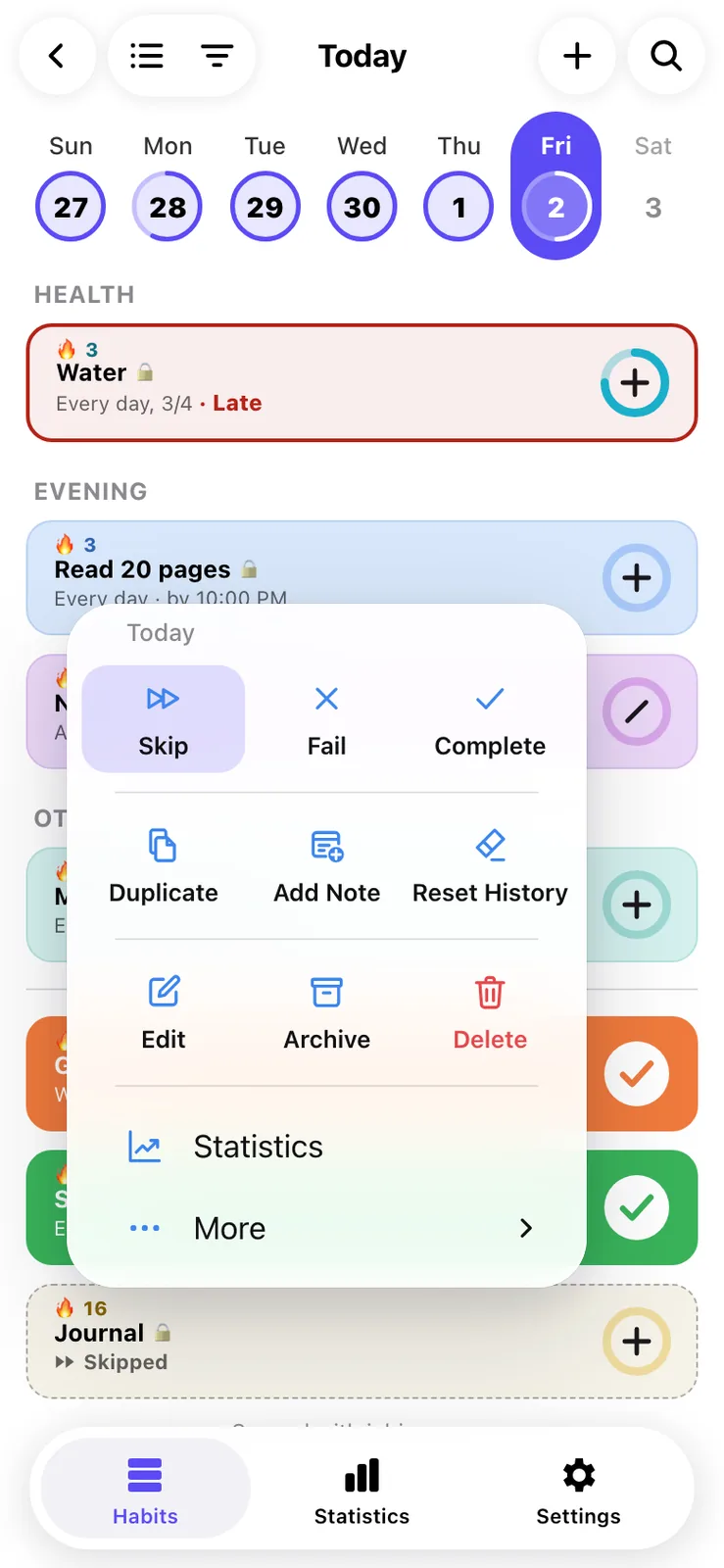
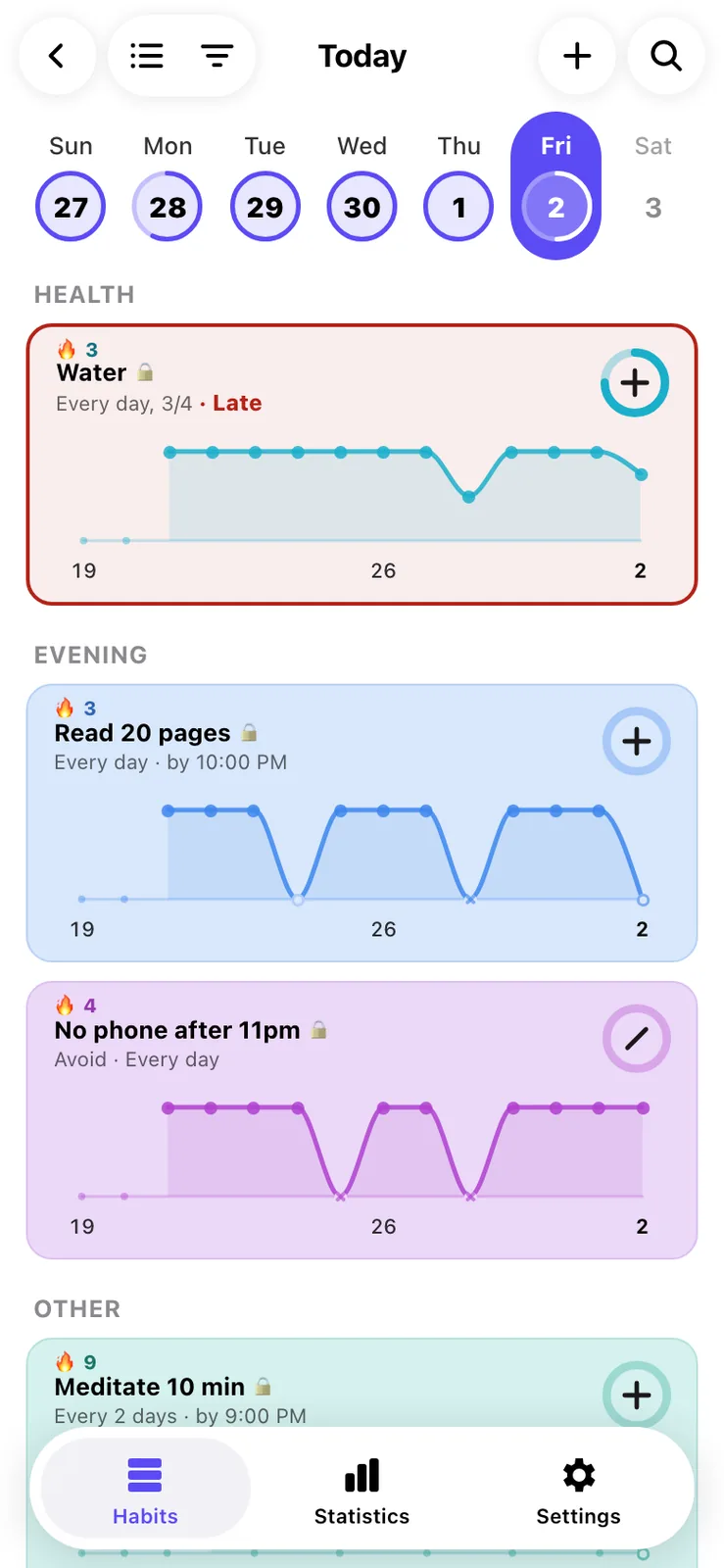
Every screenshot on this page uses made-up demo habits. The Today list shows a strip of days, the habits grouped, and a small lock on each one that can lock my apps. A late habit gets a red outline. Done, skipped and failed habits drop under a line at the bottom.
Sheet 03 of 09/Setup
Setting up a habit
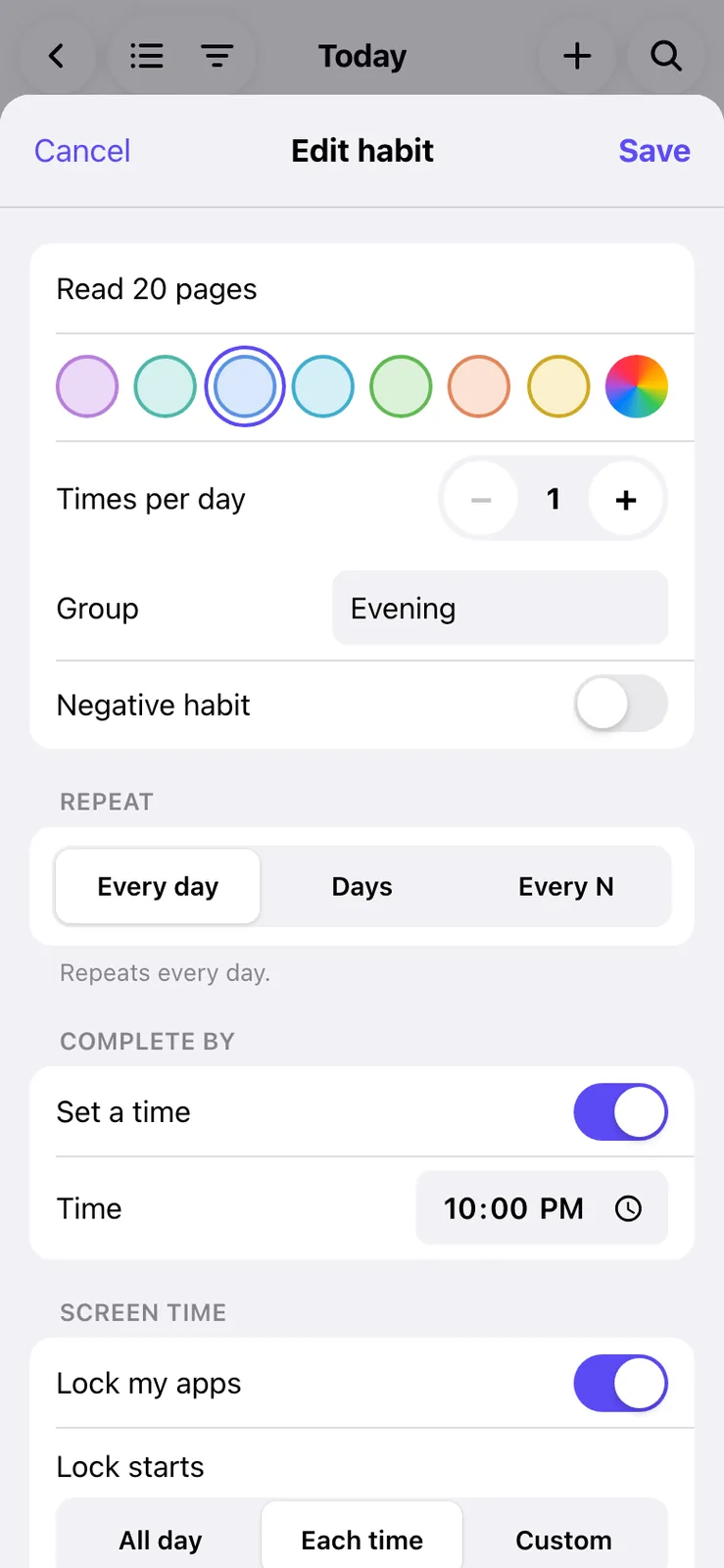
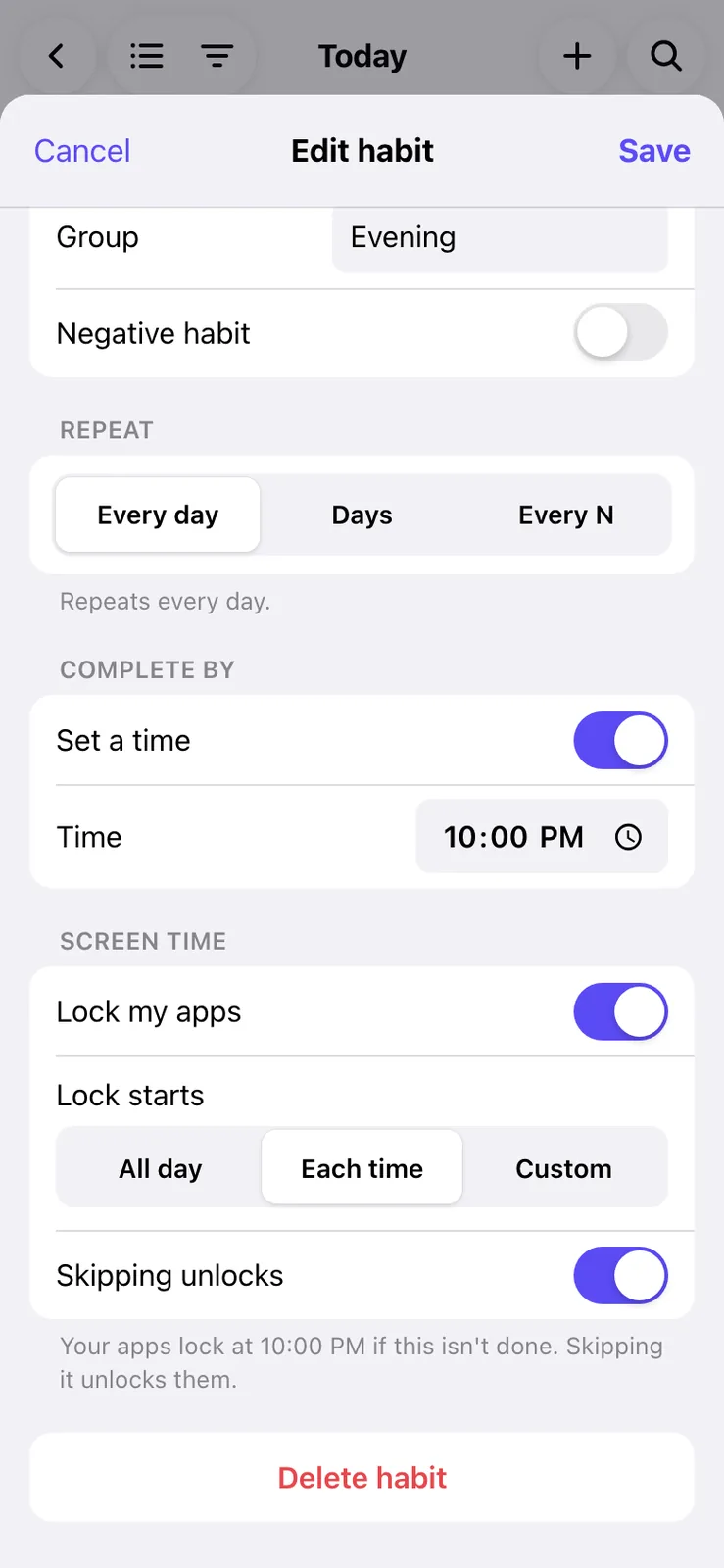
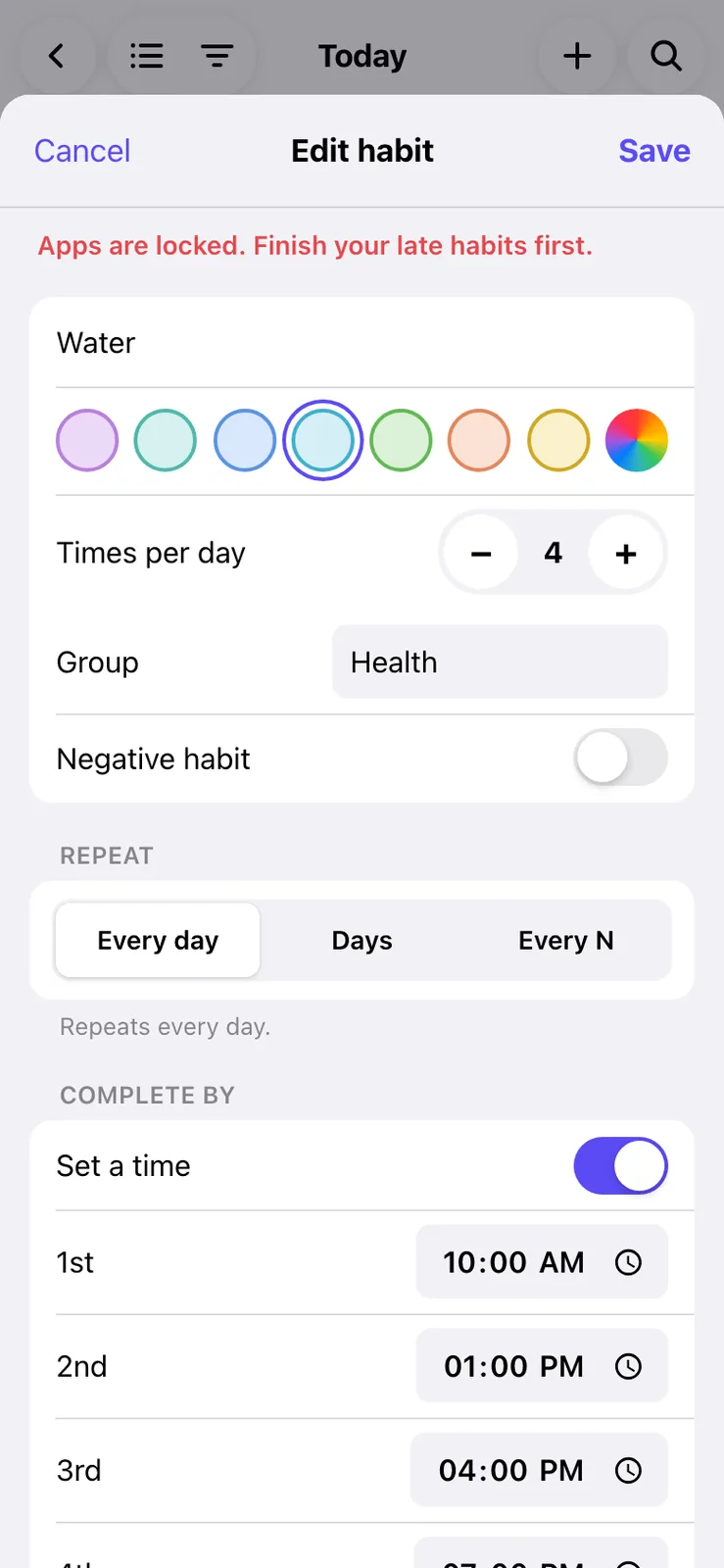
I styled the app after Grit, another habit tracker. A habit gets a name, a colour, how many times a day, how it repeats and a complete by time for each tick. The Screen Time block sets when a missed one locks my apps. New habits start on Each time, so the apps lock only once a tick is late.
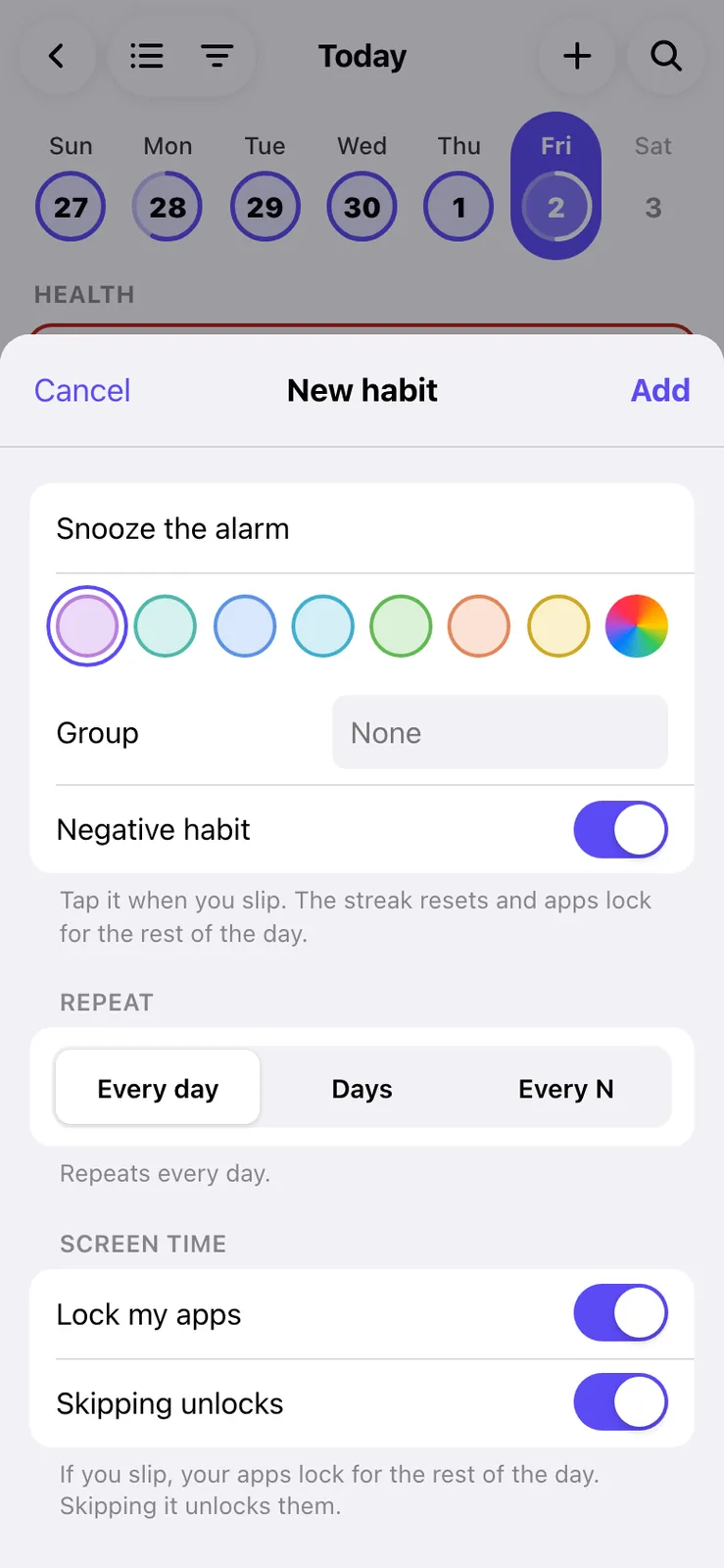
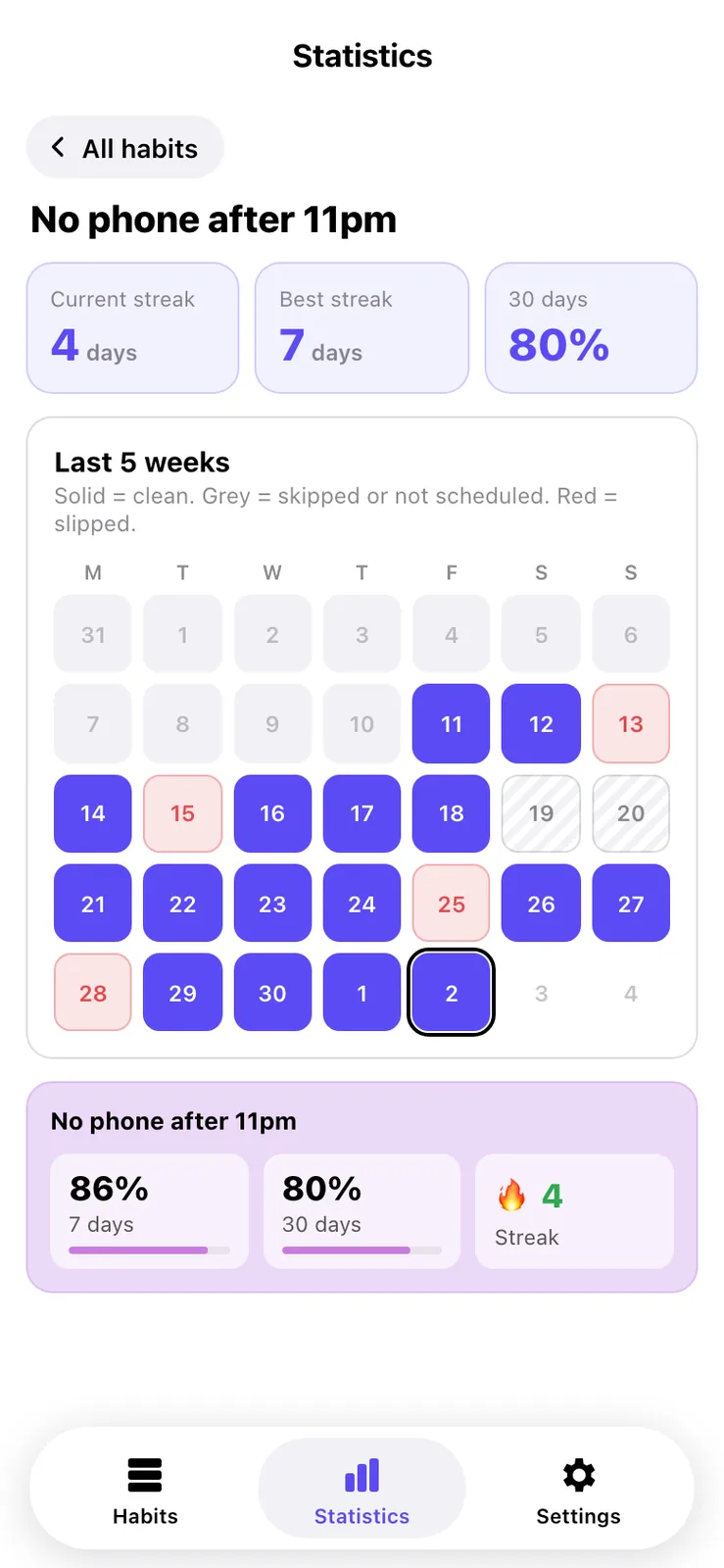
A negative habit is one I'm trying to stop. Tapping it means I slipped, which resets the streak and locks the apps for the rest of the habit day. A slip in the last 4 hours of the day locks all of the next day too.
Sheet 04 of 09/Day to day
Logging the day
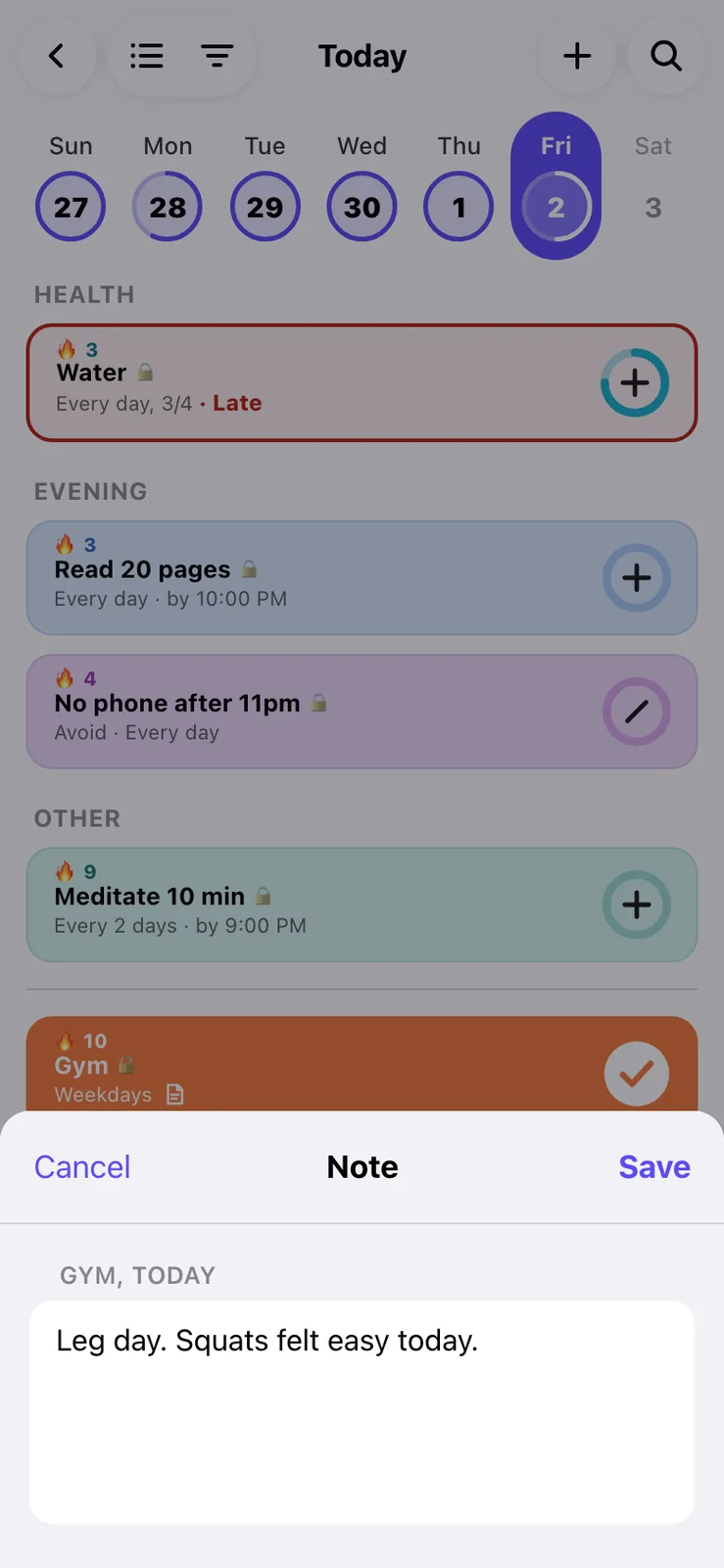
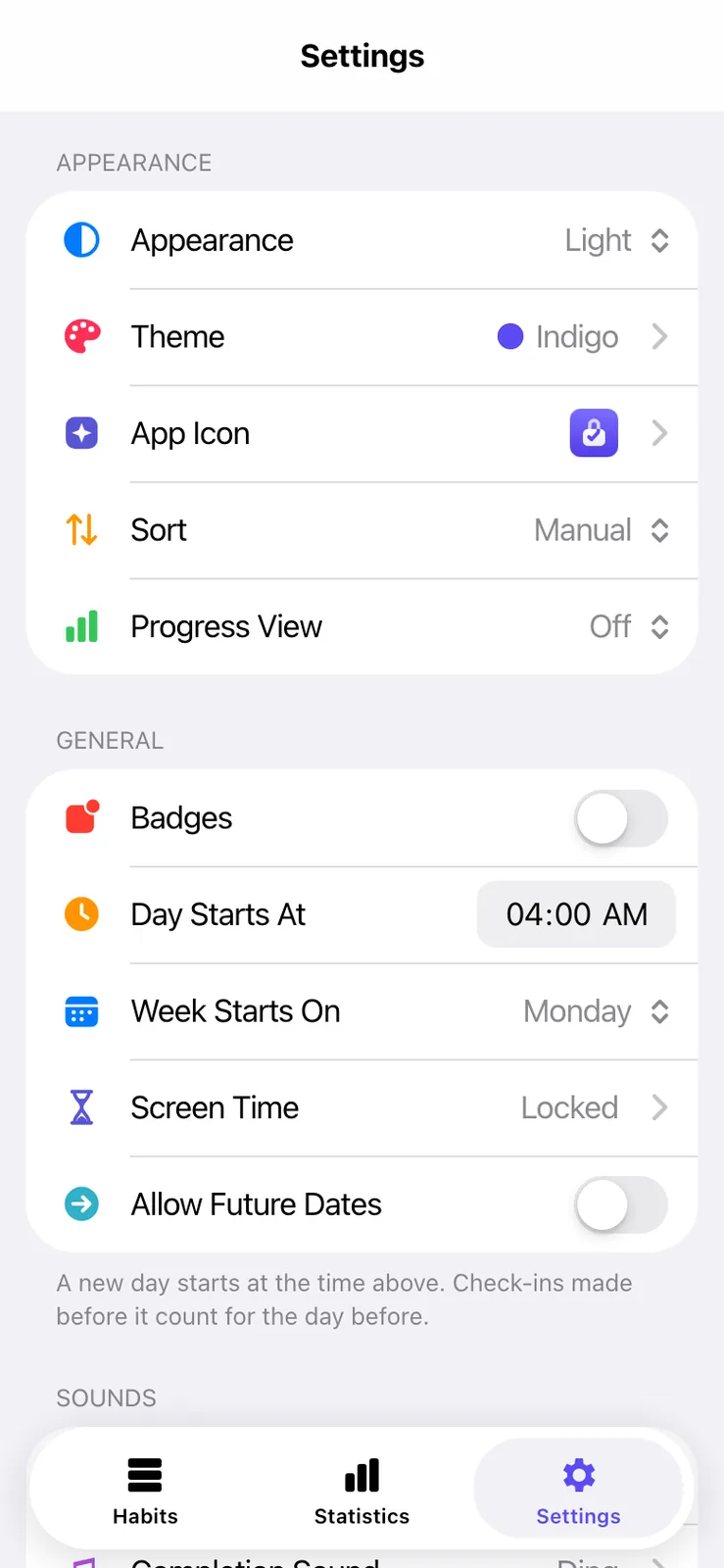
Tapping the ring adds one, and a tap past the target resets it. Holding a card opens a menu with skip, fail, complete, notes and the rest. The day starts at a time I choose, so a late night still counts for the day before. My Gym app also ticks any habit named Gym once a training day is complete.
Sheet 05 of 09/Progress
Streaks and statistics
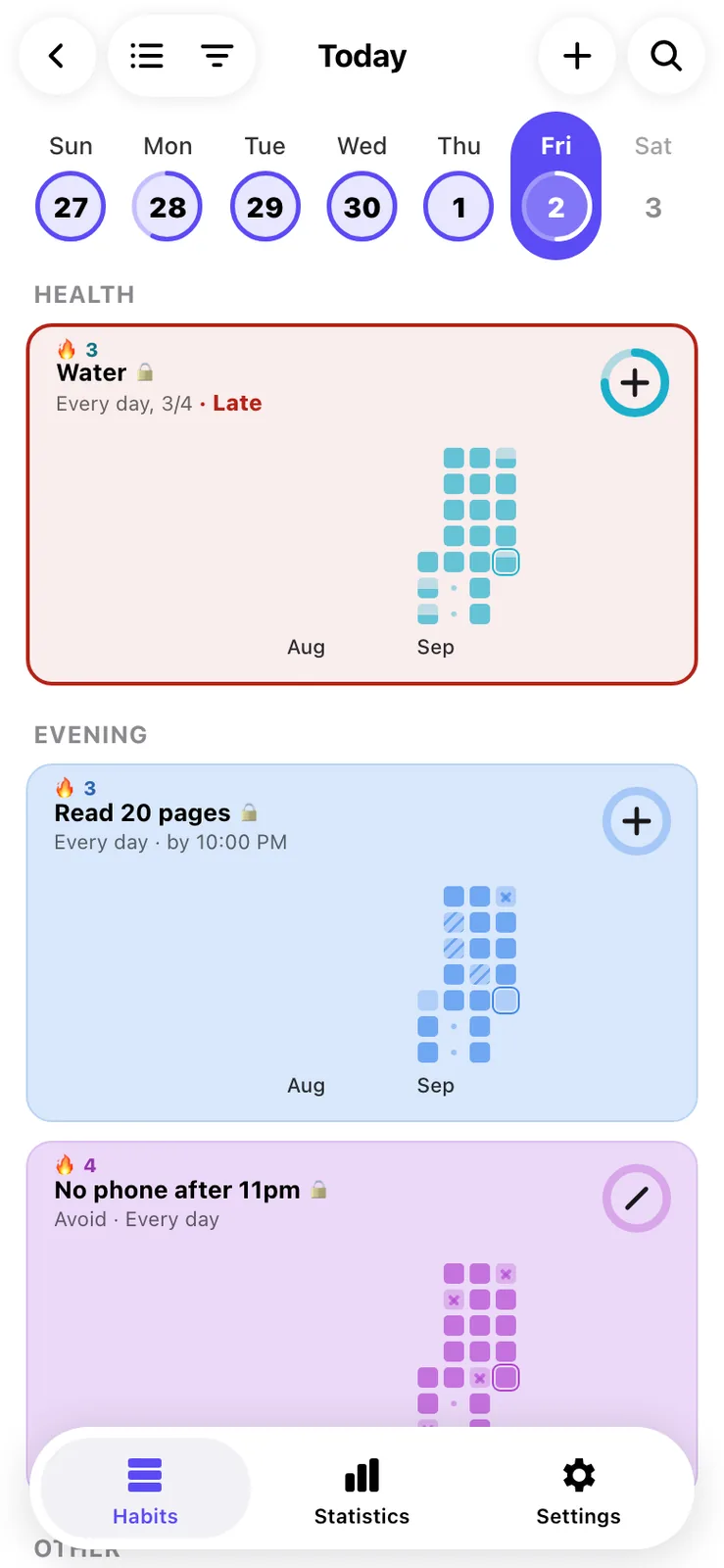
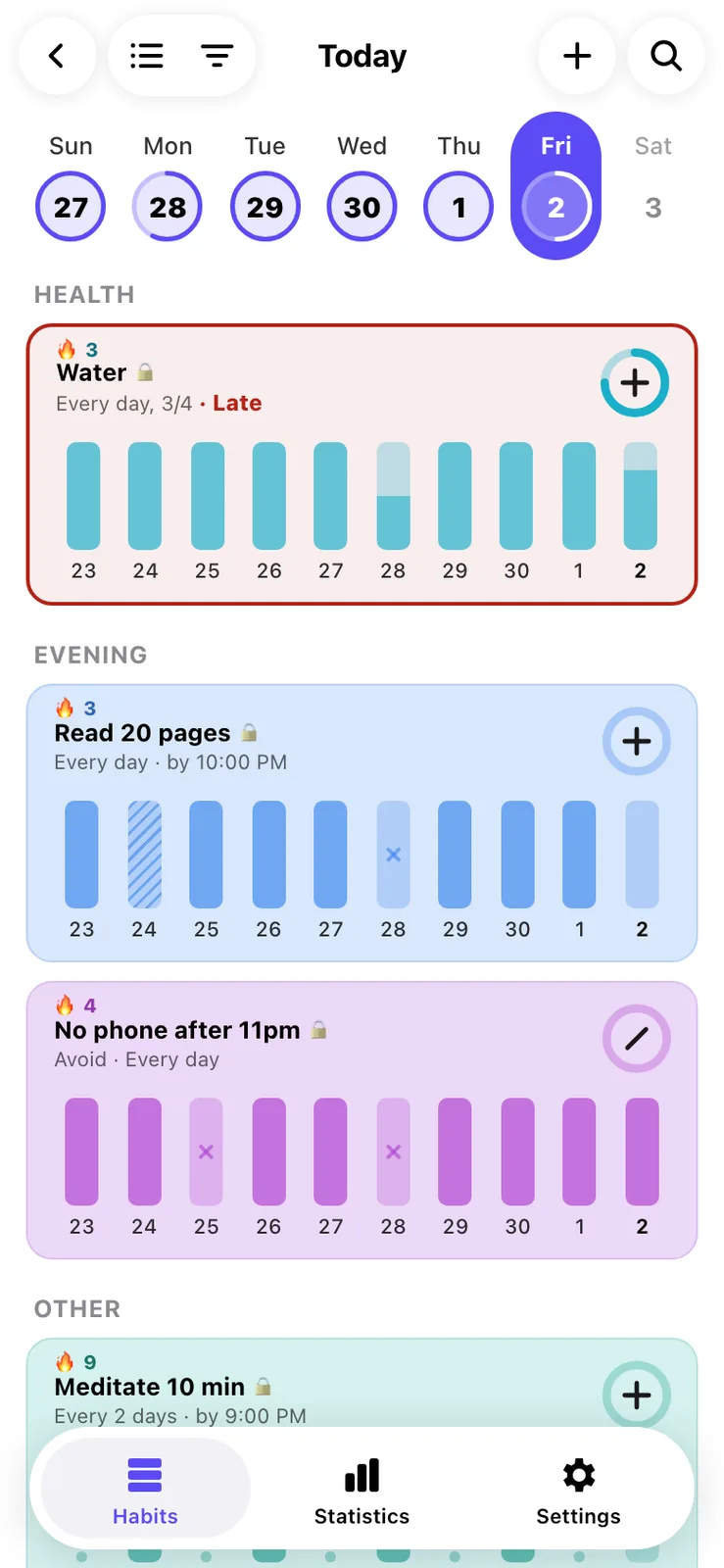
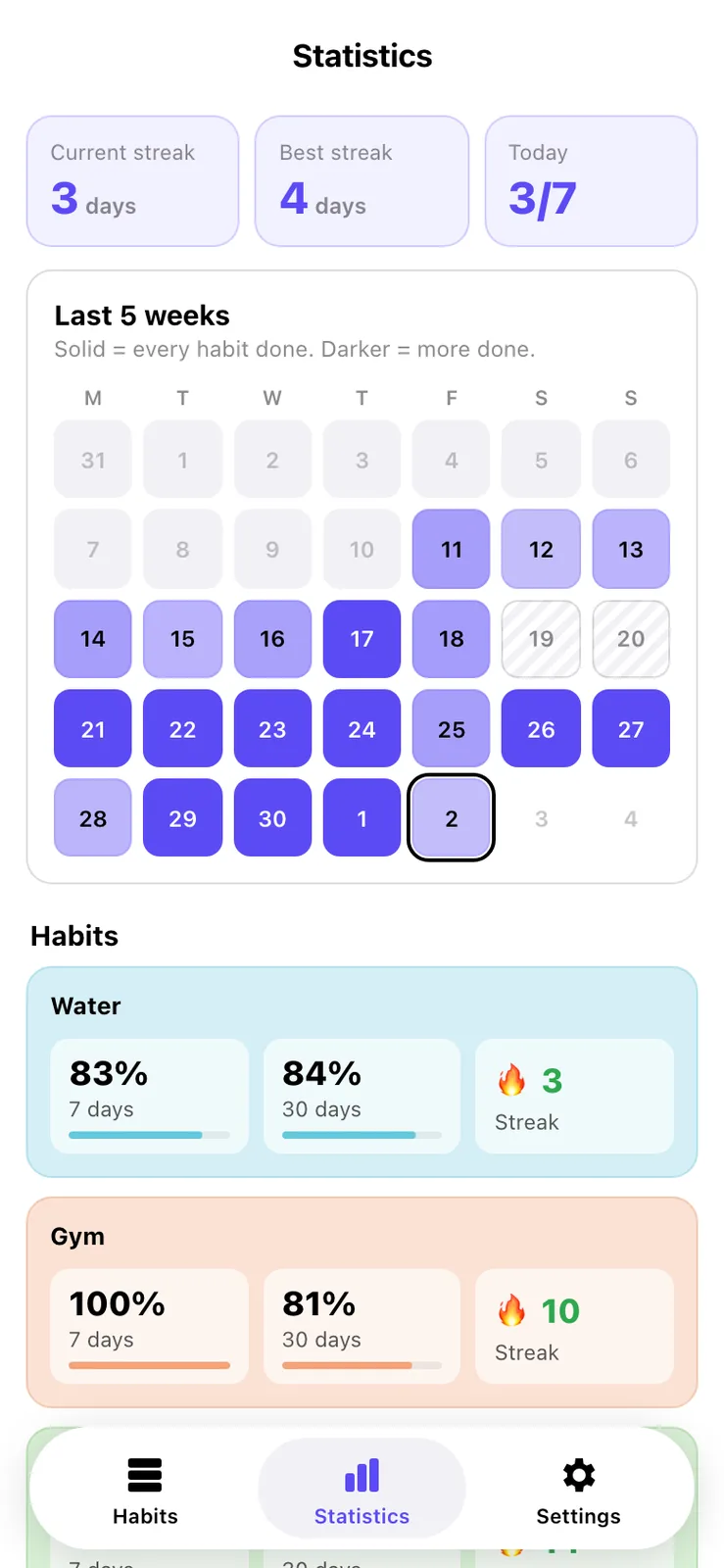
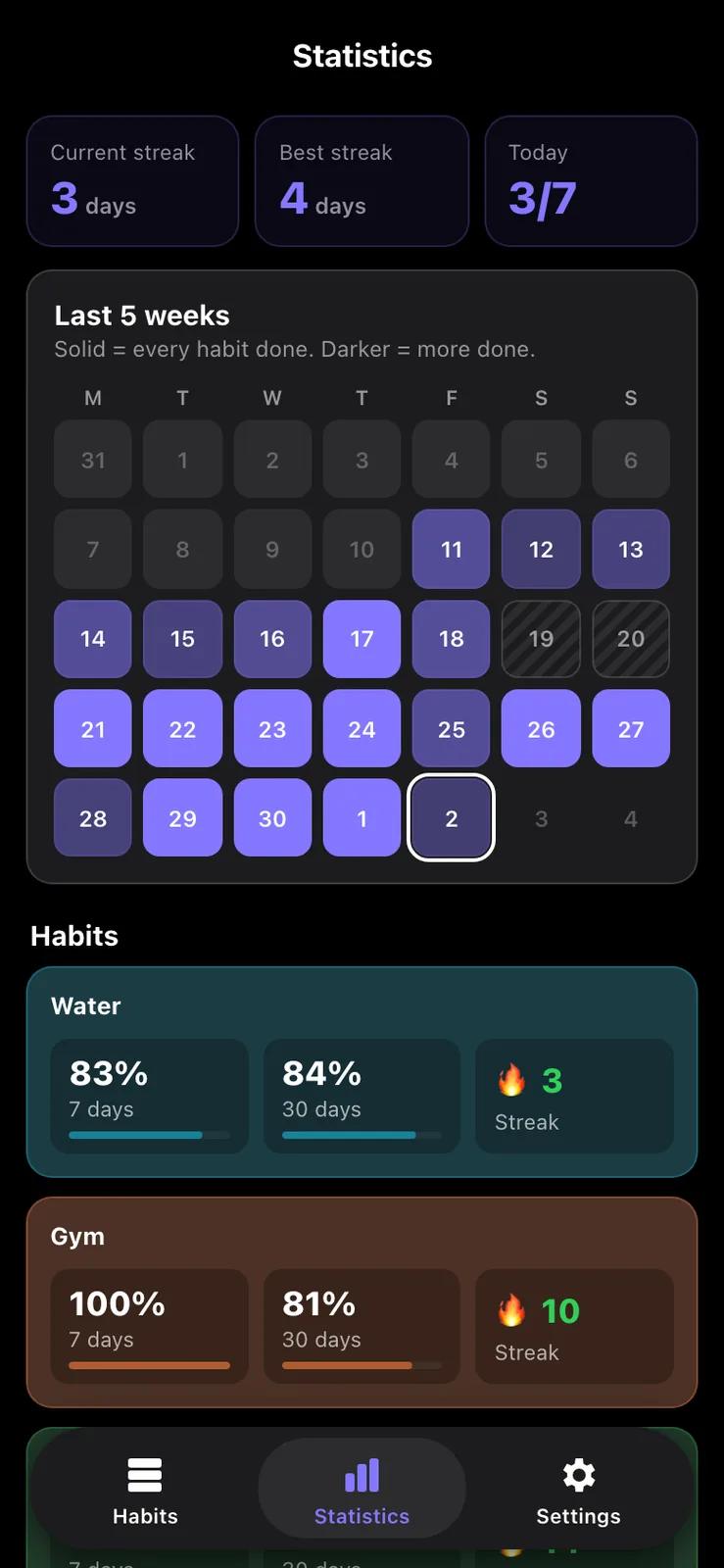
Each card can show a Grid, Bars or Line view of its history, and it's off by default. The Statistics tab has the overall streak, a five week calendar and 7 and 30 day rates for every habit.
Sheet 06 of 09/The rule
One rule file for both sides
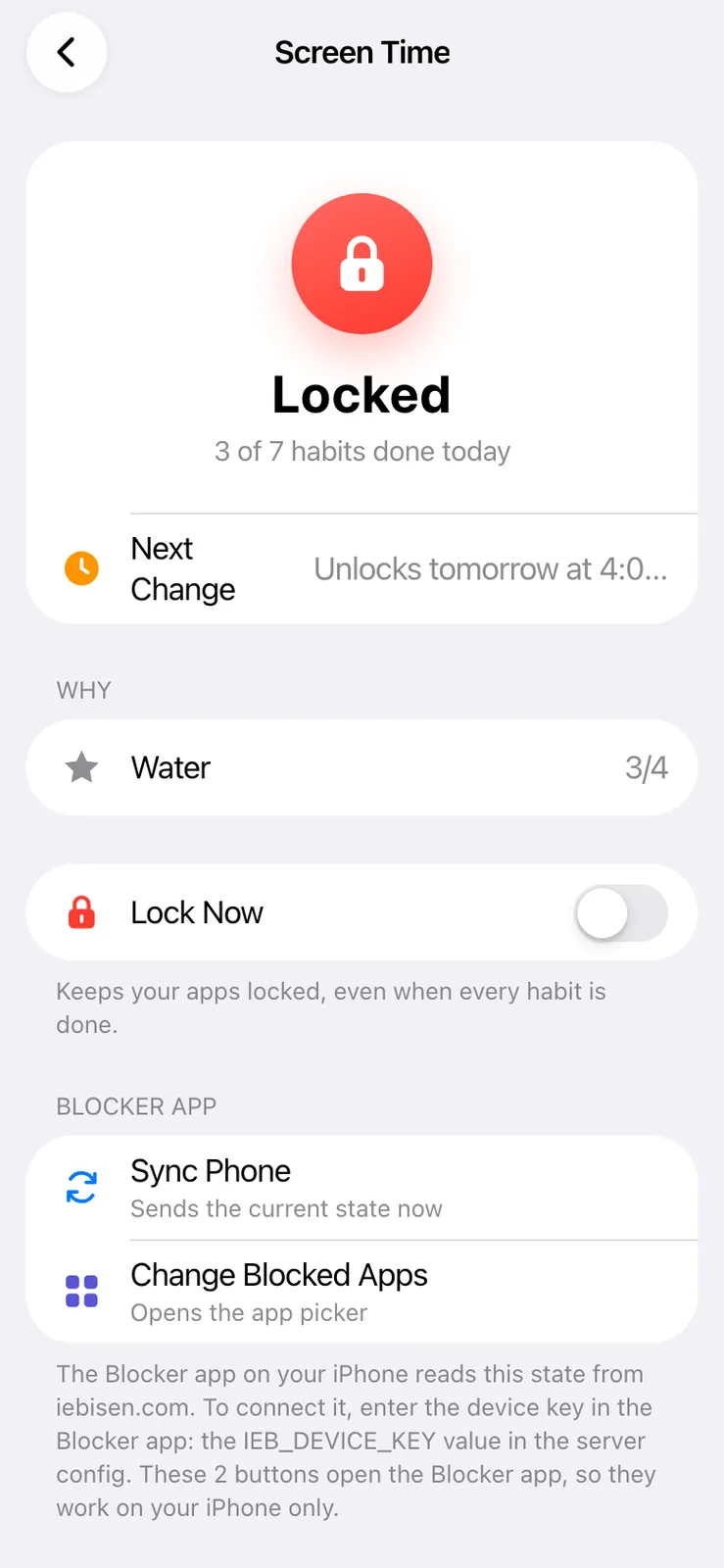
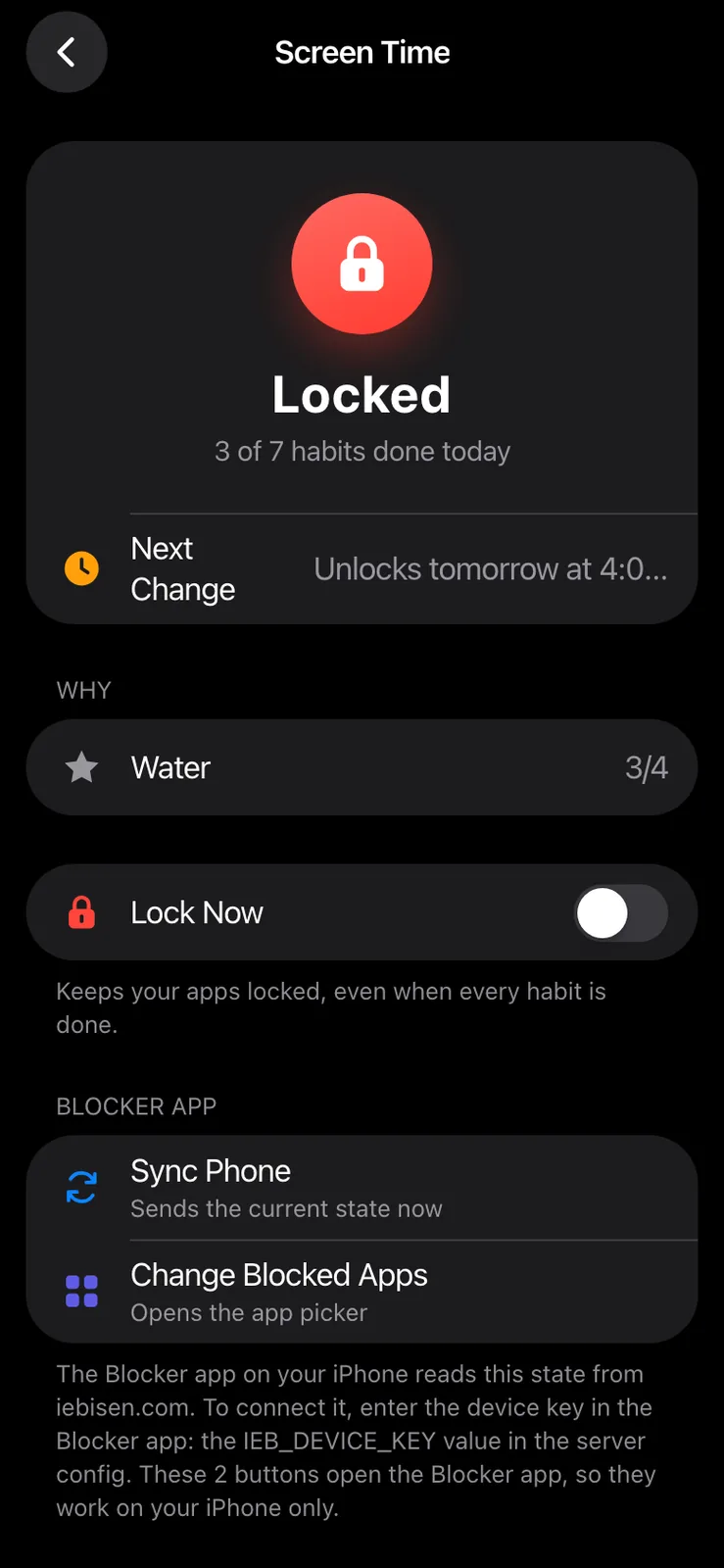
The rule lives in one plain JavaScript file, rules.js. The page loads it as a script, and the server loads the same file, so the page and the phone can't disagree. GET /api/blocker/state answers with locked or not, the reasons, the moments in the next 8 days when that changes, and the complete by times for the next 48 hours. The phone sends a device key, and the server hashes both keys before it compares them. If the habits file is damaged, the server answers 503 so the phone keeps its last state.
While a habit locks my apps, the page refuses any edit that would stop it locking, like switching the lock off or skipping it. The one way out is doing the habit. Lock Now, the switch that locks everything by hand, can always be turned off.
Saving works differently from my other apps. A normal merge of two copies would bring back an untick, so each change is saved as a small operation that sets one value, and unsaved ones replay on top of the server copy after a conflict. rules.test.mjs runs 267 checks on the rule, including daylight saving changes, and they all pass.
Sheet 07 of 09/Blocker
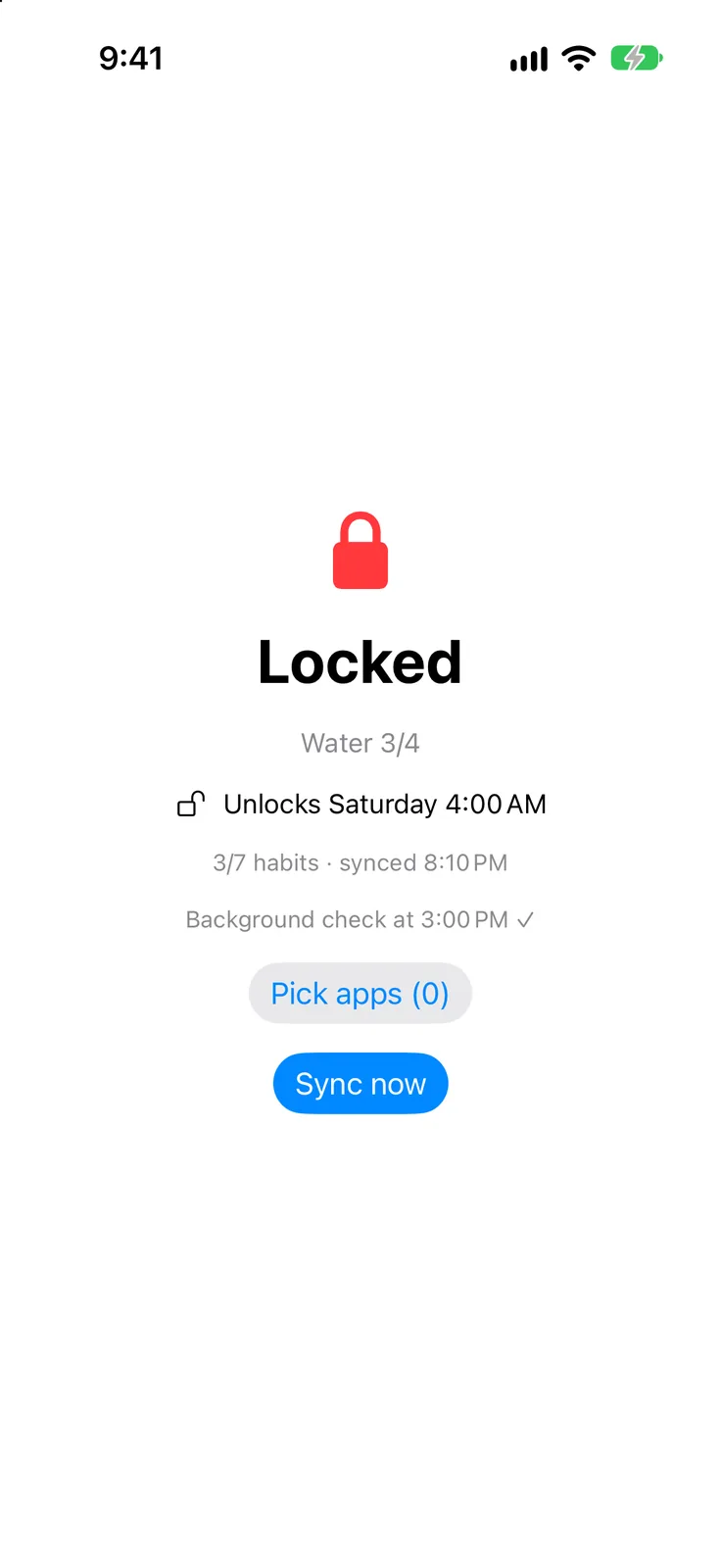
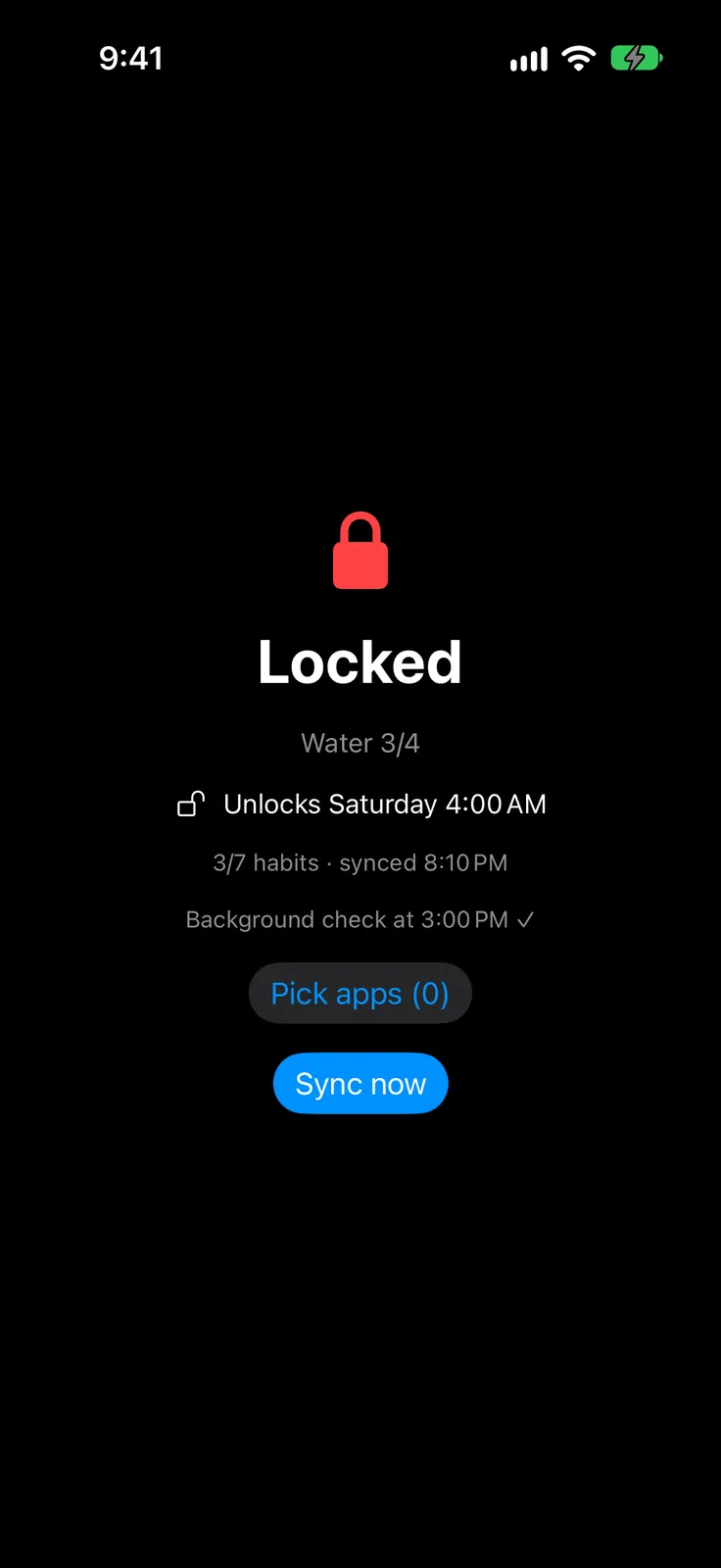
The iPhone app
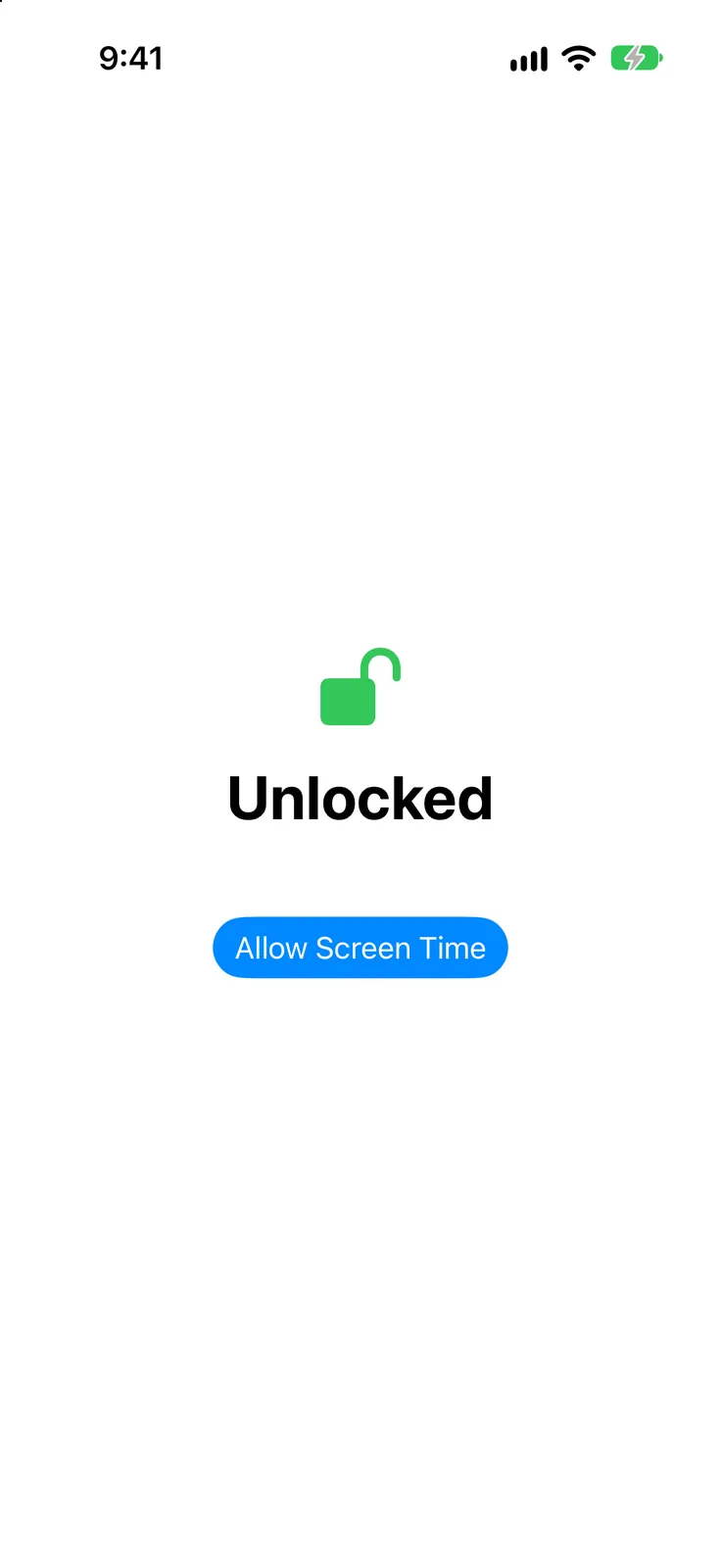
Blocker is 566 lines of Swift in 8 files, built from an XcodeGen spec into an app and a Monitor extension. Apple only gives out app tokens on the phone, so I pick the blocked apps there. Each change in the server's timeline becomes a one-off Screen Time schedule, up to 12, plus 4 daily checkpoints at 3 AM, 9 AM, 3 PM and 9 PM, to stay under the limit of about 20. When one fires, the Monitor asks the server first and falls back to the planned change if it's offline. It also sets a reminder 10 minutes before each complete by time, and Habits opens screenblock://sync after a save that changes the timeline.
Two of its rules came from bugs. Removing an app in the picker used to unlock it, so while locked the picker can only add. A stray backspace once wiped the saved key, so the key field now hides after a good sync.
Sheet 08 of 09/Icons
Three icons for Blocker
There were three icon concepts, and I picked Check Shackle, where the check's long arm turns into the lock's shackle. The other two ship as alternate icons, and the App Icon page in Habits switches between them. Habits got its own icon twice on September 24.



Sheet 09 of 09/Next
Known gaps
Turning off Blocker's Screen Time access in iOS Settings clears every shield, and only a Screen Time passcode someone else holds guards against that. There's no block on deleting apps, because the iOS setting for it covers every app on the phone. The schedules don't follow a time zone change until the next sync, and a reminder can still fire for a habit done after the last good fetch.