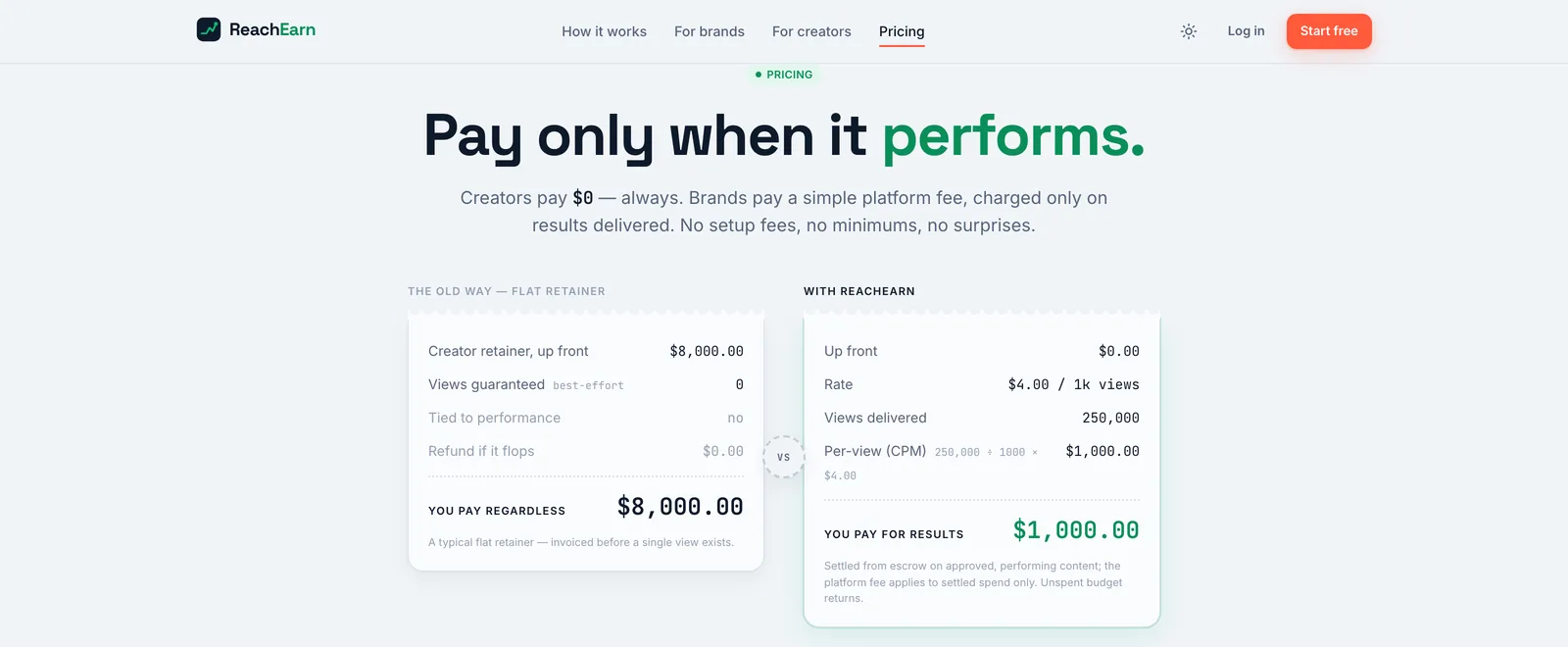
The ReachEarn pricing page headed Pay only when it performs, with two receipt cards side by side, a flat retainer totaling $8,000.00 and a pay per view receipt totaling $1,000.00 in green

Marketplace web appSolo, built with Claude CodeDrawing 40 of 43

Reach
Earn

I built ReachEarn, a web app where brands pay creators for the views and sales their posts bring in. It runs end to end on seeded demo data, and signups have been paused since my last commit on July 2, 2026.

Sheet 02 of 08/What it is

What ReachEarn is

ReachEarn is a marketplace for UGC, the short videos creators post on TikTok, Instagram Reels or YouTube Shorts for a brand. A brand posts a campaign and picks how it pays. It can pay per thousand views, take a cut of sales, pay a flat fee per post, or mix them. Creators apply, post on their own accounts, and get paid as the post performs.

It started out as PostPaid. The first commit on June 29 uses that name, and I renamed it ReachEarn the same evening.
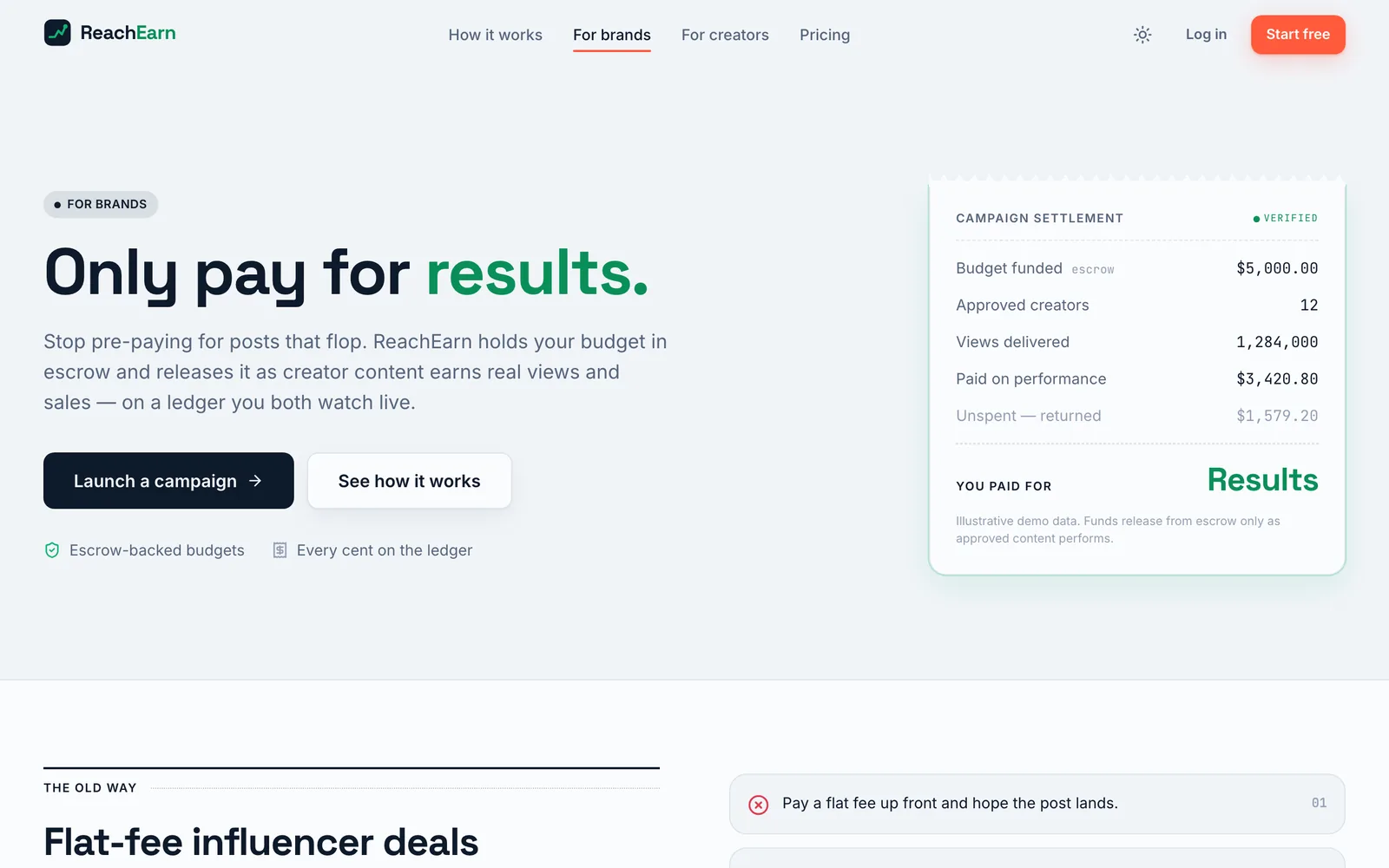
The For brands page headed Only pay for results, with Launch a campaign and See how it works buttons and a campaign settlement receipt on the right
PL 02The pitch to brands. The budget sits in escrow and only comes out as posts earn views and sales.
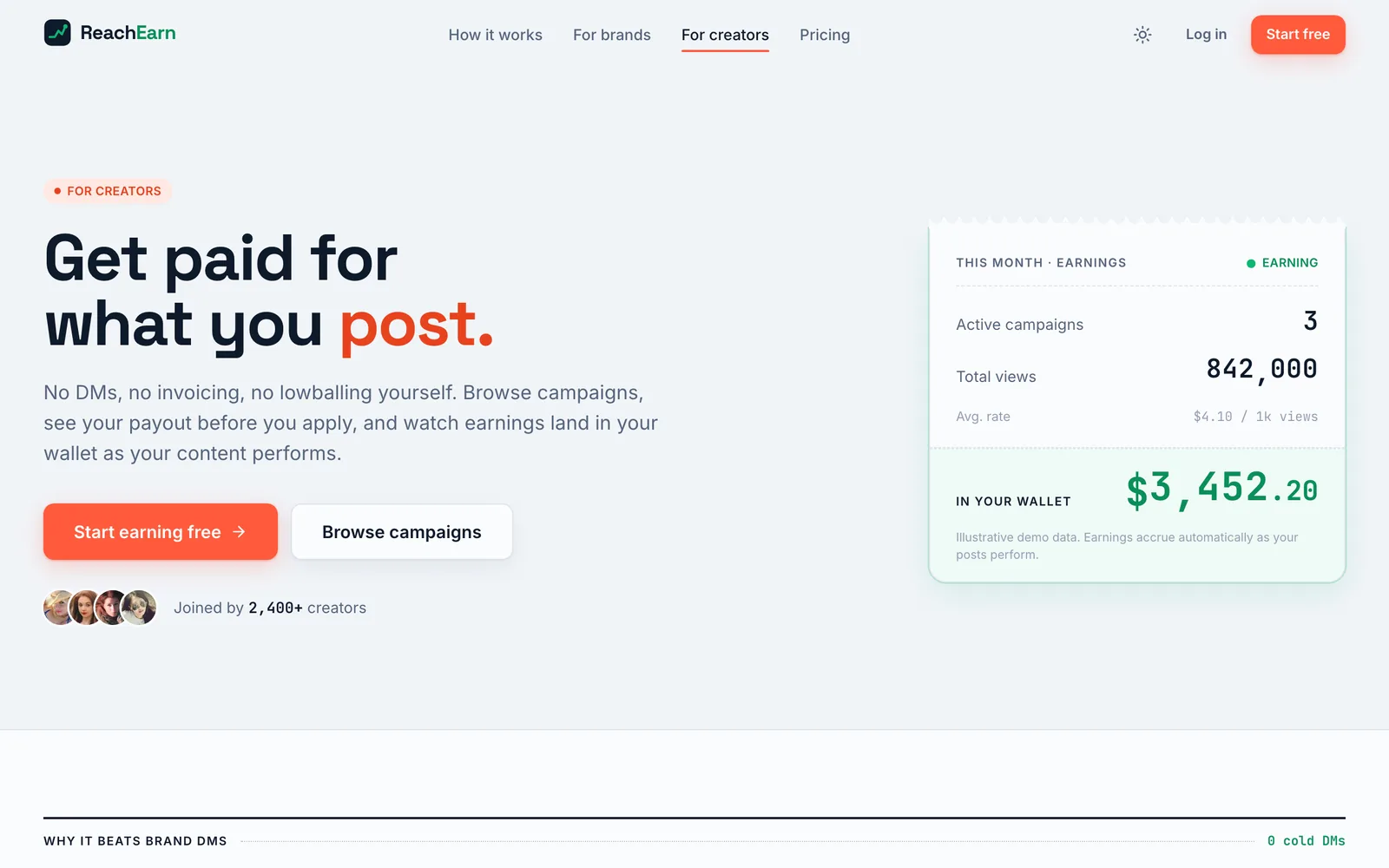
The For creators page headed Get paid for what you post, with a row of avatar photos, a Joined by 2,400+ creators line, and a monthly earnings receipt showing $3,452.20 in the wallet
PL 03The pitch to creators. The wallet card is labeled as demo data, and the 2,400 joined line is placeholder copy too.

Sheet 03 of 08/Brand

The brand side

A brand funds a campaign before it opens, and that money sits in escrow. Then it goes through applicants, approves the posts it likes, and watches the views come in.

Every brand and creator in these screenshots is a seeded demo account. Lumio is the demo brand and Maya is the demo creator, and the faces are placeholder photos the app pulls from a free avatar service.

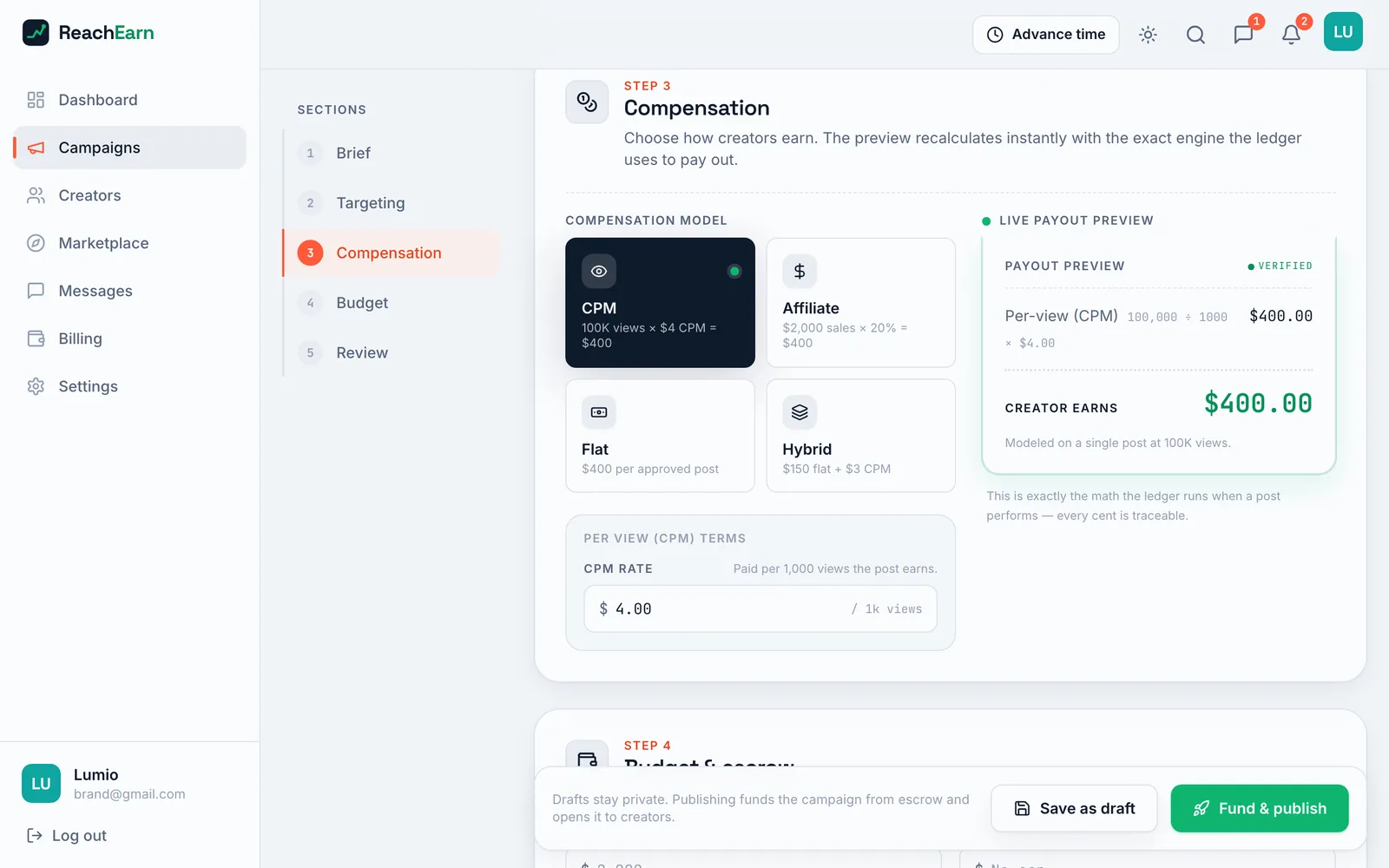
The campaign builder shows a payout preview while you choose the pay model. That preview runs the same payout math the settlement code runs.
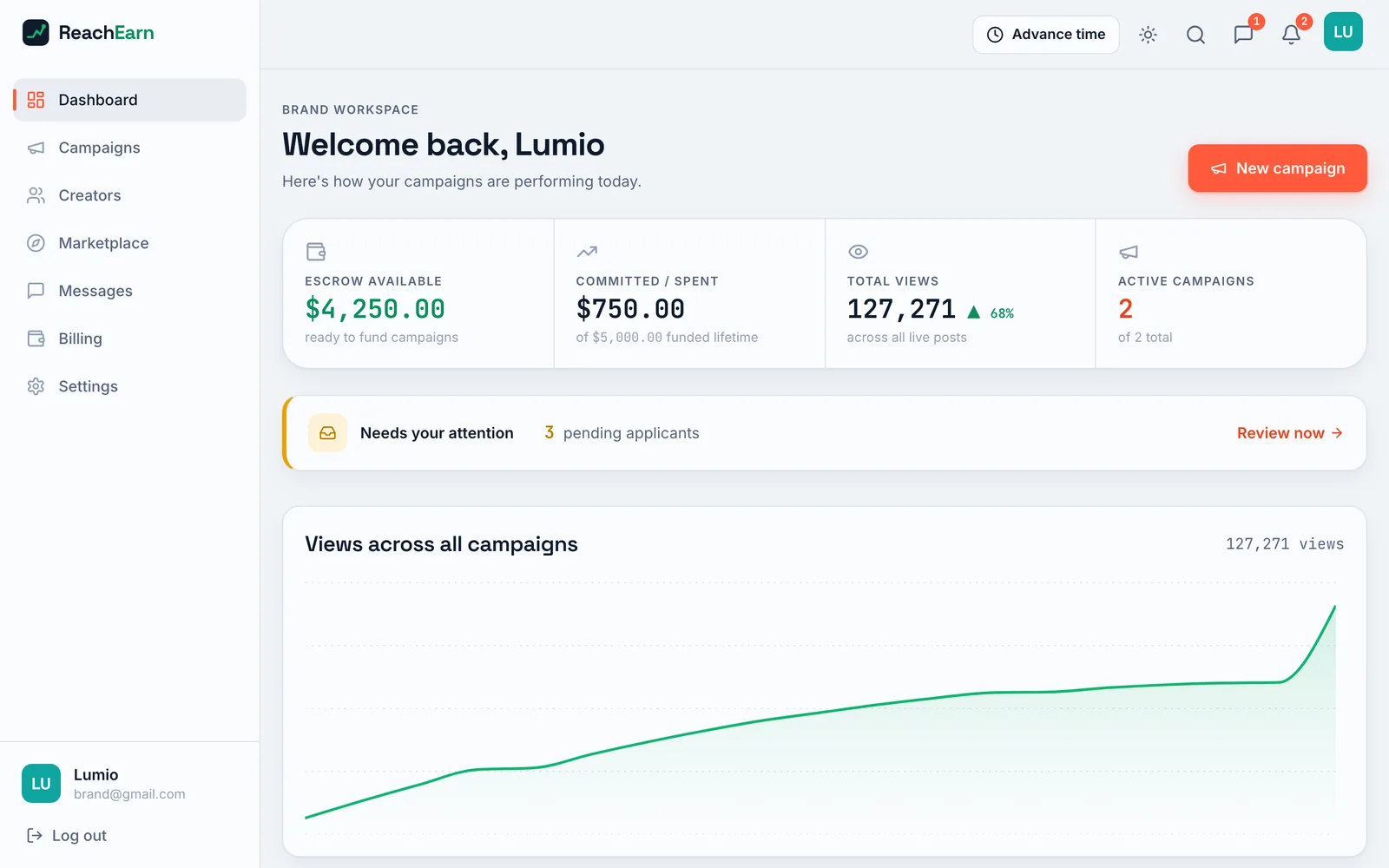
Brand dashboard reading Welcome back, Lumio, with four figures across the top, $4,250.00 escrow available, $750.00 committed, 127,271 total views and 2 active campaigns, above a rising green views chart
PL 04The dashboard for Lumio, the seeded skincare brand. Escrow, spend, views and live campaigns sit across the top, over a views chart.
Campaign builder on step 3, Compensation, with four pay model tiles with CPM selected, a $4.00 CPM rate field, and a live payout preview showing the creator earns $400.00 on 100K views
PL 05Step 3 of the campaign builder. You pick CPM, affiliate, flat or hybrid pay, and the preview runs the same payout math the settlement code uses.
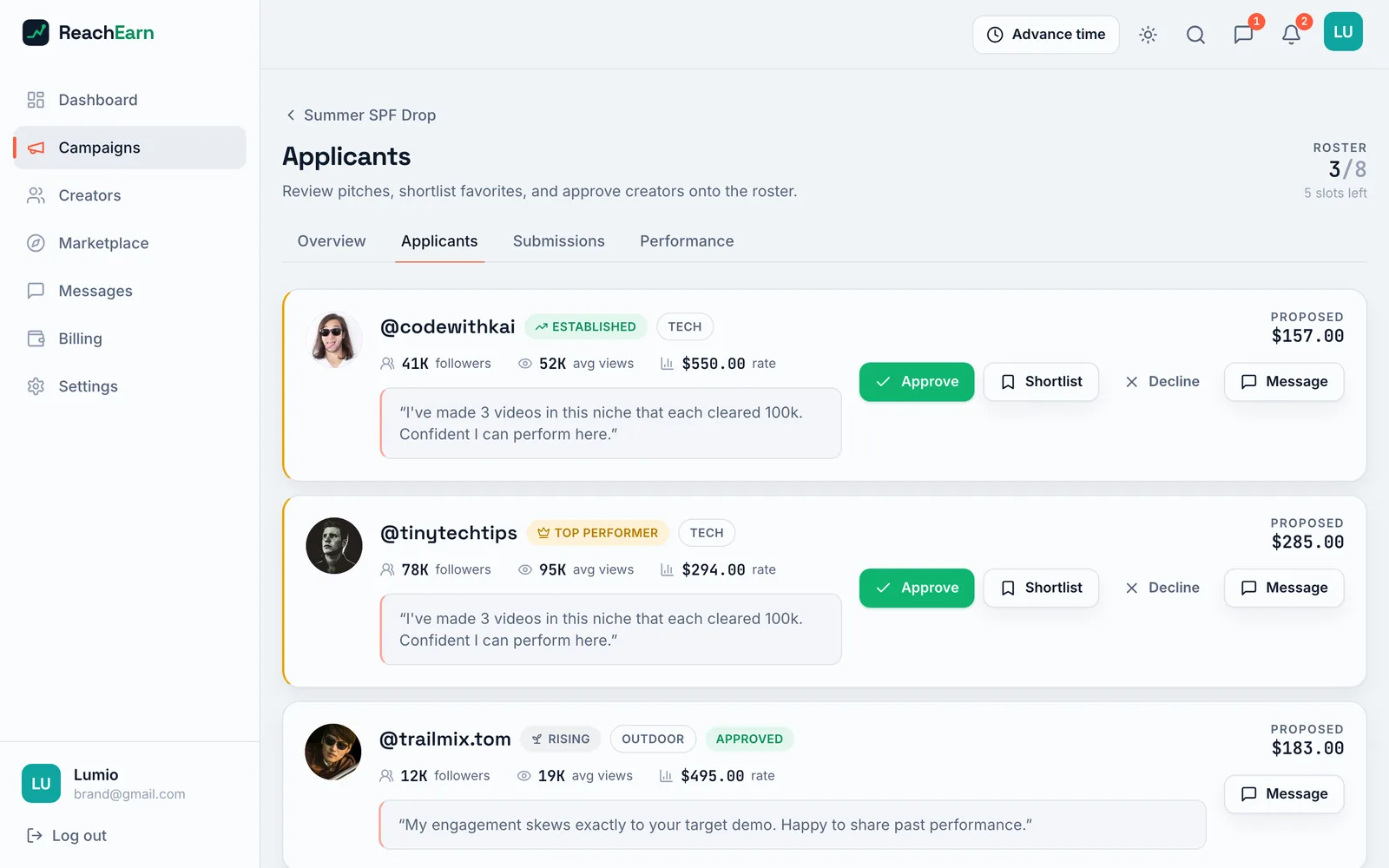
The Applicants tab for Summer SPF Drop listing creators with avatar photos, follower and view counts, quoted pitches, proposed amounts, and Approve, Shortlist, Decline and Message buttons
PL 06Applicants for one campaign. Each creator's pitch, rate and proposed payout, with approve, shortlist, decline and message.
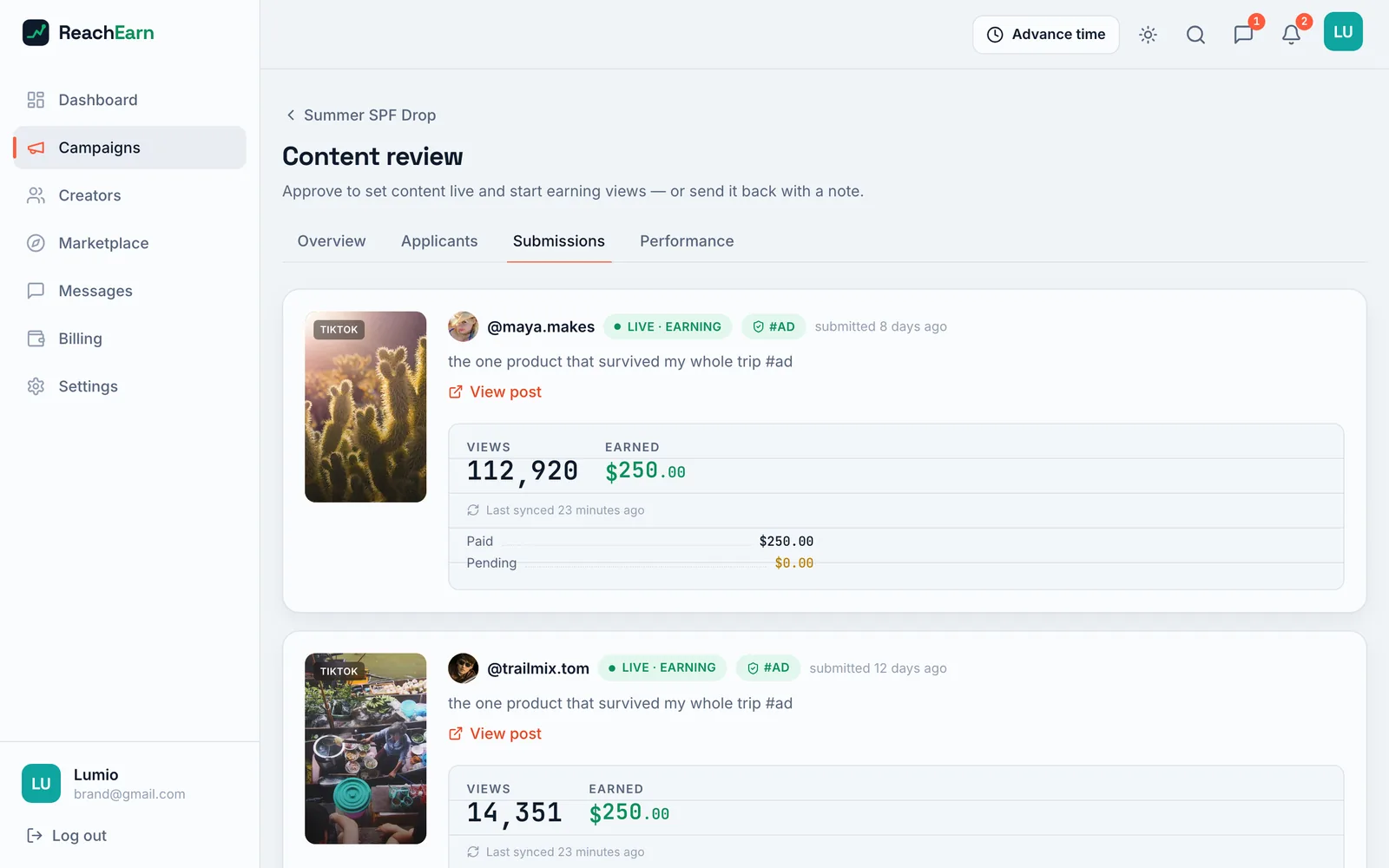
Content review tab showing two TikTok submissions marked Live earning and #AD, each with a thumbnail, a caption, a view count and $250.00 earned
PL 07Content review. Approving a post sets it live, and from then on each card shows its views next to what it's earned.
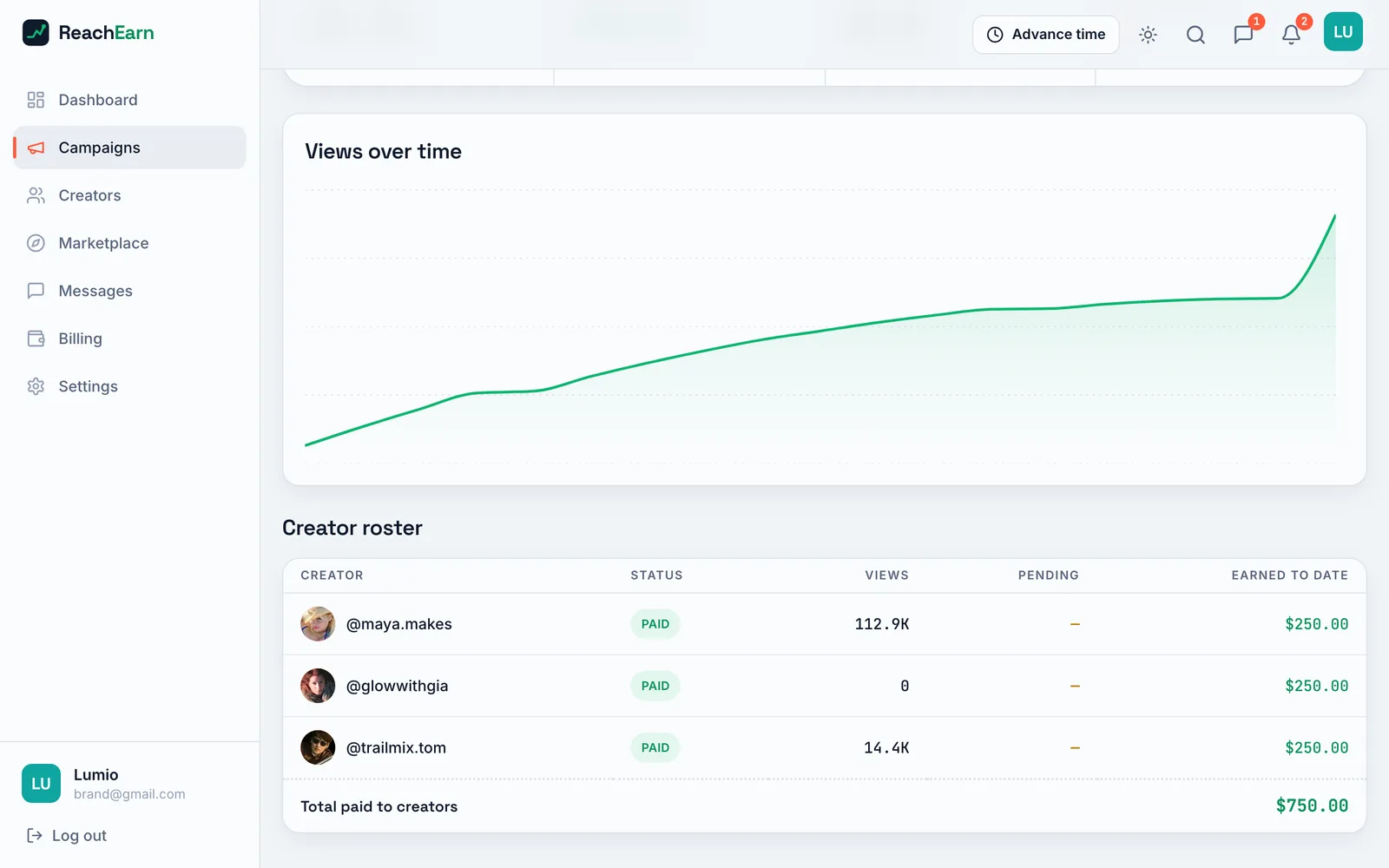
Performance tab with a rising views over time chart above a creator roster table of three creators, each marked Paid with $250.00 earned, totaling $750.00
PL 08The performance tab, with the views chart and the roster of who got paid. Three flat fees of $250 make up the $750 spent.

Sheet 04 of 08/Creator

The creator side

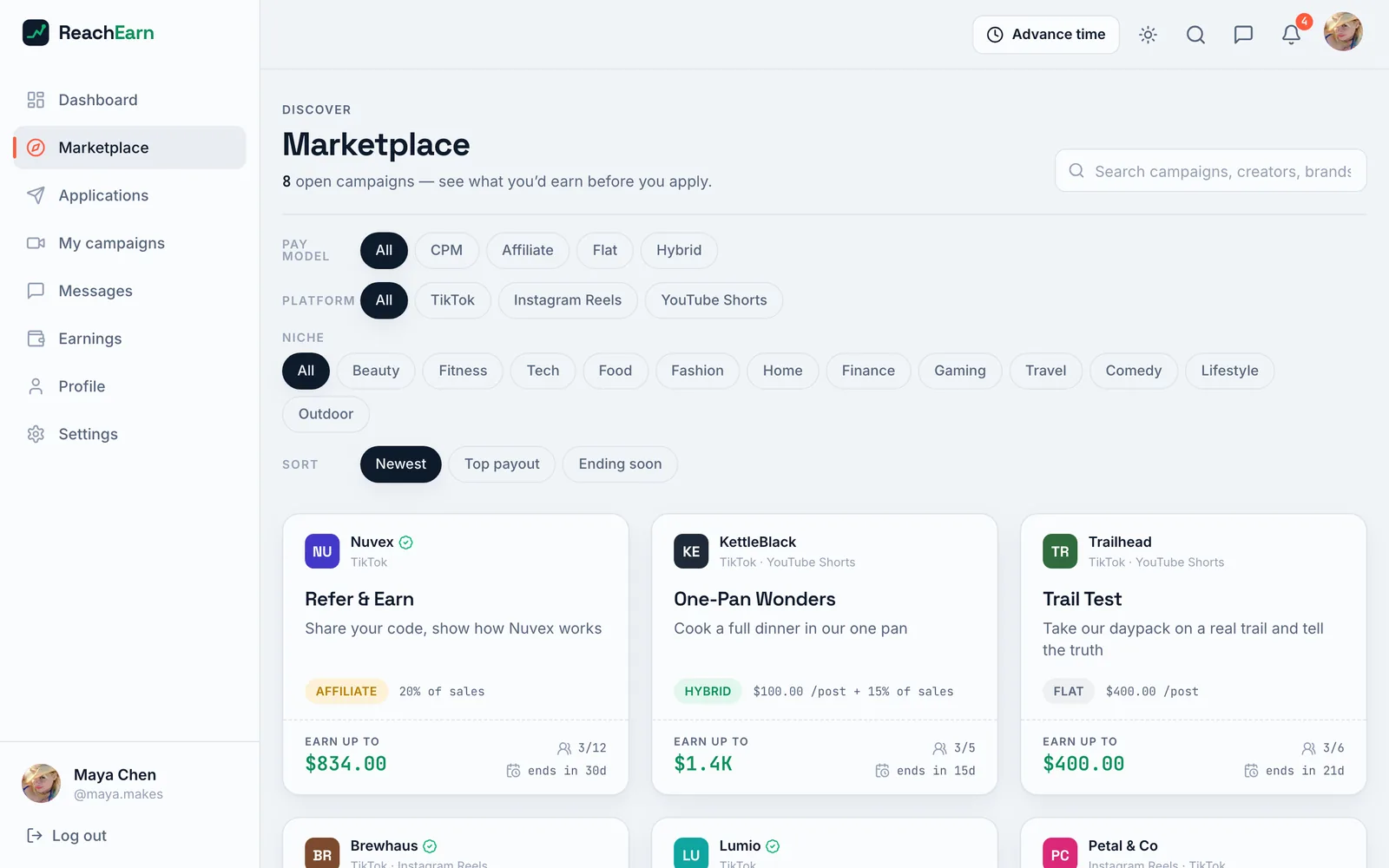
Creators browse the open campaigns and see what they could earn before they apply. Once a post is approved and live, its views and earnings show up on their dashboard.

On a phone the sidebar moves into a drawer. The top bar doesn't fit at that width, though. The Advance time button wraps onto two lines and pushes the last few icons off the screen.
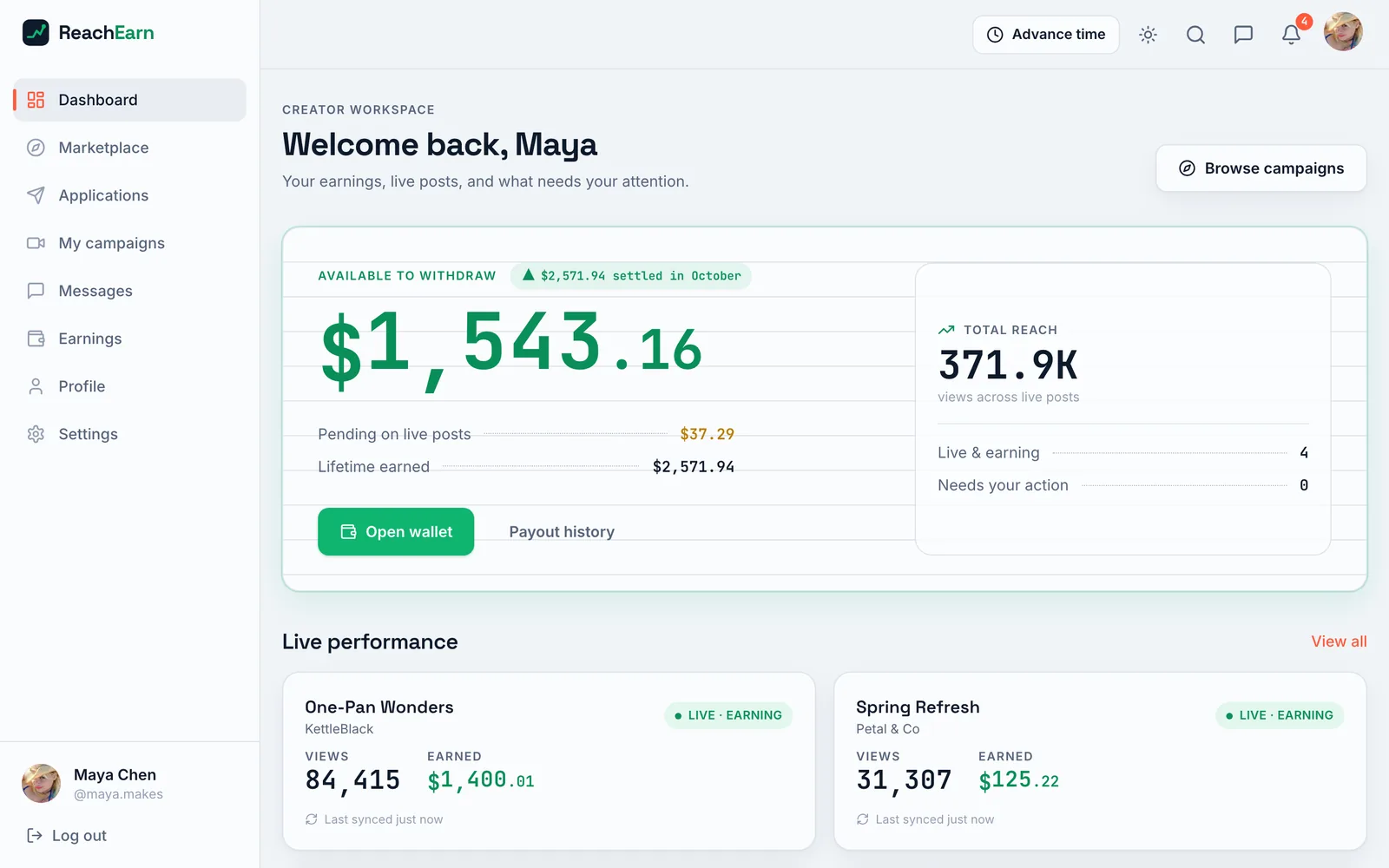
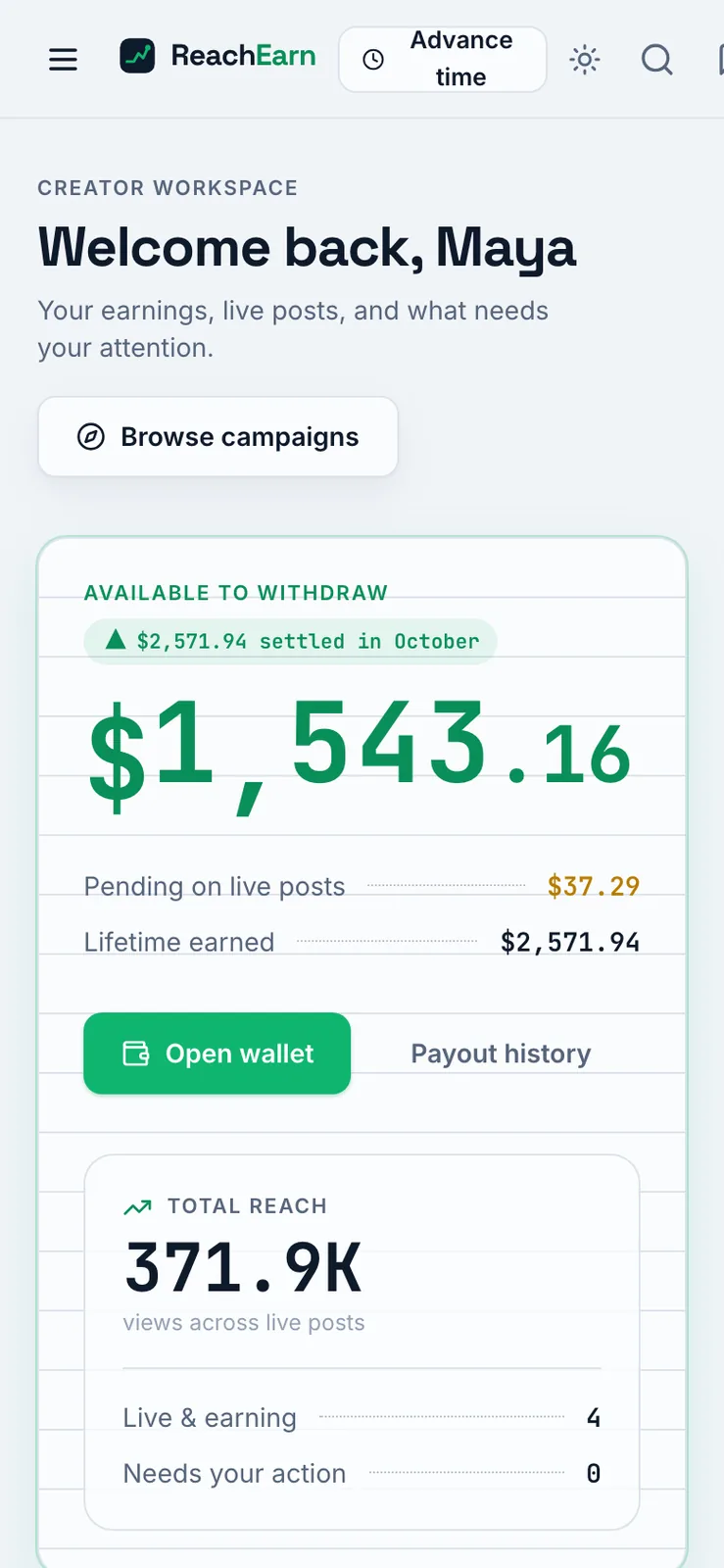
Creator dashboard reading Welcome back, Maya, with $1,543.16 available to withdraw in large green type, pending and lifetime totals, a total reach of 371.9K views, and live performance cards below
PL 09The creator side, logged in as Maya, the seeded beauty creator. Her balance, what's still pending, and her live posts.
Marketplace page with filter chips for pay model, platform, niche and sort, above campaign cards from Nuvex, KettleBlack and Trailhead showing each pay model and an Earn up to figure
PL 10The marketplace creators browse, filtered by pay model, platform and niche. Every card says up front how much you could earn.
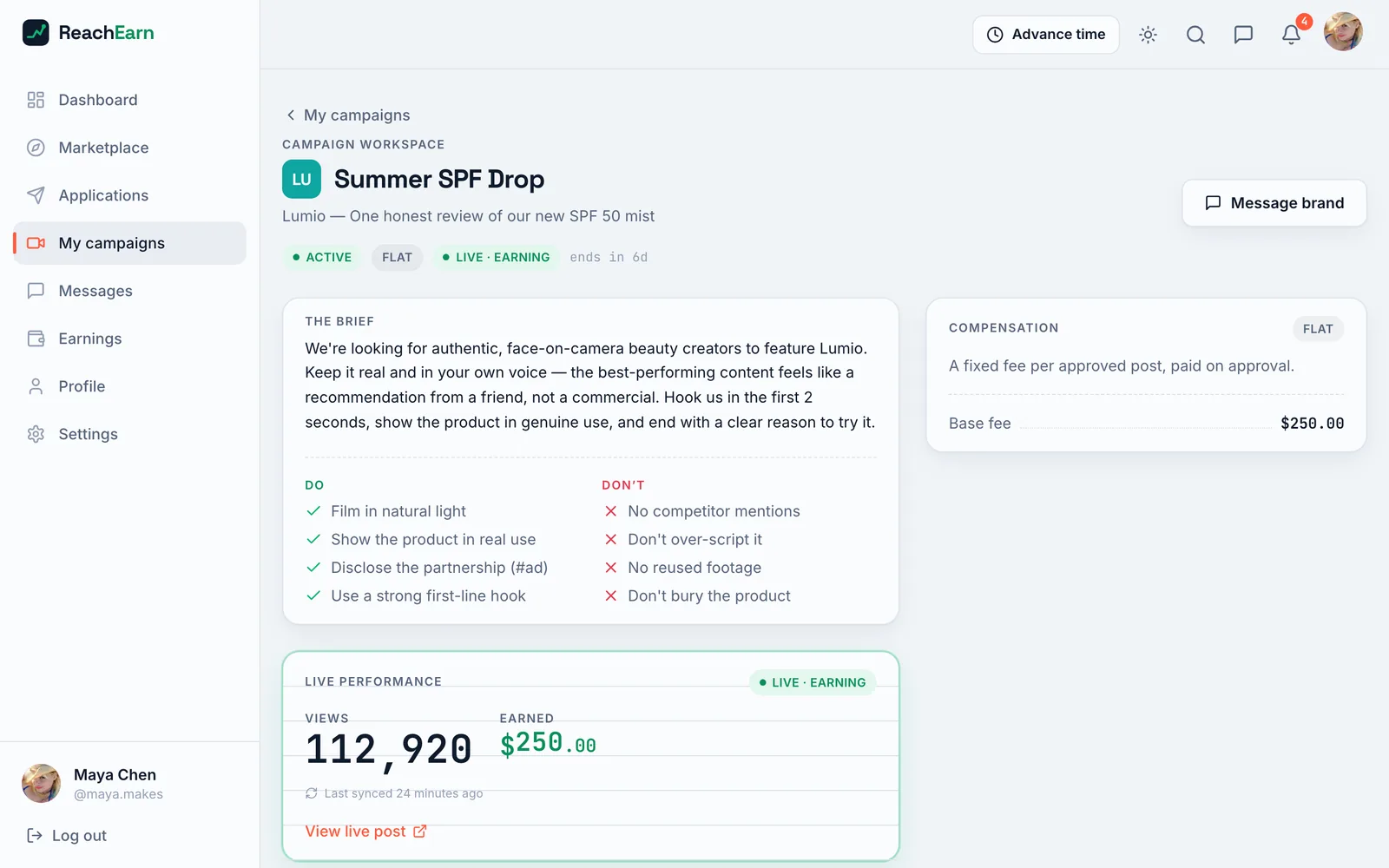
Creator campaign workspace for Summer SPF Drop showing the brief, Do and Don't lists, a flat $250.00 compensation card, and a live performance panel with 112,920 views and $250.00 earned
PL 11A campaign from the creator's side. The brief, the do and don't lists, the fee, and the post's live numbers.
Phone width creator dashboard with a menu button, the logo and a wrapped Advance time button in the top bar, over the $1,543.16 balance card
PL 12At phone width the top bar runs out of room. Advance time wraps onto two lines and the last icons go off the edge.
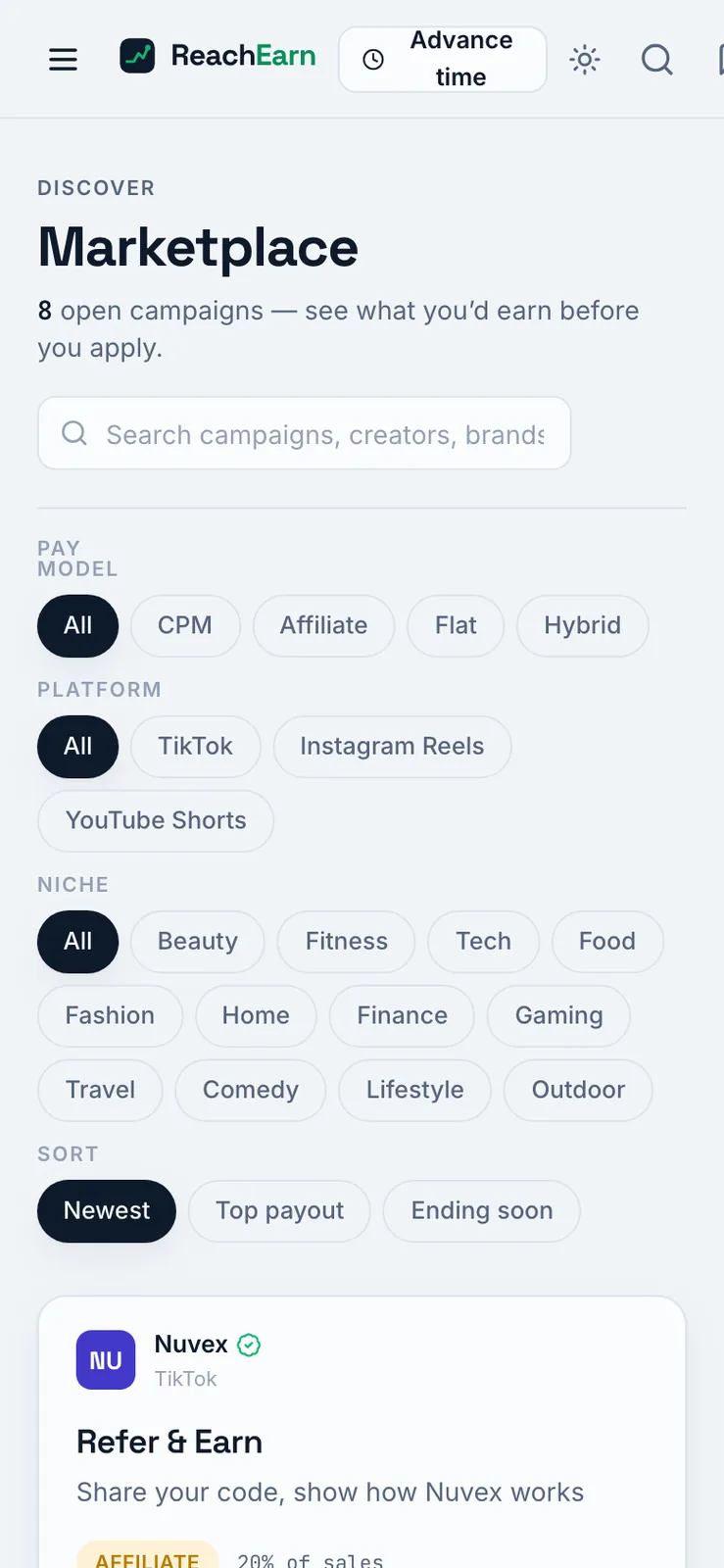
Phone width marketplace page with the filter chips wrapped onto several lines above the first campaign card
PL 13The marketplace filters wrap onto extra lines on a phone.
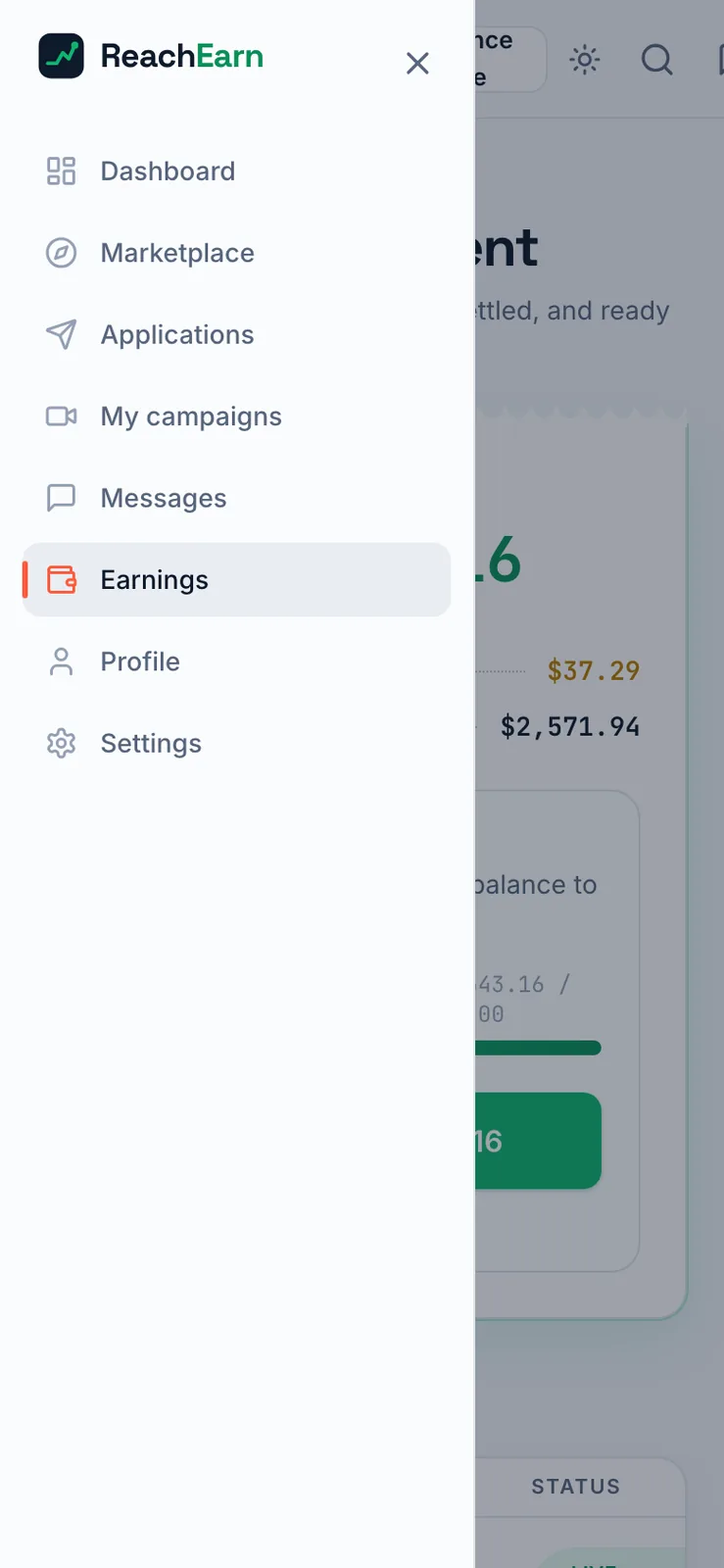
Phone width navigation drawer open on the left listing Dashboard, Marketplace, Applications, My campaigns, Messages, Earnings, Profile and Settings, over a dimmed earnings page
PL 14The sidebar becomes a drawer behind the menu button, here open over the earnings page.

Sheet 05 of 08/Money

Where the money goes

This was the part that had to be right. Every amount is stored in whole cents and every percentage in basis points, so no floating point math ever touches money.

Each payout only pays what's new since the last settlement, and it can't go past what's left in the budget. Every payout also carries a unique key, so running a settlement twice pays nothing extra. The ledger only ever gets new lines added, and it's the source of truth. Wallet balances are a cached copy of it.

None of this money is real. Nothing gets paid out anywhere, and every figure in these screenshots comes from the seed script.
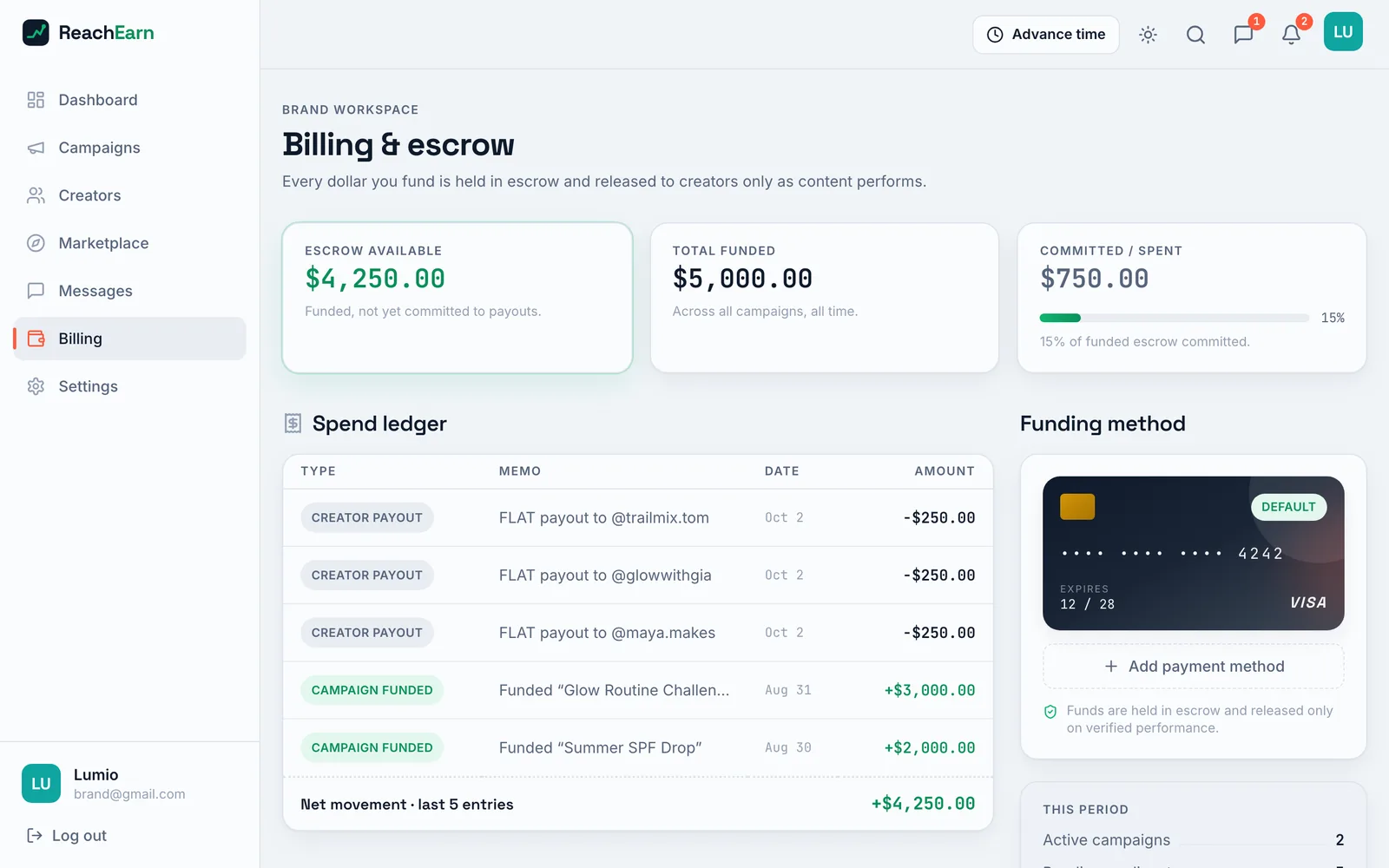
Billing and escrow page with escrow available, total funded and committed figures, a spend ledger of three $250.00 creator payouts and two campaign fundings, and a demo Visa card as the funding method
PL 15The brand's spend ledger. Funding a campaign puts money into escrow, and each creator payout comes back out as its own line.
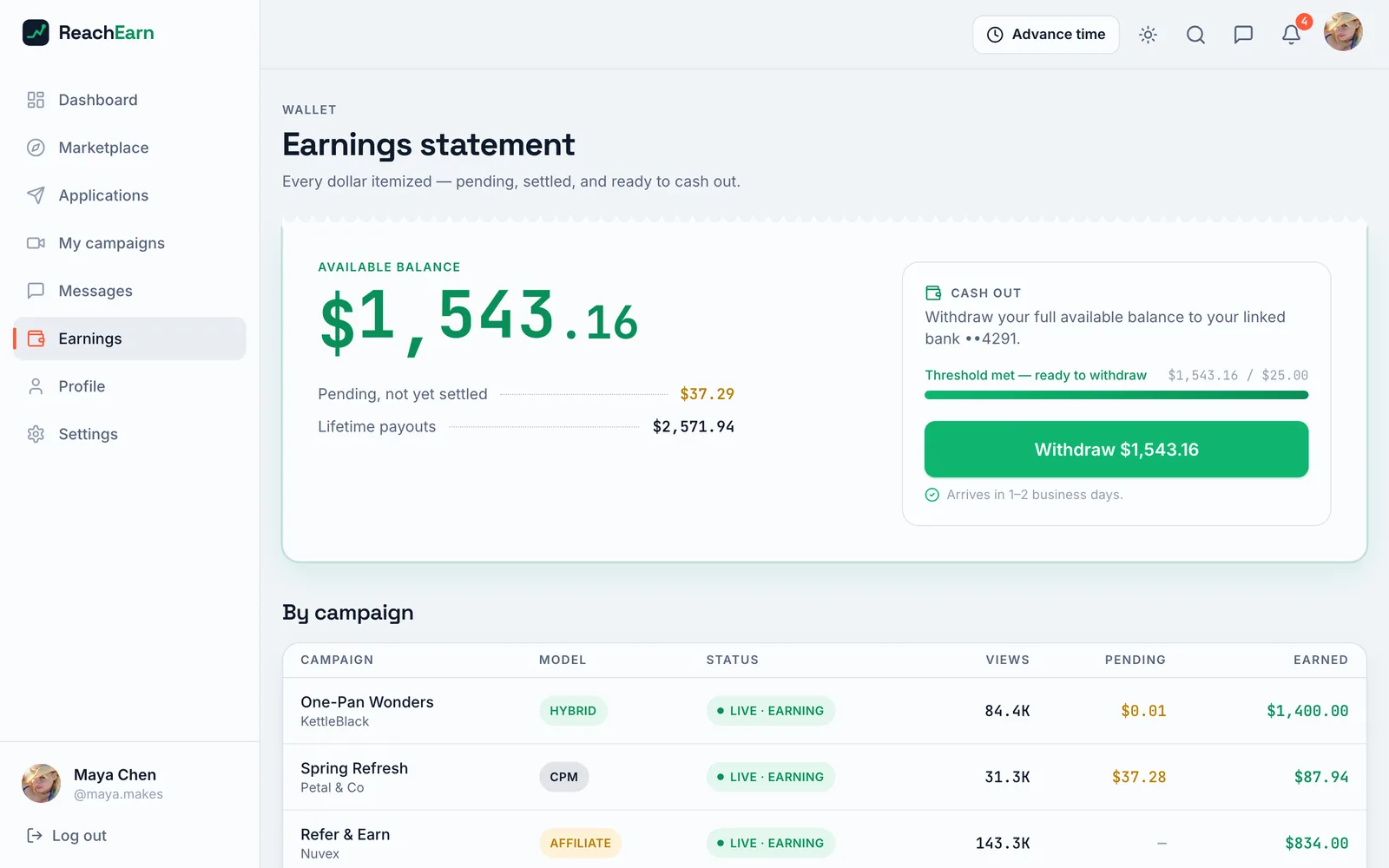
Earnings statement with an available balance of $1,543.16, a cash out panel with a Withdraw button, and a by campaign table listing model, status, views, pending and earned
PL 16Maya's earnings statement. Available, pending and lifetime totals, then the same money split out by campaign.
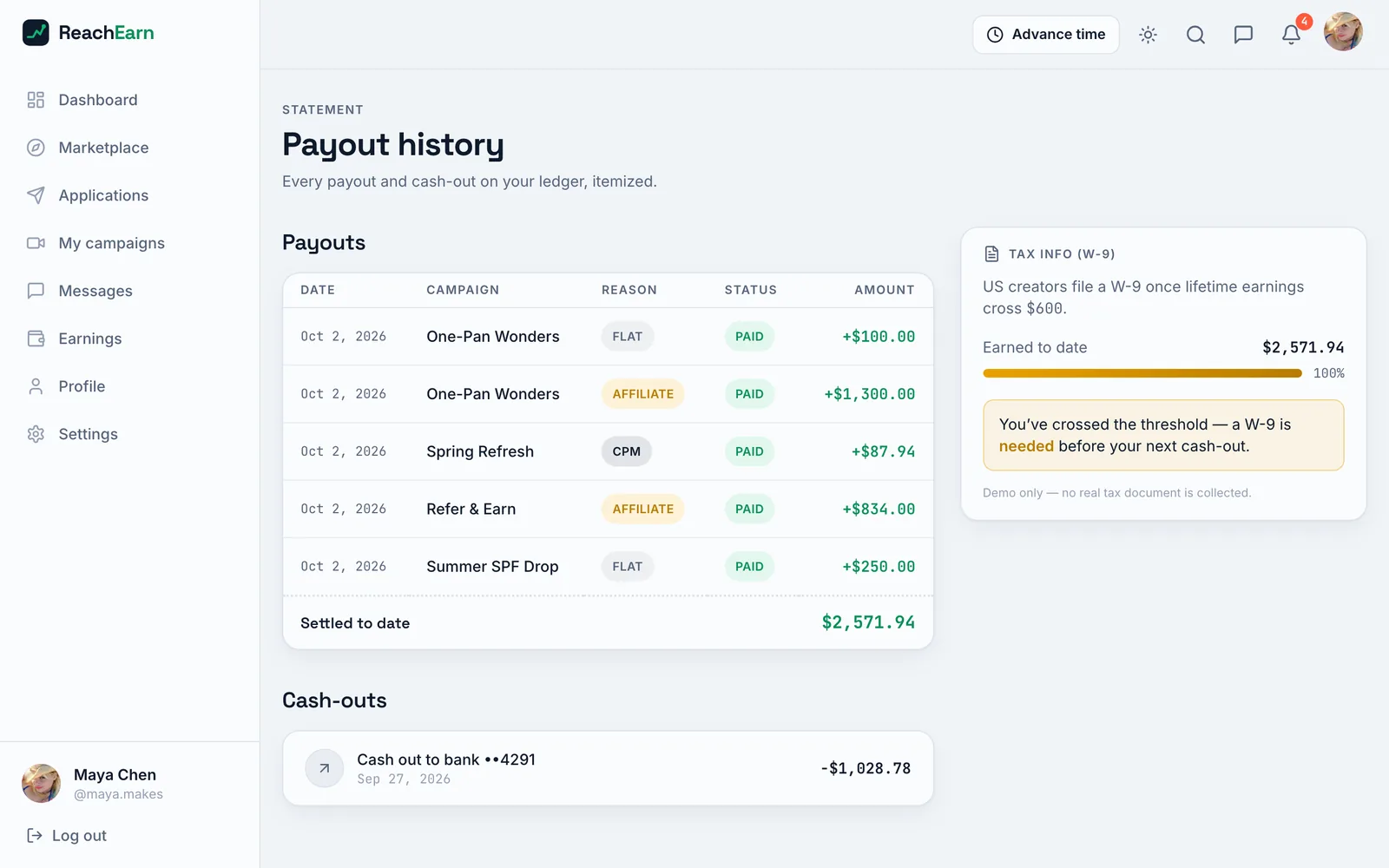
Payout history table of five paid payouts across four campaigns totaling $2,571.94, one cash out to bank of $1,028.78, and a W-9 tax info card
PL 17Her payout history. Each line is one settlement, and the total matches the lifetime figure on her dashboard.

Sheet 06 of 08/Simulation

Making the numbers move

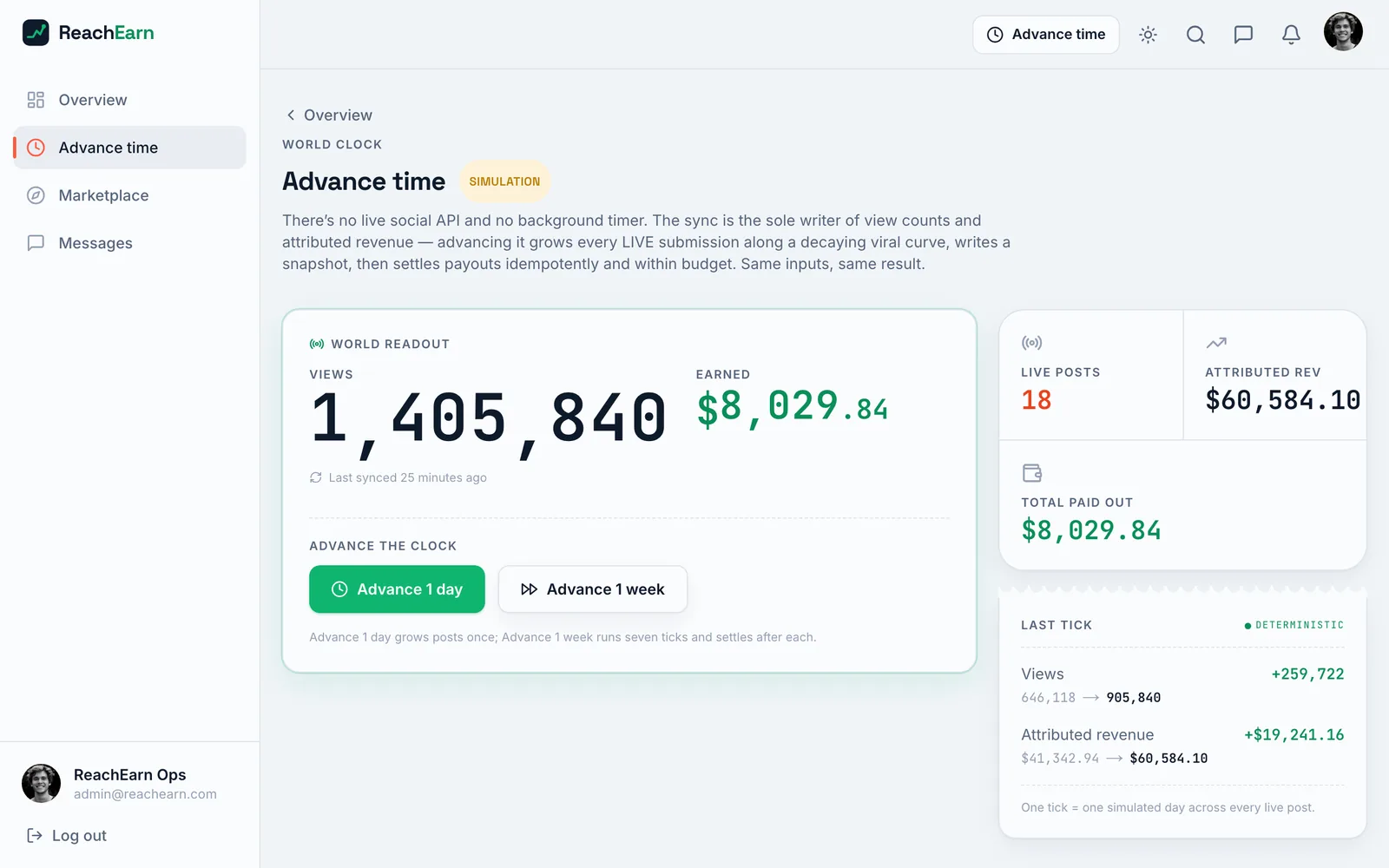
There's no TikTok or Instagram API behind it, and no background timer. Views and revenue only change when someone presses Advance time. Each tick is one simulated day. It grows the views on every live post, writes a snapshot, and settles what's owed.

The seed script backdates up to 20 days of view history and pays it out through the same settlement code, so the demo money adds up across the brand, creator and admin views.
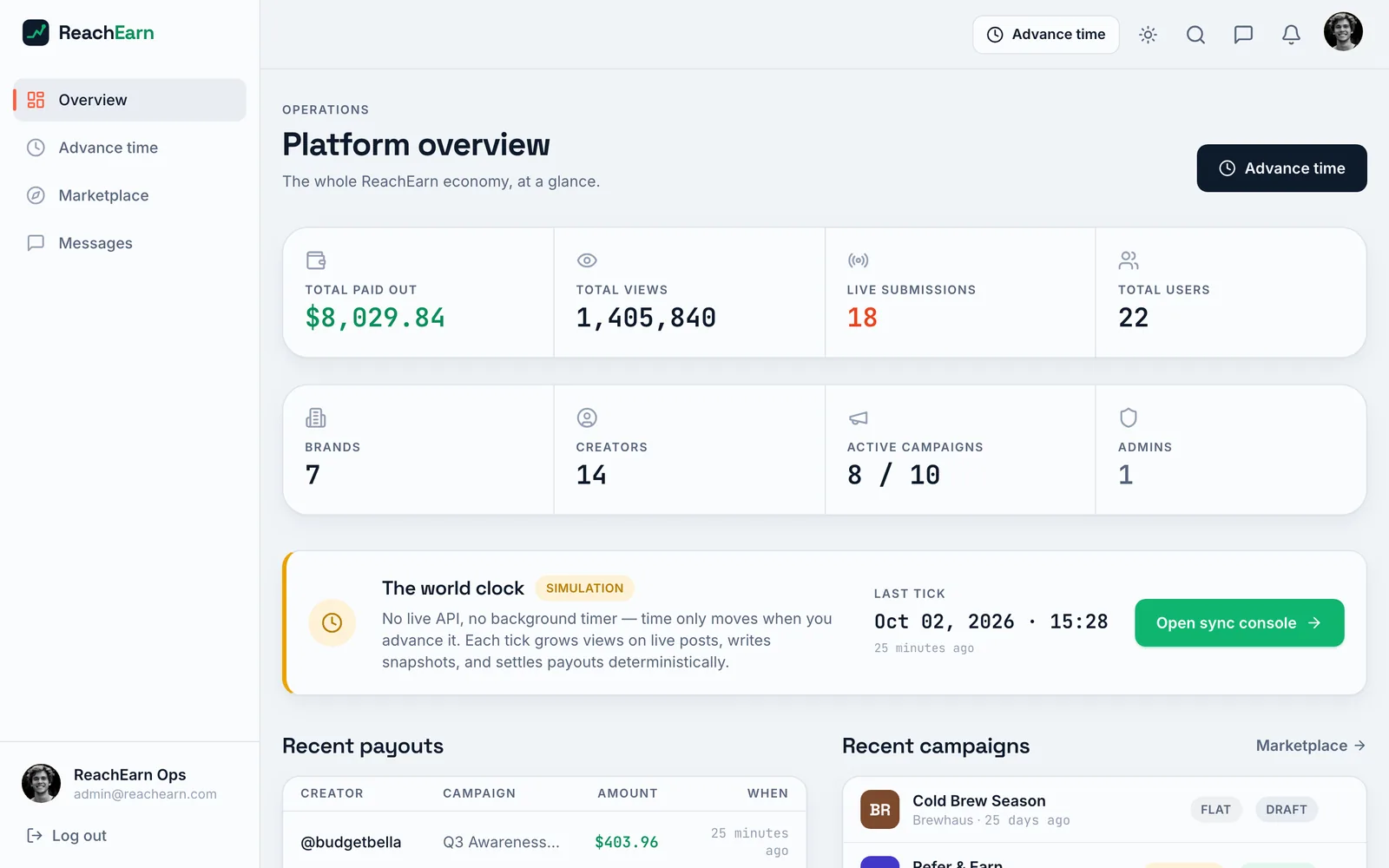
Admin platform overview with totals for paid out, views, live submissions and users, counts of brands, creators, active campaigns and admins, and a world clock panel marked Simulation
PL 18The admin overview counts everything the seed script made, 7 brands, 14 creators and 10 campaigns.
Advance time page marked Simulation with a large world readout of views and earned dollars, Advance 1 day and Advance 1 week buttons, and a last tick receipt showing the change in views and revenue
PL 19Advance time stands in for a real social media API. One tick grows the views on every live post and settles whatever is owed.

Sheet 07 of 08/Process

How I built it

I built it with Claude Code. The repo still has the two files that steered it. CLAUDE.md is the file Claude Code reads at the start of a session, and it sends every session to CONTRACT.md first.

The contract opens by telling the reader they're building one slice of the app on a frozen foundation. It lists what a slice isn't allowed to touch, which is the auth, the database, the money math and the UI building blocks. Then it lays out the design tokens and the route map every slice has to fill in.

The git history is short. The first commit on June 29 already holds the whole app in 121 files. Three small fixes to the receipt styling came that night. The last commit, on July 2, touched 111 files. It added 18 loading screens and a light and dark switch, and it paused signups.

Sheet 08 of 08/Status

Where it stands

With signups paused, the signup pages send you back to the login page. That page says signups are paused and lists the brand and creator demo accounts. The admin account still works if you type it in. The Continue with Google button is a stand-in too. It signs you into the demo creator account without going through Google.

The code leaves room for a real metrics API and a real payment provider like Stripe Connect behind the parts that fake them now. Neither one is built.
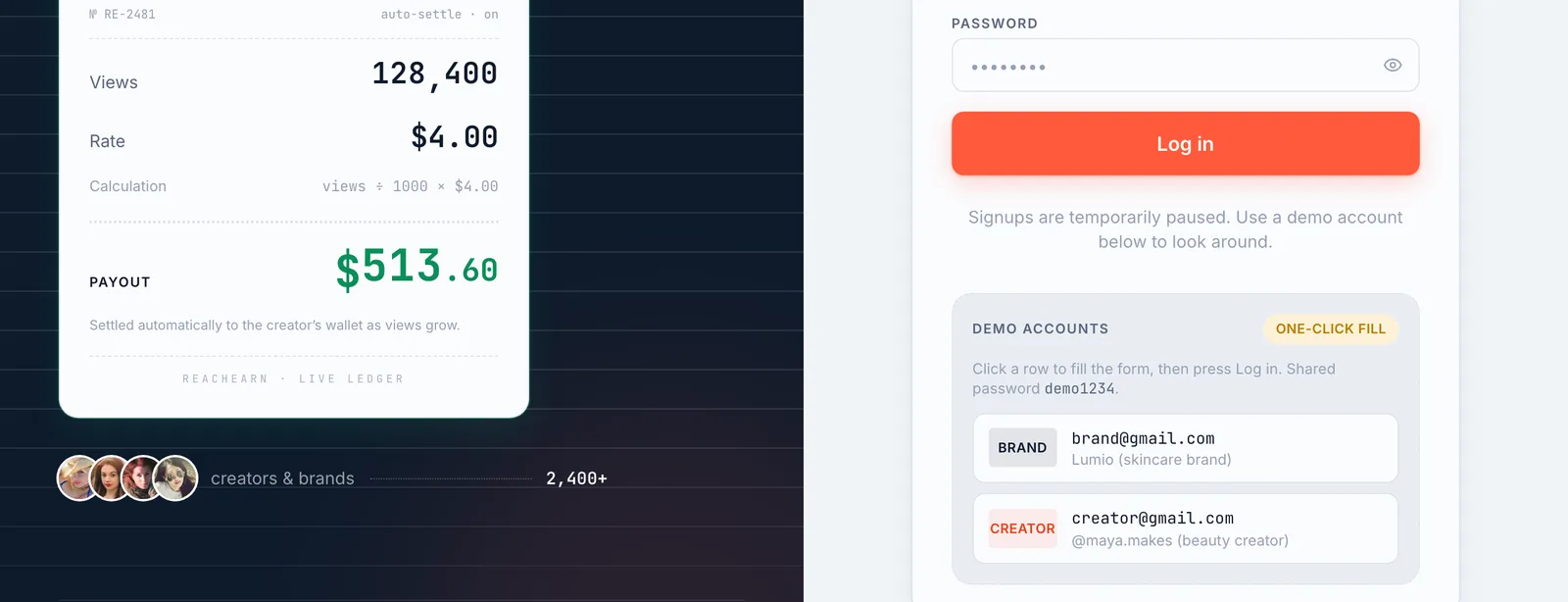
Split login page with a dark panel and a sample payout receipt on the left, and on the right the password field, a Log in button, a note that signups are paused, and two demo account rows
PL 20The login page as my last commit left it. Signups are paused, and the two demo accounts fill the form in one click.