Mac toolSole authorDrawing 41 of 43
Health Ring
Interface
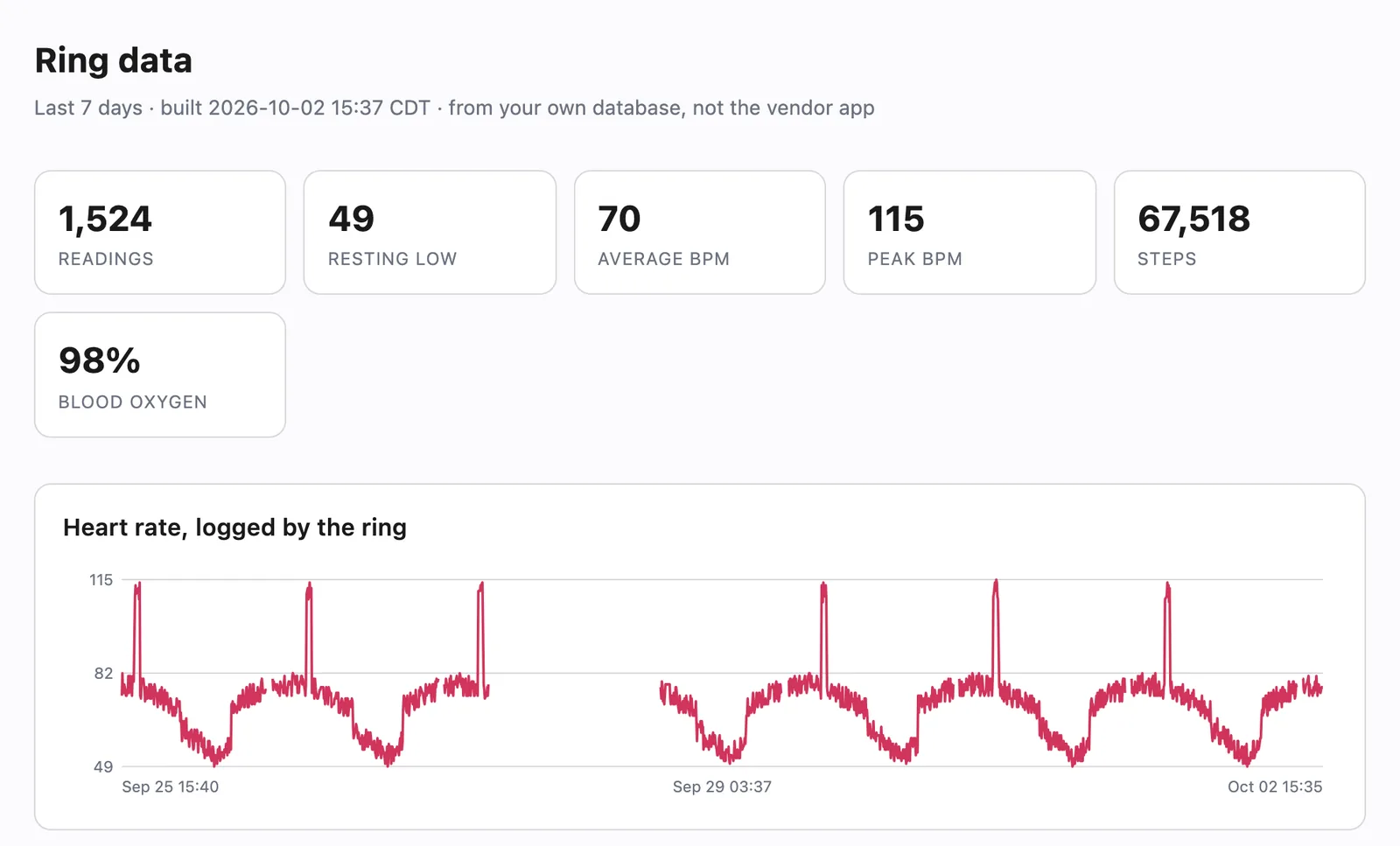
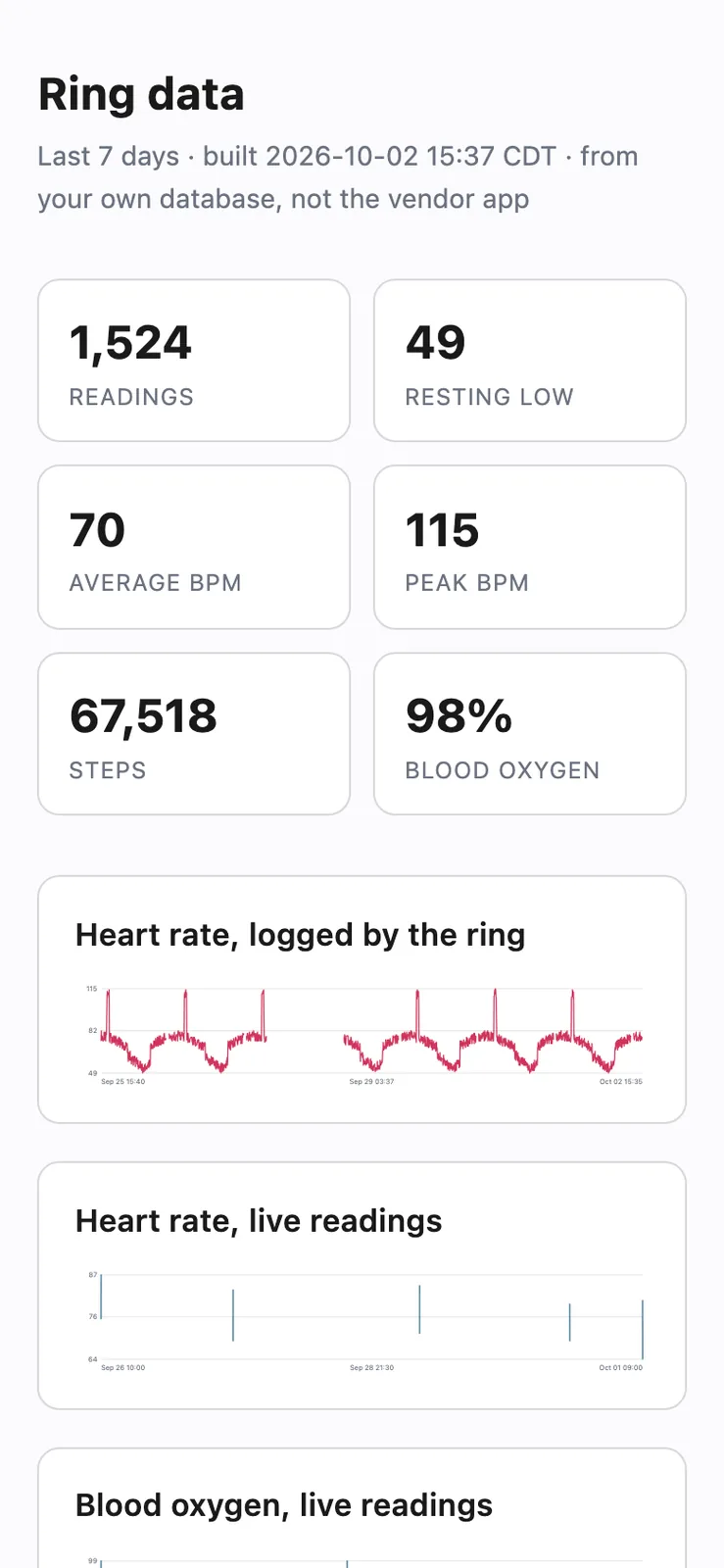
I wanted my smart ring's readings on my own computer, so I wrote a Mac program that talks to a COLMI R02 ring over Bluetooth and saves its heart rate, blood oxygen and steps to a local SQLite file. Every reading in the pictures on this page is made-up sample data.
- StatusComplete, 2026
- HardwareCOLMI R02 smart ring
- StackPython 3.13, CoreBluetooth through pyobjc, SQLite
- Runs asA command line tool and a local web page on macOS
- PicturesMade-up sample data from a stand-in ring
Sheet 02 of 08/Why
Why I replaced the vendor app
The ring comes with a phone app called QRing, and I wanted the data in a file I control. I started on the Mac because it's a much cheaper place to figure out how the ring talks. The plan is to build an iPhone app in Swift later from the same notes.
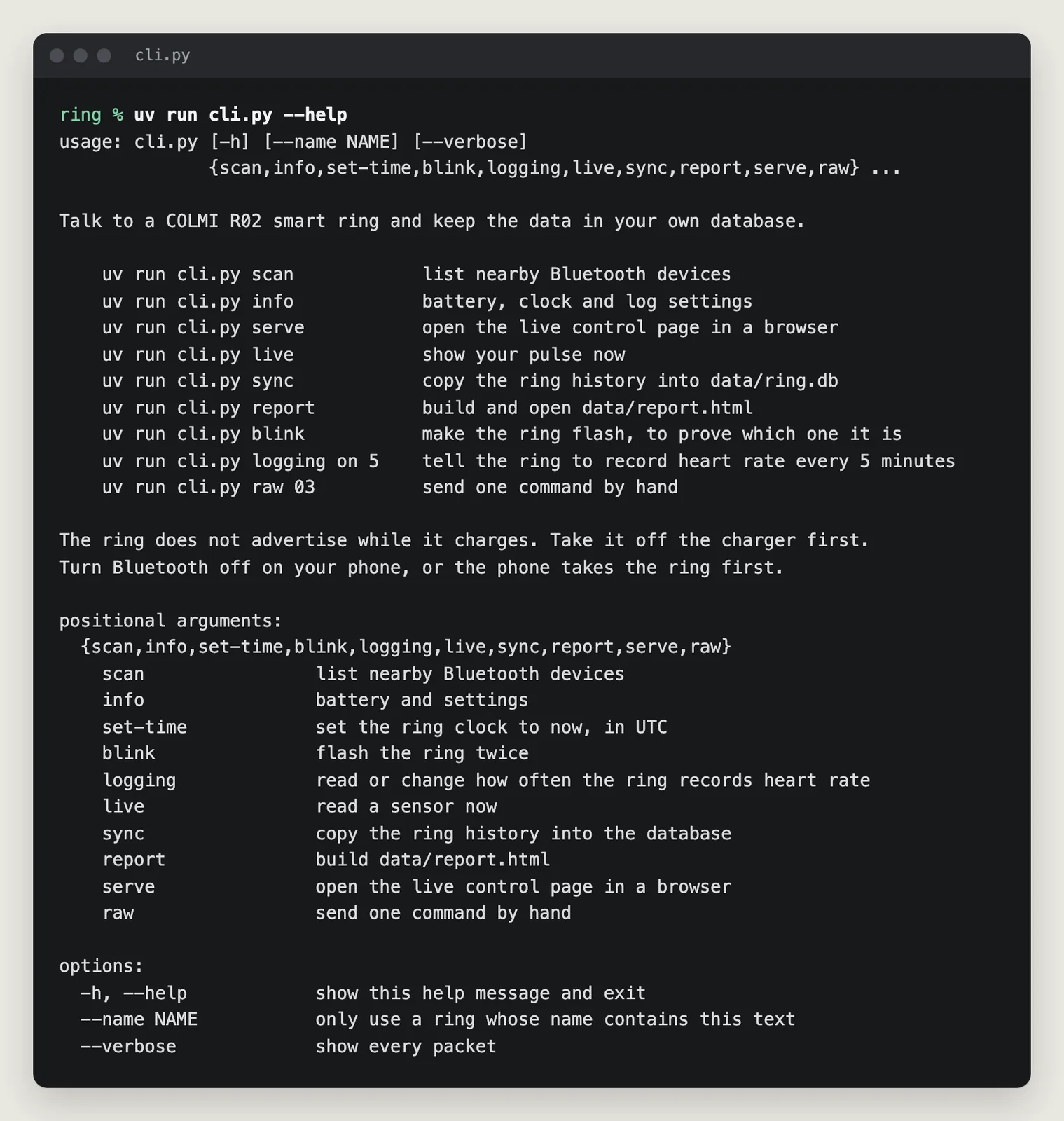
It reads the battery, sets the ring's clock, changes how often it records heart rate, pulls the stored heart rate and step history, and takes live heart rate and blood oxygen readings.
Sheet 03 of 08/Bluetooth
Getting the Mac to see the ring
I started with bleak, the usual Python Bluetooth library, and every connection dropped about 31 seconds in. The debug log showed it waiting on descriptor discovery for the ring's notify channel, and the ring never answers that request. So I dropped bleak and called Apple's CoreBluetooth directly through pyobjc, and a battery request came back in 1.5 seconds.
On macOS 26 an older pyobjc also claimed Bluetooth was turned off while it was on, so the project needs pyobjc 12 or newer.
The ring kept disappearing too. It stops advertising while it's in the charging case, while my phone holds the connection, and while macOS still holds the link from an earlier run. That last case looked exactly like a dead ring and cost me the most time, so now the program asks macOS for a ring it already holds before it scans.
A loose name match also connected to a Windows PC once, because the PC's name happened to contain R10. The ring's name is matched by its shape now.
Sheet 04 of 08/Surprise
The ring is also a mouse
After the Mac connected to it, the pointer started moving and clicking on its own. The ring's firmware carries a Bluetooth mouse profile, and once macOS noticed the ring it hooked it up as a mouse, so my finger was driving the cursor.
The fix was to forget the ring in the Mac's Bluetooth settings. The program keeps working after that because reading the ring doesn't need pairing.
Sheet 05 of 08/Protocol
Writing the protocol down
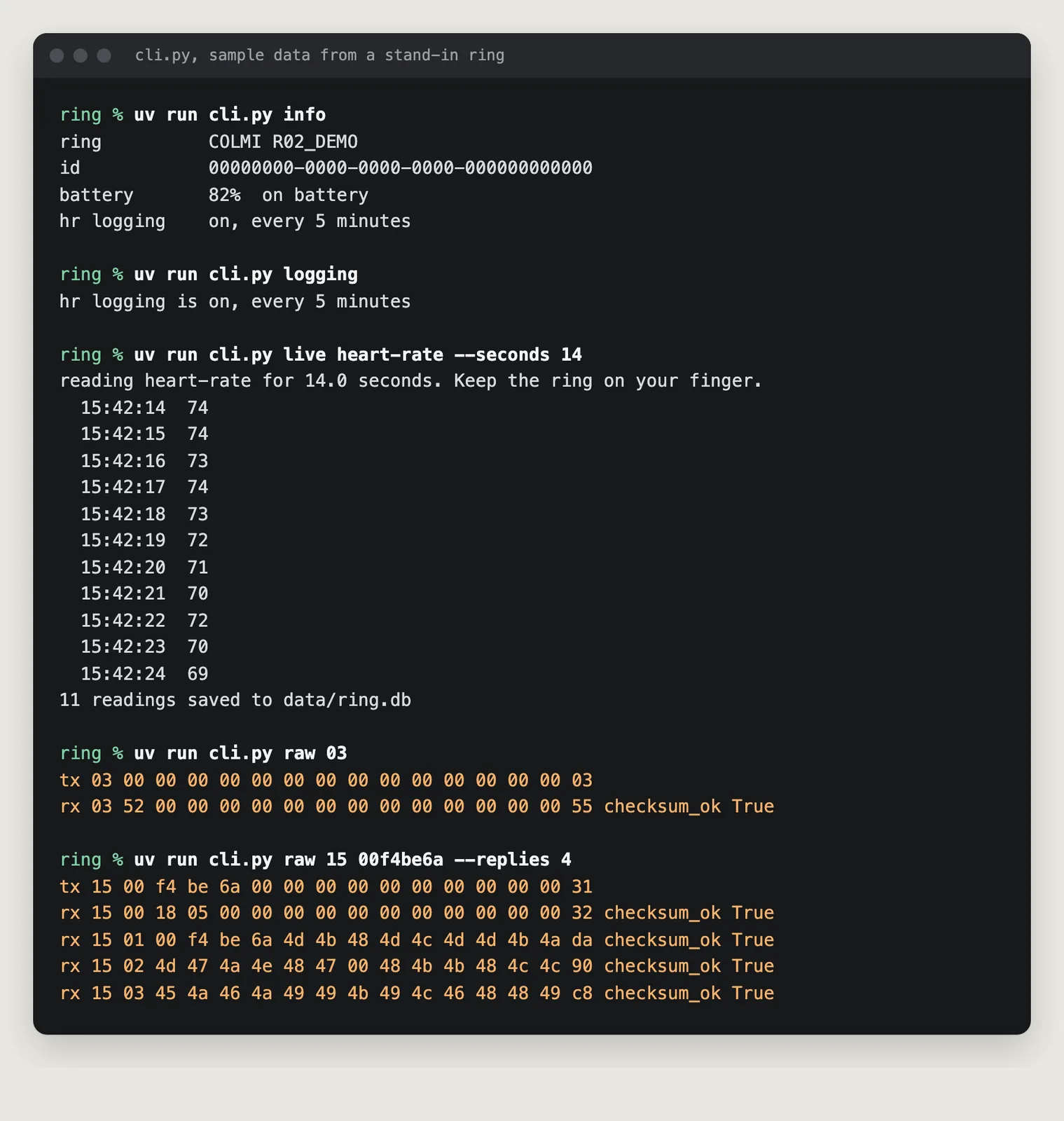
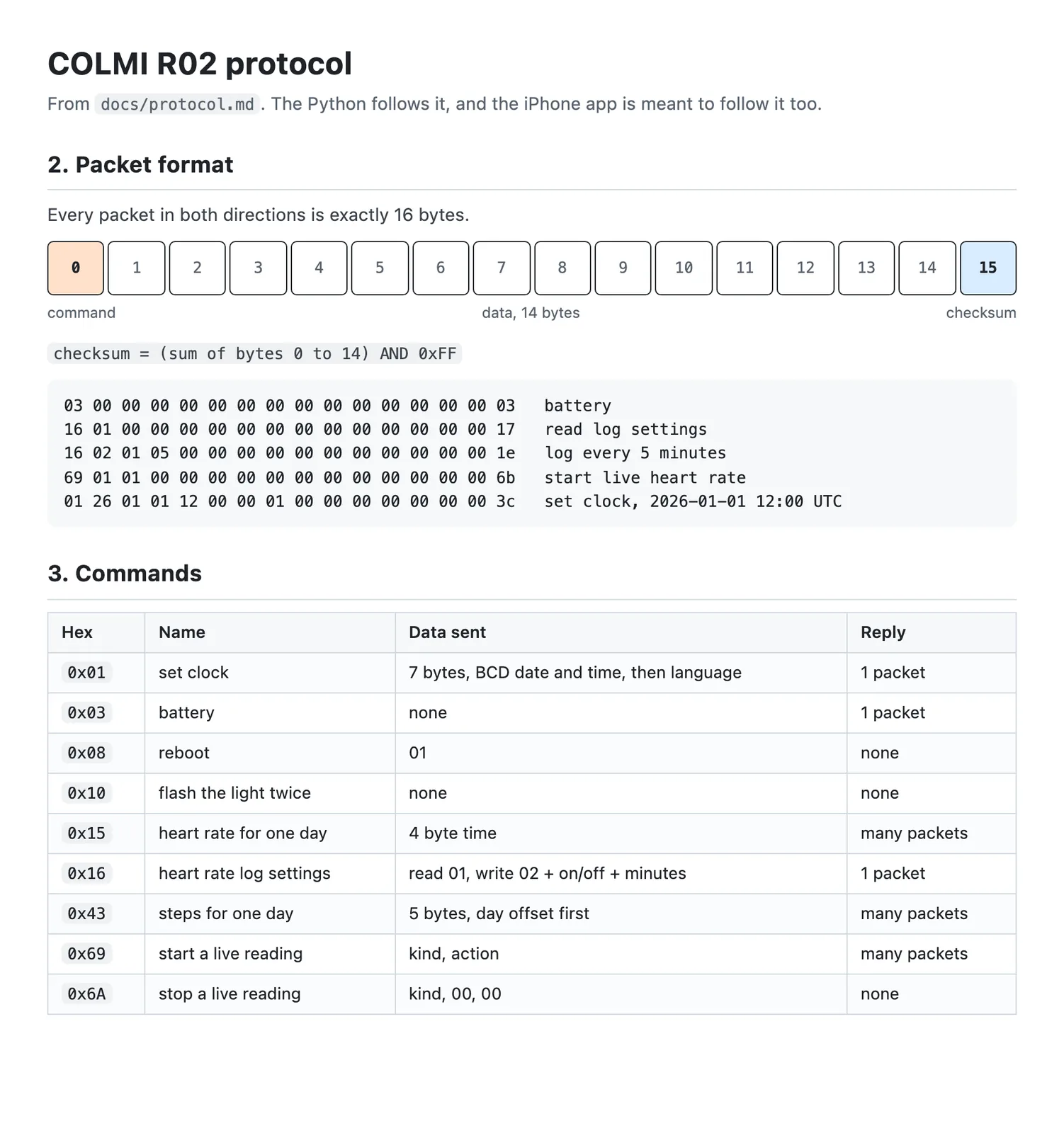
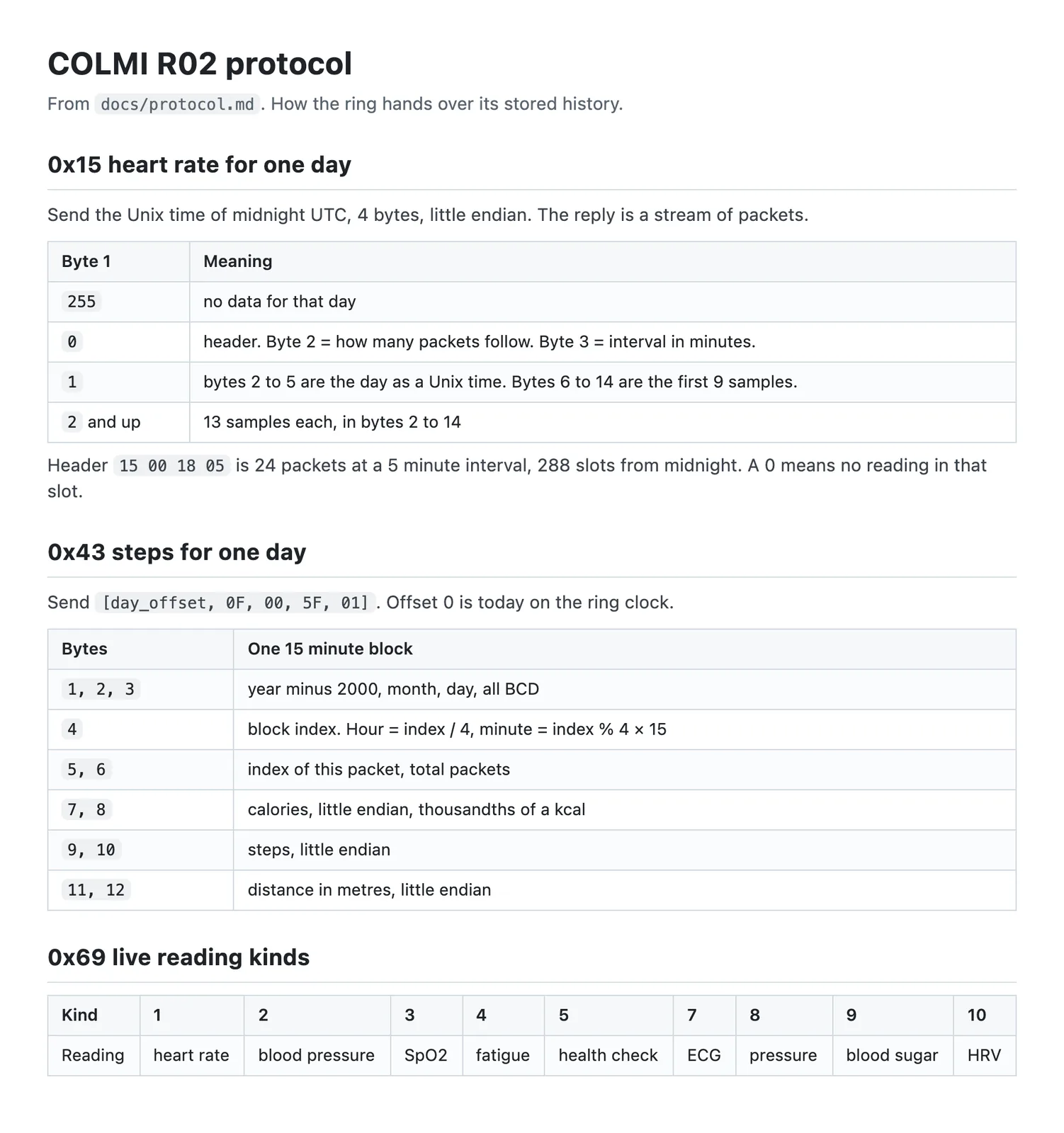
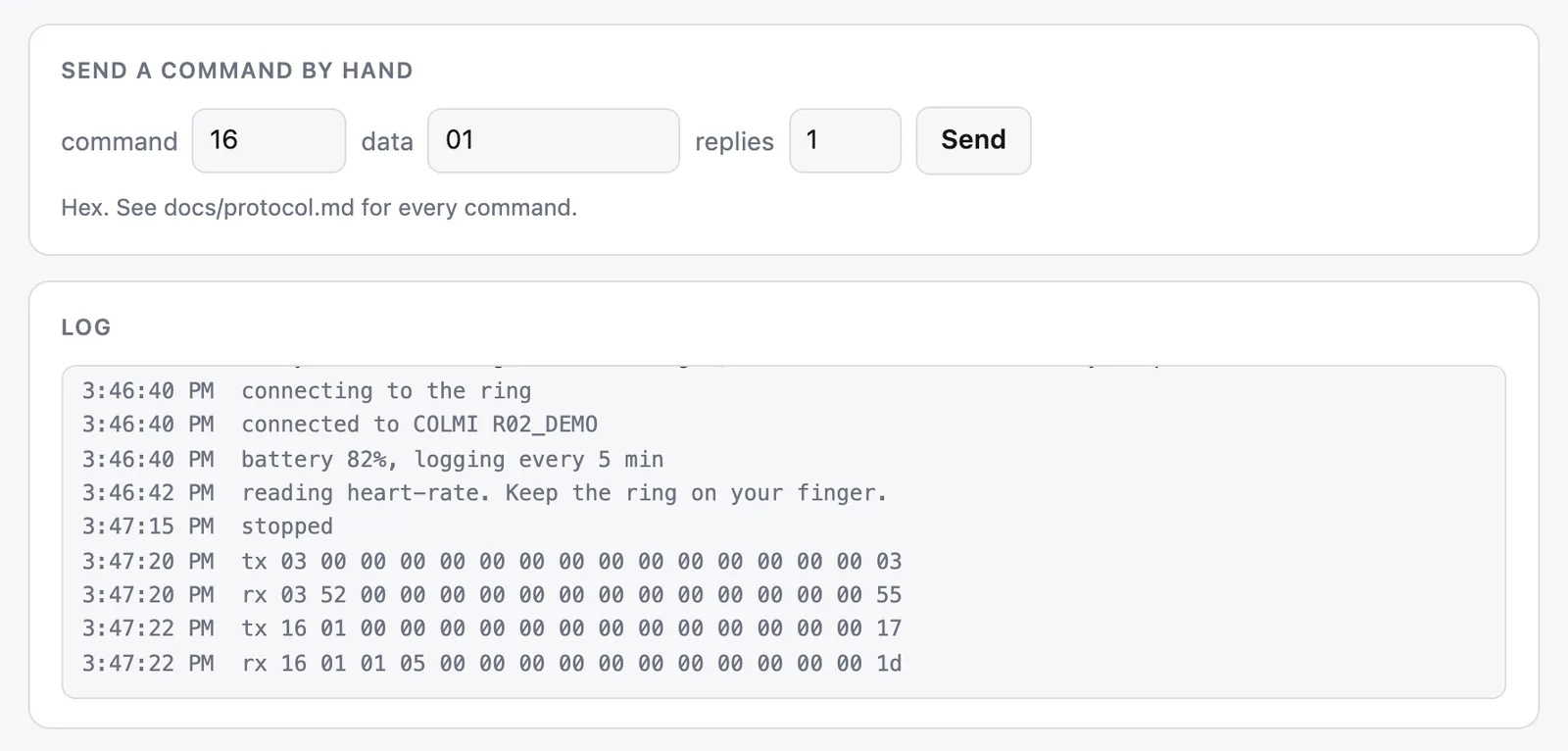
Every message to and from the ring is 16 bytes, with a command byte first, 14 bytes of data and a checksum at the end. There's no pairing key and no encryption, so any program in range can read it. I wrote each command I confirmed on the ring into docs/protocol.md in plain language, so the iPhone app could be written from that file later.
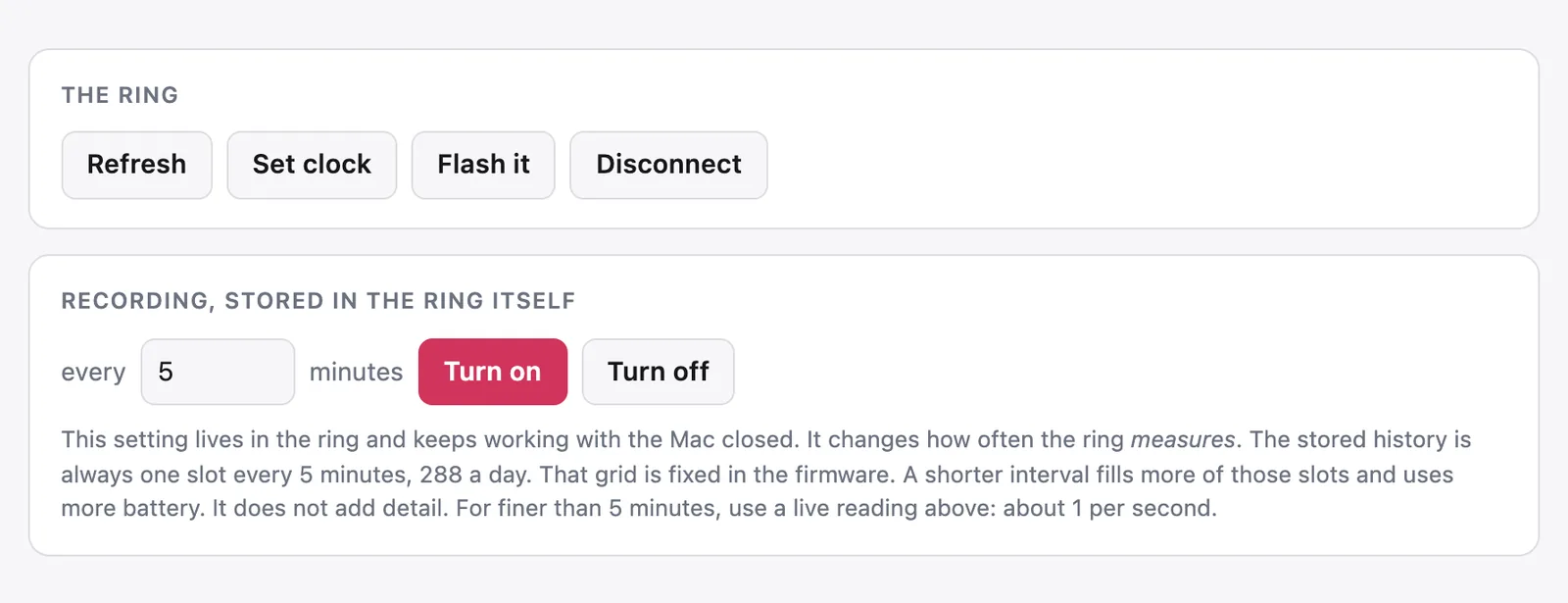
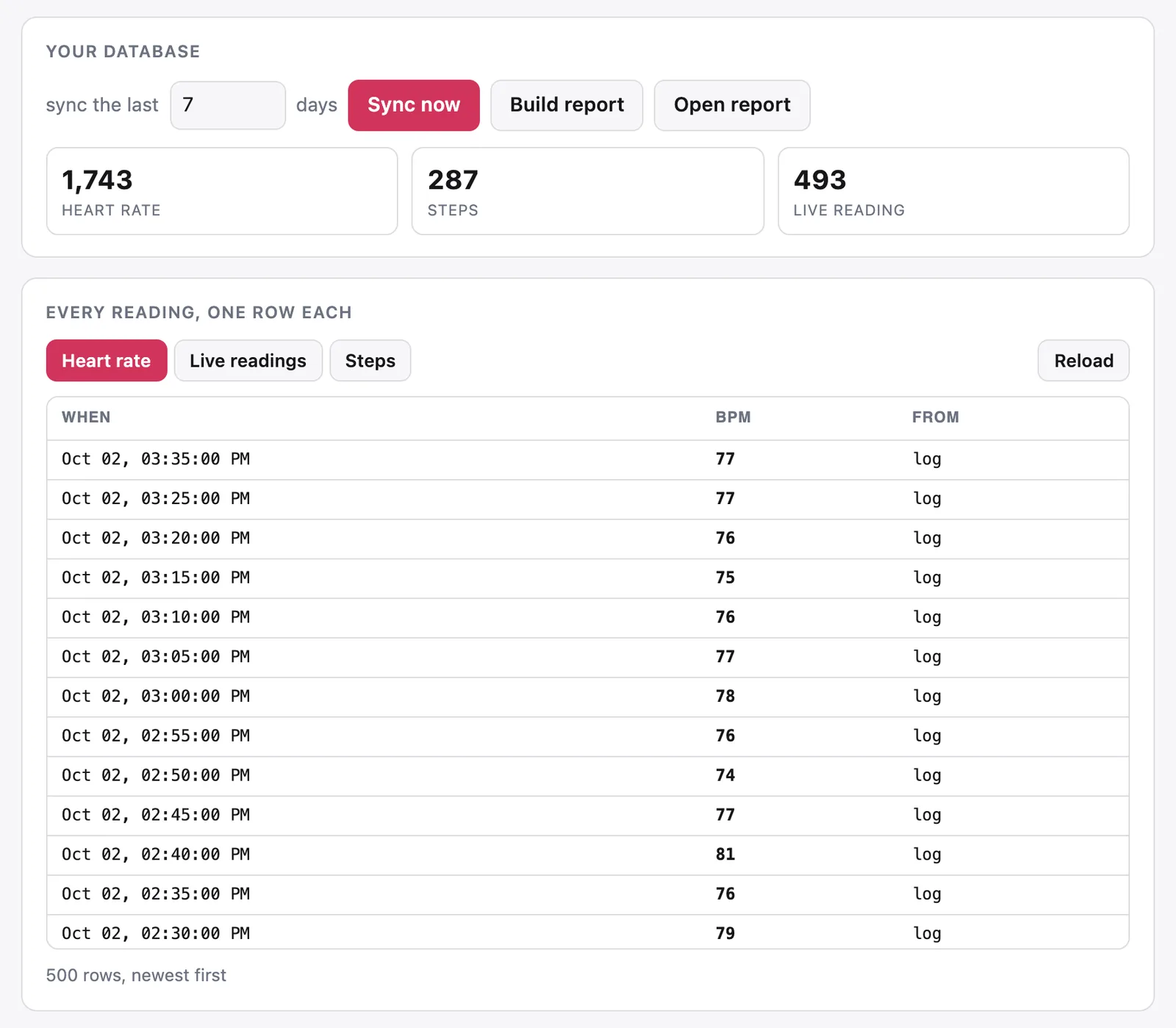
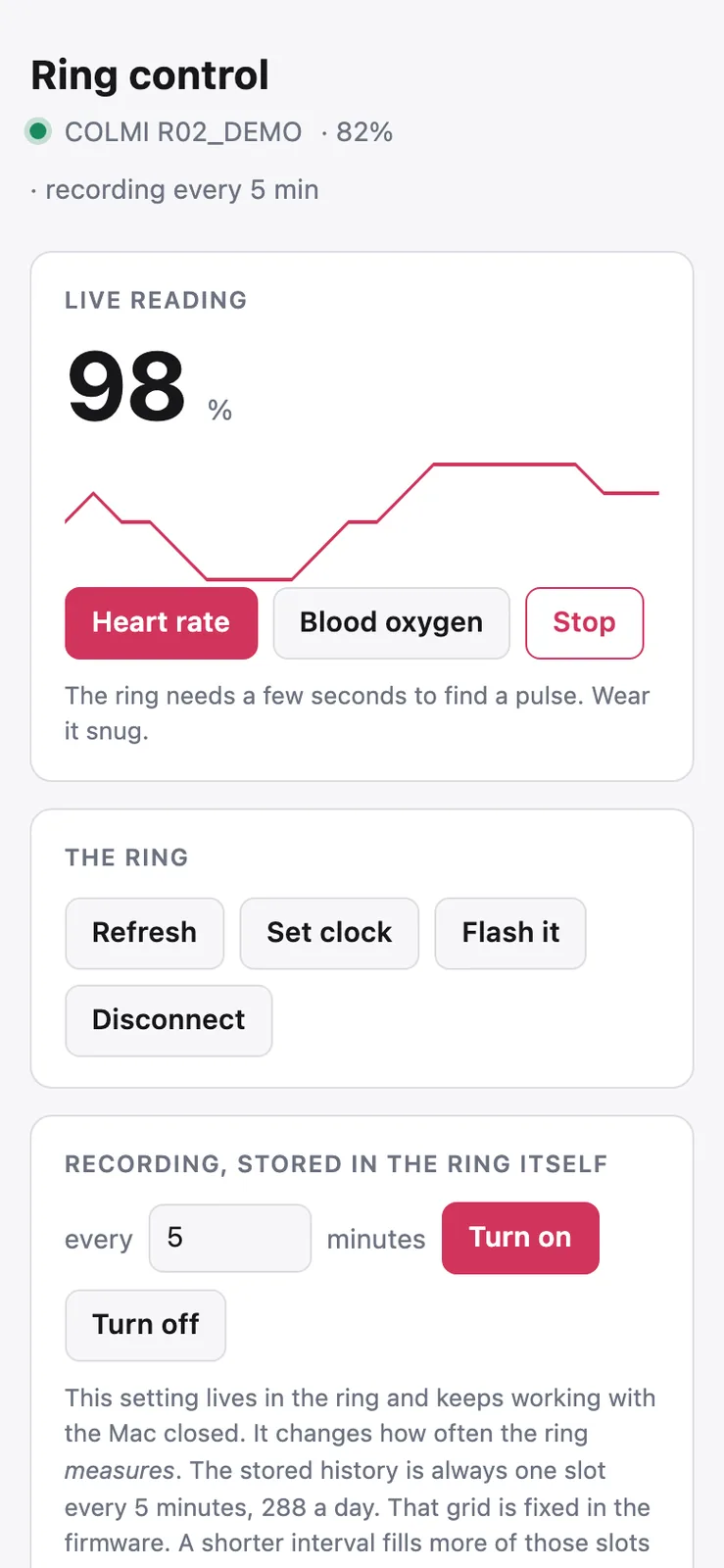
I got the recording interval wrong at first. I set the ring to measure every minute and expected 1,440 heart rate readings a day, but the history still came back as 288 slots, one every 5 minutes. That setting only changes how often the ring measures. The stored grid stays at 5 minutes, so for anything finer I use a live reading, which sends about one value a second while the connection is open.
The ring also offers live blood pressure and blood sugar readings. Its hardware can't measure either one, so I don't trust those numbers.
Sheet 06 of 08/Storage
My own database and report
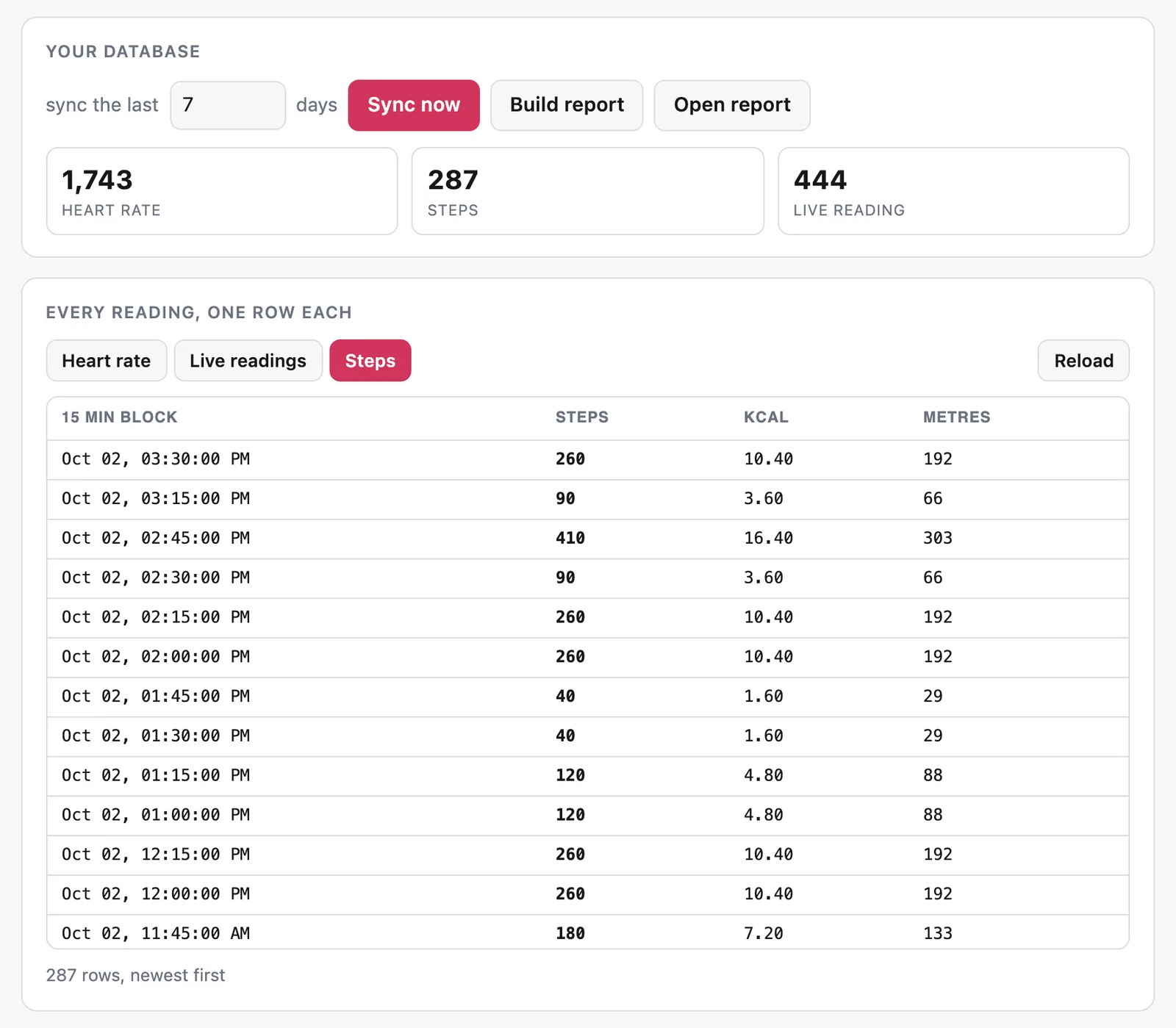
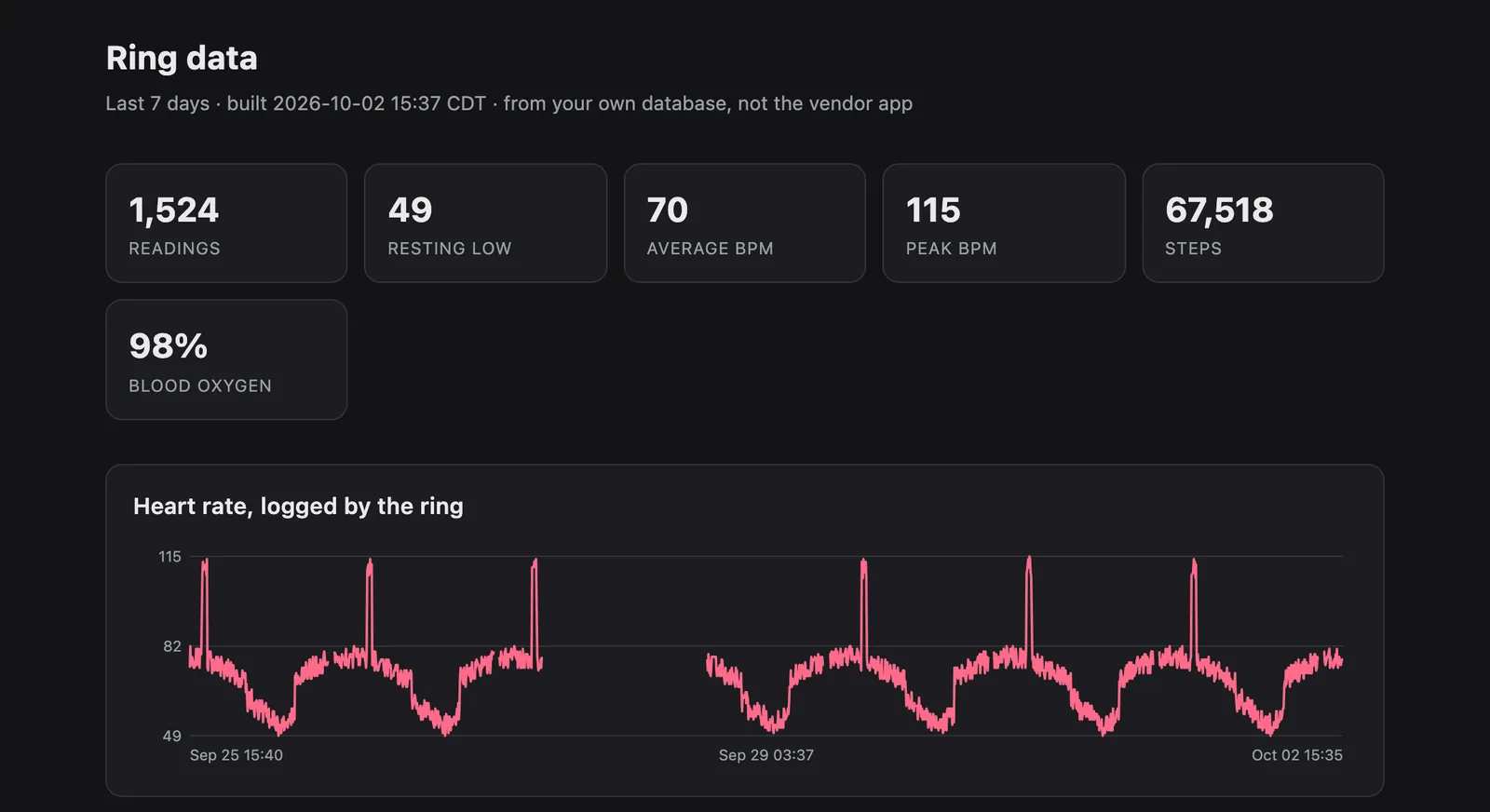
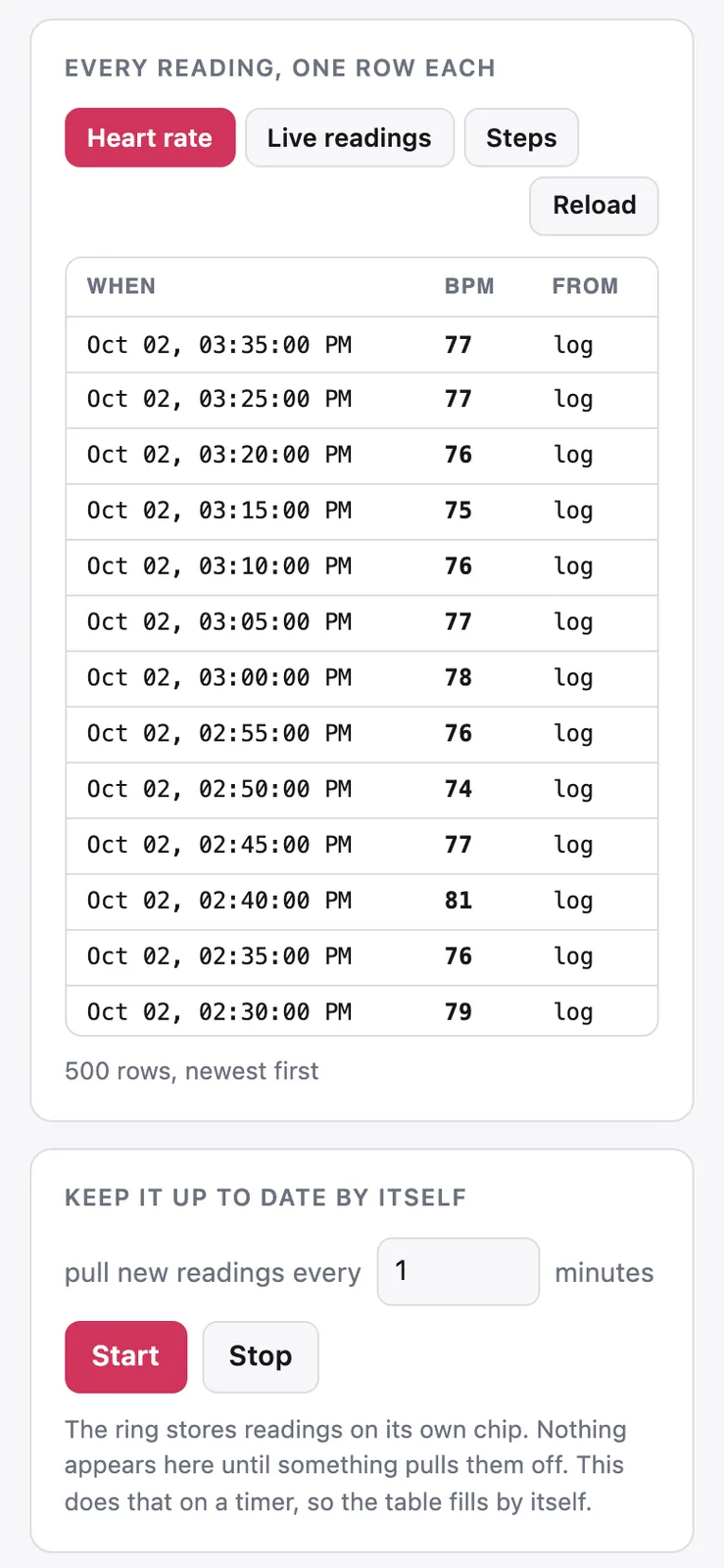
A sync asks the ring for one day at a time and writes what comes back to SQLite. Every timestamp is stored in UTC, and each table is keyed on time, so syncing the same day twice doesn't add duplicate rows. The ring only holds about a week of history, so it needs syncing often.
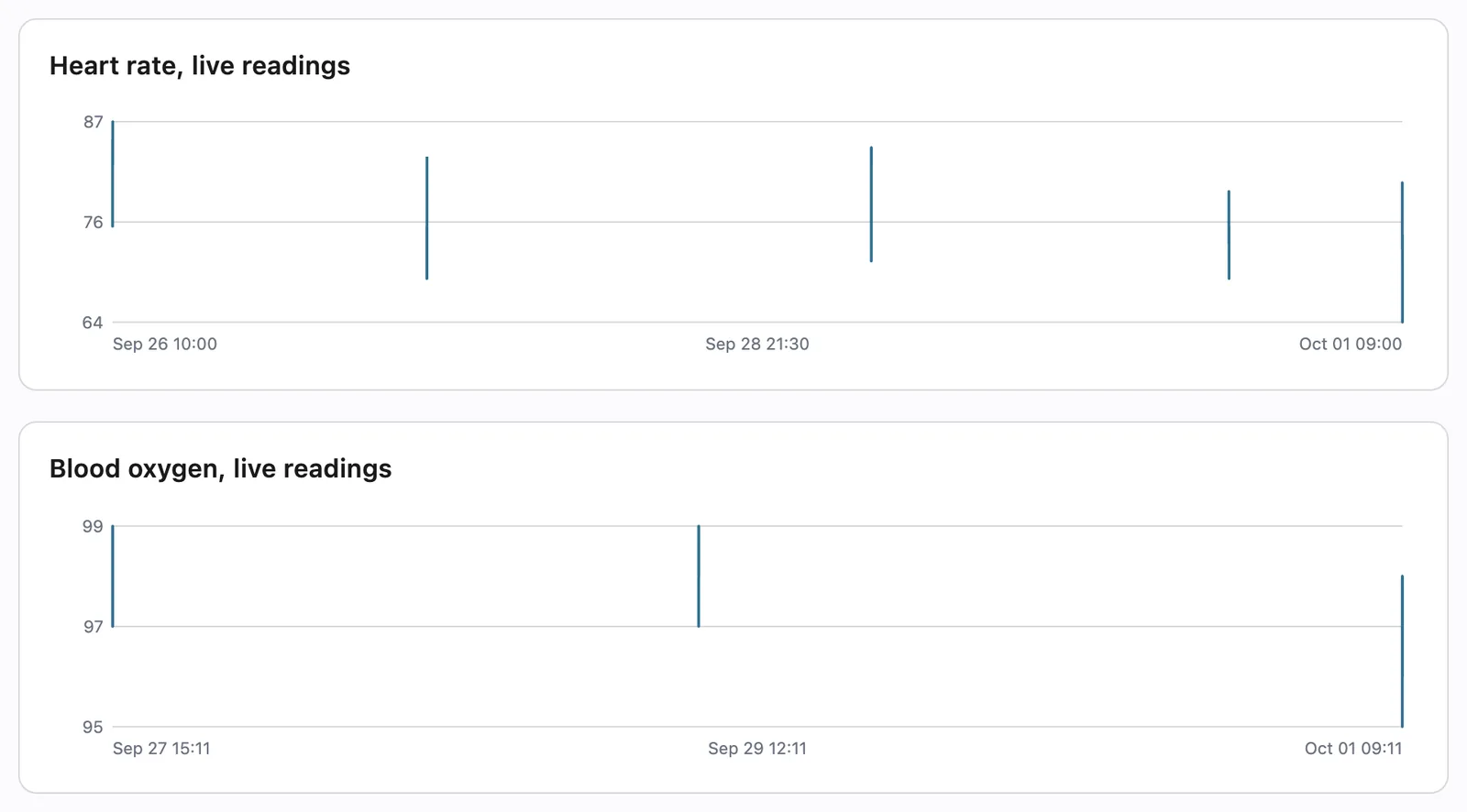
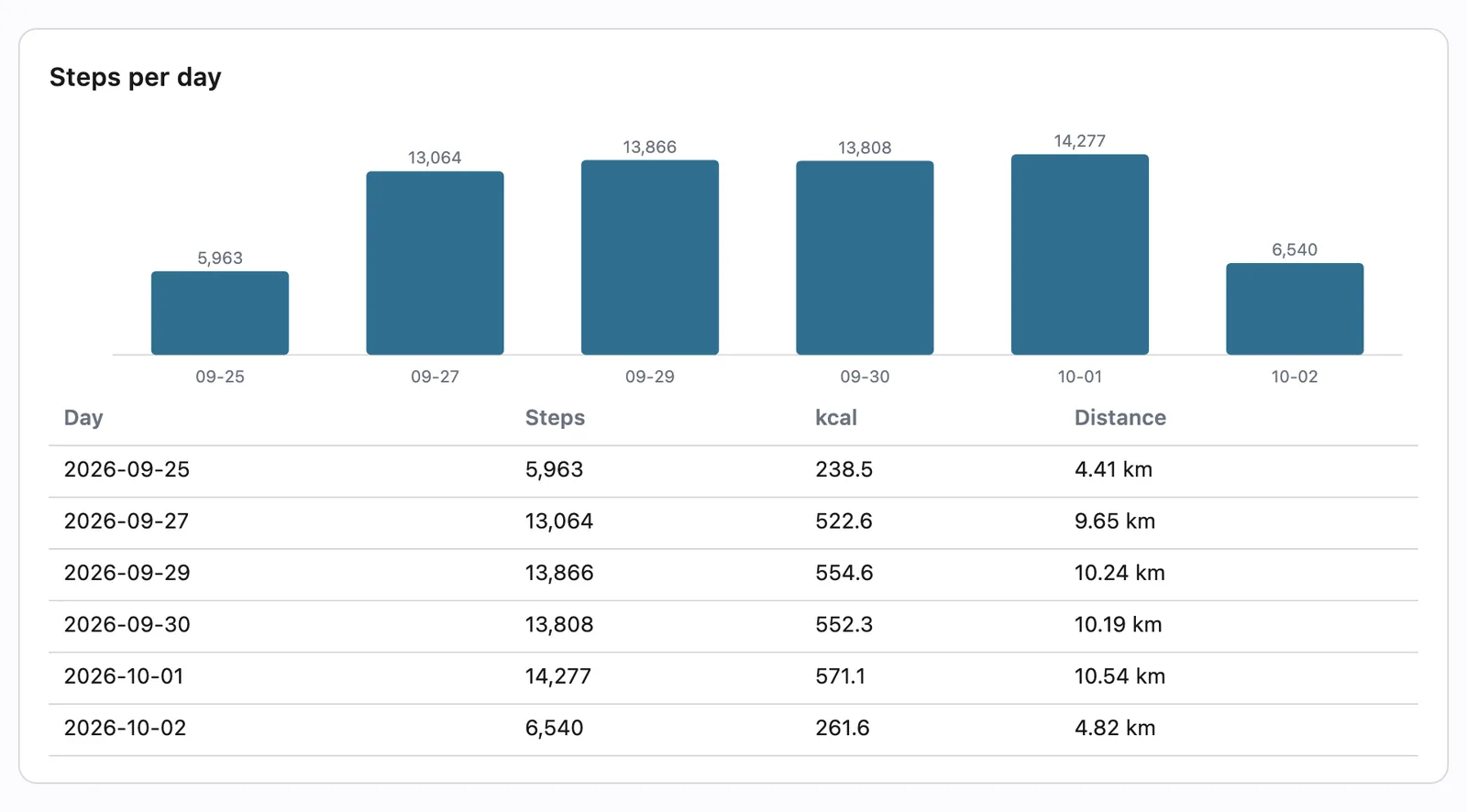
cli.py report turns the database into one HTML file. The charts are inline SVG drawn straight from the rows, with no web server and no JavaScript library.
Sheet 07 of 08/Control page
A control page in the browser
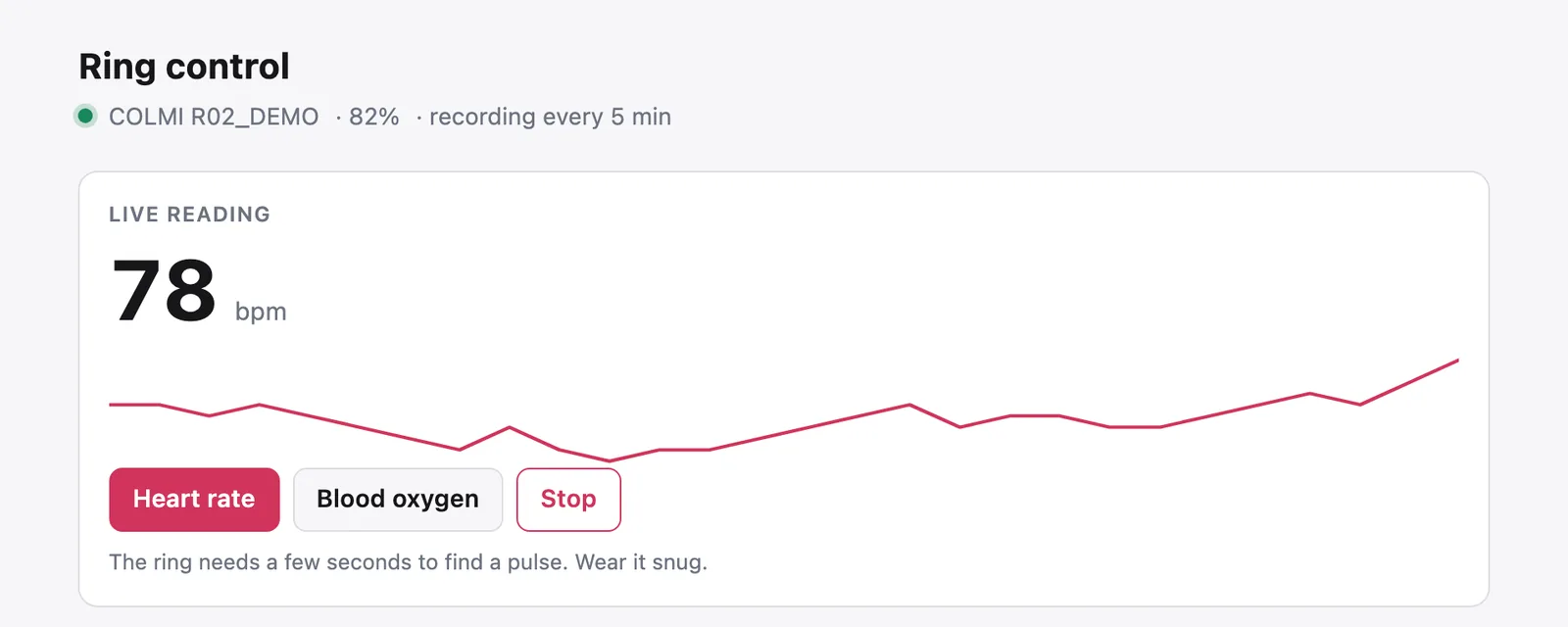
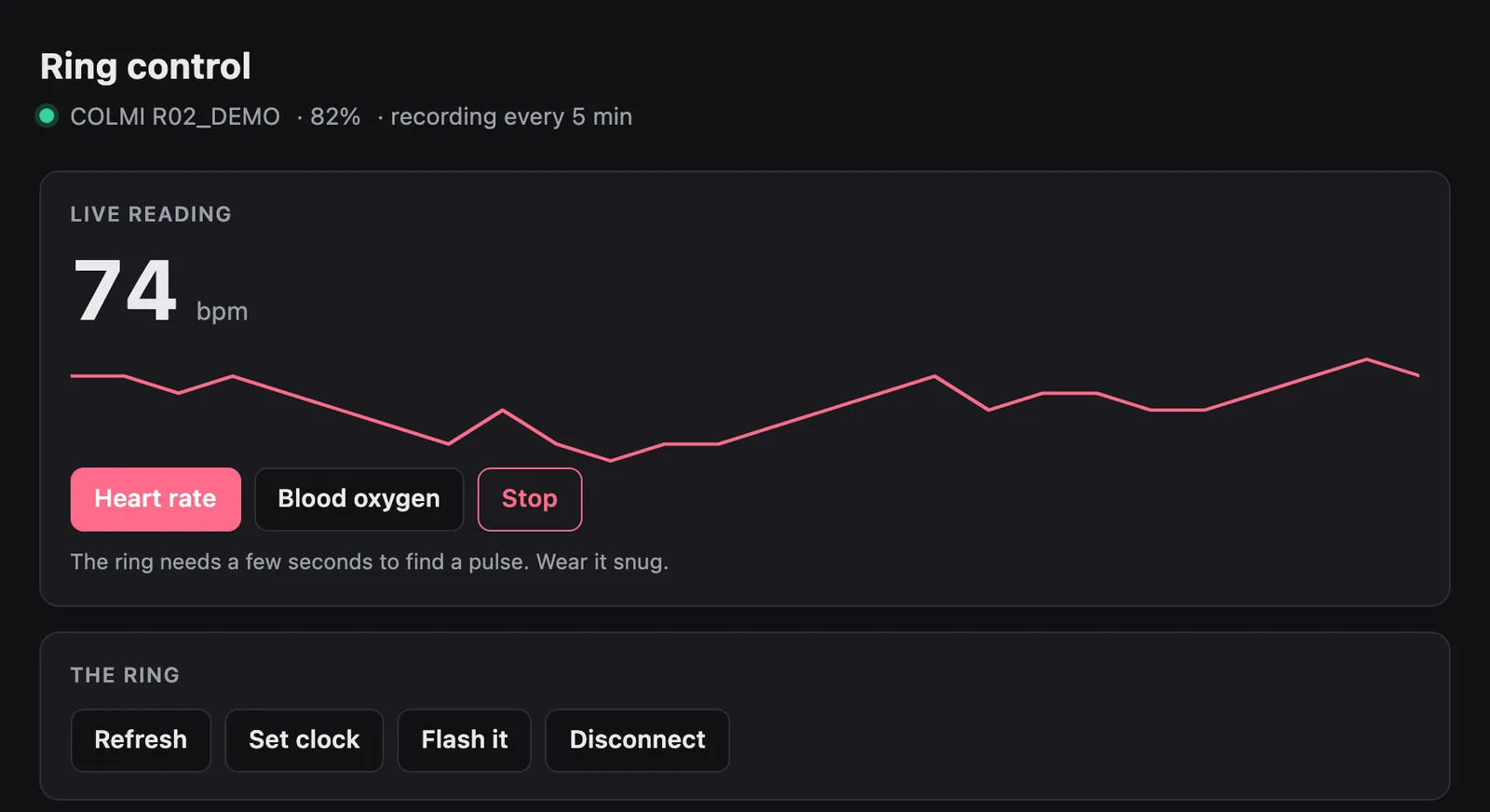
cli.py serve opens a local page that does everything the command line does. One thread owns the Bluetooth connection and the page hands it jobs through a queue, so two requests never talk to the ring at the same time. Database reads skip that queue, so the page doesn't freeze while a sync runs.
Live readings stream to the page as they arrive, and there's a panel for sending any command by hand and watching the raw bytes come back. The server only listens on 127.0.0.1, so nothing leaves the Mac.
Sheet 08 of 08/Next
What comes next
The ring also stores sleep, blood oxygen history, stress, HRV and temperature, and I haven't decoded any of those yet. The Gadgetbridge project has partly worked them out, so that's where I'd start. The iPhone app in Swift is milestone 6 in my notes, and I haven't started it yet.