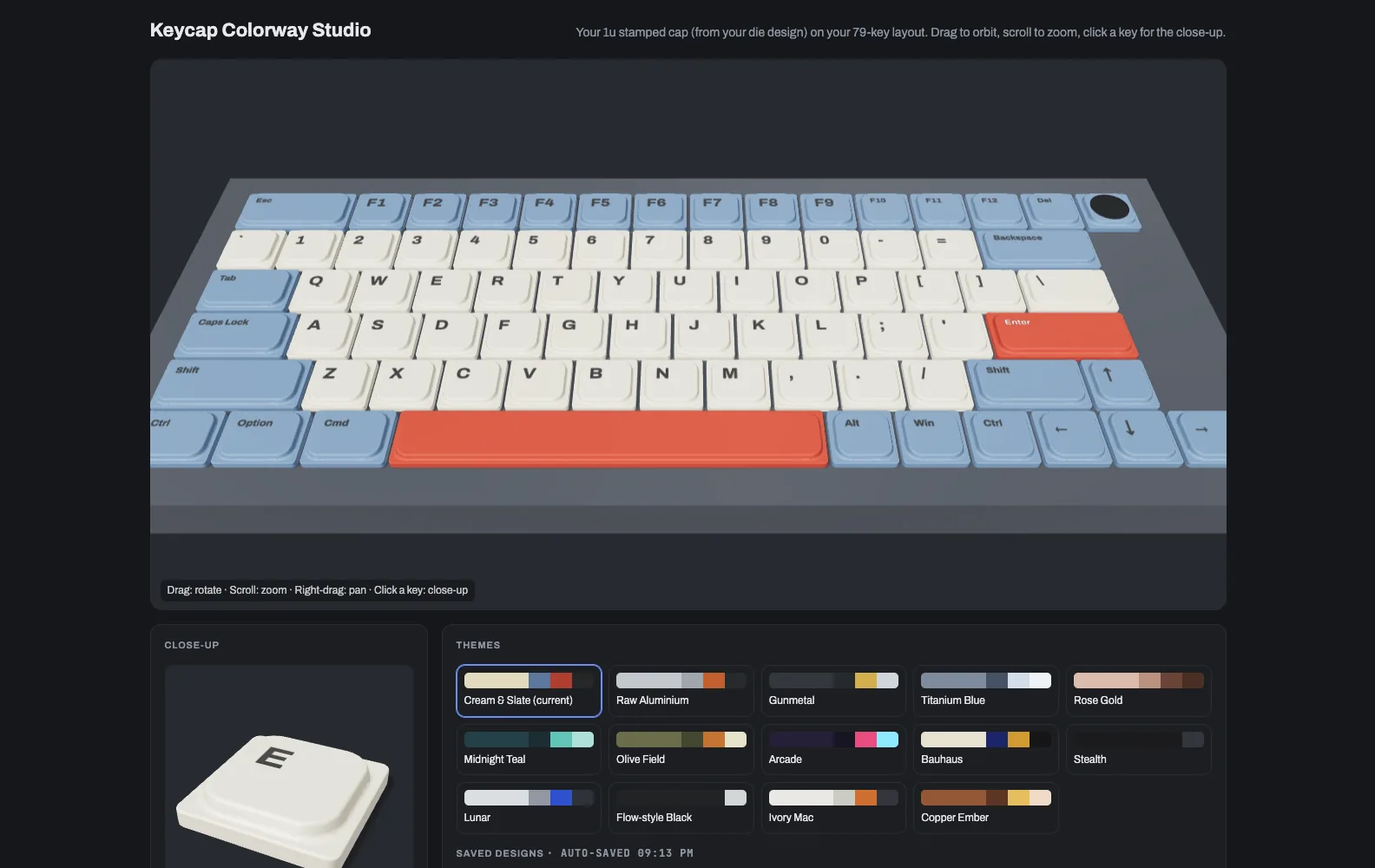
3D render of a low-profile keyboard with cream letter keys, slate blue modifiers and red Enter and Space bars, above a panel of fourteen colour themes

3D design toolSolo designer and engineerDrawing 46 of 47

Keycap
Studio

A 3D tool for designing a keycap set before any metal gets cut. It puts my own stamped aluminium cap on every key of my layout, and lets me try colours, finishes and legends until the set looks right.

Sheet 02 of 06/Why

Seeing the set first

My keycaps are stamped from aluminium sheet and then anodized. This lets me see the whole board in a colourway before a single cap gets coloured.
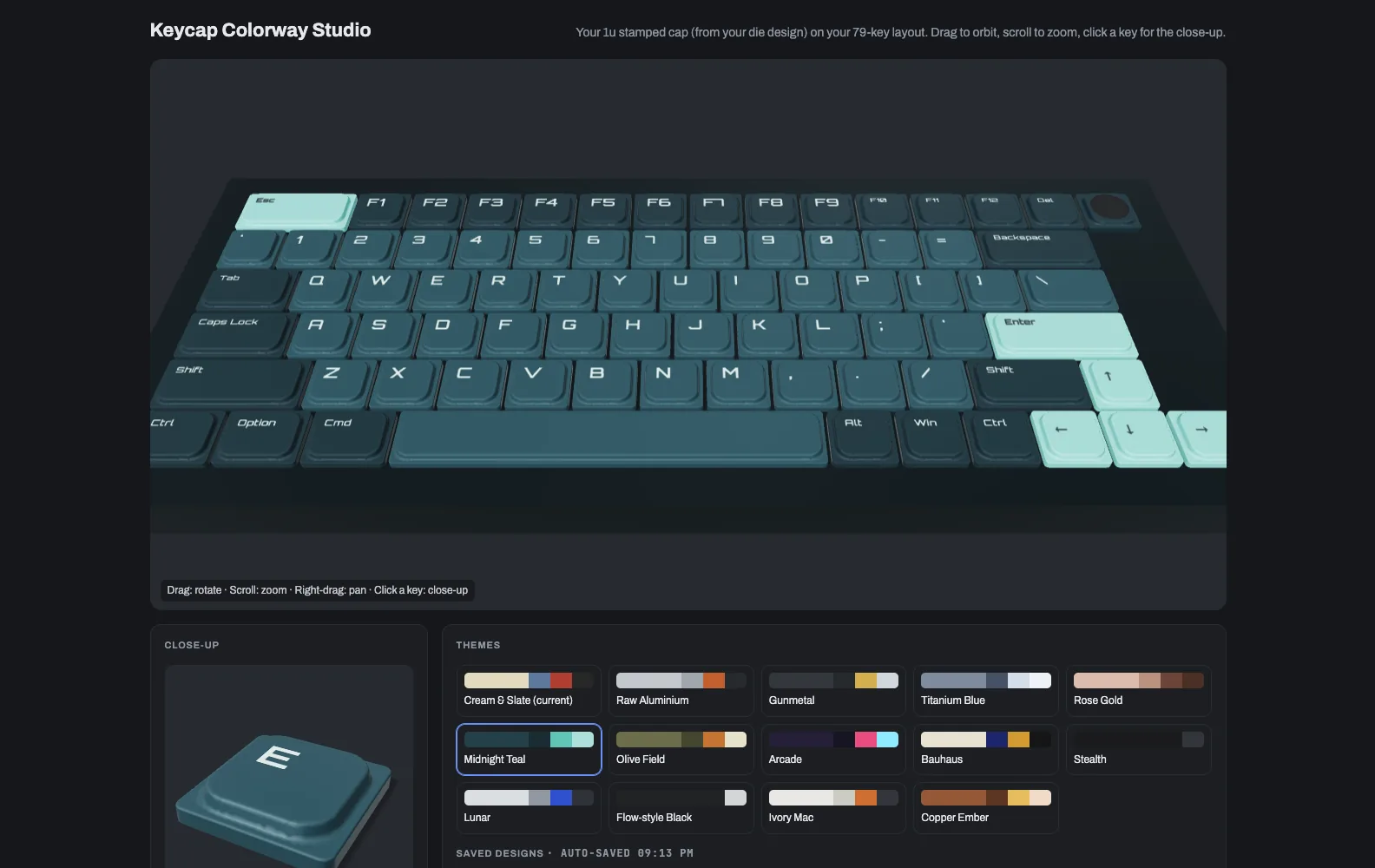
The same 3D keyboard in dark teal keys with pale mint accents on Esc, Enter and the arrow keys
PL 02The same board in Midnight Teal, one click away, with a tech font on the legends.

Sheet 03 of 06/The cap

My own cap

The shape on screen is my 1u cap, taken straight from the cavity of the die I designed. Wider keys like Shift, Enter and Space stretch the flat middle of that same cap.
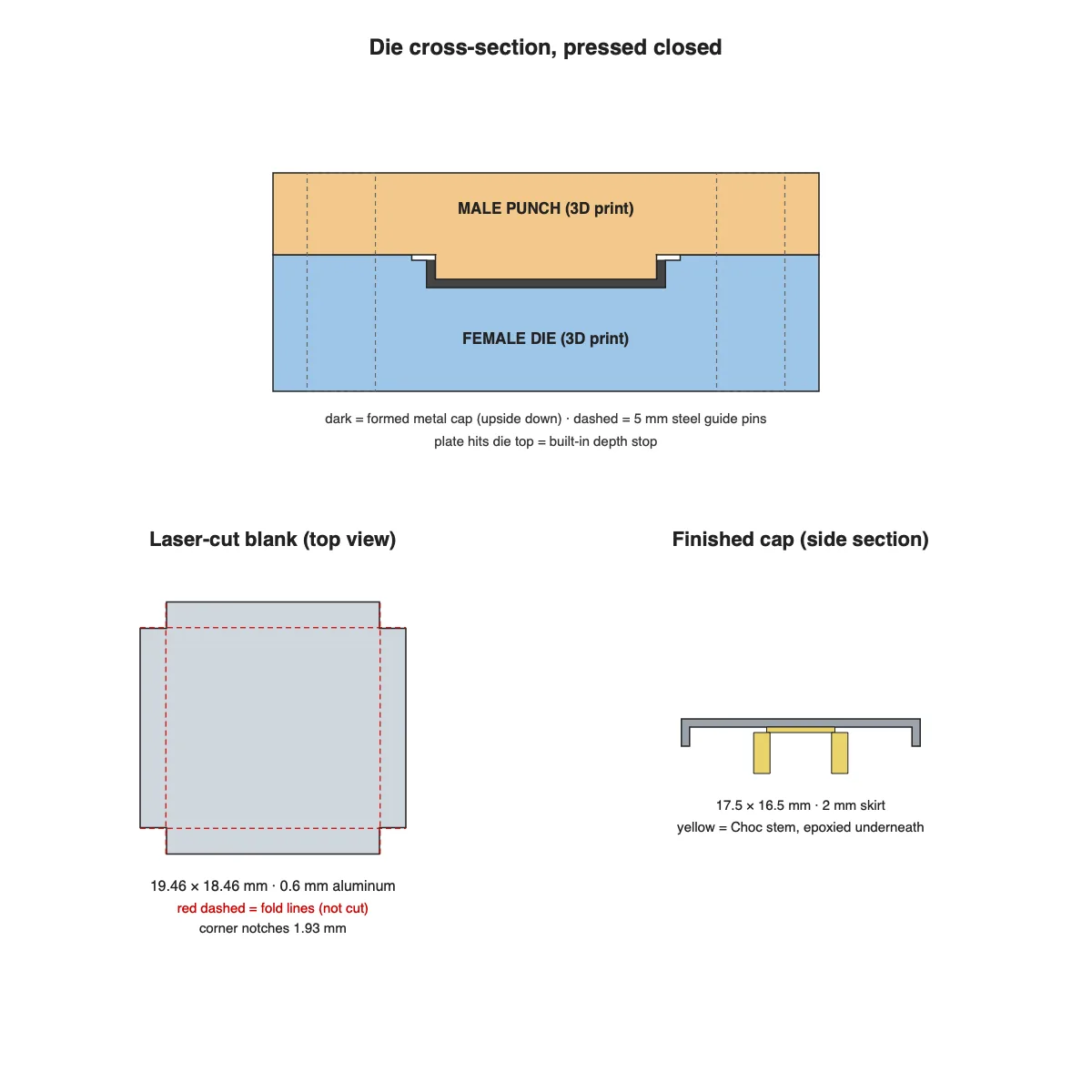
Drawing of a stamping die cross-section, a laser-cut square blank with fold lines, and the finished cap in side section with its Choc stem
PL 03The die behind the cap: a 3D-printed punch and die that fold a laser-cut aluminium blank into a keycap.
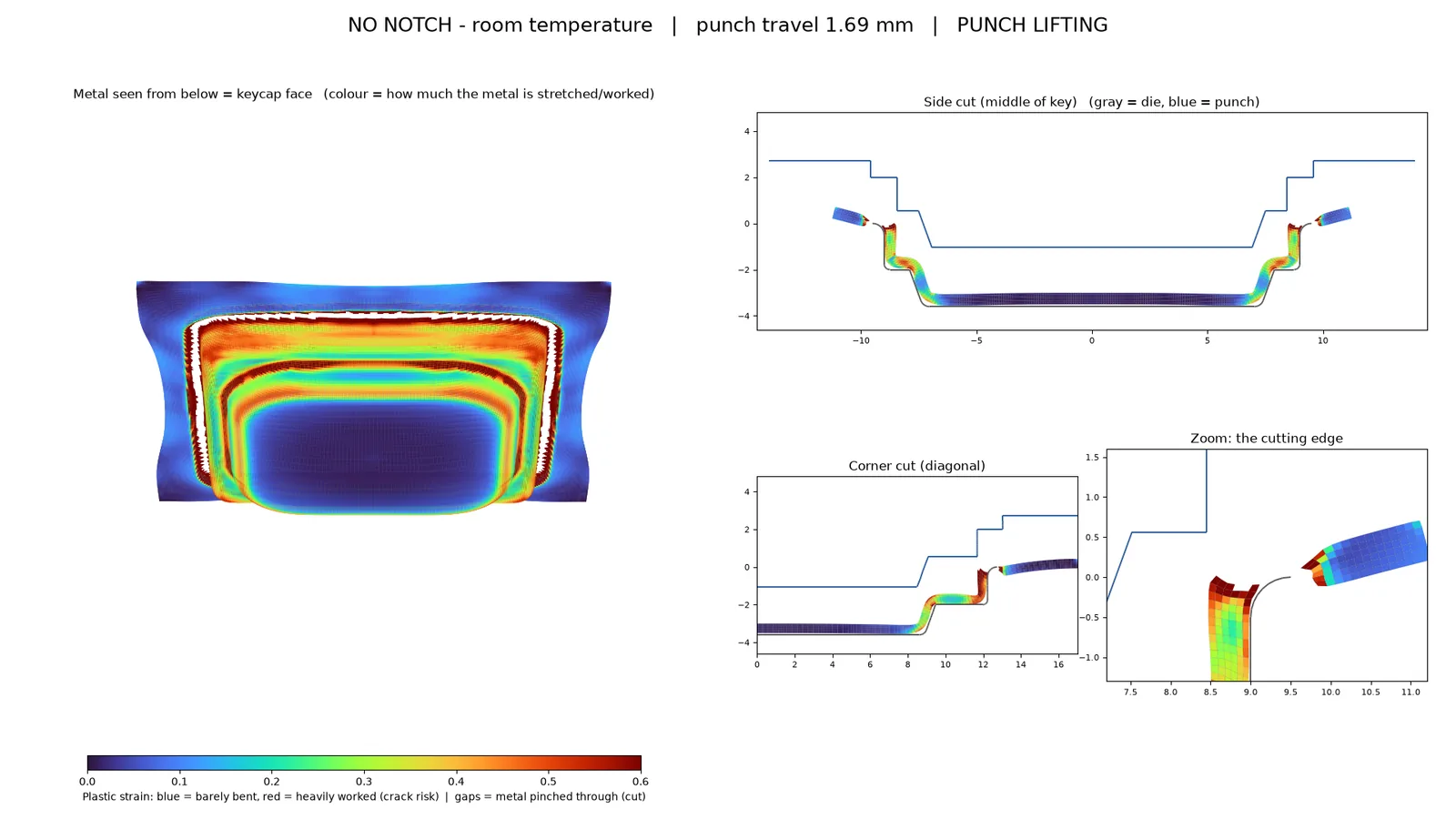
Simulation output showing the formed keycap seen from below in a blue to red strain colour map, beside side and corner cuts of the punch and die
PL 04A forming simulation of that press, coloured by how hard each part of the metal gets worked.

Sheet 04 of 06/Colour

Colours and finishes

Letters, modifiers and accent keys each take their own anodize colour. Accents can go on Enter and Space, the arrows, WASD and more, and every cap can be satin, bead-blasted, brushed or gloss.
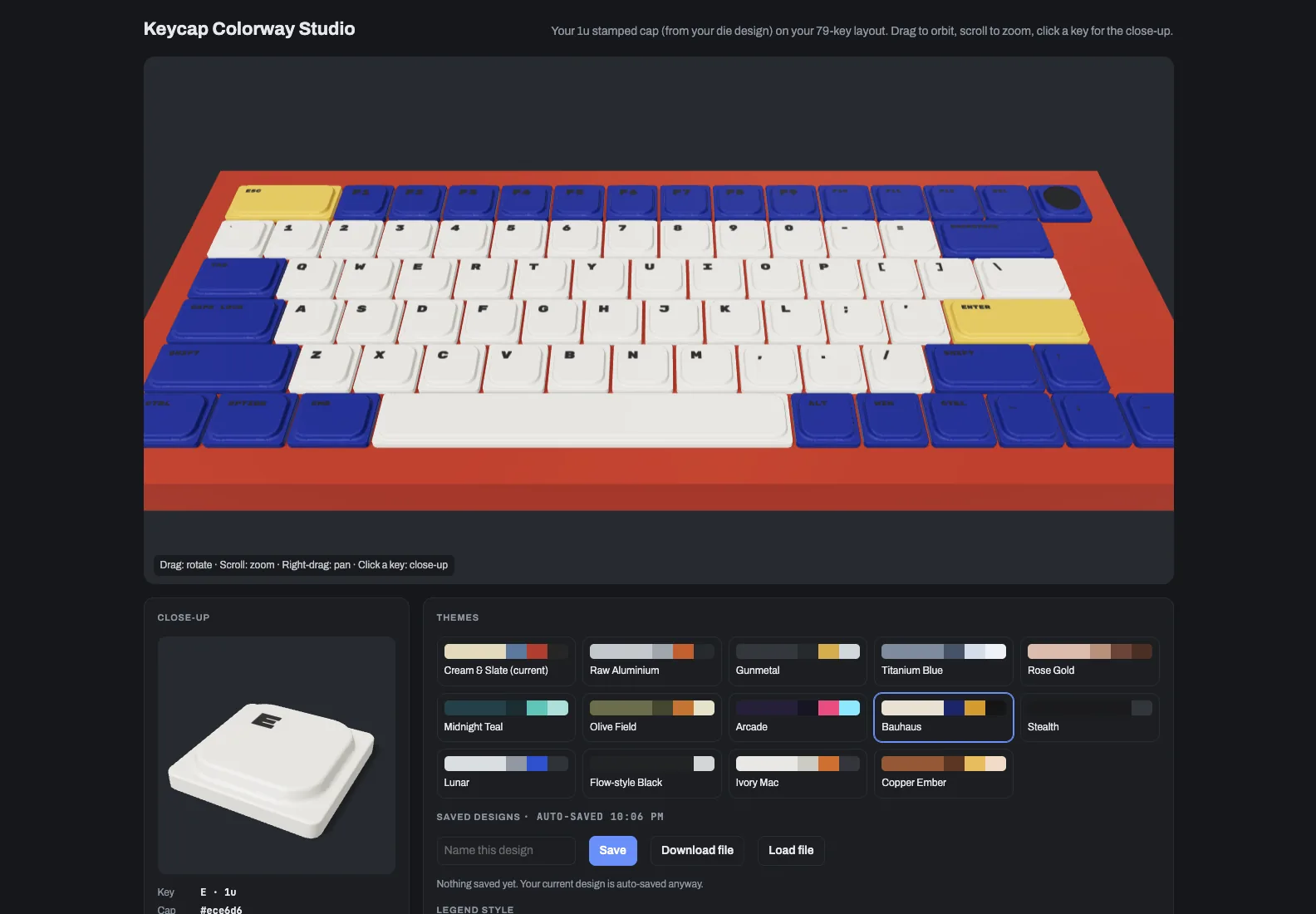
3D keyboard with cream letter keys, deep blue modifiers, yellow Esc and Enter keys on a red case
PL 06Bauhaus: cream letters, blue modifiers and yellow accents on a red case.
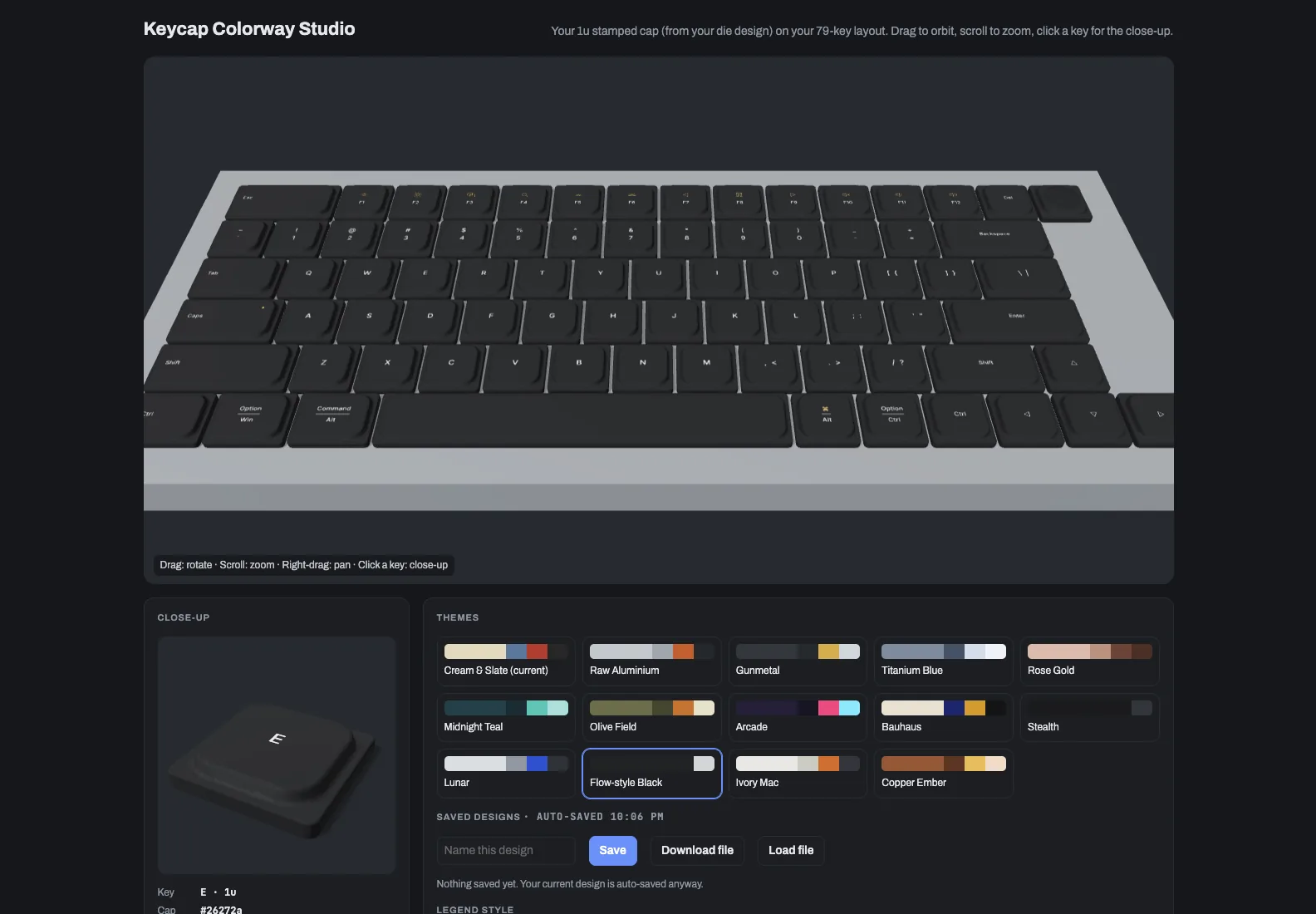
3D keyboard with black keycaps, small Mac-style icons on the function row and Option and Command legends on the modifiers
PL 07Flow-style Black with Mac icon legends on the function row and modifiers.

Sheet 05 of 06/Legends

Legends

Legends can be plain text or Mac-style icons, in about fifty fonts, in any corner and size. They can also be laser-etched, so the raw metal shows through the colour.
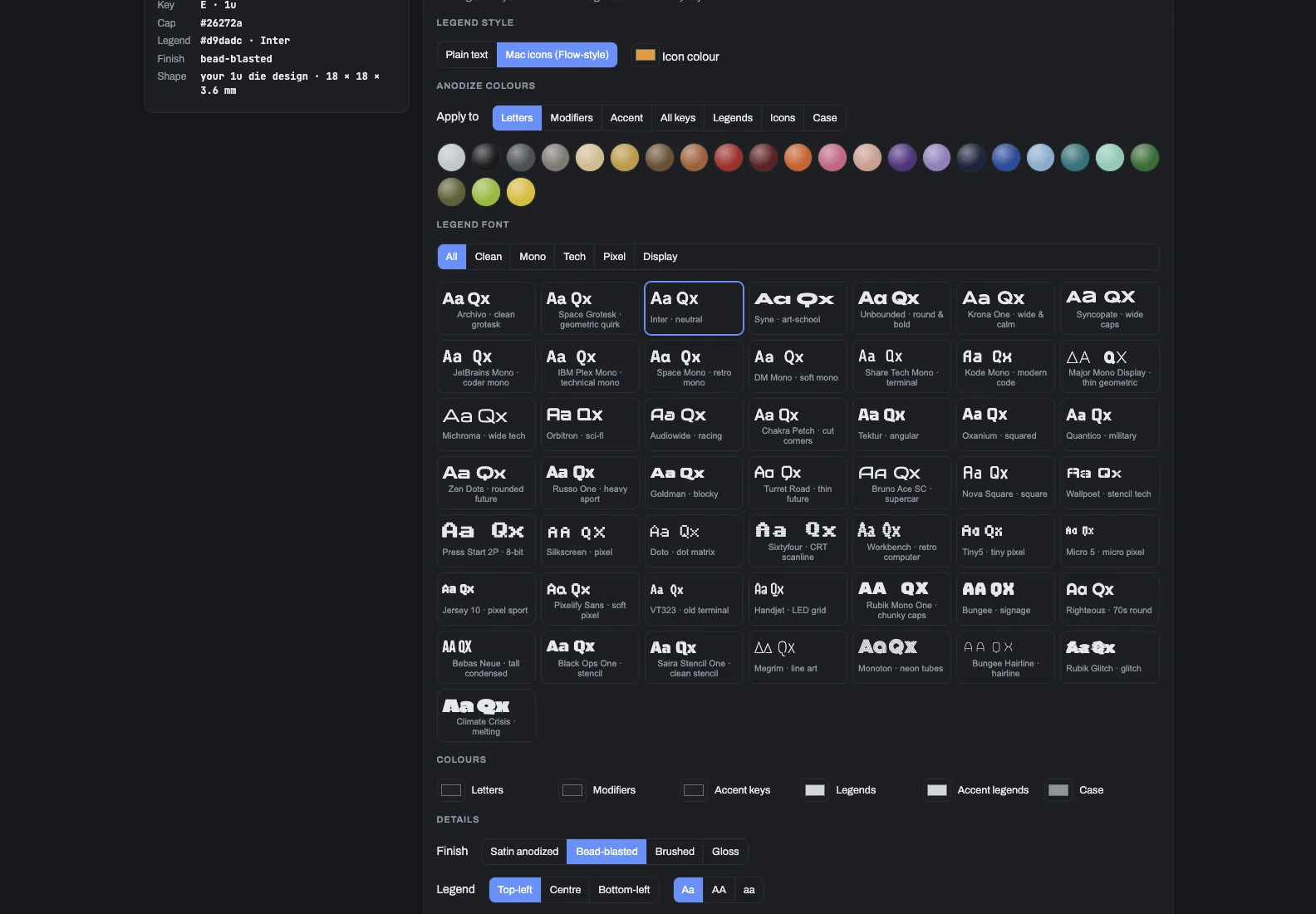
Control panel with a row of anodize colour swatches, a grid of legend font samples labelled Aa Qx, colour pickers, and finish and legend position buttons
PL 09The legend controls: 24 anodize colours, about fifty fonts in five groups, and the finish and legend position.

Sheet 06 of 06/Save

Saving a design

Designs save in the browser and download as a file, and "Surprise me" rolls a random colourway when I'm out of ideas. Click any key for a close-up of that one cap.
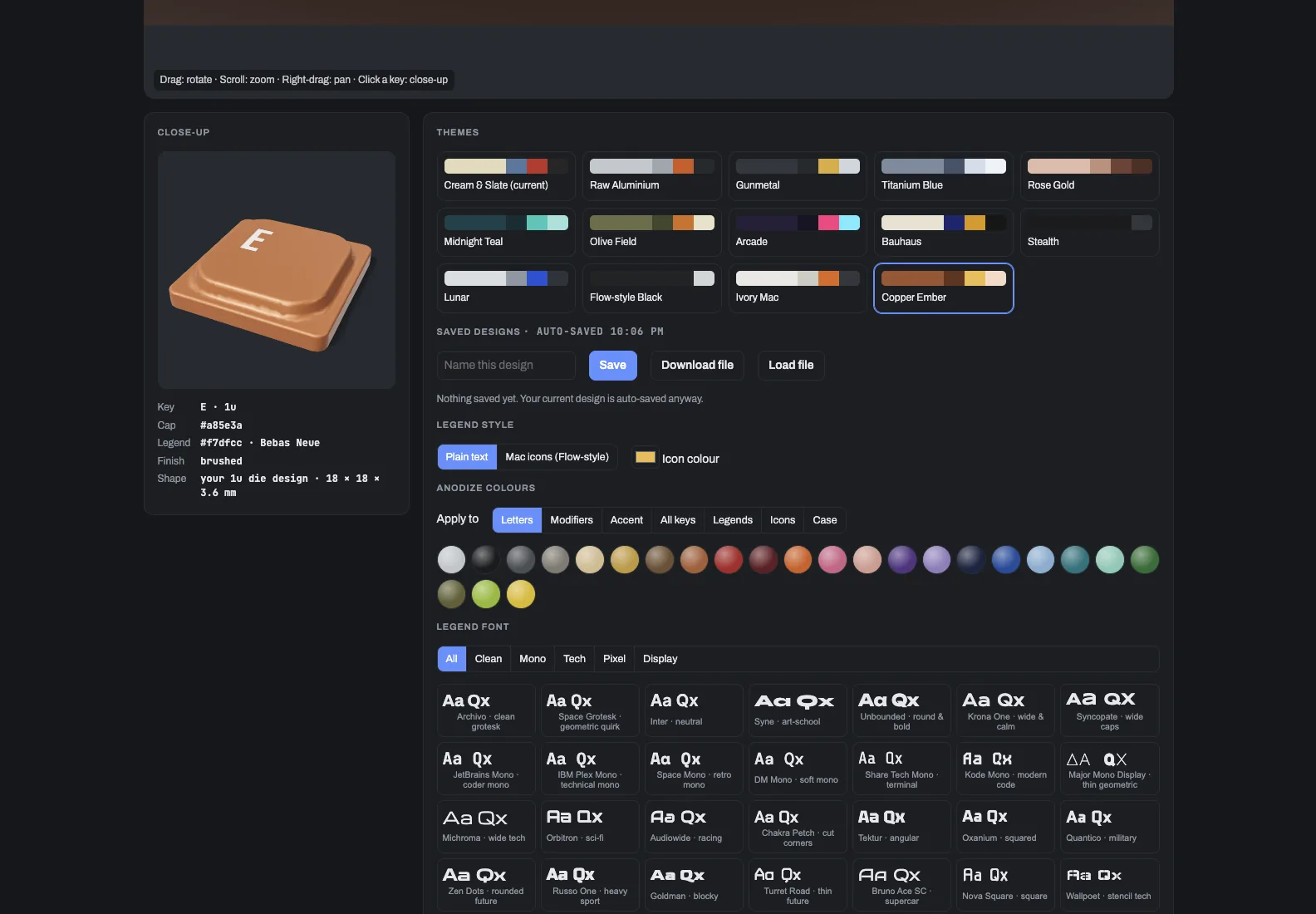
The studio's close-up panel showing a single copper keycap with an E legend, next to the theme grid with Copper Ember selected
PL 08Copper Ember with a brushed finish. The close-up on the left is one 1u cap at full size.
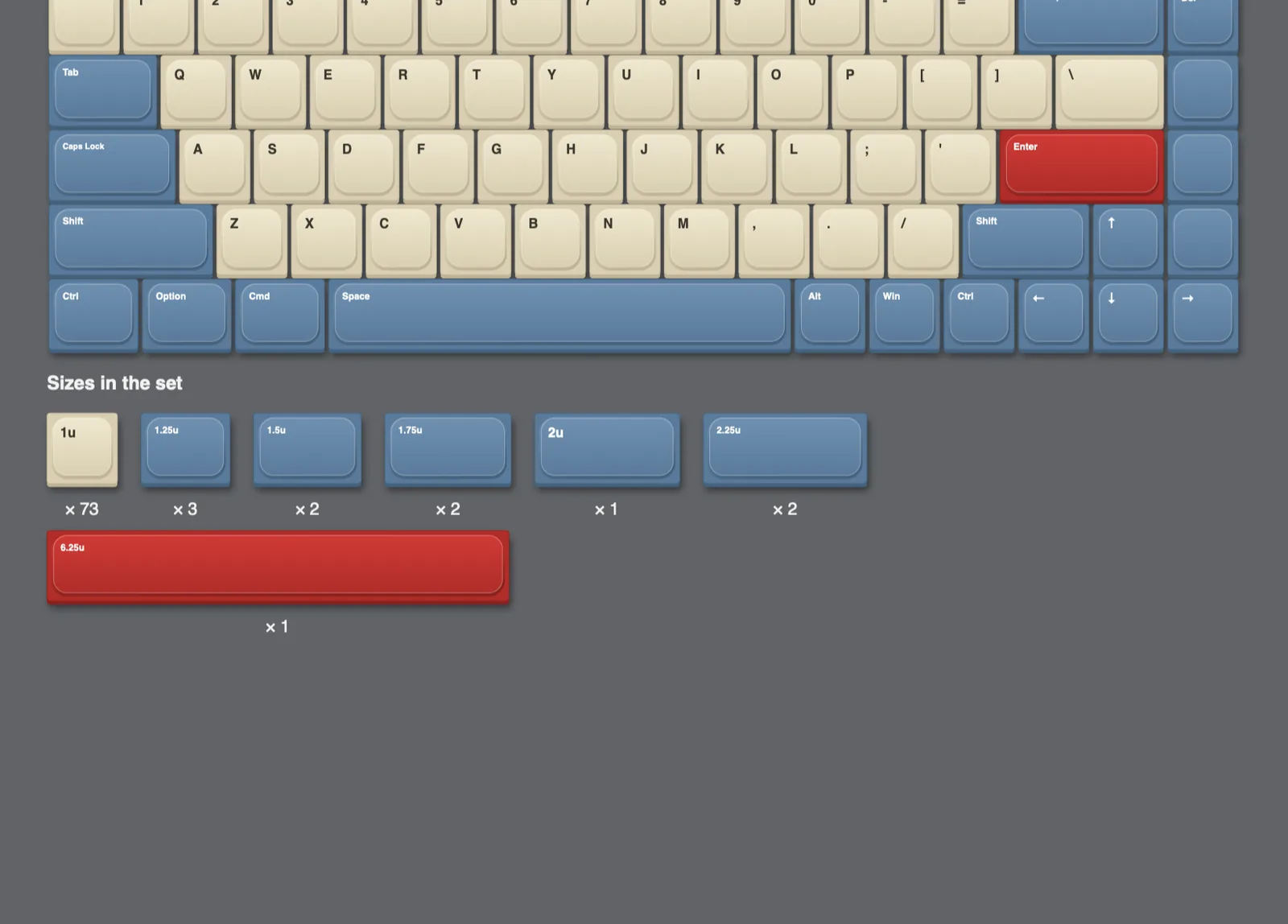
Flat render of the keyboard with cream and blue caps and a red Enter, above a row showing each keycap size and how many of each the set needs
PL 05The sizes the set needs: 73 caps at 1u, plus the wider keys and one 6.25u space bar.