3D web pageSolo, design and codeDrawing 35 of 37
My own
library
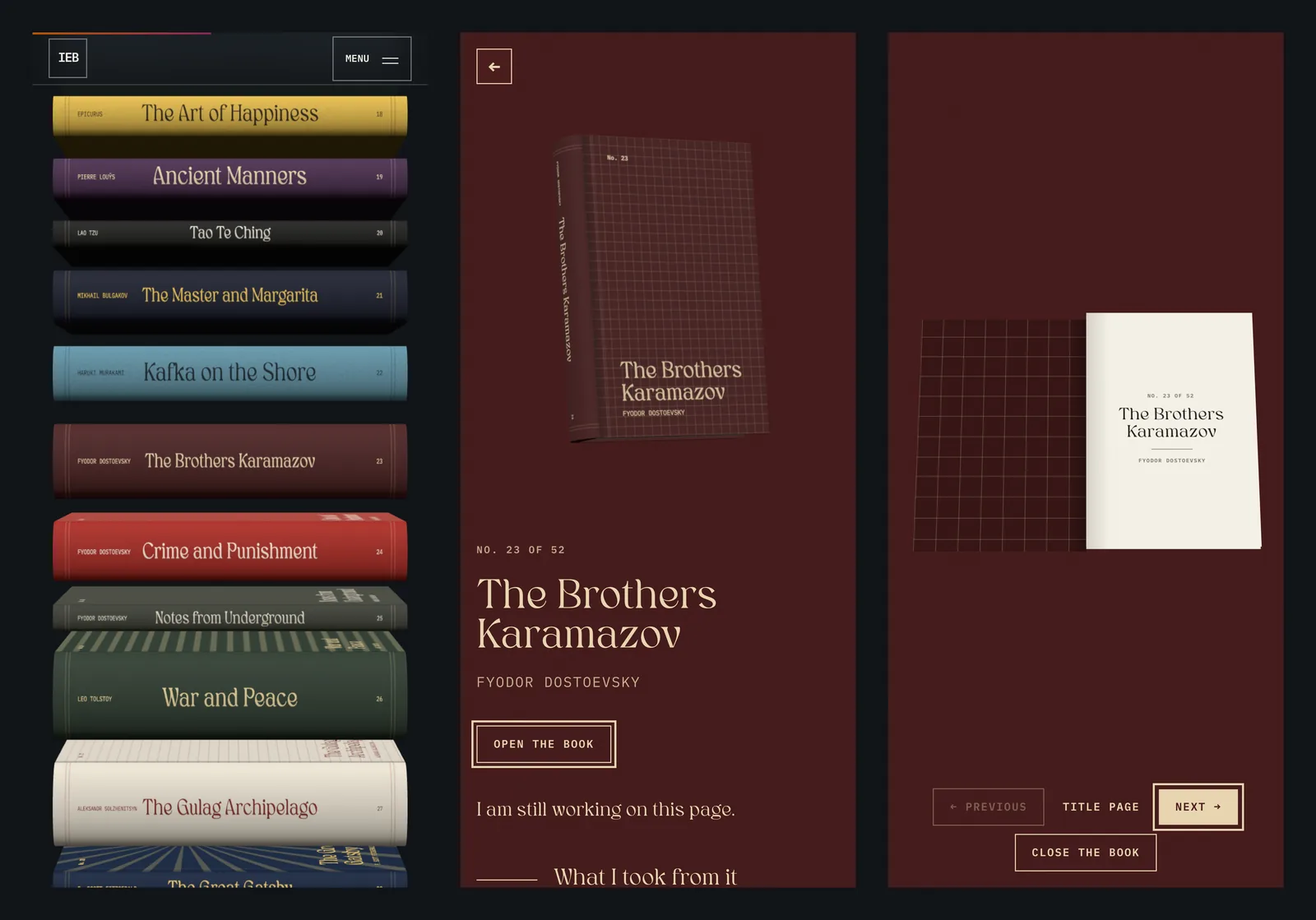
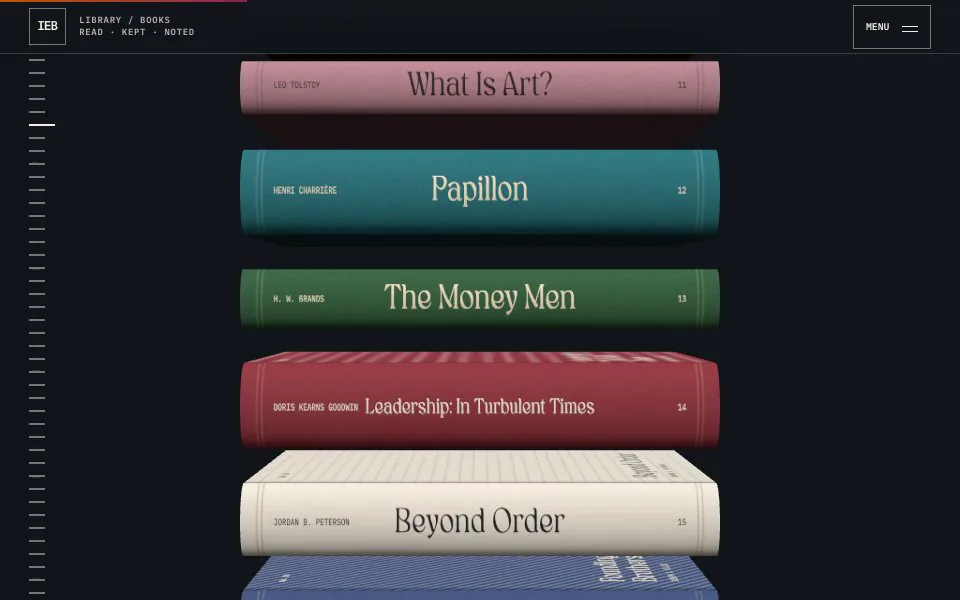
A page on my site for the books I've read, drawn as a pile of 3D hardcovers you scroll through. Press a book and it opens to its own page, and from there you can open it to a title page. There are 52 books on it so far, and I'm still writing the notes that go inside them.
- StatusComplete 2026. Live with 52 books
- DatesFirst commit September 24, 2026, and 52 books by September 26
- Built withPlain HTML, CSS and JavaScript, plus Three.js r170 for the books
- ReferenceStripe Press, press.stripe.com
- SizeFour scripts and three stylesheets, about 2,400 lines
Sheet 02 of 08/The page
What it is
The library is a page on this site for the books I've read and still think about. Each book is one plain <article> in library/index.html with a title and an author, and there are 52 of them right now. The page reads those articles and draws every one as a hardcover lying in a pile on a dark stage.
You scroll down the pile, and pressing a book opens its own page. Each book has room for a line on why it stayed with me, a list of what I took from it and a few favourite quotes. None of the 52 have those filled in yet, so every book page says I'm still working on it.

Sheet 03 of 08/Design
Picking the design
Before building it I made three concepts as real pages you could scroll: a shelf, an index and a blueprint. They're still in tools/library-concepts/, all three running on the same 8 placeholder books. I didn't pick any of them. I went with Stripe Press as the reference instead.
My first version drew the books in CSS 3D, where every face of a book is a flat panel shaded with gradients. They looked like boxes to me, so I moved to real 3D models drawn with Three.js, with textures on them. The CSS books are still in the code as the fallback for when WebGL can't start.
Sheet 04 of 08/The books
How each book is made
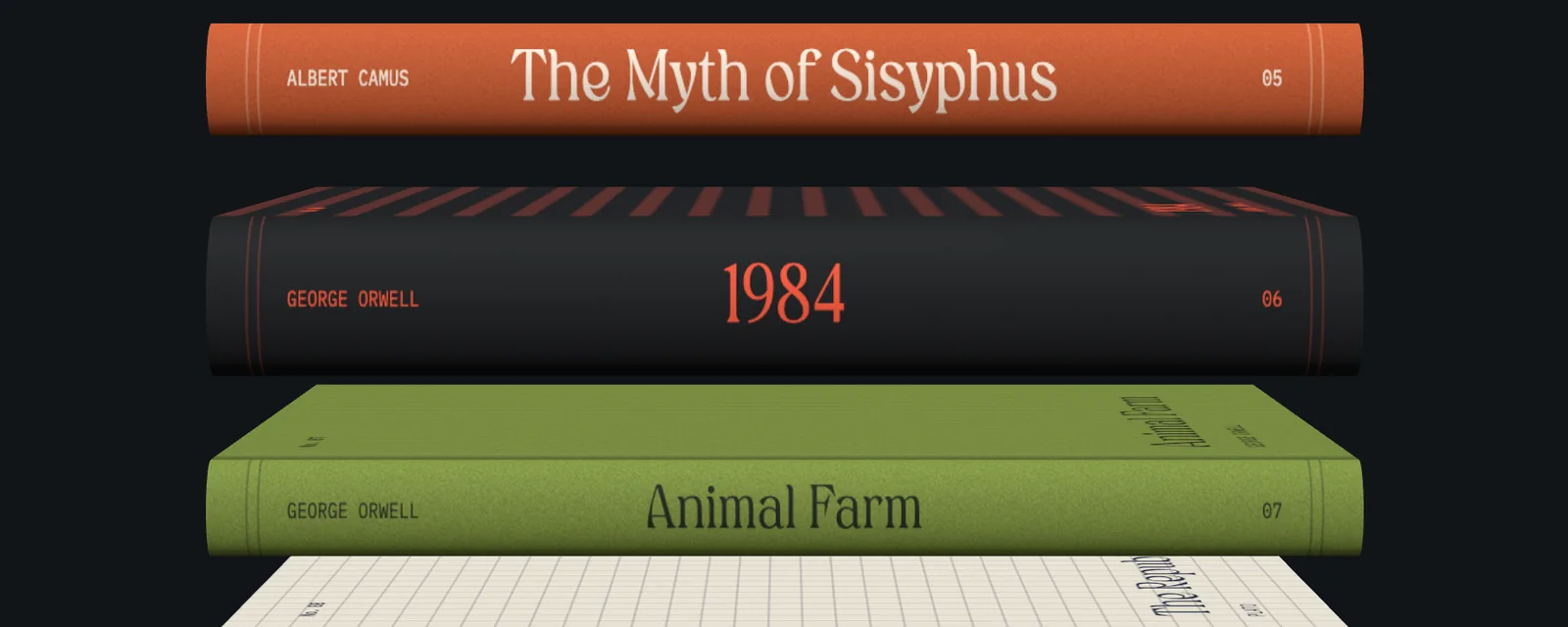
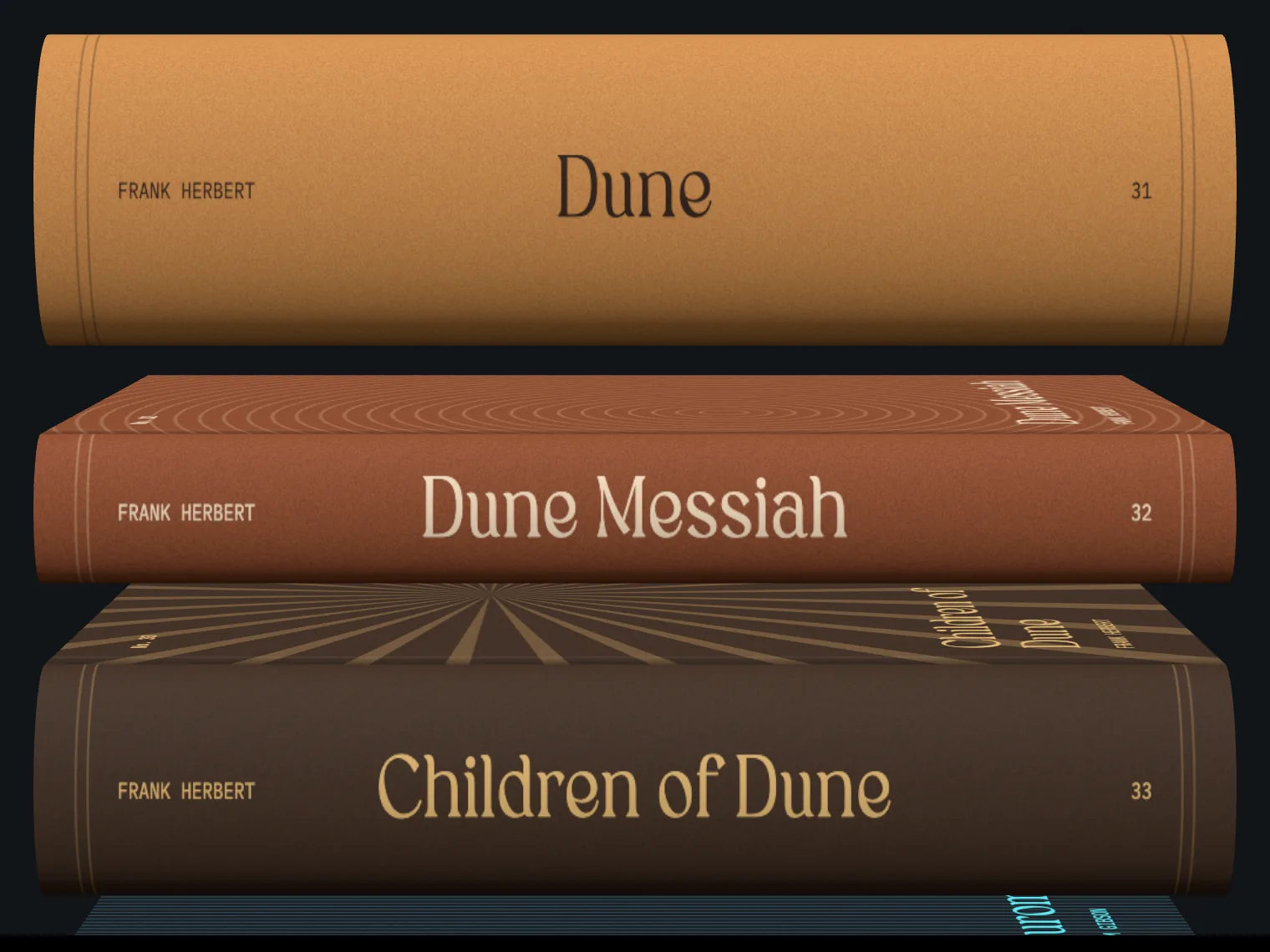
There are no model files. book3d.js builds each book in code the first time it scrolls near the screen. A book is two boards, a block of pages between them and a round spine, which is half a cylinder squashed to 55 percent with a cap at the head and the tail. The boards stick out a little past the pages, like they do on a real hardcover.
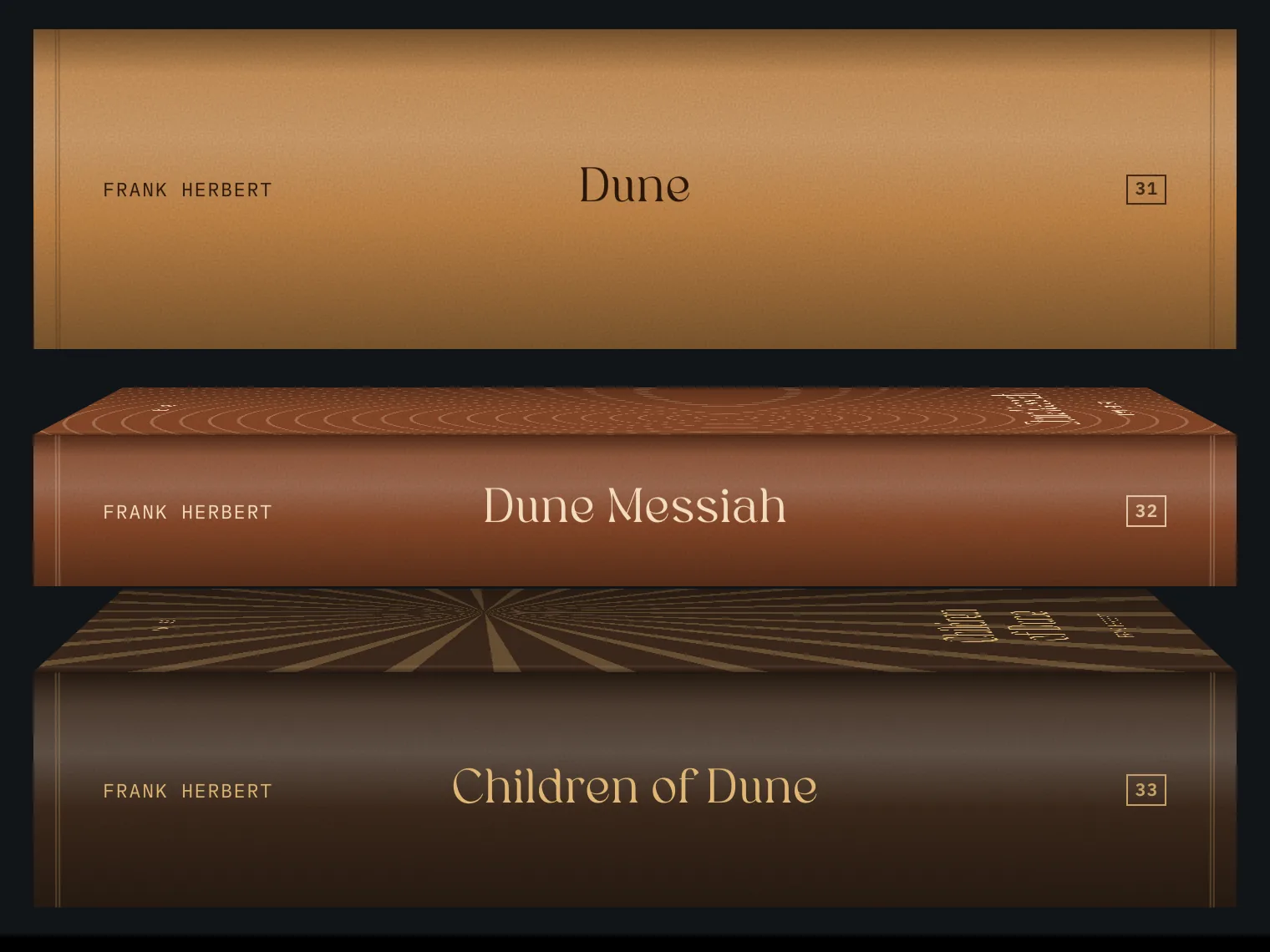
The textures are drawn on 2D canvases. The cover gets its pattern, a groove by the hinge, its number, the title and the author. The spine has the author at the head, the title in the middle and the number at the tail, and the page edges are fine lines on cream. One small noise tile goes over the cloth as grain.
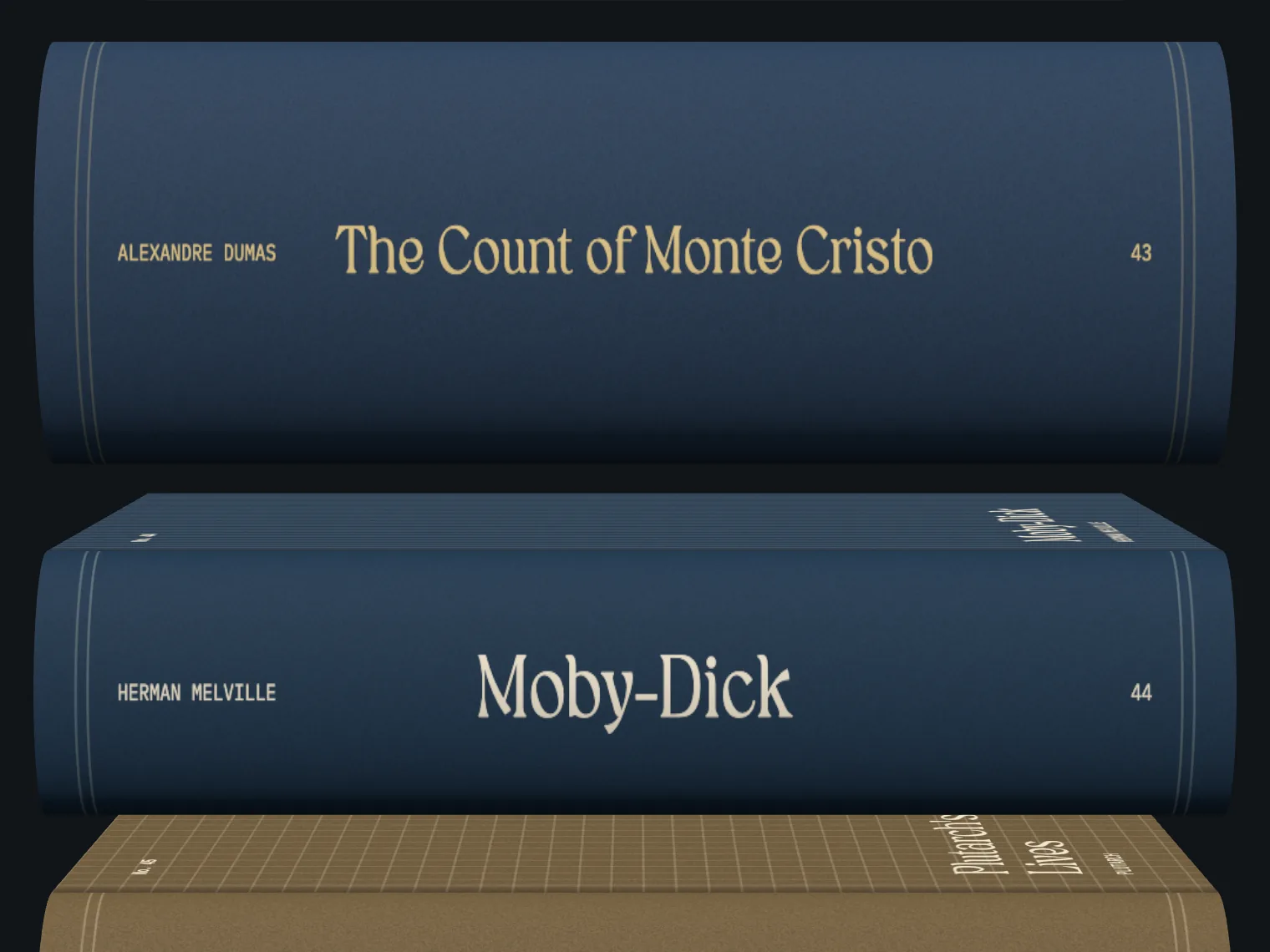
Each book only needs four things on its <li>: a cover colour, an ink colour, a pattern and a thickness. There are six patterns (lines, rings, grid, diagonal stripes, bands and rays), and I set every thickness by hand, from 0.45 for the thinnest books up to 2.6 for The Count of Monte Cristo. The page can also work out the thickness from a page count, at 320 pages for a thickness of 1, but no book uses that yet.

Sheet 05 of 08/The pile
The pile and the scroll
Each book sits on a plain button in the page, and Three.js paints the book over it on one canvas fixed over the whole screen. The buttons stay as the things you press and tab to, so layout, focus and clicks are still normal HTML. The camera is set up so one unit in the 3D scene is one CSS pixel, and that keeps every book lined up with its button.
There's one camera for the whole pile, at the middle of the screen. Books below the middle show their covers and books above it show their back boards. Scrolling fast tips the pile toward the covers by up to about 14 degrees, pointing at a book lifts it a little, and pressing and dragging turns it in your hand. Every pose eases toward where it should be, so a book springs back when you let go. Down the left edge there's a tick for each book, and pointing at the ticks fans them out and names the book.
The drawing loop only runs while something is moving and for 1.4 seconds after the last scroll or press. A book more than 30 percent of a screen past the top or bottom isn't drawn, the pixel ratio is capped at 2, and every book shares the same noise tile and page materials.
Sheet 06 of 08/Opening
Opening a book
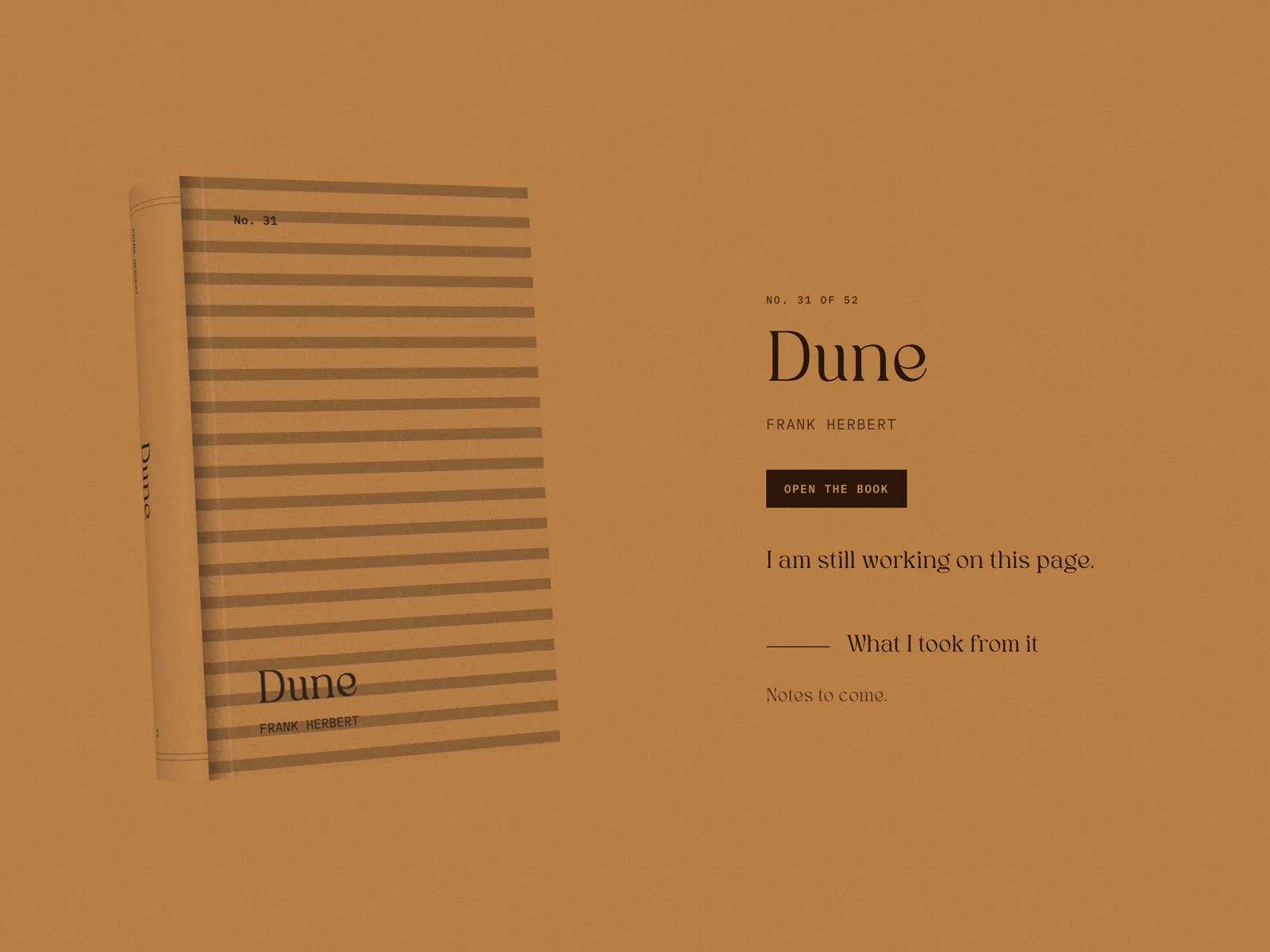
Pressing a book opens a full screen dialog with one section per book, each in that book's own colours, like Stripe Press does it. The book stands on the left and turns round to face you the first time it opens, and the text is on the right. Scrolling the dialog runs from one book into the next and the address bar follows along, so a link like /library/#dune opens straight to that book.
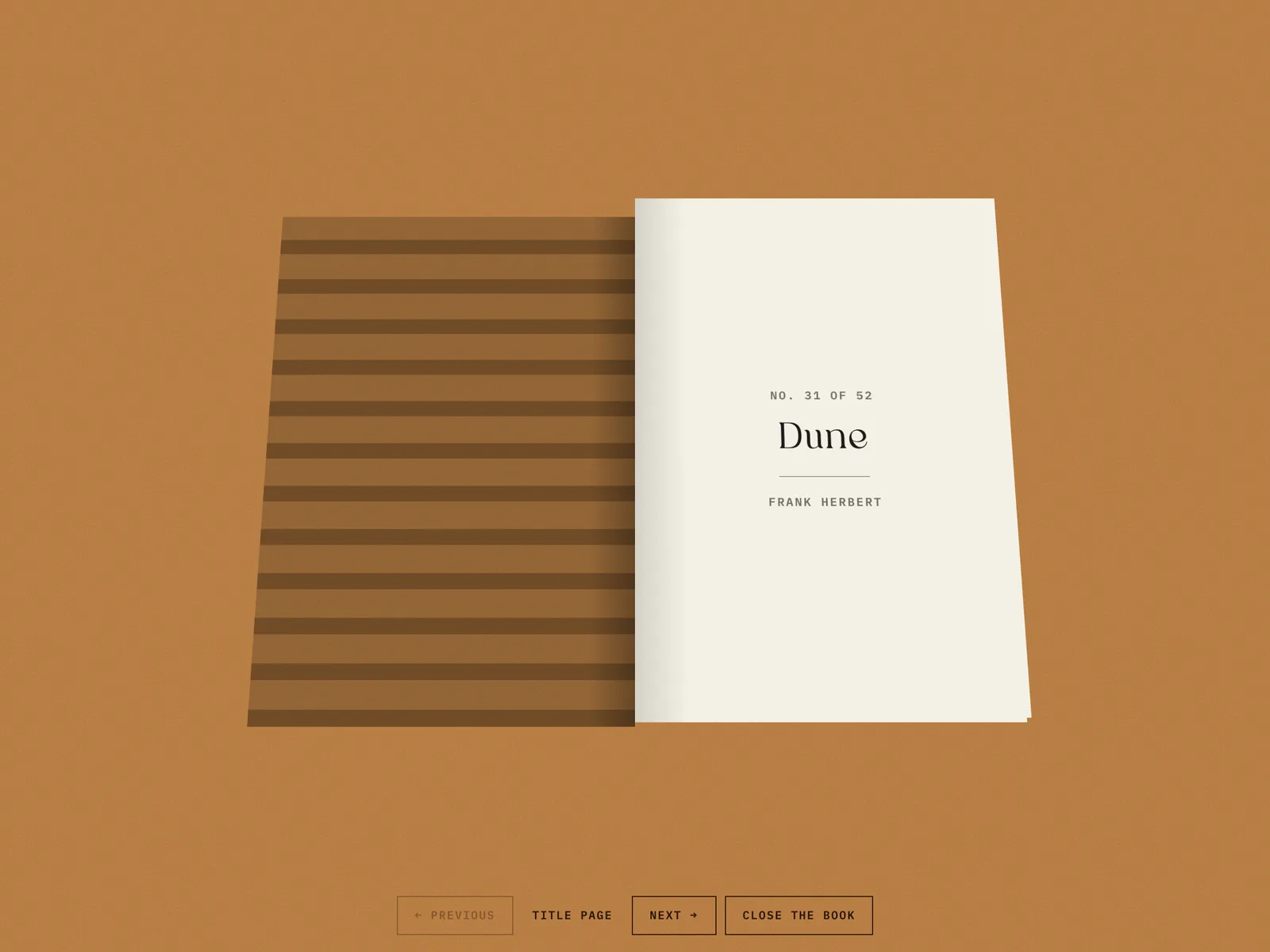
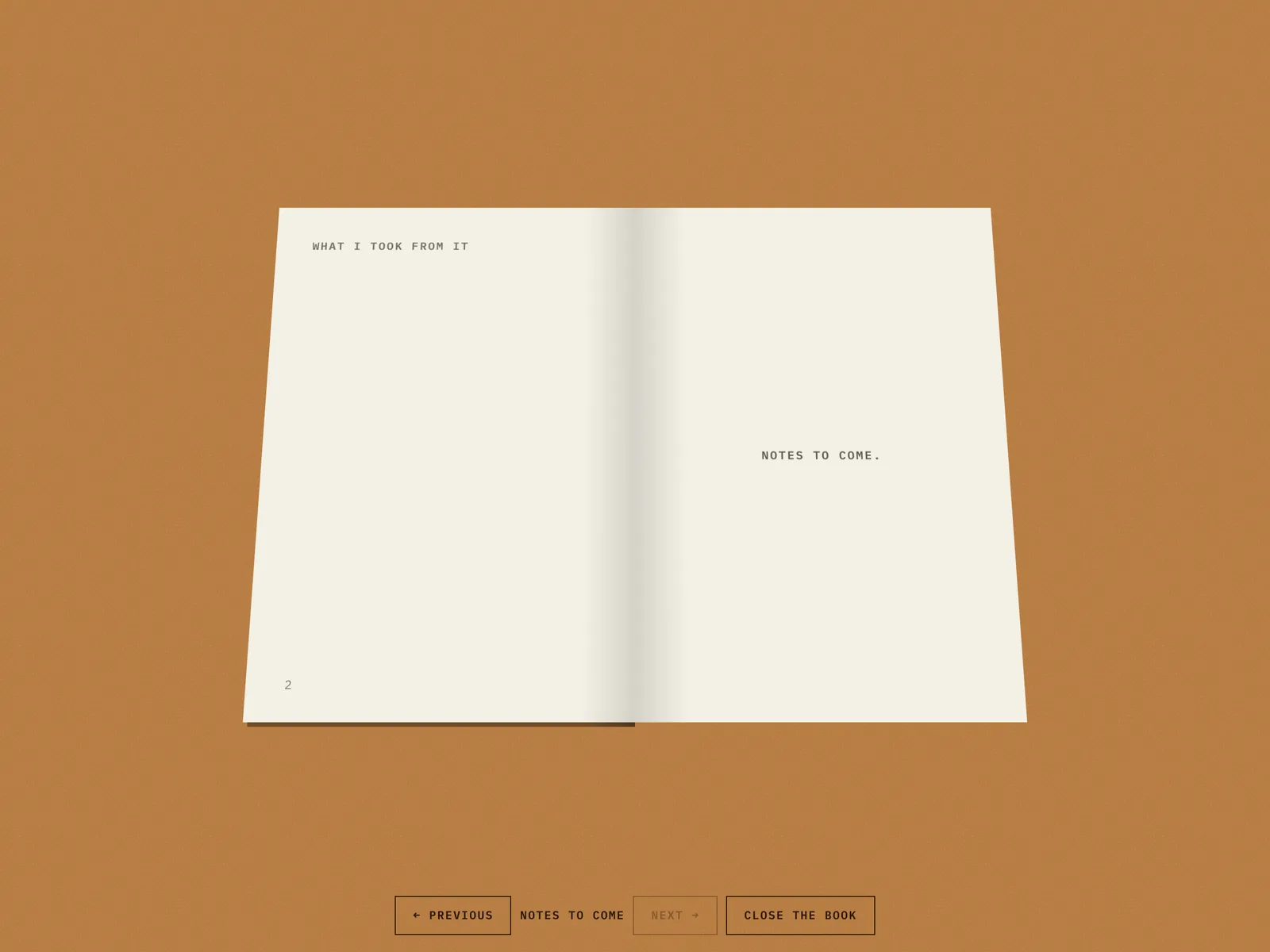
The Open the book button lays a CSS book open on top. The cover swings over to a title page with the book's number, title and author, and each note gets its own spread after that. You turn pages with the buttons, the arrow keys or by clicking a page, and Escape closes the book before it closes the dialog. None of the notes are written yet, so the page after the title page says Notes to come.
Sheet 07 of 08/Fallbacks
Phones, no JavaScript and reduced motion
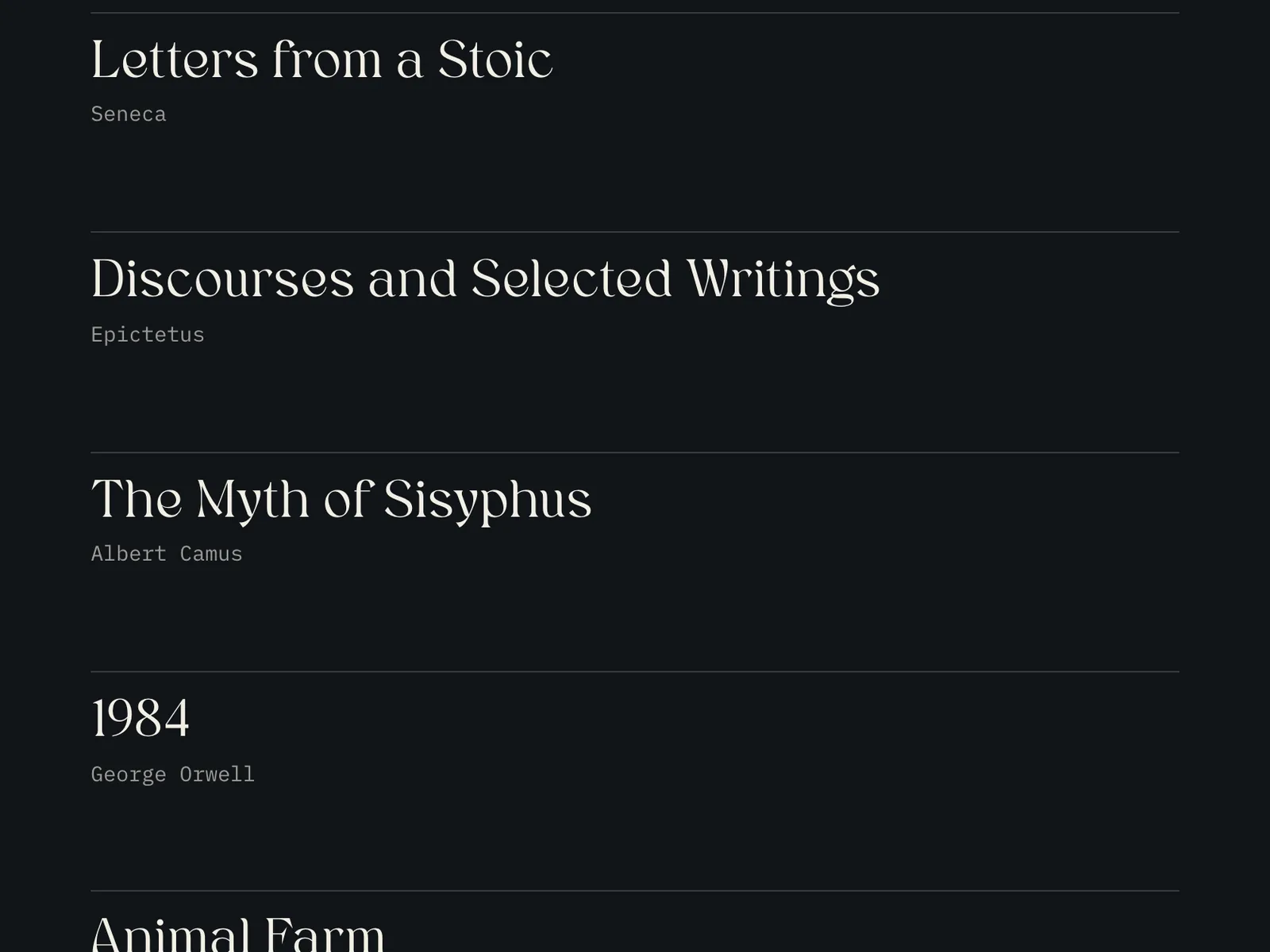
With JavaScript off, the page is a plain list of titles and authors on the dark stage, because every book is already written in the HTML. If WebGL can't start, the CSS books stay on the pile and on the book pages. On a phone the pile fills the width, the tick index is hidden and each book page becomes one column with the book on top.
If your device is set to reduce motion, the scroll tilt, the easing and the spin when a book page opens are switched off, and the books show up in place instead of rising in as they scroll into view.