Interactive simulationSolo, design and codeDrawing 34 of 37
Wind
tunnel
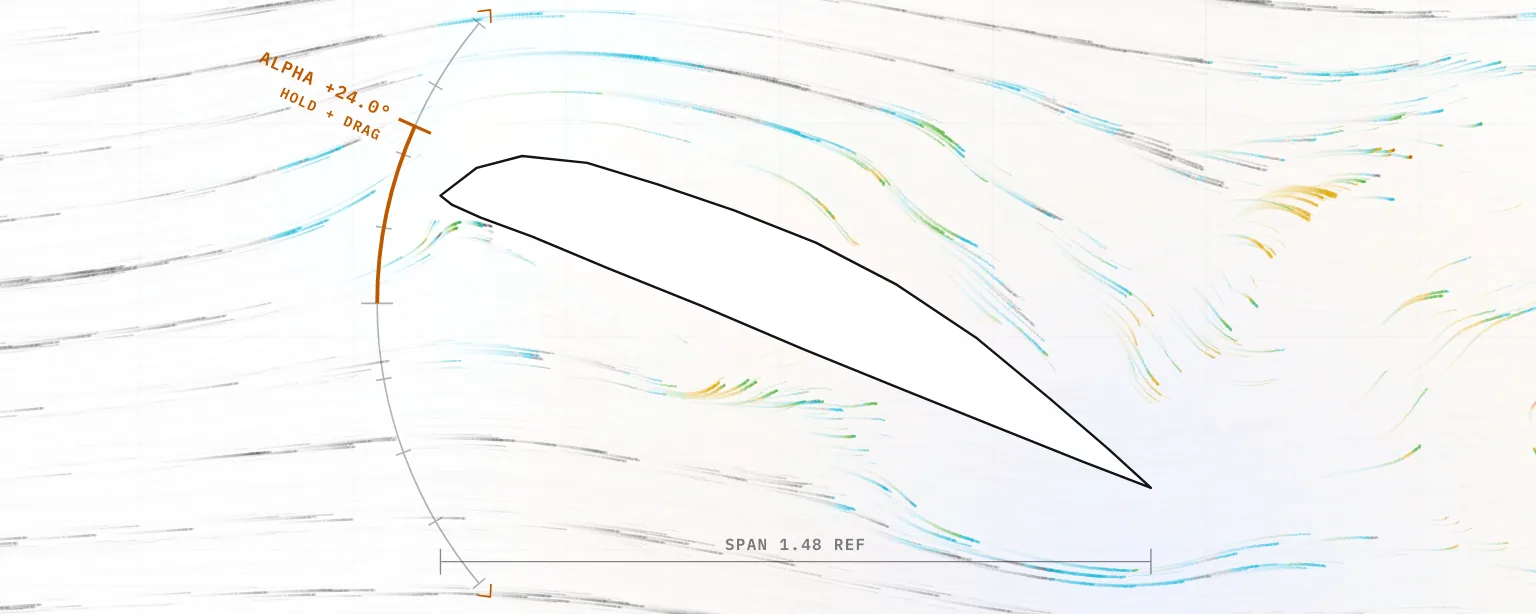
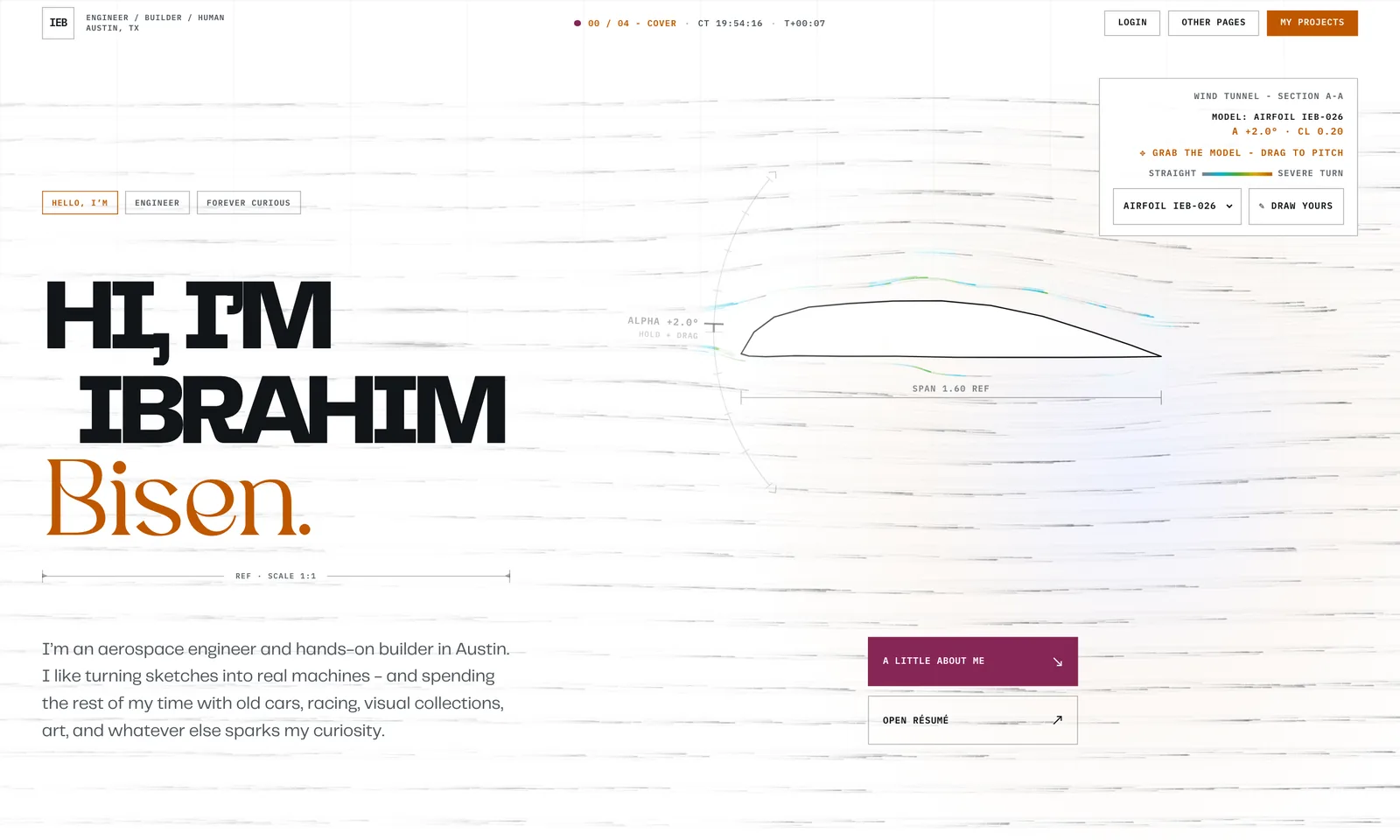
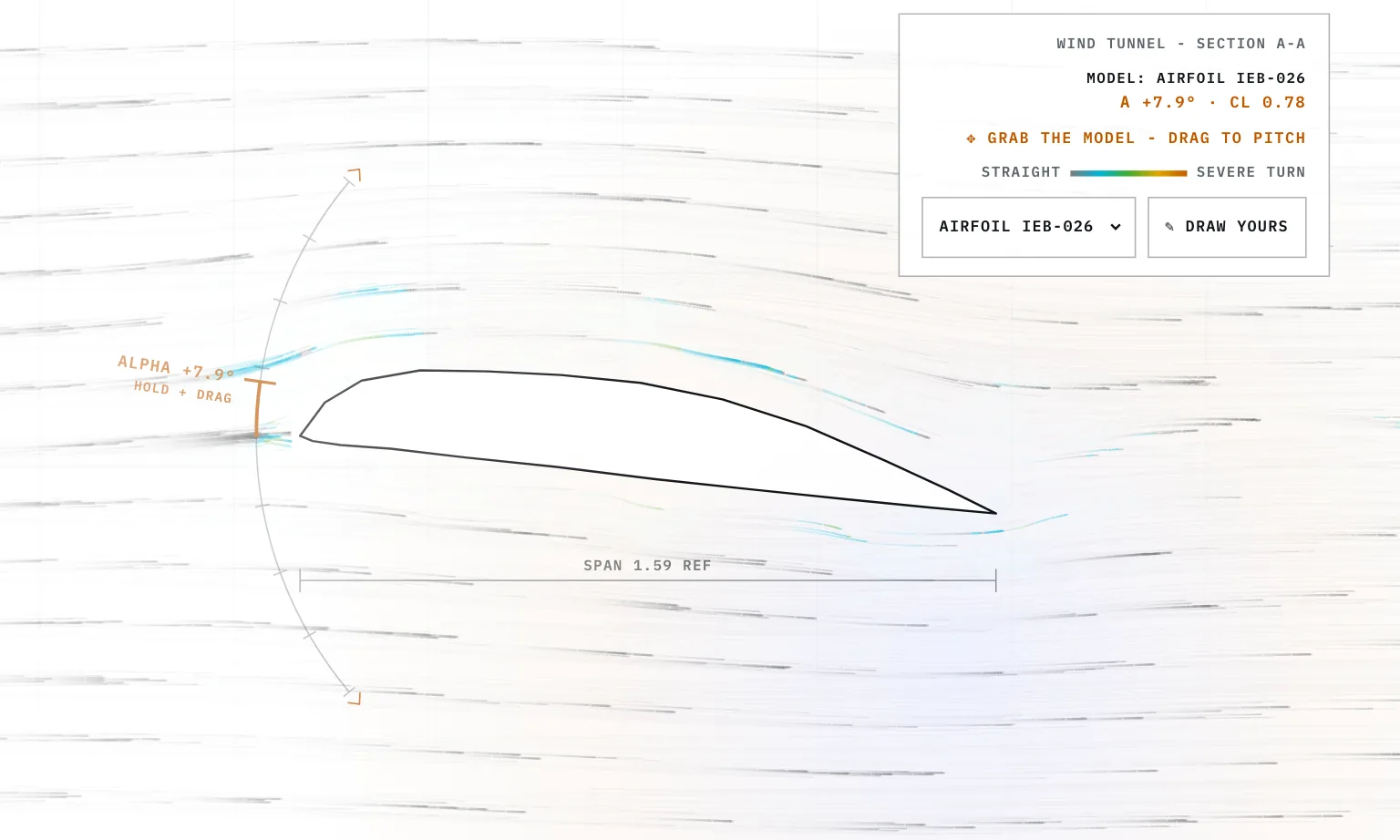
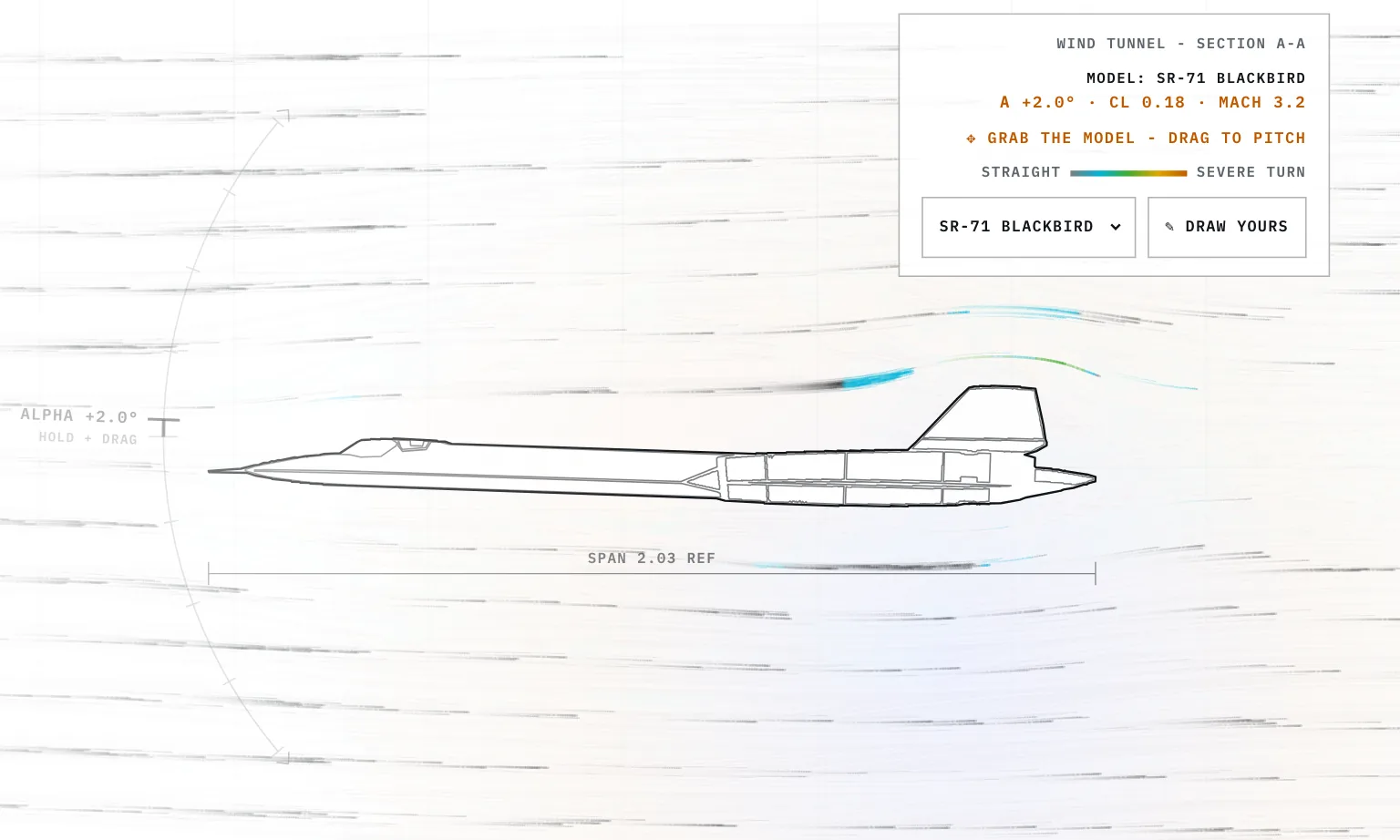
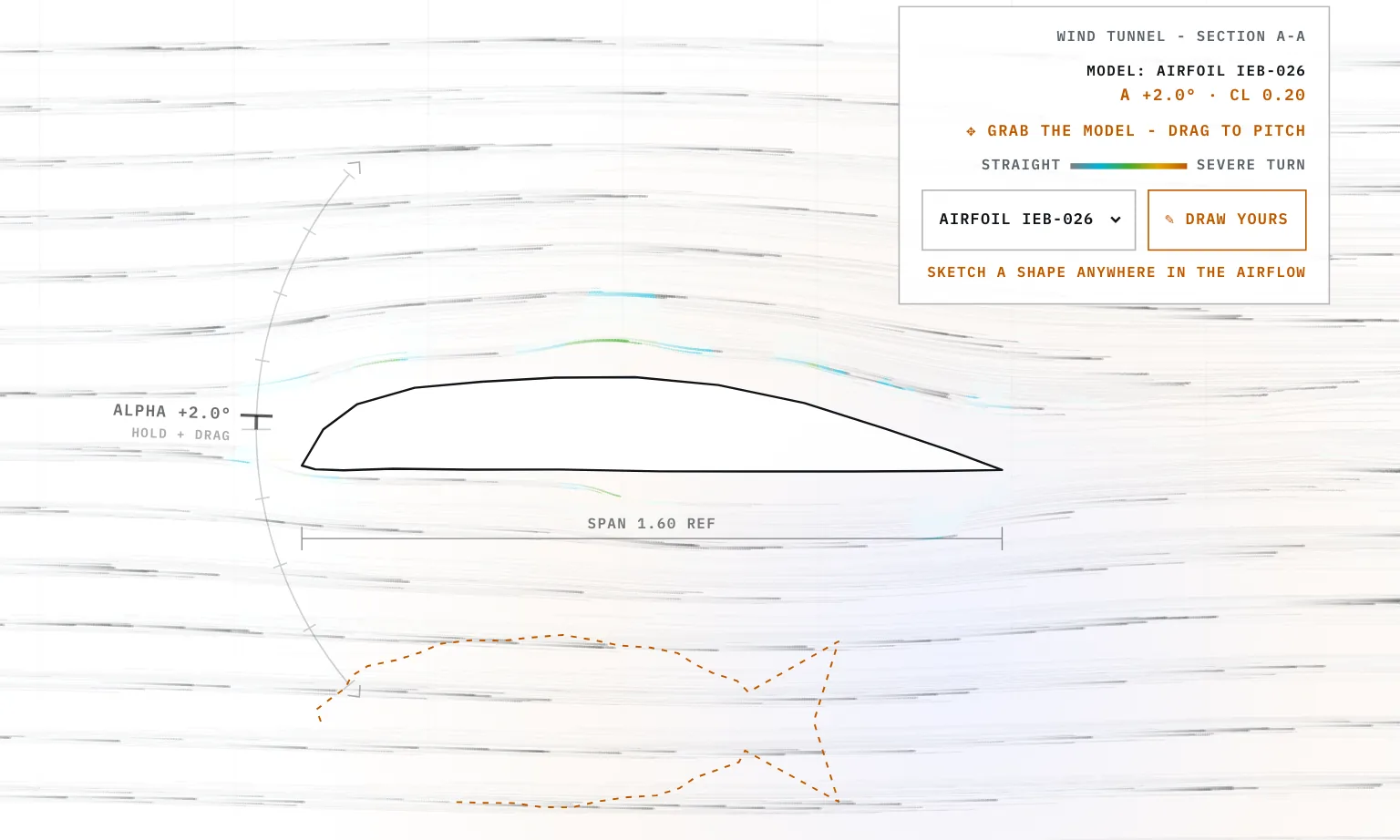
The wind tunnel at the top of my homepage. Smoke streams past a test model, and you can grab the model to pitch it, swap it for another one, or draw your own shape into the flow. It's plain JavaScript on two canvases, running live in the browser.
- StatusOn the homepage
- Built withPlain JavaScript and two 2D canvases
- Flow modelPotential flow, stream function relaxed on a coarse grid
- Smoke2,860 particles, or 660 on a narrow screen
- Models10 presets plus one you draw
- DatesIn the repo from July 2026, protractor added August 2026
- Not simulatedFriction, real drag and flow separation
Sheet 02 of 08/Flow
Working out the flow
The flow comes from potential flow, the textbook model of air with no friction and no swirl. In that model one number at each point, the stream function, describes the whole flow, and the streamlines are the lines where it stays the same.
I split the hero into a grid of cells at least 16 px wide. That's about 5,300 cells on a 1440 by 900 screen, and bigger screens get coarser cells so the grid tops out at about 10,000. Air comes in from the left at 90 px a second. Every cell inside the model is marked solid and pinned to one value, so no air goes through it. The outline gets stamped in as well, so a thin shape like the flat plate doesn't leak.
Each frame runs 10 sweeps of successive over-relaxation. A sweep moves every open cell toward the average of its four neighbours, and overshoots by a factor of 1.7 so it settles faster. Every frame starts from the last frame's answer, so when you move the model the field catches up within a few frames. The speed at any point comes from how steeply the stream function changes across it.
Sheet 03 of 08/Smoke
The smoke and the colours
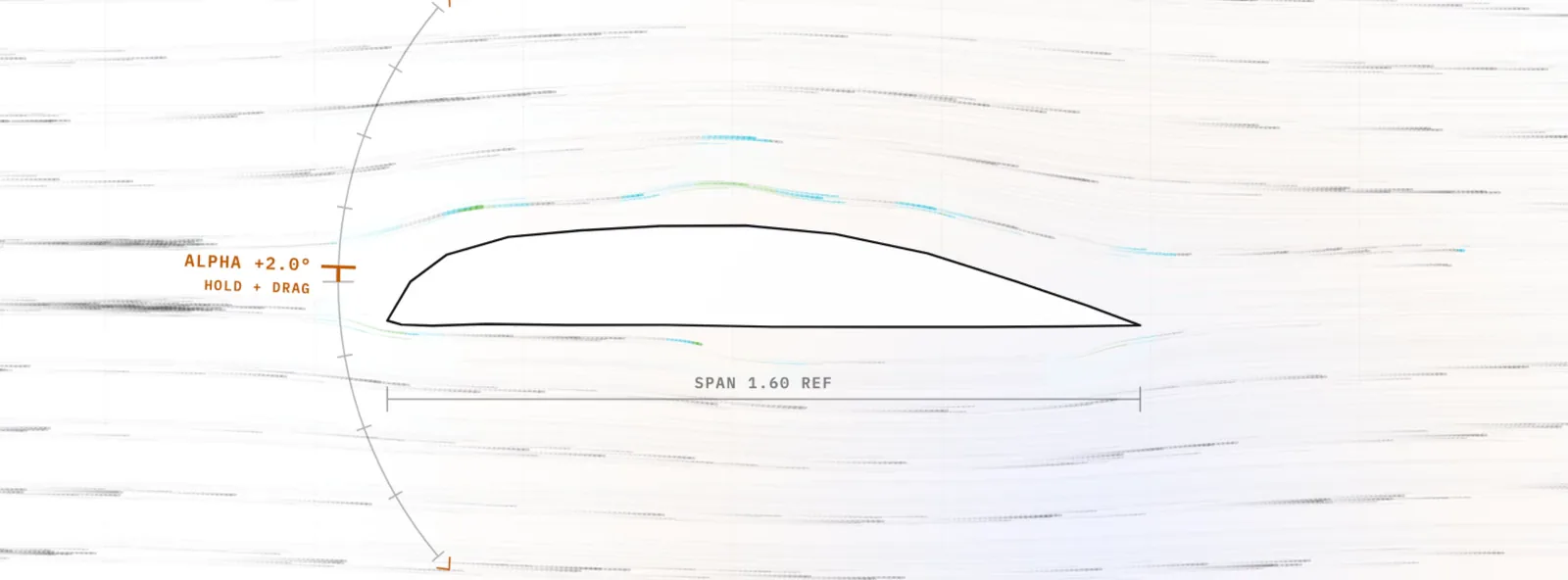
The smoke is 2,860 particles in 22 bands across the hero, or 660 in 12 bands on a narrow screen. Every frame each particle reads its speed from the grid, moves one step and draws a short line from where it was. That canvas never gets cleared. It fades a little every frame instead, so the lines build up into trails that look like sheets of smoke. When a particle leaves the right edge, runs out of time or steps into the model, it starts again on the left. The model, the protractor and the labels sit on a second canvas that's redrawn from scratch every frame, so a moving model leaves no ghost behind.
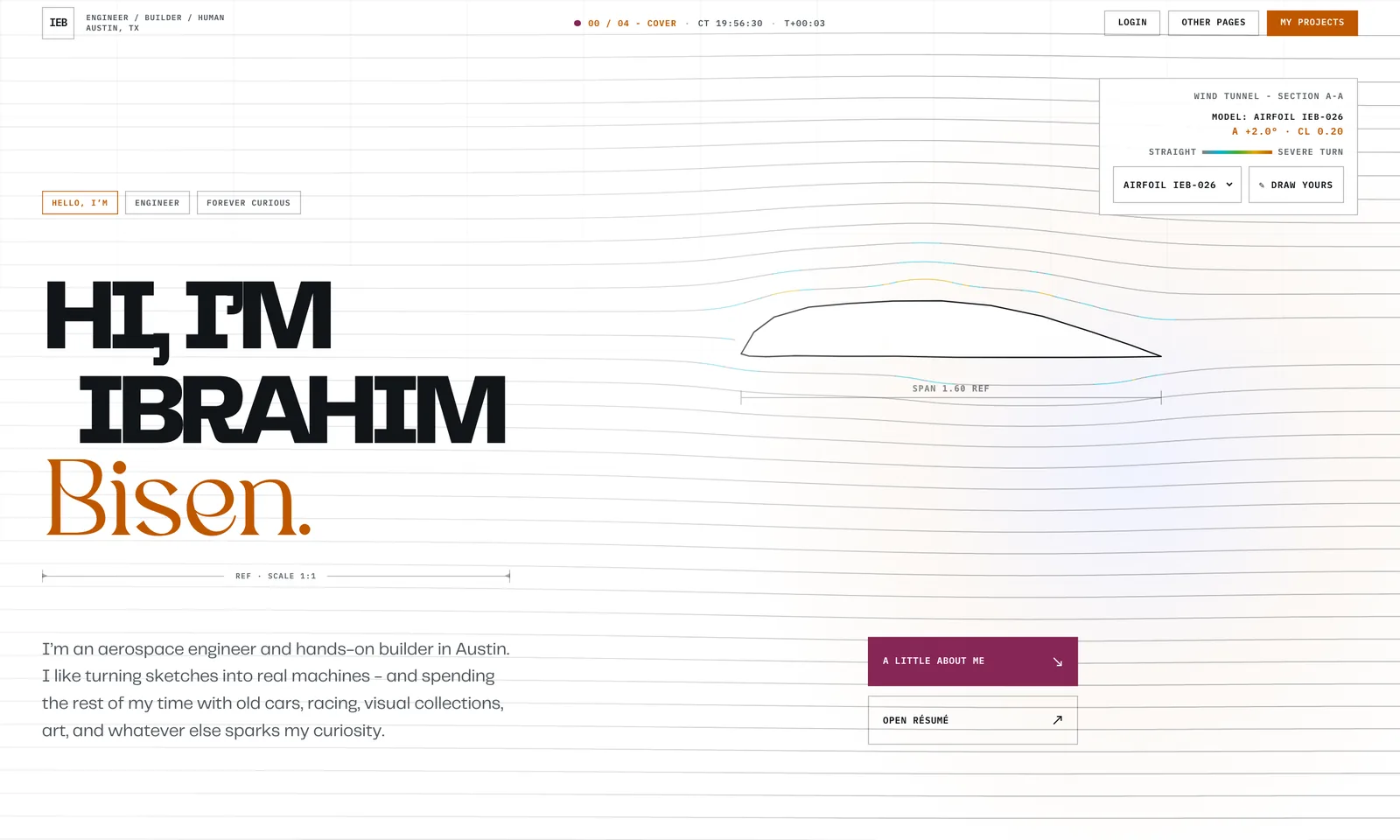
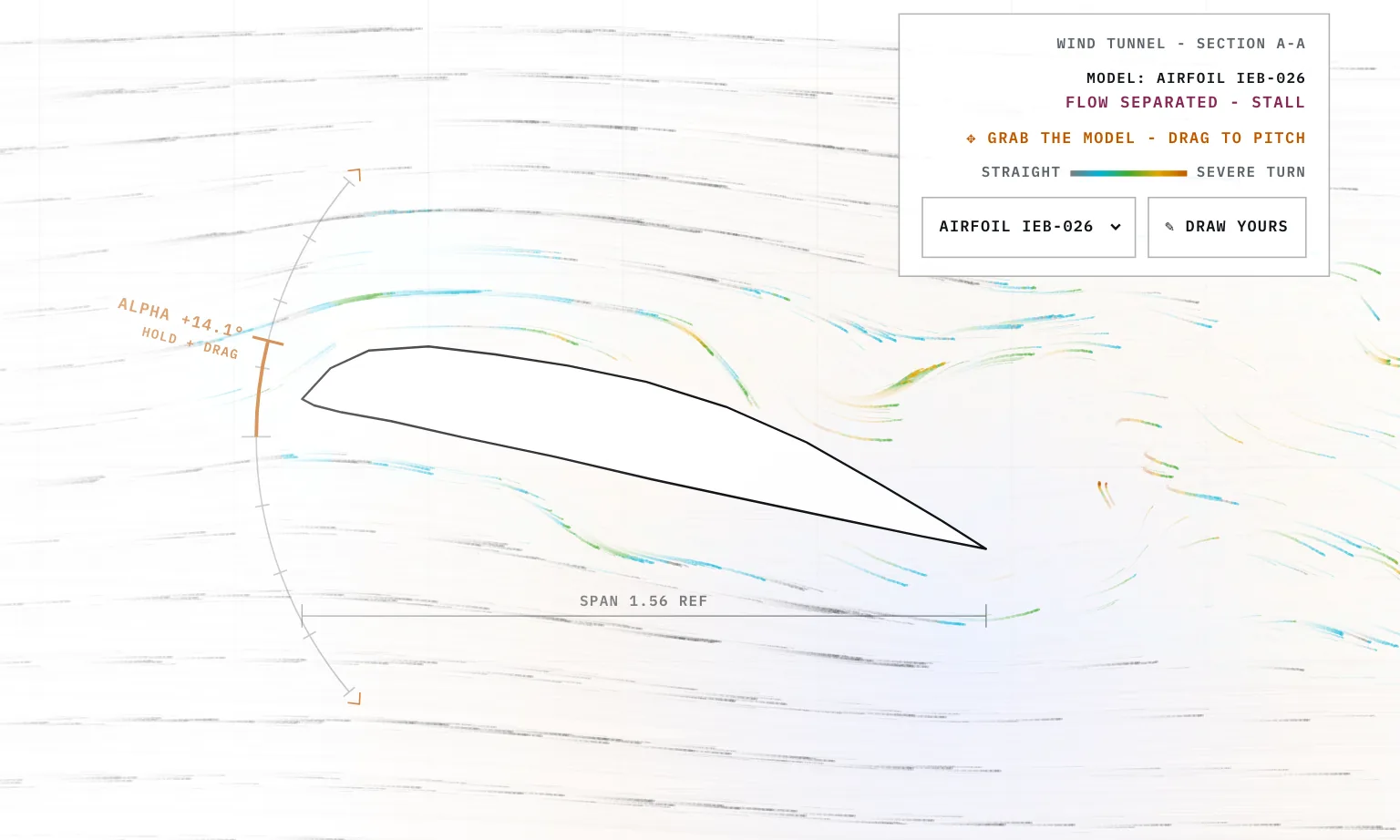
The colour shows how fast a particle's path is turning. Straight flow stays grey, then it goes cyan, green and yellow as the turn gets tighter, and burnt orange is the tightest. The bar in the readout panel shows the same scale, from straight to severe turn. It doesn't show pressure or speed.
On the first visit in a session the tunnel starts up. The model outline draws itself in, and the particles switch on in a sweep from left to right over about a second and a half.
Sheet 04 of 08/Pitch
Pitching it, lift and stall
With a mouse you can grab the model and drag it up or down to pitch it, 0.18° for every pixel, up to 40° either way. You can also drag along the protractor arc by the nose. The readout follows every pixel, and the field gets rebuilt every quarter degree.
Plain potential flow around a wing gives no lift, so I added a rough fix. On lifting models the stream function on the body is raised by 0.22 times the flow speed times the model's width times sin α, which pushes more air over the top. It stands in for the Kutta condition, the rule that air has to leave a sharp trailing edge cleanly. The CL in the readout comes from thin airfoil theory, 2π sin α, times 0.9 for the airfoil, 0.82 for the flat plate and 0.8 for the SR-71. It's worked out from the angle alone, and the flow field doesn't feed into it.
Past 10.5° either way a lifting model stalls. The readout switches to a flow separated warning in raspberry, the wake moves up to a quarter of the way back along the wing, and the smoke behind it gets churned up much harder.
Sheet 05 of 08/Models
The other models and drawing your own
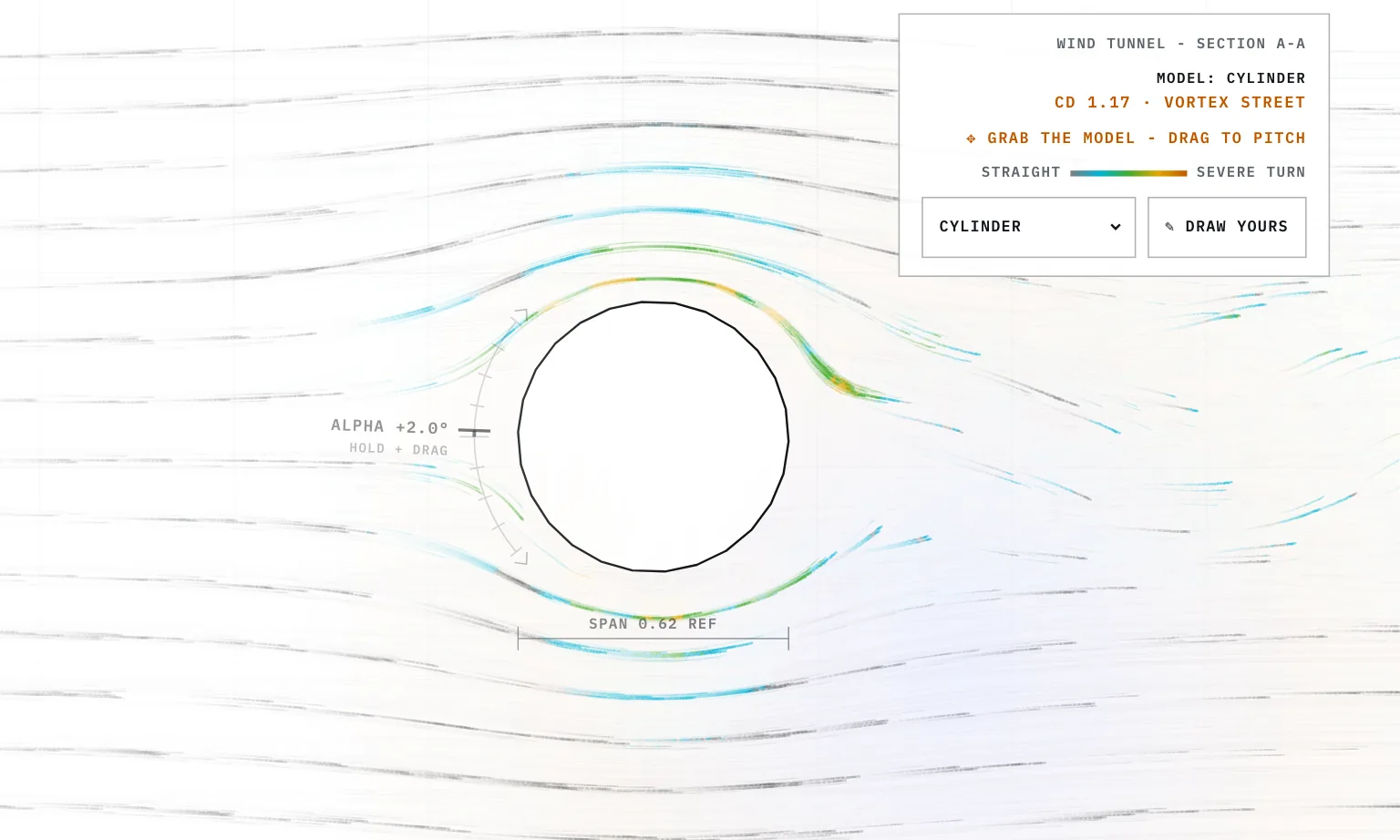
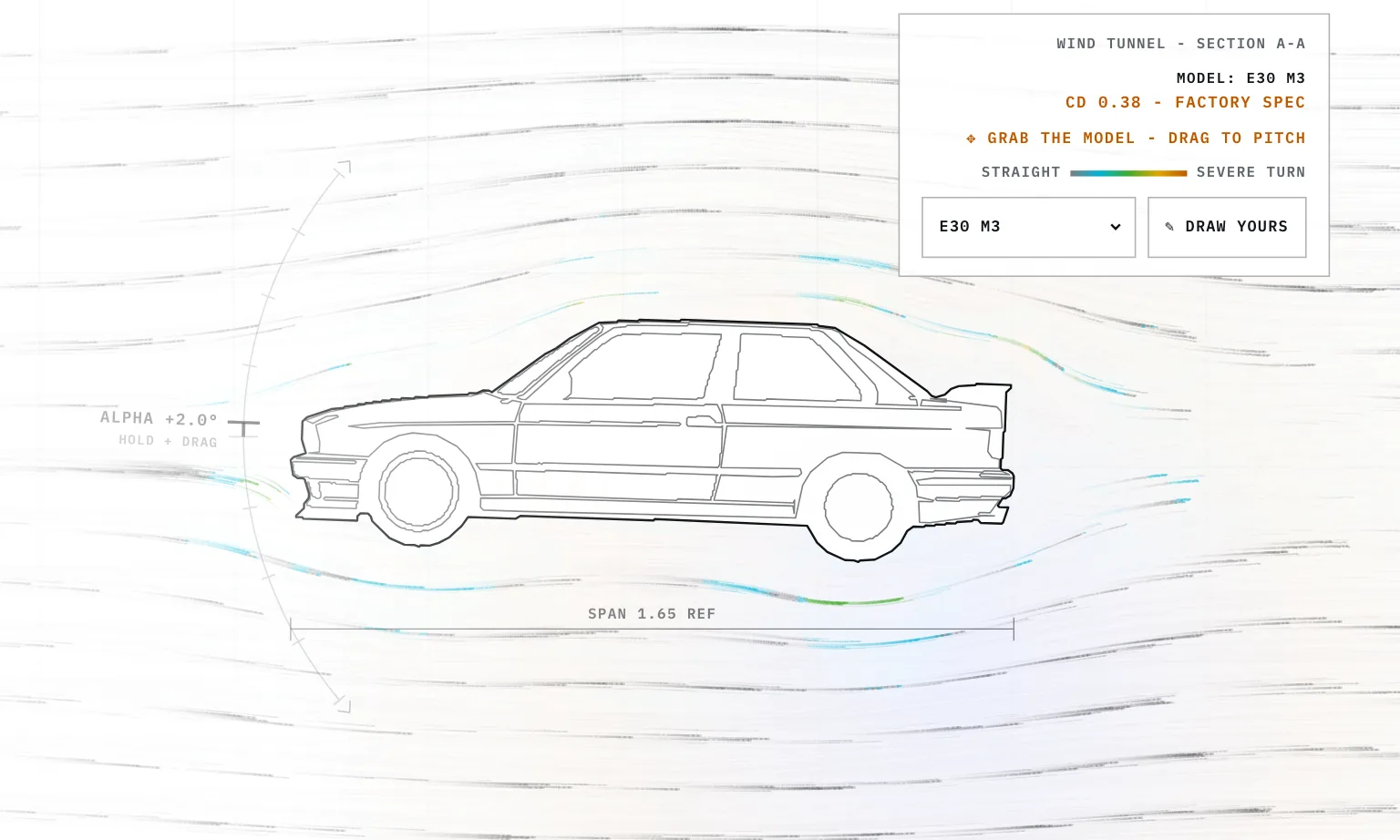
The dropdown has 10 models: the IEB-026 airfoil, a flat plate, a cylinder, an E30 M3, a brick, a tulip, an SR-71, a Formula 1 car, an F90 M5 and a Corvette C6 ZR1.
I traced the cars and the SR-71 from side-view line drawings with a script I wrote, tools/trace_reference.py. It takes the silhouette from the outer stroke and turns every white area inside it into a detail line, like a window or a wheel. A small editor lets me fix the points, and tools/apply_models.py writes them into app.js. Before August 2026 I typed the coordinates in by hand. Only the outline goes into the flow, and the detail lines are drawn on top.
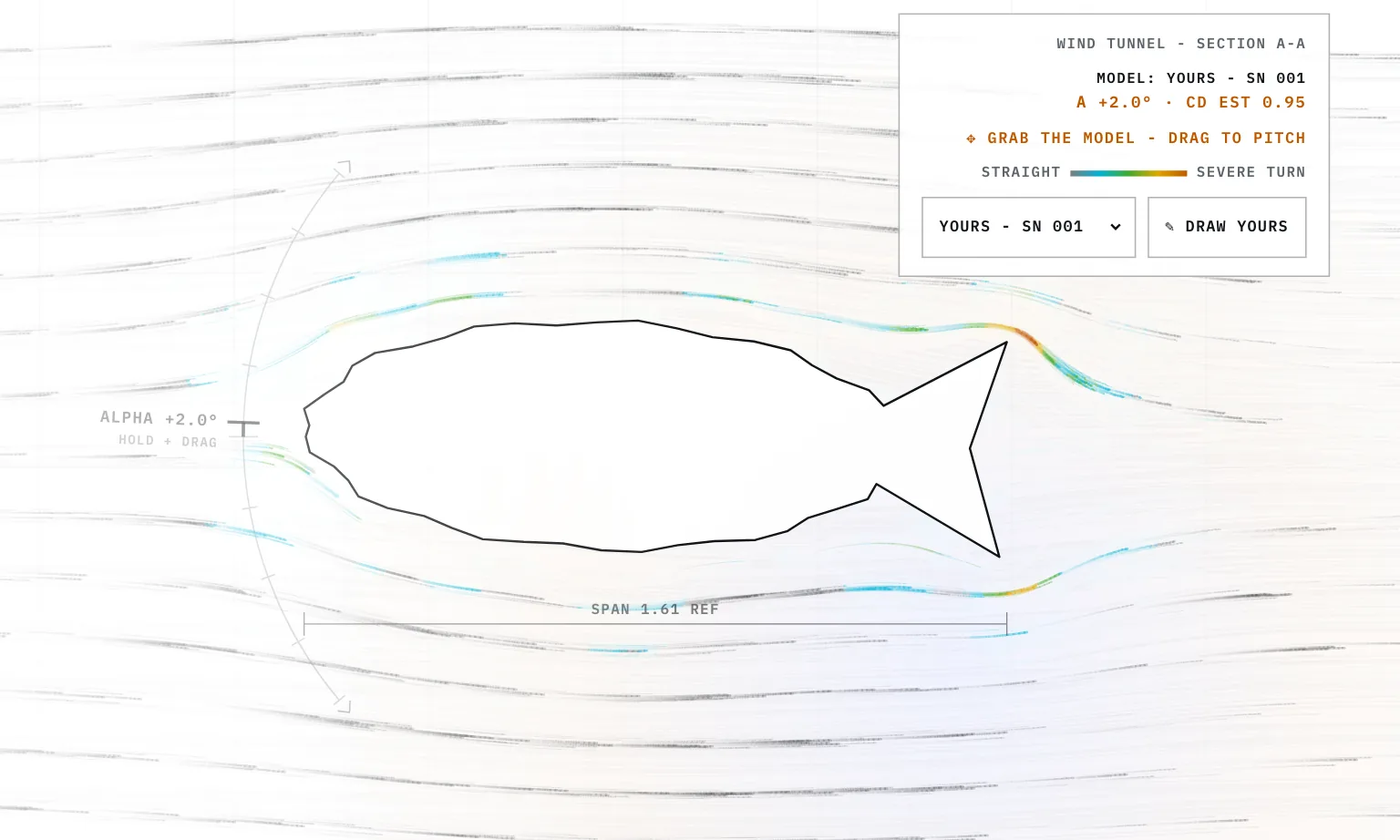
Press Draw yours and you can sketch anywhere over the hero. It keeps a point each time the pointer moves more than 6 px, and when you let go it needs at least 8 points or the sketch is dropped. The shape closes with a straight line back to the start, gets scaled to about the width of the airfoil with a cap on its height, and joins the dropdown as your own model. It counts as a lifting shape, so it gets the lift fix and it can stall.
Sheet 06 of 08/Limits
What it leaves out
Everything is 2D, one slice through the model. Potential flow has no friction, so it can't make drag, and the flow never peels off a shape by itself. The wake is something I added by hand. Behind each shape there's a wedge where the smoke slows down and gets stirred by a smooth noise field. On bluff shapes and stalled wings the code also sheds small vortices, one above and one below in turn, that drift downstream. None of that feeds back into the grid.
The lift fix stays on when a wing stalls, so only the readout and the wake change. Smoke that runs into the model restarts on the left instead of sliding around it. The drag numbers on the cars, the cylinder and the brick are fixed text that I typed in. The cylinder says 1.17 and the brick says 2.05. A drawn shape gets a made-up estimate that goes up the taller the sketch is.
Sheet 07 of 08/Speed
Keeping it fast
Most of the cost is the grid sweeps and fading the whole canvas every frame, so both have a ceiling. The grid tops out around 10,000 cells, and the canvas drops its resolution once it would pass 4.2 million pixels. All the smoke goes out in at most 15 strokes a frame, one for each mix of 5 colours and 3 line widths. The fade is matched to 60 Hz, so the smoke looks the same on a 120 Hz screen and on a phone at 30 fps. The tunnel stops when the hero scrolls out of view or the tab is hidden.
On a screen 760 px wide or less it runs at about 30 fps with 660 particles, coarser cells and no vortices. The readout panel is hidden there, so a phone has no model picker, drawing or pitching. A touch on the model scrolls the page.
With reduced motion turned on nothing animates. It runs 240 sweeps once, traces 36 streamlines through the field and colours them by how sharply they turn, like the smoke. Pitching is off, and picking or drawing a model just redraws the picture.