Desktop appSolo designer and engineerDrawing 44 of 47
hexis
.harness
My own desktop app for designing wiring harnesses, offline on a Mac. It reads and writes the open .harness file format, and I'm using it to design the full harness for a 1985 F-150 with a Coyote V8 swap.
- StatusWorking, version 0.1.0, 2026
- Built withReact, TypeScript, Electron, React Flow
- Runs onmacOS, offline
- File formatthe open .harness format, read and write
- Parts804 in an offline catalog, Deutsch, TE, Molex, JST, Aptiv
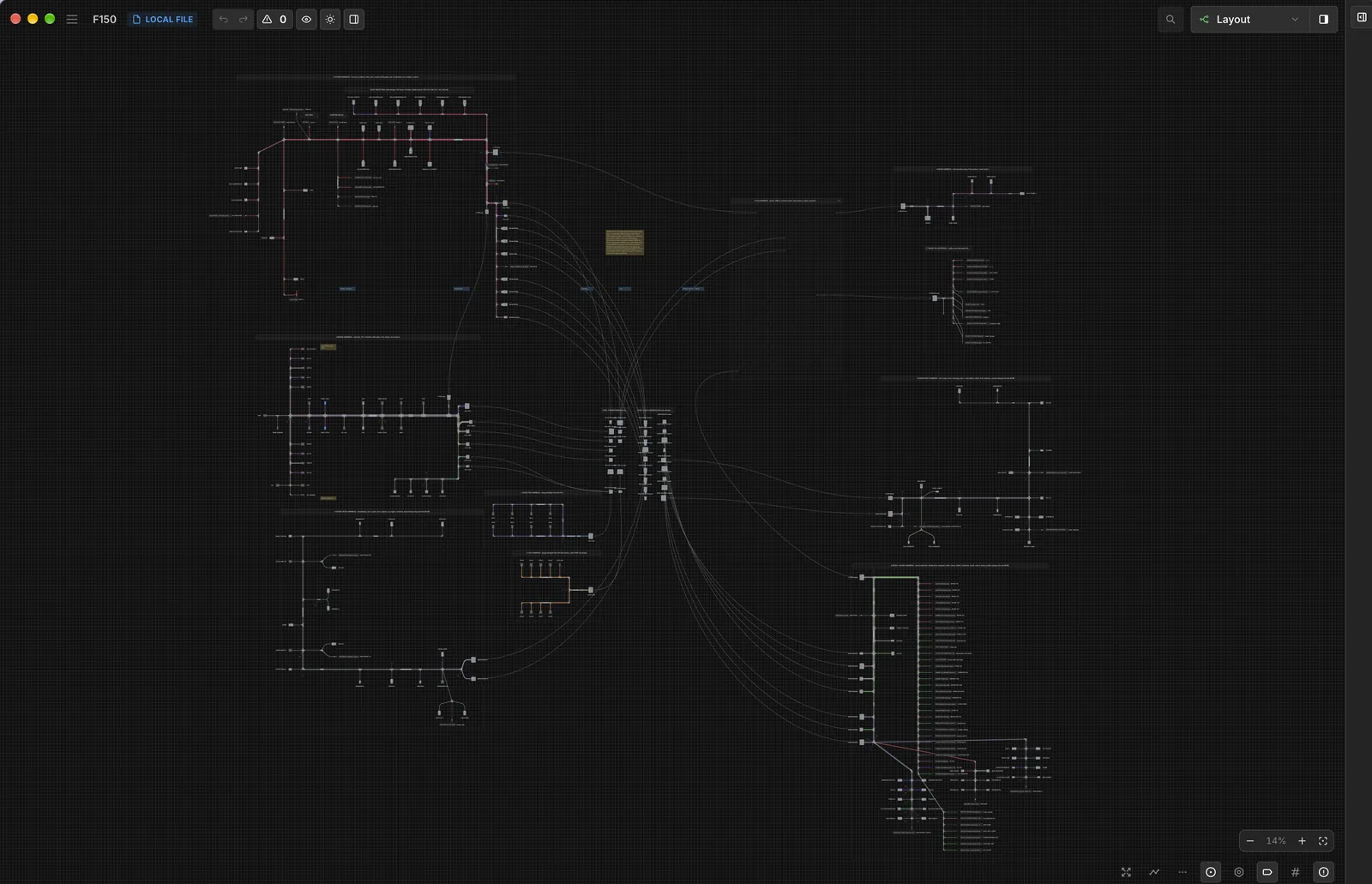
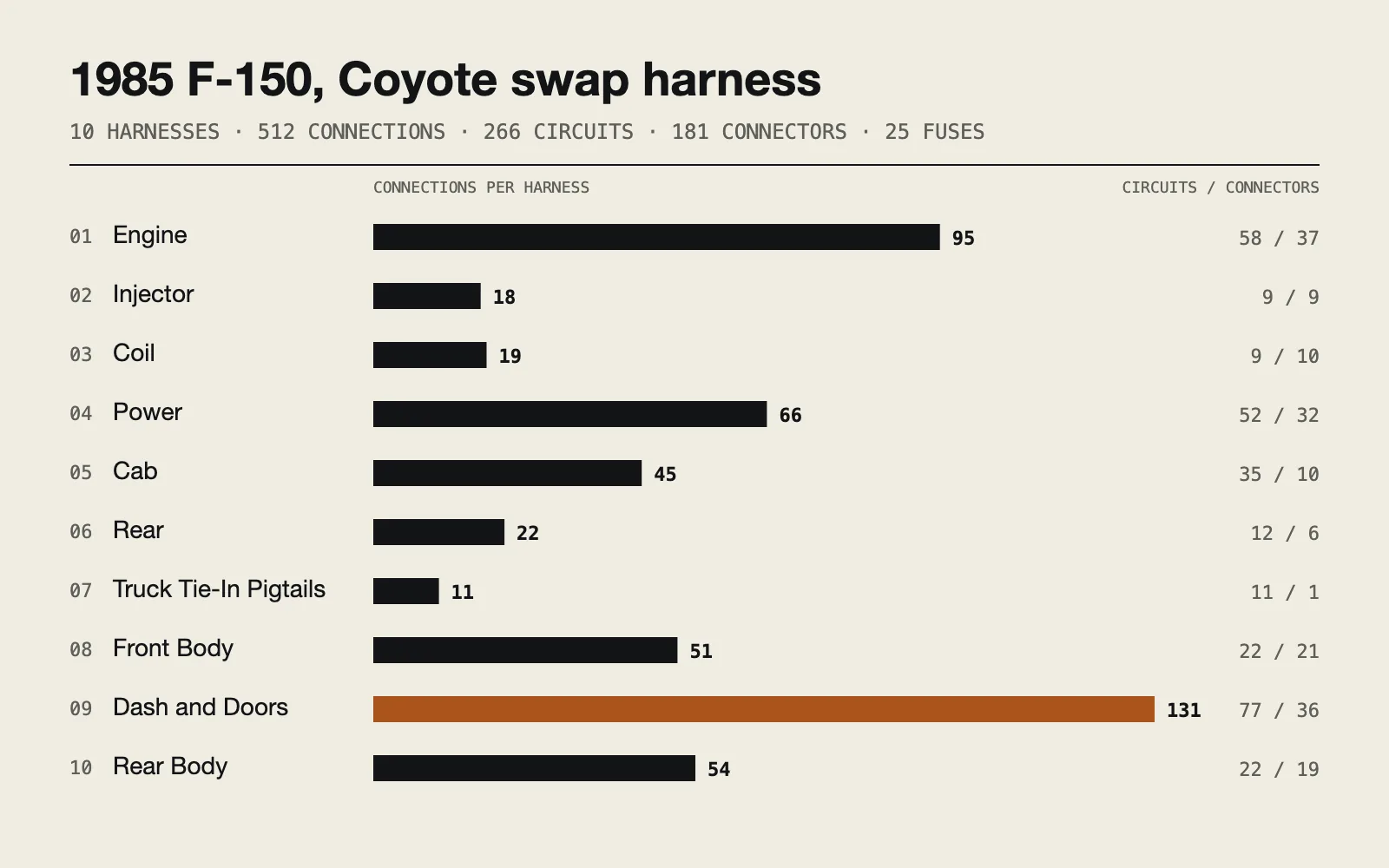
- Examplea 1985 F-150 Coyote swap, 512 connections
Sheet 02 of 06/Why
A harness tool that stays offline
The goal was a harness editor that runs offline as a Mac app, with the files on my own disk. So I wrote my own, built around the open .harness file format.
Sheet 03 of 06/Parts
Issued as separate drawings
I split this project into parts. Each part below has its own page, with its own sections and pictures.
Part 01 / 01
F-150 Coyote harness
The example: a full harness for a 1985 F-150 with a Coyote V8 swap. Ten harnesses, 512 connections, 266 circuits and a fuse box of my own.
Sheet 04 of 06/Views
Two views of one harness
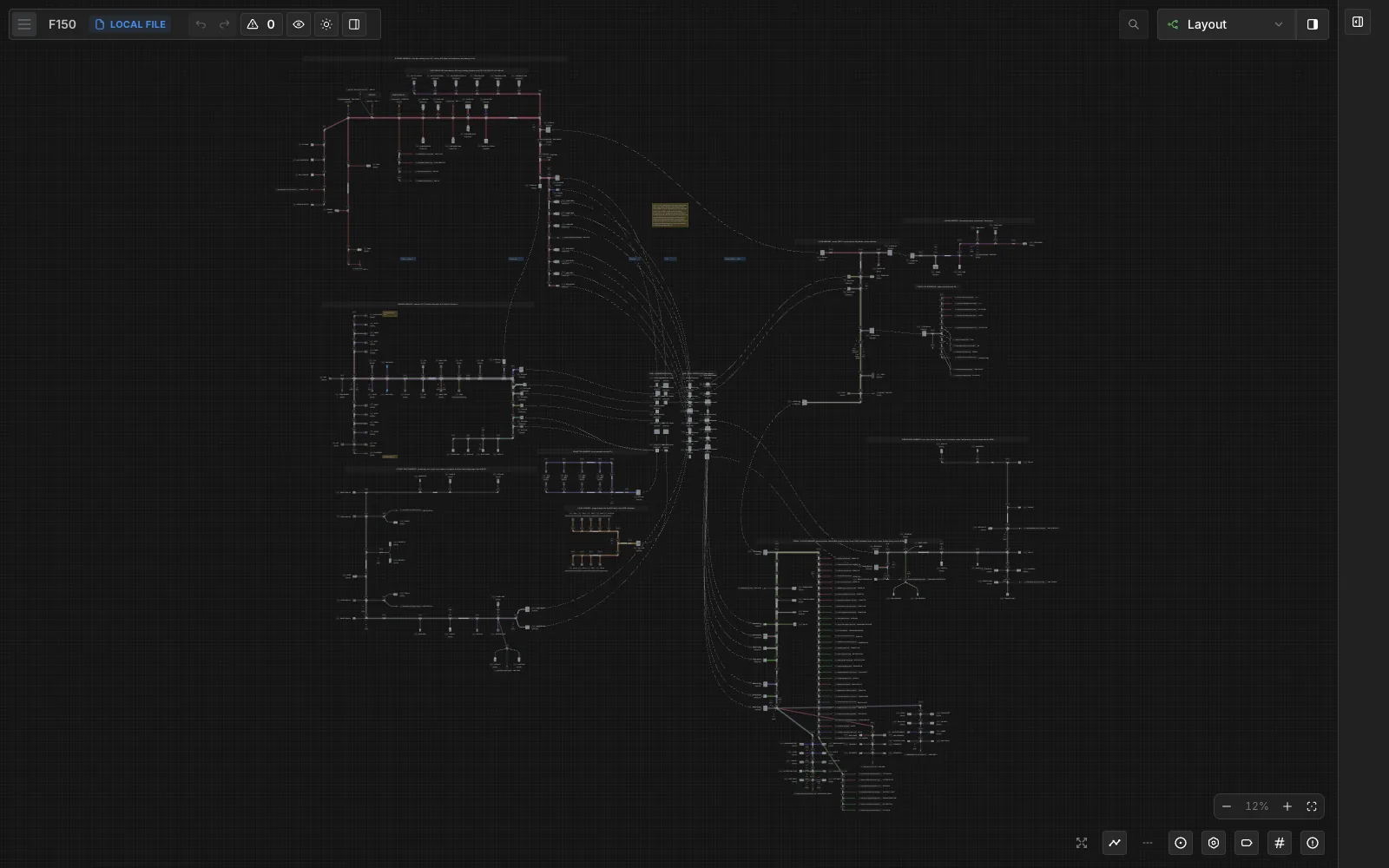
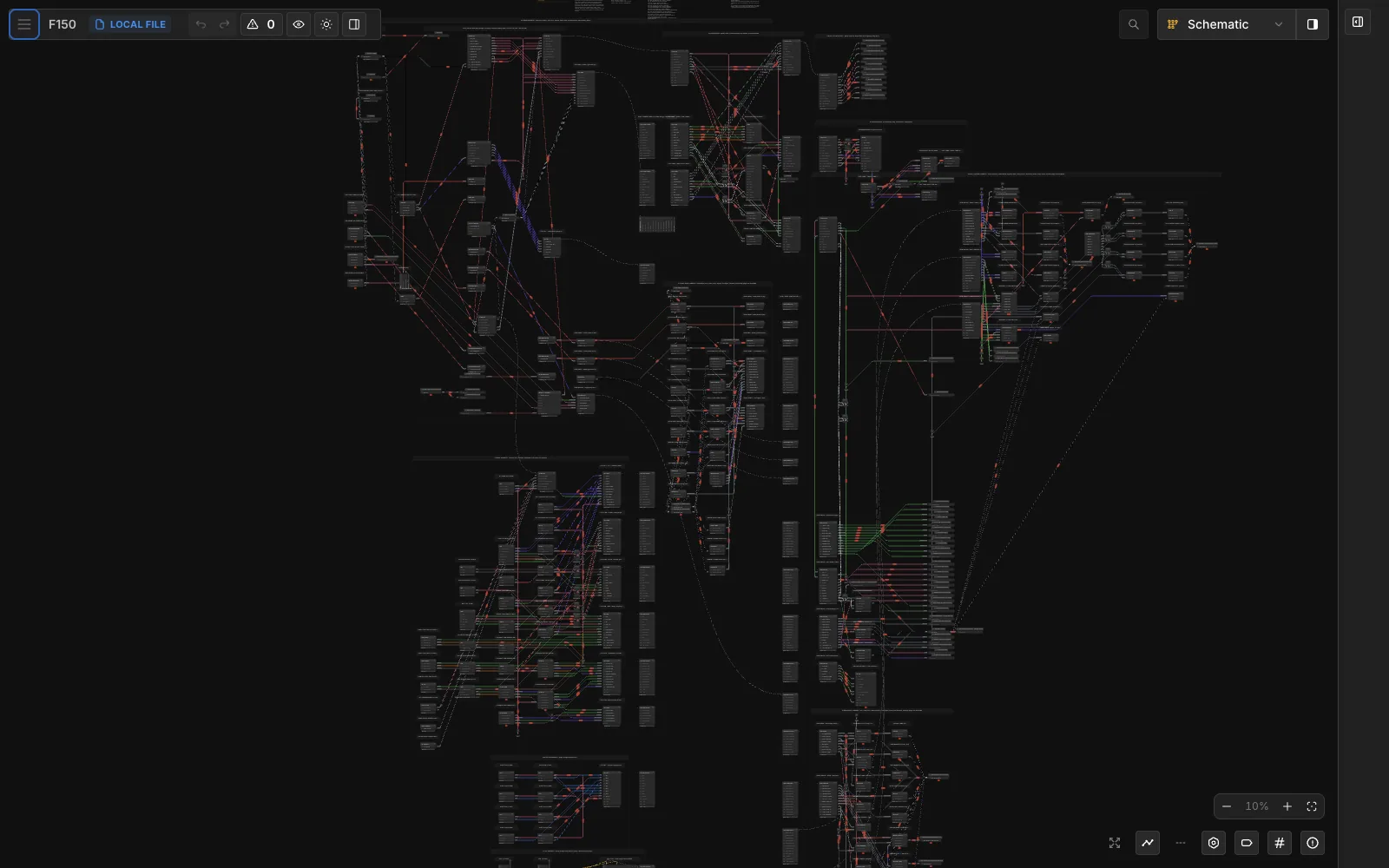
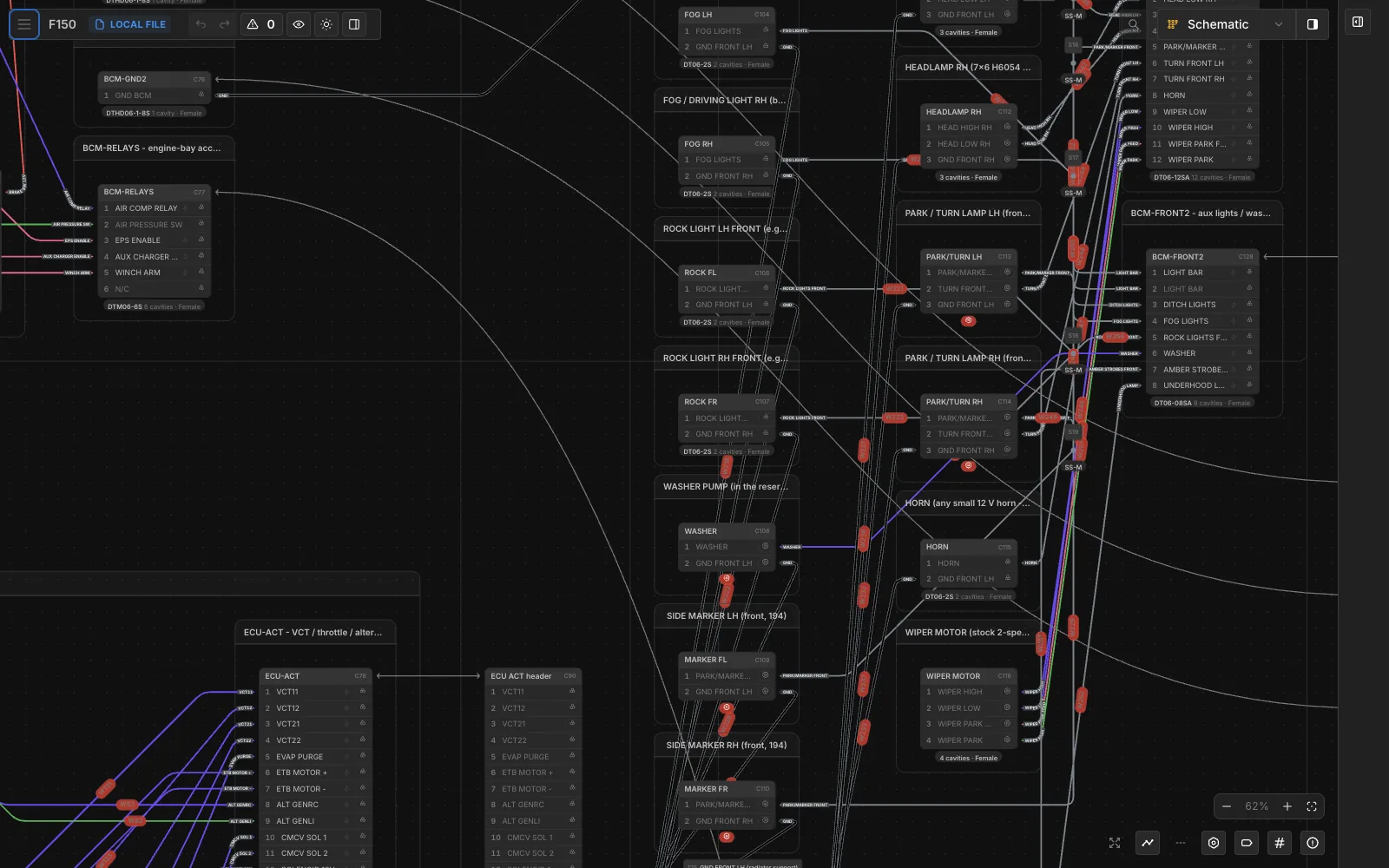
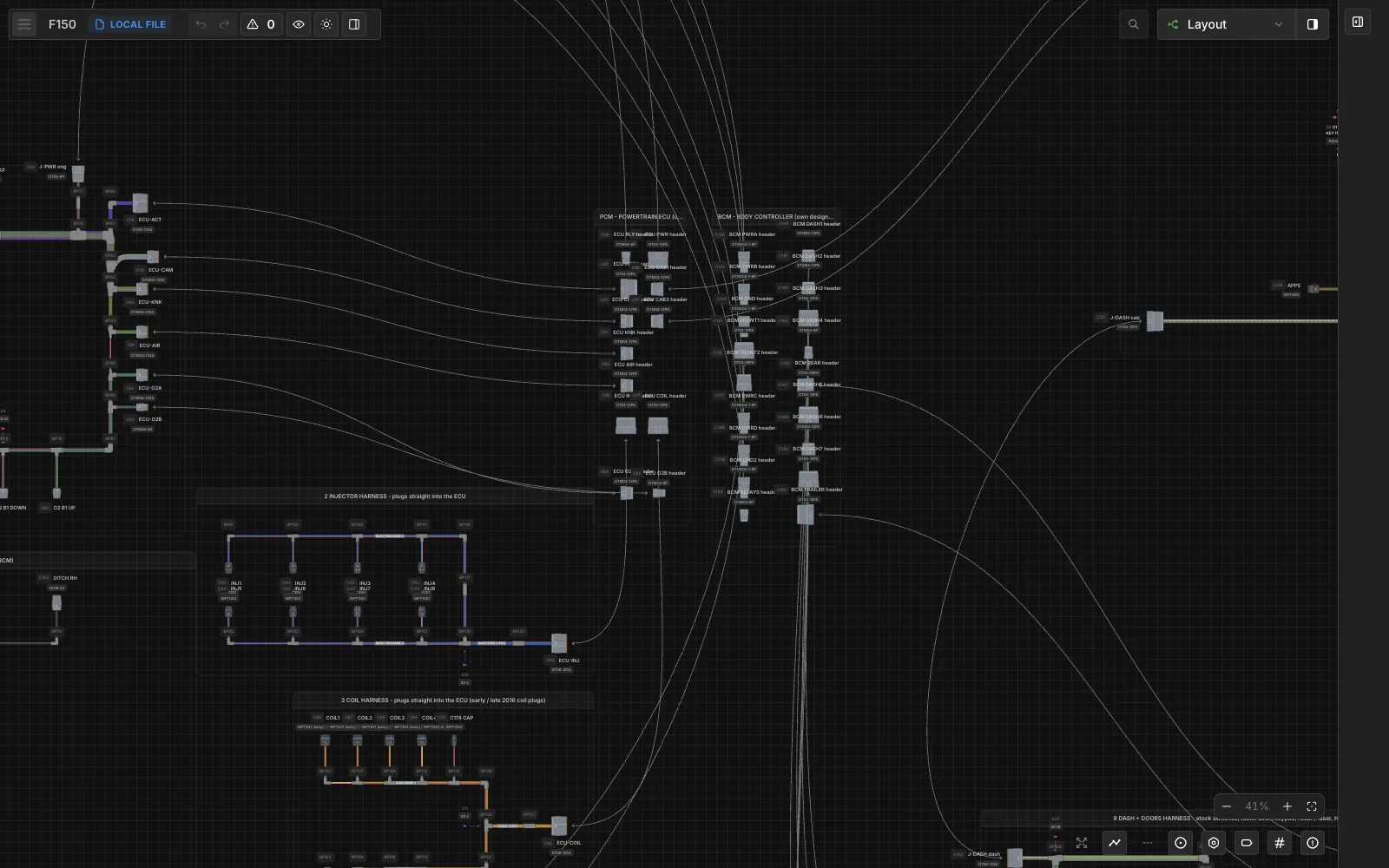
The schematic view shows every pin and wire as a drawing. The layout view shows the same harness as physical bundles, with branches running out to each connector, so I can see where every wire actually goes.
Sheet 05 of 06/Parts
Real parts
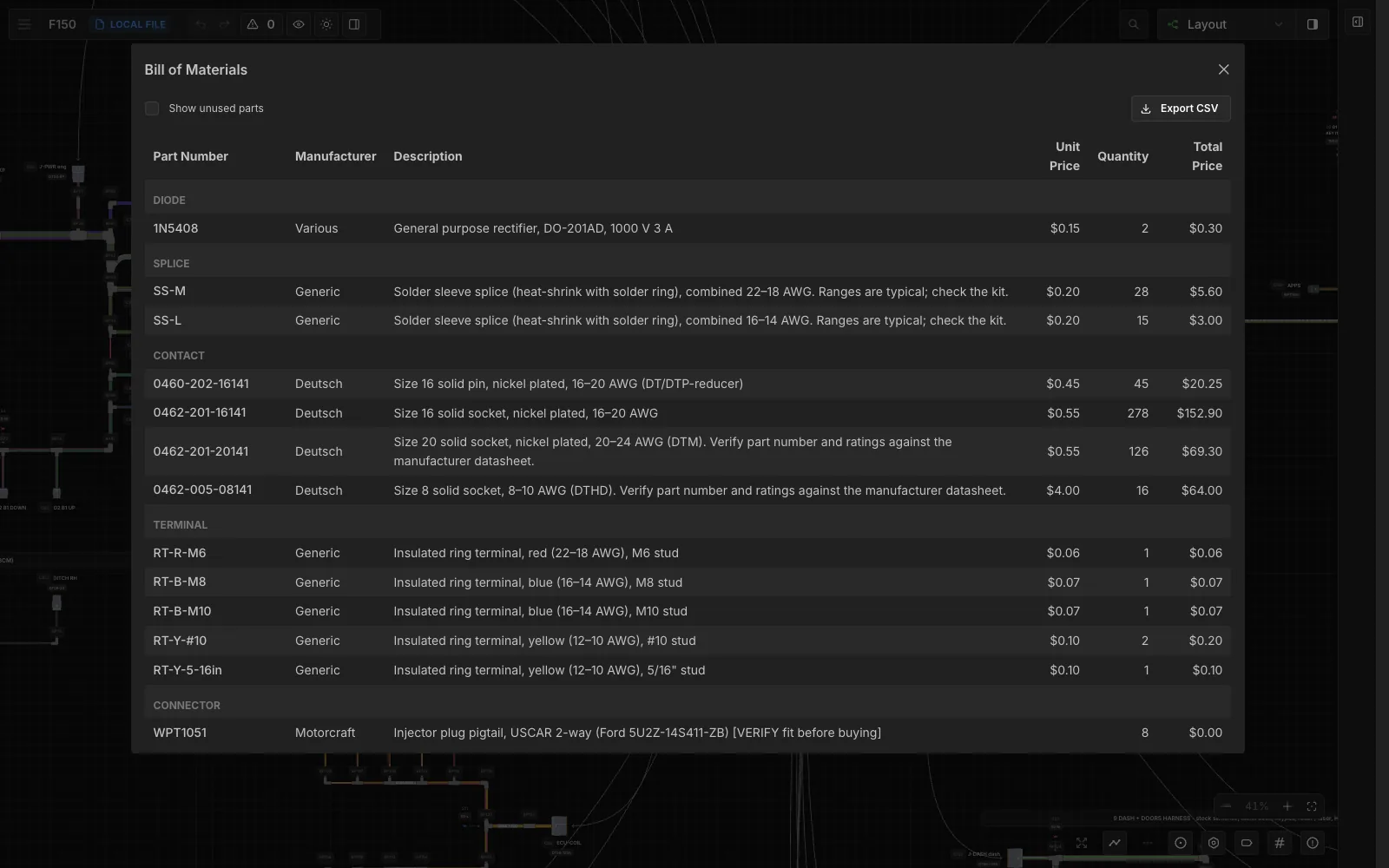
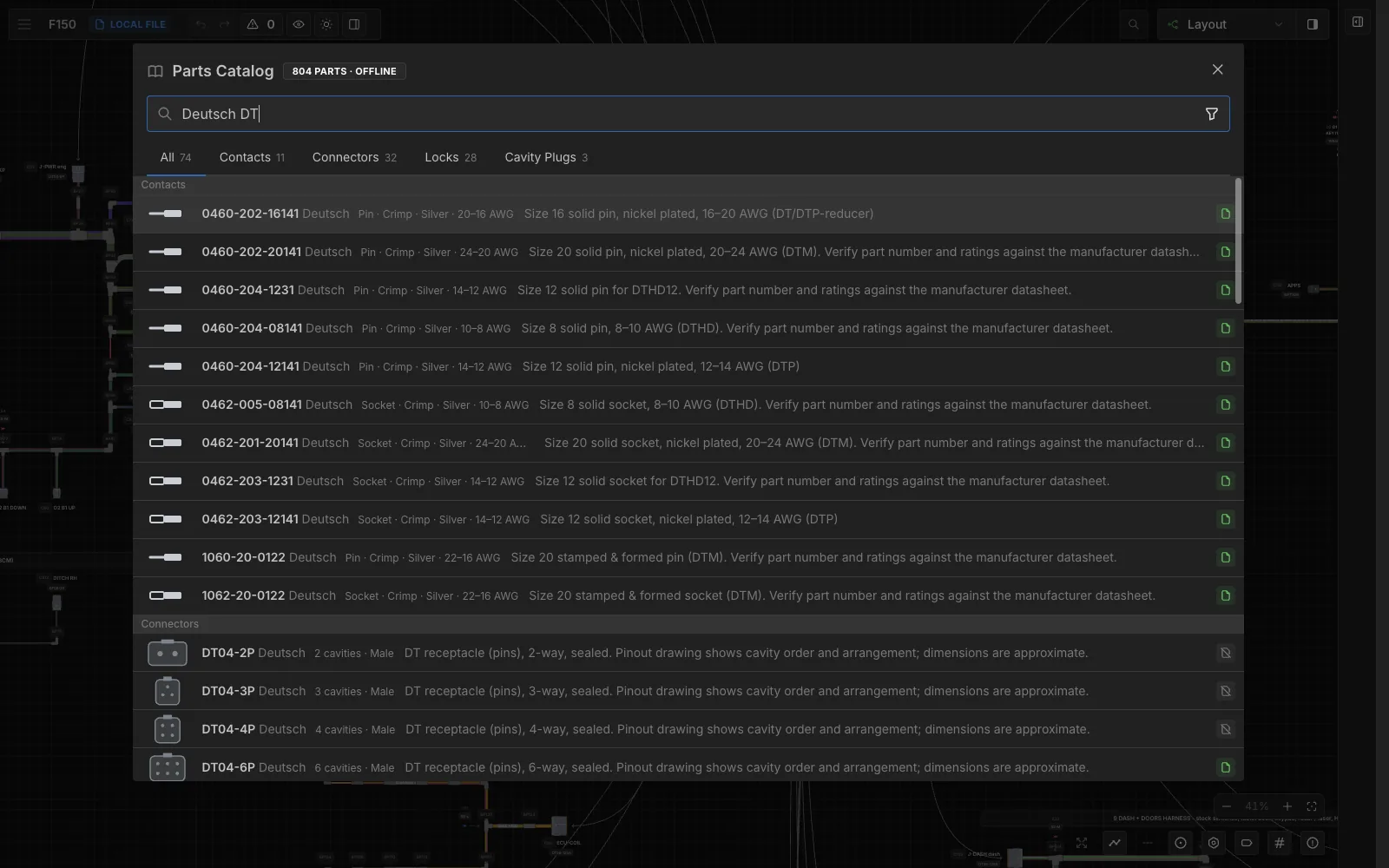
Connectors come from a built-in catalog of 804 parts that works offline: Deutsch, TE, Molex, JST and Aptiv plugs, plus contacts, cable, splices and coverings. Each part carries its own pinout.
Sheet 06 of 06/Desktop
A real Mac app
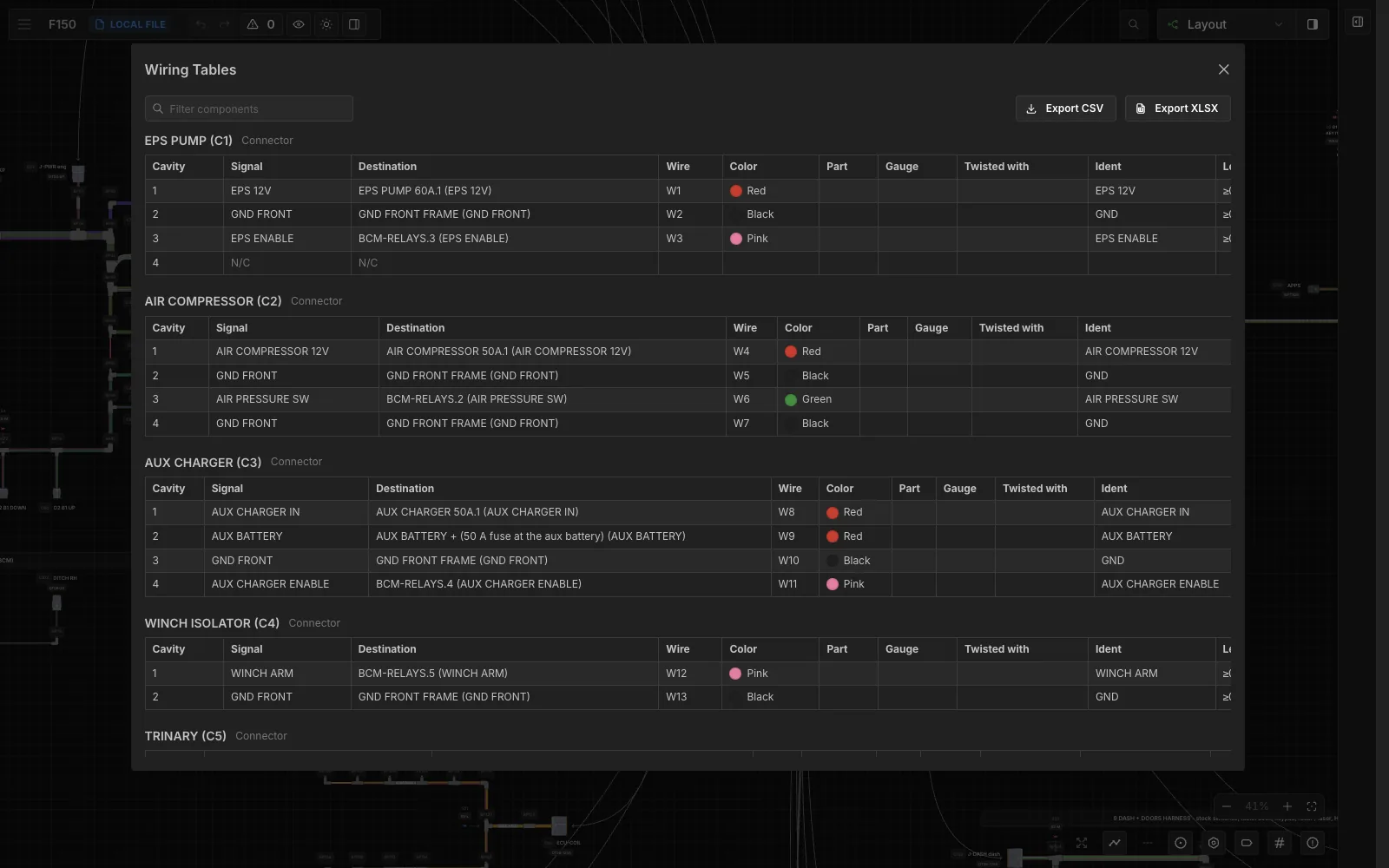
It ships as a Mac app with autosave, undo and revisions. It counts a bill of materials straight from the drawing, builds a wiring table for every connector, and exports to PDF, CSV and Excel. It's covered by 47 test files, from unit tests up to end-to-end tests that click through the editor in a browser.